
You can’t grow a business or build wealth when you’re flying blind. You need systems that show you the full picture. One that tells where your money is, where it’s going, and what you should do next.
That’s where financial management tools come in. They handle everything from creating detailed financial plans to filing your taxes, so you can make decisions based on actual data instead of gut feelings.
We’ve put together 11 tools that cover budgeting, expense tracking, payroll, investments, and more. Each one solves a specific problem, so you can pick what fits your needs.
Rundown
- Best for creating a financial plan: ProjectionLab, “A user-friendly platform that helps you model scenarios and visualise your financial future with customisable projections and goal tracking.”
- All-in-one accounting tool: Wave, “Free accounting software with invoicing, receipt scanning, expense tracking, and financial reporting designed specifically for freelancers and small businesses.”
- Best for budgeting with collaboration features: Monarch Money, “A joint budgeting platform combining zero-based budgeting with investment tracking, AI coaching, and financial forecasting for couples and families.”
- Best for envelope budgeting method: YNAB (You Need a Budget), “Assign every dollar a specific purpose and track your spending in real-time to stay on track with your financial goals.”
- Best for receipt scanning and expense reports: Expensify, “Automates expense tracking by photographing receipts and categorising spending, with mileage tracking and multi-currency support for business travellers.”
- Best for payroll and HR management: Gusto, “Automated payroll processing with tax compliance, benefits administration, and employee management for small to mid-size businesses.”
- Best for invoicing and time tracking: FreshBooks, “Creates professional invoices, tracks business expenses, logs billable hours, and generates financial reports for freelancers and service businesses.”
- Best for free investment portfolio tracking: Empower, “Institutional-grade portfolio analytics tracking stocks, ETFs, crypto, and net worth aggregation across all accounts without premium paywalls.”
- All-in-one personal finance: Quicken Simplifi, “Combines budgeting, investment tracking, spending categorisation, and savings goals in a mobile-optimised app for comprehensive financial management.”
- Best for cash flow forecasting: Float, “Visualises cash inflows and outflows with scenario planning and real-time updates to help you identify shortfalls or surpluses in advance.”
Recommended Financial Management Tools

Best for creating a financial plan
ProjectionLab
ProjectionLab lets you plug in your income, expenses, savings, and debts, then shows you how your money could look years down the line.
You can model different scenarios like retiring at 55 instead of 65, buying a house in three years, or going back to school. The tool generates multiple possible outcomes based on your inputs, so you’re not just hoping things work out; you’re seeing what’s actually realistic.
With ProjectionLab,
- You can set specific financial goals like saving for a car, funding your kid’s education, or building a retirement nest egg. The tool tracks your progress and shows exactly what steps you need to take to get there.
- You can visualise your financial data through charts and graphs that make complex projections easy to understand. Instead of staring at spreadsheet rows, you see clear visual timelines of your financial trajectory.
- You can test different “what if” scenarios to see how changes in income, major expenses, or investment returns might affect your long-term finances. This helps you make decisions with your eyes wide open.
- You can connect ProjectionLab to your bank accounts and investment accounts, pulling all your financial information into one central hub for easier planning.
While ProjectionLab offers solid planning features, it can be pricey compared to basic budgeting apps, which might be a problem if you’re watching every dollar. Also, if you’re trying to build highly sophisticated financial models with complex variables, you might find the customisation options don’t go deep enough for your needs.
All-in-one accounting for small businesses
Wave
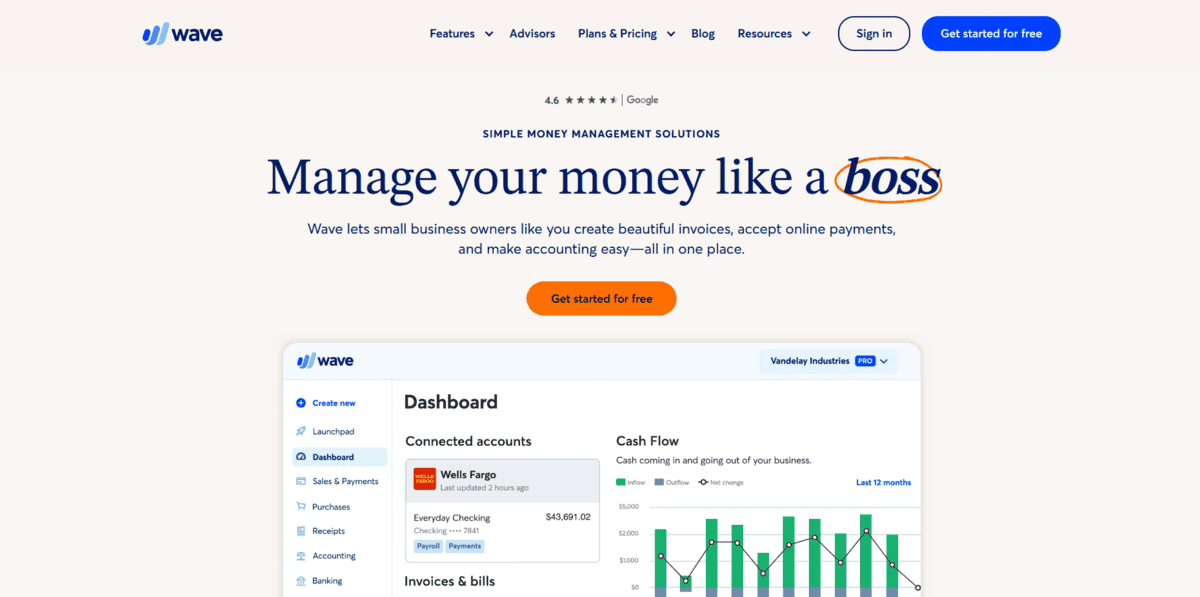
Wave is free accounting software built specifically for small business owners and freelancers who need to manage their finances without paying for expensive tools.
You can track income and expenses, send professional invoices to clients, scan receipts with your phone, and generate financial reports that show how your business is doing. It handles the basics really well and keeps everything organised in one place, so you’re not jumping between different apps or drowning in paperwork.
With Wave,
- You can create custom invoices with your logo and brand colours, making your business look professional without hiring a designer.
- You can use the mobile app to scan and save receipts instantly, so you never lose track of business expenses or important documents.
- You can connect your bank accounts and credit cards to automatically import and categorise expenses, saving you hours of manual data entry.
- You can reconcile your bank statements with your accounting records to make sure everything matches up and stays accurate.
Wave handles most accounting tasks well, but it doesn’t integrate with other business tools you might be using. If you want to process payroll for employees, you’ll need to pay for that feature separately. It’s perfect for solo entrepreneurs and small teams who need solid accounting basics without the hefty price tag.

Budgeting with collaboration features
Monarch Money
If you’re managing money with a partner or family, Monarch Money makes joint budgeting way less complicated. This platform brings together budgeting, investment tracking, and financial planning in one spot, so everyone can see the full picture.
You can set shared goals, track spending together, and get a clear view of your combined net worth across all accounts. The app even includes AI-powered coaching that analyses your spending patterns and suggests ways to improve your financial health.
With Monarch Money,
- You can choose between flexible budgeting or structured category budgeting, depending on whether you need loose guidelines or strict spending limits.
- You can track investments alongside your budget, giving you a complete view of your financial situation instead of checking multiple apps.
- You can set joint financial goals with your partner and monitor progress together, keeping everyone aligned on savings targets and spending priorities.
- You can use the AI assistant to get personalised insights about your spending habits and receive actionable recommendations for reaching your goals faster.
Monarch Money requires a paid subscription with no free tier, which might be a dealbreaker if you’re testing budgeting apps. The learning curve can be steep at first, especially if you’re new to detailed financial tracking. But for couples and families who want to manage money collaboratively without spreadsheets or constant money conversations, it’s worth the investment.

Envelope budgeting methodology
YNAB (You Need a Budget)
YNAB takes a different approach to budgeting by making you assign every single dollar a specific job before you spend it.
If you have $2,000 in your account, you decide exactly where it’s going. Rent, groceries, savings, entertainment, etc., until you’ve allocated all of it. This envelope budgeting method forces you to be intentional with your money instead of wondering where it all went at the end of the month. You’re not tracking what you spent yesterday; you’re planning what you’ll spend tomorrow.
With YNAB,
- You can connect your bank accounts to see transactions automatically, so your budget updates in real-time as you spend money throughout the day.
- You can set specific financial goals like building an emergency fund or saving for a vacation, and the app shows you exactly how much to set aside each month.
- You can access detailed reports that reveal your spending patterns and help you identify where you’re overspending or where you can cut back.
- You can adjust your budget categories on the fly when life throws surprises at you, moving money between envelopes without breaking your overall plan.
YNAB offers a free trial, but you’ll need to pay a subscription fee to keep using it after that. Some transactions require manual entry, which can feel tedious if you’re used to fully automated tools. The envelope method takes discipline and a shift in mindset, but if you’re serious about taking control of your spending and breaking the pay cheque-to-pay cheque cycle, YNAB delivers results.
Receipt scanning and expense reports
Expensify
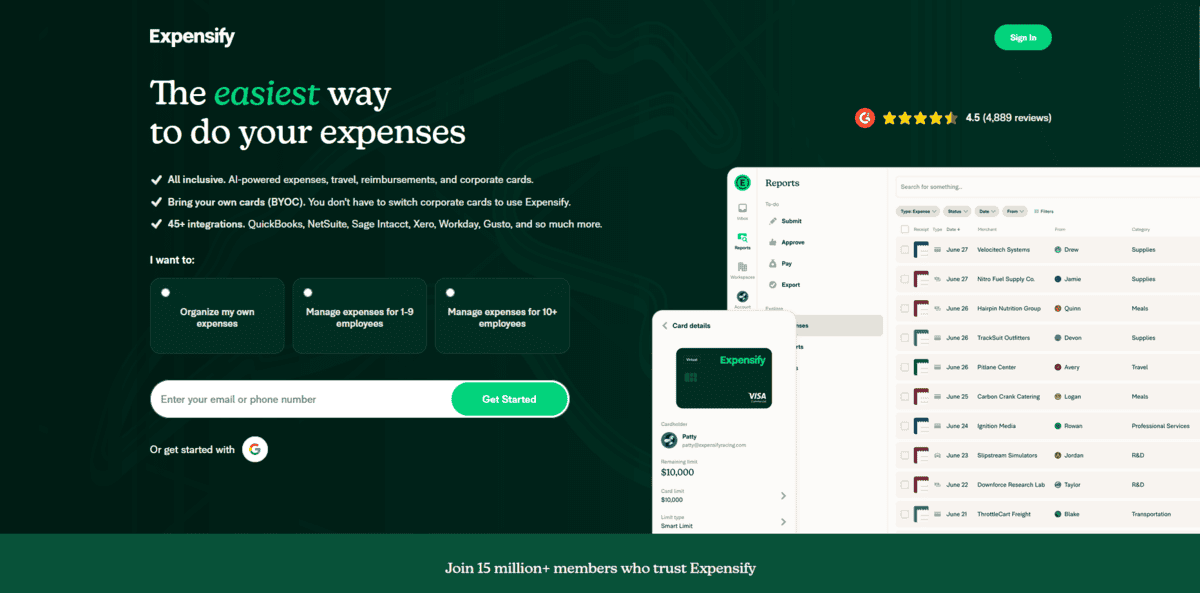
If you’re tired of manually typing in every business expense or digging through piles of crumpled receipts, Expensify can help. This tool lets you snap photos of your receipts and automatically sorts everything into categories like food, travel, or office supplies.
You don’t have to remember where you spent your money or spend hours creating expense reports. The app does the complex tasks for you, pulling details from your receipts and organising them so you can see exactly where your money’s going. It’s built for both personal use and business expense management, making it easy to submit reimbursement requests or track spending for tax purposes.
With Expensify,
- You can use smart technology that reads your receipts and automatically categorises expenses based on the merchant and purchase type. This keeps everything organised without manual data entry.
- You can track mileage for work-related drives, and the app calculates the distance and adds it to your expense reports automatically.
- You can handle expenses in multiple currencies if you travel internationally. Expensify converts foreign purchases to your home currency so everything’s in one consistent format.
- You can connect it with accounting tools like QuickBooks, Xero, and NetSuite to sync your expenses directly with your accounting system.
Expensify makes expense tracking straightforward, but it’s not without limitations. The more advanced features require a paid subscription, which might not fit every budget. There’s also a bit of a learning curve when you’re first getting familiar with all the settings and features.
Plus, the automatic categorisation isn’t always perfect. You’ll occasionally need to make manual adjustments when the app misreads a receipt or assigns the wrong category.
Payroll and HR management
Gusto
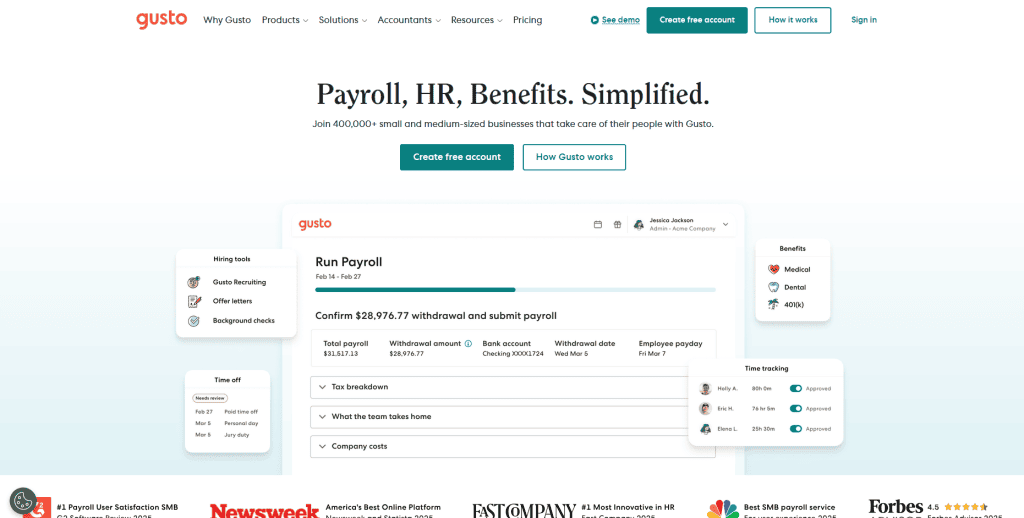
Gusto is an all-in-one payroll and HR tool designed for small to mid-sized businesses that need a reliable way to pay employees, manage benefits, and stay compliant with tax regulations.
The software automatically calculates wages based on hours worked or salaries, deducts the right amount for taxes, and processes direct deposits so your team gets paid on time. Beyond payroll, you can also manage health insurance, retirement plans, and track paid time off. All from one platform.
With Gusto,
- You can automate the entire payroll process, from calculating wages to processing payments. The system makes sure everyone gets paid correctly and on schedule.
- You can let Gusto handle all your federal, state, and local tax filings. It calculates what you owe and files everything on your behalf, so you don’t miss deadlines or make costly errors.
- You can manage employee benefits like health insurance and 401(k) plans directly through the platform. Enrolling employees and tracking contributions becomes much simpler.
- You can access HR tools to keep employee records organised, monitor paid time off requests, and ensure you’re meeting all legal requirements.
Gusto is a solid payroll solution, but it can be more expensive than simpler payroll services, which might stretch the budget for very small companies. While it covers most standard payroll needs well. Businesses with more complex requirements, like multiple pay schedules or intricate bonus structures, might find some limitations in what the platform can handle.
Invoicing and time tracking
FreshBooks
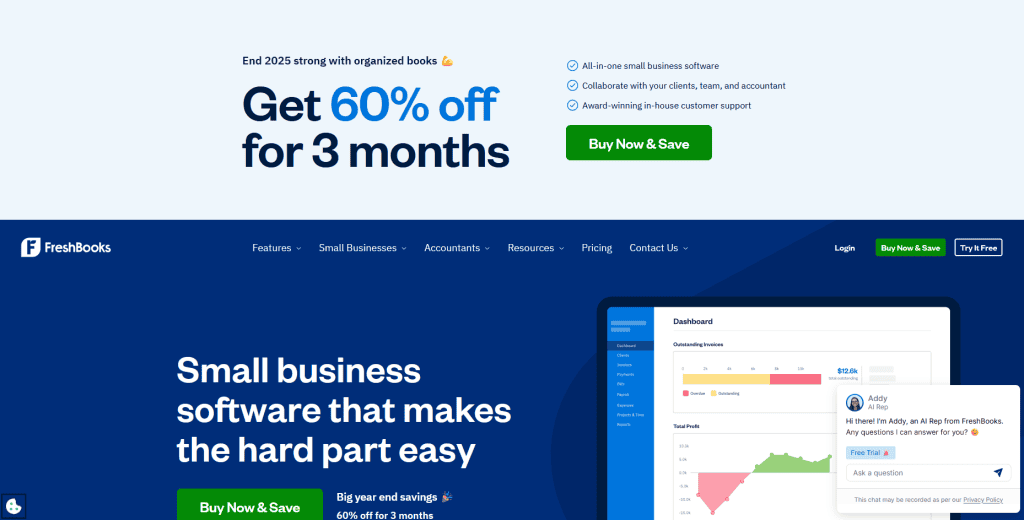
FreshBooks helps you create professional invoices, track the time you spend on projects, and manage your expenses. You can design invoices with your logo and brand colours, then send them to clients with a few clicks.
The software tracks when invoices are viewed and sends automatic payment reminders, so you don’t have to awkwardly follow up asking for money. If you bill by the hour, the built-in timer logs your working hours and converts them into accurate invoices. You can also snap photos of receipts or connect your bank account to track business expenses as they happen.
With FreshBooks,
- You can create polished, customisable invoices quickly and add your branding to make them look professional. The system sends automatic reminders to clients, so payments come in faster without you having to chase them down.
- You can track all your business expenses by photographing receipts or linking your bank account. This makes it easier to categorise spending and prepare for tax time.
- You can use the time tracker to log billable hours and attach them to specific projects or clients. This ensures you bill accurately for every hour worked.
- You can generate detailed reports that break down your income, expenses, and profits. These insights help you understand your business’s financial health and make smarter decisions.
FreshBooks works well for invoicing and time tracking, but it can get expensive. Especially if you’re managing a large client base or want access to more advanced features. The customisation options are somewhat limited compared to other accounting tools, which might frustrate you if you need more flexibility in how you organise or present financial information.

Free investment portfolio tracking
Empower
If you want professional-grade investment tracking without paying premium fees, Empower is your tool. It gives you the kind of portfolio analytics that wealth management firms use, but completely free. You can track all your investments in one place. Stocks, ETFs, bonds, crypto, even real estate. You can even see your complete net worth across every account you own.
The platform automatically syncs with your broking accounts and shows you exactly how your investments are performing. What makes Empower stand out is that it doesn’t lock essential features behind a paywall. You get full access to portfolio analytics, performance tracking, and investment insights without needing to upgrade.
With Empower,
- You can see all your investments aggregated in one dashboard, giving you a clear picture of your total portfolio across different accounts and asset classes.
- The fee analyser breaks down exactly how much you’re paying in investment fees, helping you identify where costs are eating into your returns.
- You can use the retirement planning calculator to see if you’re on track to meet your retirement goals based on your current savings and investment strategy.
- The portfolio checkup feature analyses your asset allocation and suggests adjustments to help you maintain proper diversification.
Empower is a powerful tool for tracking investments, but it has some limitations. Some of the more advanced financial planning features require linking to their wealth advisory services, which means you might get pitched on their paid services. The interface can also feel overwhelming if you’re new to investing, with lots of charts and metrics that might be confusing for beginners.

All-in-one personal finance
Quicken Simplifi
Quicken Simplifi is for anyone who wants to manage all their personal finances in one app without the complexity of traditional budgeting software. It combines spending tracking, budgeting, investment monitoring, and savings goals into a mobile-friendly platform that you can check from anywhere. Instead of forcing you into strict budget categories, Simplifi uses a spending plan approach that shows you how much is safe to spend after accounting for bills and savings goals.
The app automatically syncs with your bank accounts and categorises transactions, so you don’t have to manually enter every purchase. You can also create watchlists for specific spending categories you want to keep an eye on, like dining out or entertainment.
With Quicken Simplifi,
- You can set up savings goals and track your progress toward them, whether you’re saving for a vacation, an emergency fund, or a down payment on a house.
- The spending plan shows you how much money you have available to spend after your bills and savings are accounted for, making it easier to avoid overspending.
- You can create custom watchlists to monitor specific categories where you tend to overspend, getting alerts when you’re approaching your limits.
- The app syncs with both your bank accounts and investment accounts, giving you a complete view of your financial picture in one place.
While Quicken Simplifi is great for everyday personal finance management, it requires a subscription to use. It also has fewer features than the full Quicken desktop software, and its reporting capabilities are more limited compared to some competitors. If you need detailed reports or manage complex finances, you might find it lacking.

Cash flow forecasting
Float
Float helps small to medium-sized business owners and financial managers keep track of their cash flow so they always know their financial position. This financial management tool visualises where your money is going and when it’s coming in, making it easy to spot potential cash shortages or surpluses before they happen. You can map out your cash position weeks or months in advance, which helps you make smarter decisions about spending, hiring, or investing.
Float also lets you create different scenarios to see how various business decisions might impact your cash flow. Since it integrates with your accounting software, all your data stays automatically updated without manual entry.
With Float,
- You can predict future cash flow based on your historical financial data, helping you plan ahead and avoid cash shortages.
- Float gives you real-time updates on your cash position, so you always have the most current information when making financial decisions.
- You can create different “what-if” scenarios to see how changes like increased expenses or lower revenue will affect your cash flow before committing to decisions.
- You can set budgets for different spending categories and track actual spending against these budgets to stay on track and avoid overspending.
Float is an excellent cash flow management tool, but it can be costly, especially if you’re operating on a tight budget. It also relies heavily on your accounting software, so if there’s any issue with your accounting system, it will affect Float’s accuracy as well. The tool works best when your accounting data is clean and up-to-date.