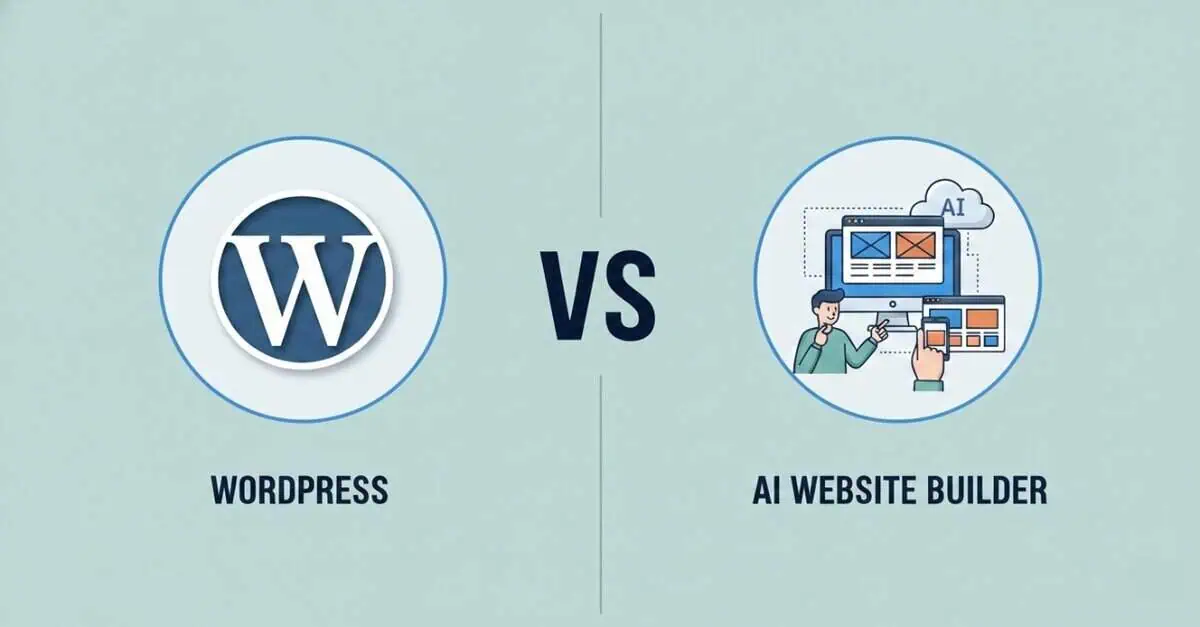
WordPress has been the go-to for years, powering 43% of all websites globally. That’s over 518 million sites. But AI website builders just saw a 46% usage increase in 2025, changing how people build websites online.
We’re comparing both options head-to-head. What they cost, how fast they work, and which one actually fits your needs.
What Is WordPress?
WordPress was launched back in 2003 as a simple blogging platform. Fast forward to today, and it’s the biggest player in the website game. It owns 61.3% of the CMS market.
This dominance happened because WordPress evolved from a blogging tool into a full website builder. Now it can handle everything from personal blogs to online stores to corporate sites.
There are two versions: WordPress.org and WordPress.com.
WordPress.org is the self-hosted version where you download the software, find your own hosting, and control everything. You own your site completely. You’ll need to choose from various wordpress hosting plans offered by companies like Bluehost, SiteGround, or HostGator, with prices and features that vary based on your needs.
WordPress.com is a hosted service that handles the technical setup for you. It’s easier to start with, but you’re renting space on their servers and have less freedom to customise.
What Are AI Website Builders?
AI website builders are platforms that use artificial intelligence to automate the process of creating a website. These tools ask you a few questions about your business and then generate a complete site for you.
With WordPress, you pick the theme, install plugins, adjust settings, arrange widgets. With AI builders, the system handles design choices automatically. It selects colour schemes based on your industry, places content sections where they statistically perform best, and even writes initial copy for your pages.
The big promise is speed. WordPress sites typically take days or weeks to build, even with templates. You’re configuring hosting, installing WordPress, browsing themes, learning the editor. AI builders claim to deliver finished sites in minutes.
According to recent data, no-code and low-code platforms now support 42% of all new website builds, showing this speed advantage resonates with users who want results fast.
Some Commonly Used AI Website Builders
AI website tools fall across a spectrum, from pure no-code builders to AI-assisted coding platforms.
Traditional AI Website Builders:
- Wix ADI: One of the first AI-powered website creators, launched in 2016, that generates complete sites by asking questions about your business
- Hostinger AI Builder: Creates websites through conversational prompts and includes AI writing tools for content
- Jimdo Dolphin: Builds sites by analysing your social media presence and business information
- Durable: Generates business websites in under a minute with AI-written copy tailored to your industry
Vibe Coding Tools:
- Lovable: AI-assisted platform that generates full-stack web applications from natural language descriptions
- Bolt.new: Lets developers build and deploy apps through AI-generated code with real-time previews
- Replit: Collaborative coding environment with AI that writes and debugs code as you work
- v0: Generates React components and interfaces from text prompts for developers
- Cursor: AI-powered code editor that assists with writing, refactoring, and understanding codebases
The first category targets business owners who want finished sites without touching code. The second serves developers who want AI to speed up coding rather than replace it. Both use AI, but for different audiences with different skill levels.
WordPress vs AI Website Builders: Quick Comparison
Before we break down each factor, here’s a side-by-side look at how WordPress stacks up against AI website builders. This gives you a quick snapshot of what to expect from each option.
Factor | WordPress | AI Website Builders |
Ease of Use | Moderate learning curve | Beginner-friendly |
Learning Curve | Weeks to months | Minutes to hours |
Setup Time | Hours to days | Minutes |
Design Flexibility | Unlimited with themes | Limited to templates |
Customization Options | Full control possible | Guided choices |
Cost | Varies widely | Fixed subscription |
Scalability | Highly scalable | Depends on the platform |
SEO Capabilities | Advanced with plugins | Basic to moderate |
Control & Ownership | Full ownership | Platform-dependent |
Technical Skills Required | Some coding helps | None required |
Community & Support | Massive global community | Vendor support |
Best For | Custom, complex sites | Quick, simple sites |
Each of these factors plays a different role depending on your specific needs. Let’s break down what they actually mean for your project.
Detailed Comparison: WordPress vs AI Website Builders
Choosing between WordPress and AI website builders can feel overwhelming when you’re trying to get your site up and running. Both options will get you online, but they work in completely different ways.
Let’s break down exactly how these two options compare across everything that matters.
Ease of Use and Learning Curve
Getting started with a new platform is always a bit of a journey. WordPress wants you to learn its system first, while AI builders just want to get you online as quickly as possible.
WordPress:
- Requires learning its interface with themes, plugins, and dashboard settings that can feel cluttered at first
- The Block Editor (Gutenberg) simplified things, but you’re still working with a system built for flexibility over simplicity
- Some trial and error involved as you click around menus and figure out where settings live
- Becomes easier the more you use it – once you understand how themes and plugins work together, building gets faster
- The learning curve pays off if you’re building multiple sites or need complex changes later
- When you want something specific, you can Google a solution and install a plugin
AI Website Builders:
- Skip the learning process entirely – you describe what you want and the tool generates a site
- Visual editors show exactly what you’re changing in real-time
- No backend navigation, no plugin hunting, no wondering if you broke something
- Stay simple throughout – drag, drop, and adjust elements quickly
- Hit a ceiling when you want something the tool didn’t anticipate
- Either support your need out of the box or they don’t
- Win for someone launching their first site who just wants it done
Design Flexibility and Customisation
Making your site look the way you want is where these two platforms really show their differences. WordPress is like having a toolbox with every tool imaginable, while AI builders are like having a smart assistant who does things their way.
WordPress:
- Offers thousands of themes as starting points, each customizable through code or visual builders
- Page builders like Elementor or Divi add drag-and-drop control without touching code
- Complete access to CSS, HTML, and PHP means you can change literally anything if you know how
- Supports custom post types, taxonomies, and database structures for unique content layouts
- Works with design plugins that add specific elements like sliders, galleries, animations, interactive maps
- Mix and match tools until your site looks exactly how you pictured it
AI Website Builders:
- Generate designs based on your industry and preferences using prompts
- Let you tweak colours, fonts, and layouts within predefined templates
- Keep designs clean and modern by limiting choices to what works well together
- Make it hard to break things visually – the tool prevents obvious design mistakes
- Restrict you to what the platform supports with no custom code injection or plugin marketplace
- Work great if the generated design fits your vision, frustrating if you want something unique
- Handle 80% of design needs quickly but struggle with the remaining 20%
Time to Launch
How fast can you actually get your website live? The answer depends on which platform you choose and how much you already know.
WordPress:
- Takes longer initially as you choose a theme, install essential plugins, and configure settings
- Requires decisions about hosting, security plugins, SEO tools, and contact forms before going live
- Each plugin adds setup time for reading documentation and testing functionality
- Builds while you learn, which slows down the first project but speeds up future ones
- Typically takes a few days to a week for someone new to launch a basic site
AI Website Builders:
- Generate complete sites in minutes after answering a few questions
- Handle hosting, security, and technical setup automatically
- Let you go from idea to published site in the same afternoon
- Skip the plugin research phase – essential features come built into the platform
- Make launching fast but rebuilding slow if you want major changes later
- Work best for time-sensitive launches like event pages, portfolio updates, or testing business ideas
Cost Considerations
Money matters when you’re building a website. WordPress lets you control your spending by picking what you need, while AI builders bundle everything into one monthly fee.
WordPress:
WordPress costs are variable. You’re piecing together your own setup:
- Hosting fees start around $3-15/month for basic shared hosting. Managed WordPress hosting offers premium features at higher pricing.
- Domain registration runs $10-20 annually, though many hosts throw in a free first year.
- Premium themes cost $30-100 typically, but free options work perfectly fine.
- Premium plugins range from $15 to $200+ each. Some charge one-time fees, others hit you annually.
- Plugin pricing ranges wildly from $2 to $1,000 per year based on functionality.
- Developer costs come into play if you need custom work or hit technical walls.
The total depends entirely on your wordpress hosting plan and which features you need. You could run a solid site for under $100/year or spend thousands.
AI Website Builders:
Subscription models make budgeting straightforward:
- Monthly or annual plans bundle everything into one predictable payment
- Free tiers exist but they’re limited with branded URLs and restricted functionality
- Scaling costs up as you grow – more storage, advanced features, and e-commerce capabilities increase your monthly bill
- No surprise charges for plugins or themes since everything’s included in your subscription level
That $20/month plan seems reasonable until you realise you’re locked in forever. WordPress’s upfront investments often pay for themselves after year one.
Scalability and Growth Potential
Your website might start small, but what happens when your business grows or your needs change? The platform you pick now affects how easily you can expand later.
WordPress:
WordPress scales like few platforms can:
- Start with a simple blog, expand to full business site, then scale to enterprise level on the same platform
- WooCommerce transforms your site into a full e-commerce store handling thousands of products
- Build membership sites, online forums, booking systems, learning management platforms with the right plugins
- Handle viral moments or steady growth to millions of monthly visitors
- Resource-intensive at scale – big sites need better hosting, optimisation, and sometimes developer help
You never outgrow WordPress. You just upgrade your hosting and tools as needed.
AI Website Builders:
These platforms work great but:
- Small to medium sites thrive here – local businesses and portfolios rarely hit the ceiling
- Platform limitations become real as you grow with custom functionality needs
- Migration challenges mean moving to WordPress or another system often requires rebuilding from scratch
- Sufficient for many businesses that don’t need enterprise-level features
- Check what’s possible at higher tiers before committing
SEO Capabilities
Getting found on search engines matters for most websites. How much control you have over SEO can make a real difference in how many people find you.
WordPress:
WordPress offers comprehensive SEO control:
- Plugins like Yoast and Rank Math give granular control over meta descriptions, title tags, XML sitemaps, breadcrumbs
- Complete control over technical SEO – optimise URL structures, implement redirects, manage canonical tags
- Fast loading achievable with optimisation plugins and proper hosting
- Schema markup support through plugins helps search engines understand your content
- Proven SEO track record with highest-ranking sites running on WordPress
- Both Rank Math and Yoast maintain A-grade Core Web Vitals performance
AI Website Builders:
SEO here is more hands-off:
- Basic SEO features included – meta descriptions, alt text, mobile responsiveness
- Less granular control with limited access to advanced settings on some platforms
- AI-generated metadata improving with suggested titles and descriptions based on content
- Platform-dependent performance – site speed depends on the builder’s infrastructure
- Adequate for most needs, especially local businesses not heavily dependent on search traffic
Control and Ownership
Who actually owns your website? This matters more than you might think, especially if you ever want to switch platforms or if your builder changes its rules.
WordPress:
You get full ownership of everything:
- Your content, your code, your data – all yours
- Export and migrate whenever you want
- Host anywhere you choose without rebuilding
- Direct access to your database
- True independence with no platform controlling your site
AI Website Builders:
Platform lock-in is real. It’s like building on rented land:
- Limited data export options – rarely the full site structure
- Your site only exists as long as you keep paying
- Terms of service can change at the platform’s discretion
- Content types or business models might get restricted
- Trading convenience for control
Technical Requirements and Maintenance
Every website needs ongoing care to stay secure and working smoothly. The amount of work you’ll do depends on which platform you choose.
WordPress:
- Regular updates required for core software, themes, and plugins
- Security monitoring is your responsibility
- Backup management – set up automatic backups or risk losing everything
- Plugin conflicts happen and require troubleshooting
- Technical knowledge helps but coding isn’t required
AI Website Builders:
- Maintenance handled by the platform with background updates
- Automatic security updates roll out seamlessly
- Security included – SSL certificates, firewalls, monitoring covered
- Minimal technical overhead lets you focus on content
- Peace of mind for non-technical users
Community and Support
When you need help, where can you turn? The size and quality of support communities varies dramatically between platforms.
WordPress:
WordPress has a massive global community spanning millions of users and developers. This means you’ll find countless tutorials across YouTube, blogs, and documentation sites covering virtually every issue you might encounter. Forums are everywhere – from the official WordPress forums to Reddit communities and Facebook groups where people actively help each other solve problems.
Stack Overflow alone has thousands of answered WordPress questions that you can search through. Beyond online support, local meetups and WordCamps happen in cities worldwide, giving you chances to learn in person and network with other WordPress users. When you need professional help, developers are readily available for hire on platforms like Upwork, or you can work with specialised WordPress agencies.
AI Website Builders:
AI builders take a more centralised approach to support. Platform-provided support via email or chat comes included with your subscription, giving you direct access to the company’s help team. However, smaller communities mean fewer user-generated solutions floating around online.
The documentation is improving as these platforms mature and grow their user bases. Chat support is common with paid plans, offering real-time help when you’re stuck. The downside is fewer third-party resources like tutorials and blog posts, so you’re mostly relying on official documentation and the platform’s support team rather than a broad community of users sharing tips and solutions.
When to Choose WordPress
WordPress makes sense when your project demands more than what templated solutions can offer. You’re looking at building something that needs to grow, change, and adapt over time without hitting walls.
- Complex Websites with Custom Functionality: If you need features that don’t come in a standard template, WordPress is your answer. You can build exactly what you envision with plugins and custom code.
- E-commerce at Scale: Running an online store with hundreds or thousands of products requires serious infrastructure. WooCommerce powers some of the largest online stores. When you’re processing dozens of orders daily, you need that level of control.
- Content-Heavy Publications or Blogs: If you’re publishing multiple articles daily with different authors, categories, and content types, WordPress was literally built for this. The content management system lets you organise thousands of posts, create editorial workflows, and maintain archives that stay fast and searchable.
- Full Control and Ownership: You own every file, every line of code, and every piece of content. If you want to move hosts, modify core functionality, or export everything tomorrow, you can. That ownership matters when your website represents years of work and business value.
- Specific Integrations or Features: Need to connect your CRM, email platform, payment processor, and inventory system? WordPress has plugins for virtually every business tool out there. When off-the-shelf integrations don’t exist, developers can build custom connections.
- Long-term Growth and Flexibility: Your site today might be simple, but what about in three years? WordPress grows with you from a basic blog to a multi-site network spanning different countries and languages. You’re not locked into someone else’s roadmap.
- SEO-Critical Projects: When organic search drives your business, you need complete control over technical SEO elements. WordPress lets you optimise everything from URL structures to schema markup, giving you every advantage in search rankings.
WordPress is the choice when you know your website will evolve beyond its initial scope. You’re investing time upfront to build something that won’t limit you later.
When to Choose an AI Website Builder
AI website builders shine when speed and simplicity matter more than customisation. You’re not building a complex application, you just need a solid web presence that works.
- Need a Website Quickly: When you need to launch in hours rather than weeks, AI builders deliver. Type what you do, pick a style, and you’ve got a live site before lunch. This speed matters when you’re announcing a new business, launching a campaign, or simply can’t afford to wait.
- Have Limited Technical Skills: If terms like FTP, database, or PHP version make your head spin, that’s fine. AI builders handle all the technical stuff behind the scenes. You focus on your content and images while the platform manages everything else.
- Running a Small Business or Portfolio Site: Your local bakery, consulting practice, or photography portfolio doesn’t need complex features. You need clean pages showing what you offer, how to contact you, and maybe a booking form. AI builders nail these straightforward sites perfectly.
- Have a Tight Budget: When hiring a developer costs thousands and WordPress hosting plus plugins add up monthly, AI builders often include everything in one predictable price. Hosting, security, updates, and support are bundled.
- Want Zero Maintenance Hassle: No plugin updates that break your site. No security patches to install. No compatibility issues. The platform handles maintenance automatically while you focus on running your business.
- Testing an Idea or Building an MVP: Before investing heavily in a full WordPress site, you might want to test if your concept resonates. AI builders let you launch quickly, gather feedback, and validate demand before committing to something more complex.
AI builders work best when your website needs are straightforward and you value ease over endless possibilities. You’re getting a professional web presence without the complexity.

A startup consultant, digital marketer, traveller, and philomath. Aashish has worked with over 20 startups and successfully helped them ideate, raise money, and succeed. When not working, he can be found hiking, camping, and stargazing.