[Reader Disclosure]Our content is reader-supported. This means we may earn a commission if you click on some of our links.
You might not realise it, but most of the brand touchpoints you see daily are now created by AI. That clean logo on a website, the voice reading a podcast ad, even the colour palette of an Instagram post- AI is being used everywhere for branding.
And marketers know it. In 2026, around 88-91% of them actively use AI tools in their daily work. The question is no longer whether to use AI, but how to use it well.
Here’s the thing: with 80% of marketers using AI for content creation, the market is flooded. Brands without a clear point of view are getting lost in the noise.
So, how do you use AI for branding without blending in? This article breaks it down across visual identity, messaging, research, and sound, with specific tools and practical steps.
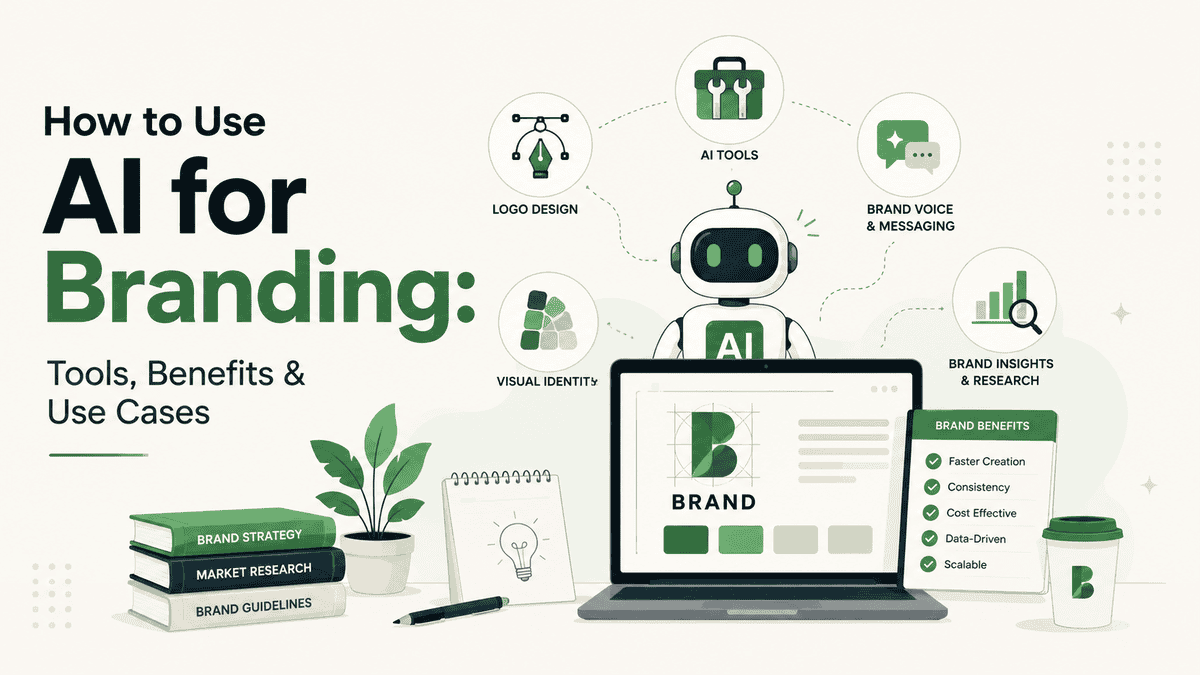
AI for branding is using artificial intelligence tools to build and manage how a business looks, sounds, and communicates. It covers everything from generating a logo to writing brand copy to tracking what people say about you online. Simple as that.
Using AI tools, you can get dozens of logo concepts in seconds. Your brand voice stays the same across every channel by training the tool on your guidelines. You can also track brand sentiment across a million conversations without a research team.
Just know that AI does not replace the thinking behind a brand. But it removes the bottleneck between having an idea and executing it.
Benefits of Using AI for Branding
The real benefits from AI branding tools show up in your daily workflow. You spend less time waiting on revisions, get more options to choose from, and can make decisions based on data rather than just gut feeling.
Here are some of the main benefits of using AI for branding:
Benefit
What It Means in Practice
Faster asset creation
Small businesses using AI design platforms cut visual asset creation time by roughly 60% compared to manual workflows
Lower costs
Reduces reliance on multiple freelancers for early-stage design and copy drafts
More concept options
Generates dozens of directions quickly, similar to how major brands review 20-30 logo concepts before deciding
Consistent brand voice
AI tools can be trained on existing brand guidelines to keep tone consistent across channels
Data-backed decisions
Brand tracking tools now run continuously instead of through occasional surveys
How to Use AI for Branding
Using AI for branding is not about opening a tool and hoping for good output. The quality of what you get mostly depends on what you put in and how.
So, here’s how to actually do it, step by step, from laying the foundation to building a full brand presence with AI.
Step 1: Write your brand brief first
Before you touch any tool, write down the basics somewhere. AI generates from inputs. Vague inputs give generic outputs, and that is the main reason most AI branding looks identical or what most people call “generic AI-slop”.
Your brief should cover:
Who your target audience is and what they care about
Three to five words that describe your brand personality, with an explanation of what each one actually looks like in practice (not just “modern” or “trustworthy,” but what that means for how you write and design)
What makes you different from the two or three competitors closest to you
What you never want your brand to sound or look like
This brief becomes the prompt context for every tool you use. The more specific it is, the better your outputs will be across every step.
Step 2: Generate your visual identity
Take your brief to a logo generator like Looka or Ideogram. Enter your business name, industry, and style preferences from your brief. Both tools generate multiple concepts you can compare at once.
Do not stop at the first one that looks decent. Review at least 20 to 30 options before narrowing down, the same way professional designers present concept ranges before committing to a direction.
Once you have a logo direction, use Canva’s Brand Kit to lock in your hex codes, fonts, and logo variants. This becomes your single source of truth for every visual asset your team creates going forward. Every template in Canva pulls from those settings automatically.
Step 3: Build your brand voice document
This is the step most people skip, and it is why AI-generated copy ends up sounding generic. A brand voice document is not a list of adjectives. It is a set of behavioural rules the AI can follow.
Here is how to build one:
Collect 10 to 15 pieces of your best existing content, blog posts, emails, social captions, anything that sounds most like you
Paste them into ChatGPT or Claude and ask: “Analyse the writing style, tone, and rhythm across these examples. Summarise how this brand sounds.”
Review that summary. If it is off, correct it and feed more examples until it is accurate
Add a section of words and phrases you always use, and a list you never want to see in your copy
Add format rules: sentence length, how you open paragraphs, whether you use rhetorical questions or not
Upload this document into whichever writing tool you use. Always reference it explicitly in your prompts, not just attach it. Something like: “Use the brand voice guide I’ve uploaded. Write a LinkedIn post about [topic] that follows those tone rules.”
Step 4: Use AI to produce and iterate on copy
With your voice document in place, you can generate copy at speed. Use Claude for drafts across social, email, ads, and website pages. The key is to always ask for three variations at different ends of your tone range, even if your brand feels settled. You often discover you have been underselling a certain energy until you see it written out.
Every draft still needs a human edit before it goes live. AI misses cultural context, subtlety, and the small choices that make copy feel specific rather than assembled.
Step 5: Set up brand monitoring
Once your brand is live and producing content, you need to know how it is landing. Set up Brand24 or a similar tool to track mentions, sentiment, and share of voice across social media, forums, reviews, and news. Set up real-time alerts so you catch sentiment shifts as they happen, not weeks later in a report.
Check these things weekly:
Are mentions trending positive, negative, or neutral?
What specific words are people using when they talk about your brand?
How does your share of voice compare to competitors in the same period?
This data feeds back into your messaging. If a particular angle is consistently resonating, lean into it. If something is landing badly, you catch it early enough to adjust.
Step 6: Build your audio identity
Sound is now a real brand touchpoint. Podcast ads, video intros, social reels, AI voice assistants. All of it requires audio that feels intentional rather than pulled from a stock library.
Use Mubert to generate royalty-free background music matched to your brand mood. Describe the energy you want in plain language, “warm, mid-tempo, optimistic, minimal” and the tool generates a track in seconds.
You can also create custom sound effects for your brand, giving you a distinct audio layer instead of reusing the same clips your competitors are licensing.
Keep your audio consistent across every touchpoint the same way you would keep your visual colours consistent.
Common Use Cases of AI for Branding Across Business Types
AI branding tools aren’t one-size-fits-all. How you use them depends on your business. Here’s a quick look at common scenarios.
Business Type
Common AI Branding Use Case
Small business/startup
Quick logo and brand kit generation, social content drafts
Ecommerce brand
Product description generation, ad copy variations, review analysis
Service business
Website copy, brand voice guidelines, client communication templates
Media/content brand
Audio branding, podcast intros, voice consistency across episodes
Risks and Limitations to Keep in Mind
AI branding tools are powerful. But they’re not perfect. Knowing where they fall short saves you headaches down the road.
Here’s what to watch out for:
Weak prompts give weak results. If you feed the tool vague instructions, you get generic output. “Make me a logo” won’t cut it. You need specific details about your brand’s personality, audience, and style preferences.
Legal gray areas still exist. Trademark protection for AI-generated logos is unsettled. The U.S. Copyright Office has taken the position that purely AI-generated works may not qualify for copyright protection. This matters if someone copies your brand assets.
Everyone’s using the same tools. More brands mean more overlap. Your “unique” logo might look suspiciously similar to a competitor’s. This happens because these tools pull from the same training data.
Human review isn’t optional. AI can miss cultural context, tone mismatches, or subtle errors. Anything customer-facing needs a real person checking it before it goes live.
Best AI Tools for Branding
Different parts of branding need different tools. Here is what is actually being used in 2026 and what each one is for.
Tool
What It’s Used For in Branding
Pricing
Ideogram
Generating logo concepts and branded visuals where text inside the image has to be readable and accurate. .
Free (25 generations/day); Basic $8/mo; Pro $20/mo
Midjourney
Building visual moodboards and campaign concepts at the ideation stage. Best for establishing the aesthetic direction of a brand before anything goes into production.
From $10/mo
Adobe Firefly
Producing brand visuals that are safe to use commercially. Trained on licensed Adobe Stock content, so there is no IP risk.
Included in Adobe Creative Cloud; from $9.99/mo standalone
Claude
Building and maintaining brand voice at scale. Upload your brand guidelines, best-performing content, and tone of voice rules into a Project. Every draft Claude generates in that project references those files automatically.
Free plan available; Pro from $20/mo
ChatGPT
Fast brand copy ideation, tagline generation, naming exercises, and messaging frameworks.
Free plan available; Plus $20/mo
Jasper
On-brand content production at scale for marketing teams. You train it on your brand voice documents and it applies that voice consistently across all content types.
From $29/mo
ElevenLabs
Creating consistent audio brand identity. Clone a brand voice once and use it across podcast ads, video narration, product demos, and AI customer service agents.
Free plan available; Creator from $22/mo
Canva
Enforcing visual brand consistency across a whole team. The Brand Kit locks your logo, hex codes, and fonts into every template.
Free plan available; Pro from ~$15/mo
Brand24
Monitoring what people say about your brand across social media, news, forums, and reviews in real time. Tracks sentiment shifts, share of voice versus competitors, and includes an add-on to see how your brand appears inside ChatGPT, Claude, and Perplexity.
A startup consultant, digital marketer, traveller, and philomath. Aashish has worked with over 20 startups and successfully helped them ideate, raise money, and succeed. When not working, he can be found hiking, camping, and stargazing.
Each week I share research backed AI oriented content in my newsletter.
There are AI ideas, AI trends, tutorials, and guides.
24k entrepreneurs read it. I'd love you to join.