You ask an AI model a question and get a mediocre answer. You tweak your prompt and try again. Still not quite right.
The problem isn’t the AI. It’s that you’re asking the AI to do the work when you should be asking it to teach you how to ask better questions. That’s the shift meta prompting creates.
What Is Meta Prompting?
Meta prompting is the practice of designing prompts that define the structure, tone, or logic of other prompts used by language models. It’s a meta-level approach. You’re not asking for a direct answer. You’re asking the AI to help you create better instructions.
Here’s a simpler way to think about it: you’re using AI as your prompt engineering expert.
Instead of saying “Write me a marketing email,” you’d ask “What information do you need to write an effective marketing email? What structure should I follow?” The AI then builds the framework. You use that framework to get better results.
What makes this powerful is how it teaches AI how to think about solving problems by focusing on reasoning patterns. The AI doesn’t just spit out content. It considers what type of problem you’re solving and what logical steps fit that problem type. A math problem gets math-specific reasoning. A summarisation task gets summarisation logic.
This approach lets you step back from individual tasks and focus on the underlying patterns that make prompts work.
How Does Meta Prompting Work?
Here’s how it plays out. You tell the AI something like, “Help me design a prompt that analyses customer feedback for sentiment patterns.” The AI doesn’t jump straight into analysing feedback. Instead, it examines what you’re trying to accomplish and suggests how to structure the request. It might recommend breaking the task into stages: identify emotions, categorise themes, then rank urgency.
The process works in three ways:
The AI can generate brand-new prompts from scratch based on your goal.
It can refine prompts you already have by spotting gaps or unclear instructions.
Or it can analyse why a prompt isn’t working and fix the logic.
Let’s say you’re struggling to get useful product descriptions from AI. A direct prompt might be, “Write a product description for wireless headphones.”
A meta prompt would be, “Create a prompt template that generates product descriptions highlighting technical specs, user benefits, and emotional appeal for any product type.”
See the shift? You’re building a reusable structure instead of getting one-time output.
What makes this powerful is adaptability. Once the AI designs that prompt structure, you can apply it to headphones, laptops, or kitchen tools. You’re teaching the system how to think about the task, not just what to output.
Meta Prompting vs Other Prompting Techniques
Here’s the difference between meta prompting and other prompting techniques. Understanding the differences will help you figure out which prompting technique to use and when:
Meta Prompting vs Chain-of-Thought Prompting
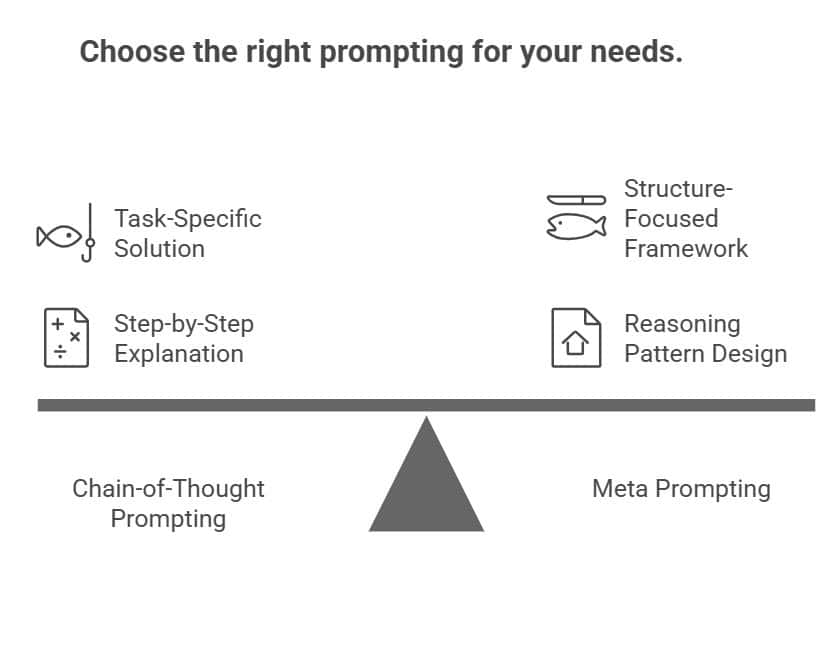
Chain-of-thought prompting tells AI to show its work. You ask it to explain each step while solving a problem, like a math student showing calculations. If you’re calculating shipping costs, chain-of-thought walks through: base price, weight multiplier, distance factor, then final total.
Meta prompting works differently. It doesn’t care about the specific steps for one problem. It focuses on designing the reasoning pattern itself. You’re not asking, “How do I calculate this shipping cost?” You’re asking, “What’s the best way to structure any pricing calculation prompt?”
The key split is this: chain-of-thought is task-specific. It solves the problem in front of you. Meta prompting is structure-focused. It builds a framework you can reuse across similar tasks. Chain-of-thought gives you the fish. Meta prompting teaches you how to set up the fishing system.
Meta Prompting vs Few-Shot Prompting
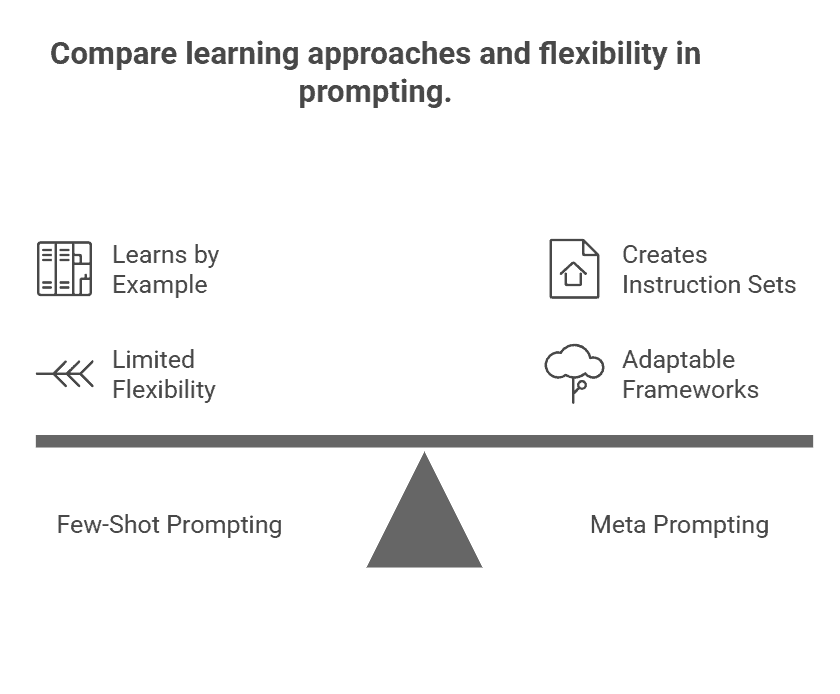
Few-shot prompting teaches by example. You show the AI three email responses you like, and it mimics that style for the next one. You’re training through demonstration.
Meta prompting flips this. Instead of giving examples, you ask the AI to create the instruction set itself. You might say, “Design a prompt that generates professional email responses matching our brand voice.” The AI builds the guidelines rather than copying patterns.
Here’s where they differ: few-shot locks you into the examples you provide. If your samples are all formal, you get formal outputs. Meta prompting gives you flexibility because the AI designs adaptable frameworks. You’re not bound by specific examples. You’re working with principles that adjust to different contexts.
Types Of Meta Prompting
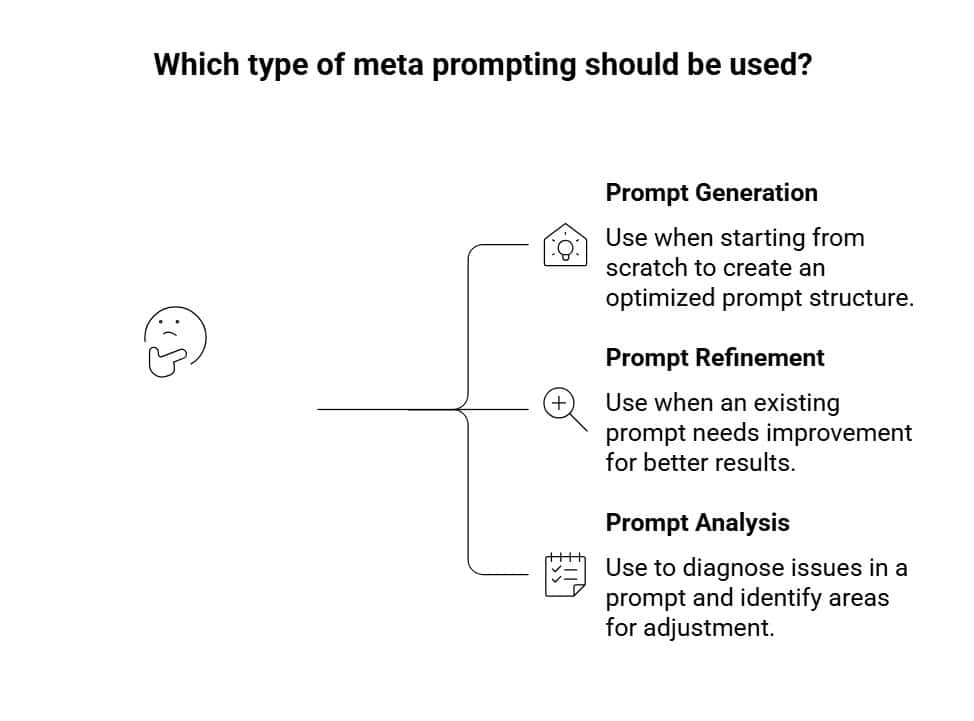
Meta prompting isn’t a one-size-fits-all approach. Depending on what you need, you can use it in three distinct ways. Let’s break down each type so you know exactly when to reach for which one.
1. Prompt Generation
This is where you start with nothing and ask the AI to build a prompt from scratch. You describe your goal, and the AI analyses what you’re trying to accomplish and creates an optimised prompt structure for it. It’s like having someone else draft the blueprint while you focus on the outcome.
Say you want to create customer onboarding emails but don’t know how to frame the request. Instead of asking “Write an onboarding email,” you’d say: “Generate a prompt that will help me create personalised onboarding emails for SaaS customers.” The AI then builds a detailed prompt with placeholders for product features, customer pain points, and tone specifications. What you get is a reusable template rather than a single email.
2. Prompt Refinement
You’ve got a prompt, but it’s not hitting the mark. The outputs feel generic, inconsistent, or they miss key details you need. That’s when refinement comes in. The AI examines your existing prompt, identifies weak spots, vague language, missing context, unclear instructions and suggests specific improvements.
Here’s what this looks like: You have a prompt that says “Write a blog post about productivity.” It works, but the results vary wildly. You ask the AI to refine it, and it might suggest: “Write a 1,200-word blog post about productivity for remote workers, including three actionable strategies, real-world examples, and a conversational tone.” Same goal, sharper execution.
3. Prompt Analysis
Sometimes you need to diagnose what’s going wrong before you can fix it. Prompt analysis is about understanding why your prompt isn’t delivering. The AI evaluates the logic, structure, and clarity, then pinpoints exactly where things break down.
Let’s say you’re working with a complex prompt for generating financial reports, but the output keeps mixing up data categories. You run it through analysis, and the AI identifies that your instructions conflict, you’re asking for both summarised and detailed data without specifying when to use each format. It shows you the exact sentence causing confusion. That’s the difference between guessing at fixes and knowing precisely what needs adjusting.
Benefits Of Meta Prompting
The biggest advantage? You create once, use many times. Instead of rewriting product descriptions for every new item, your meta prompt generates fresh templates on demand. That’s hours saved across a week.
Quality improves too. When you ask the AI to build a prompt rather than rushing to output, it structures things more thoughtfully. Your product descriptions include benefits, features, and emotional hooks, not just random text.
Here’s something that surprised us: effective prompt engineering can reduce operational costs significantly. Better prompts mean fewer retries and less wasted AI compute time.
Plus, meta prompting teaches you what makes prompts work. After seeing how the AI structures requests, you start spotting patterns. You learn faster than by trial-and-error alone.
Scalability matters too. One good meta prompt can handle product descriptions, email templates, and social posts just swap the context. That beats maintaining dozens of separate prompts.
Drawbacks Of Meta Prompting
Let’s be upfront: it takes longer at first. If you need one quick email subject line, meta prompting is overkill. Direct prompting gets you there faster.
The approach assumes you can clearly explain what you need. If your initial instructions are vague, the generated prompt will be equally unclear. Garbage in, garbage out.
Beginners might find it confusing. You’re essentially having a conversation about prompts before getting to actual work. That extra layer adds complexity.
The first generated prompt rarely nails it perfectly. You’ll need to refine, adjust, test. That iteration takes time you might not have for urgent tasks.
And honestly? If you already know how to write solid prompts, meta prompting might just slow you down. It’s a tool for building systems, not a requirement for every interaction.
How To Use Meta Prompting
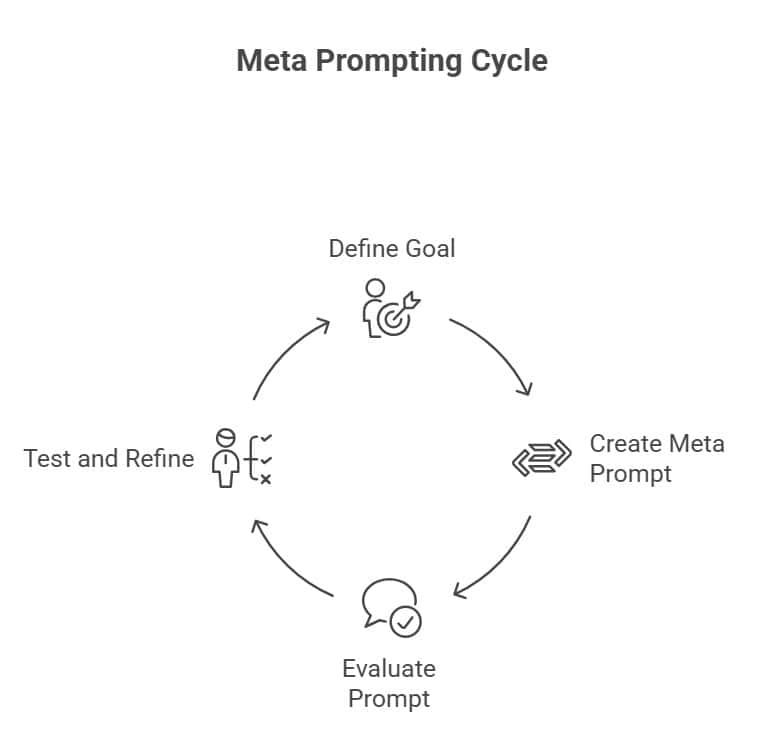
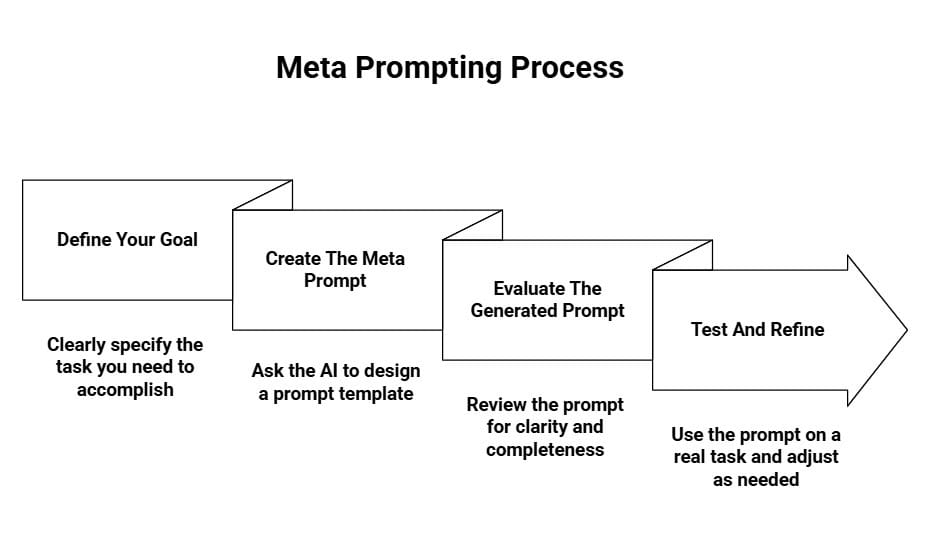
Here’s how you can start using meta prompting right now. You don’t need any special tools or technical knowledge, just follow these four steps.
Step 1: Define Your Goal
Before you ask AI to build a prompt, get specific about what you need. If this is a one-time task, skip meta prompting and just write the content directly. But if you’re doing something repeatedly, that’s where meta prompting shines.
Instead of “I need marketing content,” think “I need weekly LinkedIn posts that share industry insights in a friendly tone for small business owners.” The clearer you are about your goal, the better the meta prompt will be.
Step 2: Create The Meta Prompt
Ask the AI to help you design the prompt rather than doing the task itself. Frame it as “Help me create a prompt that…” or “Design a reusable prompt template for…”
Include key details like tone, format, audience, and any constraints. For example: “Help me create a prompt for writing product descriptions. They should be 100-150 words, highlight practical benefits, use a conversational tone, and end with a call-to-action.” You’re teaching the AI what your future prompts should look like.
Step 3: Evaluate The Generated Prompt
Don’t just accept what the AI gives you on the first try. Read through the generated prompt carefully. Does it cover everything you mentioned? Is anything vague or missing?
If you asked for a conversational tone but the prompt doesn’t specify that clearly, flag it. Think about edge cases, what if someone uses this prompt with unusual inputs? This review step catches problems before you start using the prompt repeatedly.
Step 4: Test And Refine
Use the generated prompt on a real task and see what happens. If the output isn’t quite right, that’s valuable feedback. Go back to the AI and say “The prompt generated descriptions that were too formal. Adjust it to sound more casual.”
You might need two or three rounds of testing before the prompt consistently delivers what you want. That’s normal. Once it works well, save that prompt and reuse it whenever you need it.
Meta Prompting Examples
Seeing meta prompting in action makes the difference clear. Let’s walk through three scenarios where meta prompting transforms how you work with AI.
Example 1: Content Creation
Say you’re writing weekly blog posts about productivity tools. A direct prompt might look like: “Write a blog post about time management apps.”
That gets you content, sure. But next week, you’ll start from scratch again. The tone might shift. The structure could be completely different.
Here’s what a meta prompt looks like instead:
“I need you to create blog posts about productivity tools. Each post should: 1) Start with a relatable problem scenario in the first paragraph, 2) Explain the tool’s core features in simple language with real-world examples, 3) Include a pros/cons comparison section, 4) End with specific use cases for freelancers and small teams. Maintain a helpful, conversational tone throughout. Aim for 1,200 words with clear H2 and H3 headings.”
Now you’ve got a template. Every post follows the same structure, hits the same quality bar, and speaks to your audience consistently. You just plug in different tool names each week.
Example 2: Data Analysis
Let’s say you’re analysing customer feedback from support tickets. A typical prompt: “Analyse this customer feedback and tell me what issues people are having.”
You’ll get surface observations. Maybe a list of complaints. But you’re missing the depth.
The meta prompt version:
“Analyze customer feedback using this framework: 1) Categorize issues by type (technical, user experience, pricing, feature requests), 2) Identify recurring patterns across at least 3+ mentions, 3) Assign severity levels (critical, moderate, minor) based on impact described, 4) Note any correlations between issue types and customer segments, 5) Suggest 2-3 actionable improvements per category. Present findings in a table format with example quotes.”
This creates a systematic approach. You’re not just getting observations—you’re getting structured insights you can actually act on. The analysis becomes repeatable across different feedback batches.
Example 3: Problem Solving
You’re troubleshooting why website conversions dropped. A basic prompt: “Why are my website conversions down?”
That’s too broad. You’ll get generic possibilities without real diagnostic value.
Here’s the meta prompt approach:
“Help me diagnose a conversion drop by: 1) Asking clarifying questions about what changed (design updates, traffic sources, pricing, competitor moves), 2) Breaking the conversion funnel into stages (landing → engagement → action), 3) Identifying potential failure points at each stage with specific metrics to check, 4) Suggesting A/B test ideas to validate each hypothesis, 5) Prioritizing fixes by likely impact and implementation difficulty. Walk through this step-by-step.”
See the difference? You’re not getting quick answers. You’re getting a diagnostic process that uncovers root causes. The AI becomes a thinking partner instead of just an answer machine.
Common Mistakes to Avoid
You’ve learned the technique. Now let’s look at where people usually go wrong with meta prompting and why it leads to weak results.
Writing vague meta prompts: Saying something like “create a prompt for marketing” produces generic output. You need to be specific about what you’re marketing, who it’s for, and what action you want. A weak meta prompt creates a shaky foundation for everything that follows.
Using meta prompting for simple tasks: If you just need a quick email reply or a basic definition, a meta prompt is unnecessary. It adds friction without real benefit. Save this technique for complex or recurring tasks.
Accepting the first generated prompt without testing: A prompt can look good on the surface but fail in real use. Always test it multiple times with different inputs before trusting it.
Forgetting important constraints: People often specify content but forget tone, format, or structure. If you don’t mention whether the output should be formal, casual, bullet-based, or paragraph-style, the AI has to guess.
Over-complicating the meta prompt: Adding too many rules makes the generated prompt rigid and brittle. When it can’t adapt to small changes, quality drops. Focus only on what truly affects output quality.
Best Practices For Meta Prompting
Now let’s flip it around. These are the habits that consistently lead to strong, reusable meta prompts.
Start with clear success criteria: Define what a “great” output looks like before writing the meta prompt. If you can’t describe success clearly, the prompt will be unfocused.
Include examples whenever possible: Instead of saying “make it engaging,” show an example of what engaging looks like. Examples act as a quality benchmark for the AI.
Test generated prompts thoroughly: Run them multiple times. Try edge cases. Use different inputs. Testing reveals weaknesses you wouldn’t notice otherwise.
Document what works: Treat successful meta prompts like assets. Save them in a library so you can reuse them later instead of starting from scratch.
Iterate based on real results: Don’t optimize based on assumptions. If tone or structure is consistently off, refine that specific part of the meta prompt using actual performance as feedback.
Balance specificity with flexibility: Be clear about requirements, but don’t over-restrict. Think of your meta prompt as guidelines, not handcuffs.
Know when to skip meta prompting: If the task is one-off or genuinely simple, write a direct prompt instead. Meta prompting is most valuable for repeated, complex workflows where the upfront effort pays off.
You ask your AI assistant a complex question. It gives you an answer instantly. Confident. Direct. But also… wrong.
The problem? Most AI models think in straight lines. They pick one path and run with it. No second-guessing. No exploring alternatives. Just A to B, even when B leads nowhere useful.
That’s exactly what Tree of Thought prompting fixes. Instead of forcing your model down a single reasoning path, you let it branch out.
What Is Tree of Thought Prompting?
Tree of Thought (ToT) prompting is a framework that lets language models explore multiple reasoning paths at the same time.
Instead of generating one answer sequentially, the model creates different solution branches. It then evaluates each branch and picks the strongest one.
Think about how you solve a complex problem. You don’t just commit to the first idea that pops up. You consider different approaches. You test them mentally. You abandon paths that don’t work and double down on promising ones. That’s exactly what ToT does for AI.
The framework mimics how humans naturally solve problems by generating thoughts as intermediate steps. Each thought becomes a node in a decision tree. The model can look ahead to see which thoughts lead somewhere useful. It can backtrack when it hits dead ends. This multi-path exploration means better decisions on tasks requiring planning, strategy, or creative problem-solving.
How Tree of Thought Prompting Works
Think of ToT as building a map while you navigate. When you face a complex problem, the AI doesn’t commit to one path right away. Instead, it breaks the problem into a decision tree where each branch represents a different approach or intermediate step.
Here’s what happens. The AI generates several possible “thoughts” at each decision point. These thoughts are like checkpoints where the AI pauses to consider: Is this working? Should I keep going or try something else?
Let’s say you’re planning a product launch. The AI might explore one branch focused on social media, another on partnerships, and a third on direct outreach. At each checkpoint, it evaluates which path looks most promising based on your goals and constraints.
What makes this powerful is the backtracking ability. If the AI realises a branch isn’t leading anywhere useful, it doesn’t force a solution. It steps back to an earlier decision point and explores a different branch. You’re not locked into the first idea that comes up.
The Key Phases of ToT
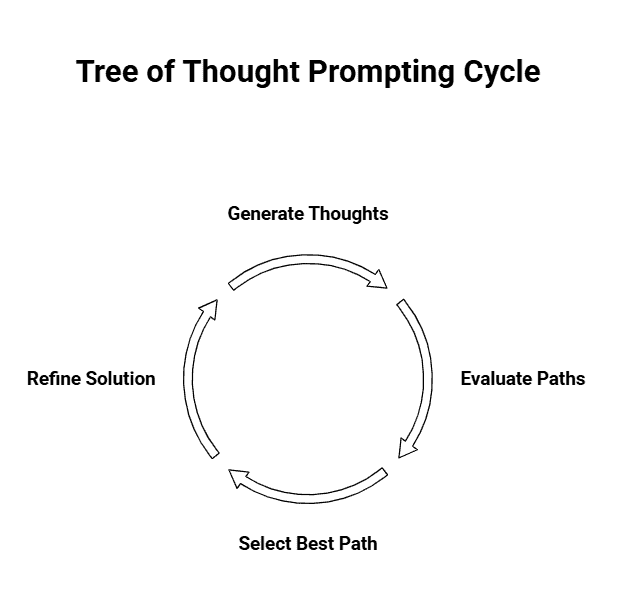
ToT operates through three key phases that work together to find the best solution.
The generation phase creates multiple solution paths. The AI doesn’t settle on one approach. It produces several branches that tackle the problem from different angles. More options mean better chances of finding something that actually works.
Next comes evaluation. The AI assesses each path by weighing strengths, weaknesses, resource requirements, and potential risks. This isn’t about gut feelings. It’s a structured analysis of what each approach offers and what it might cost.
Finally, the selection phase picks the most promising route. The AI ranks options based on feasibility, impact, and risk versus reward. You get a clear recommendation with reasoning behind it, plus suggestions for refining the chosen approach.
Tree of Thought vs Chain of Thought Prompting
Think of Chain of Thought (CoT) prompting as walking down a single path. You take one step, then another, moving from A to B to C in a straight line. It’s the AI showing its work, explaining each step as it goes.
Tree of Thought works differently. Instead of committing to one path, it considers multiple routes at the same time. Say you’re planning a weekend trip. CoT would pick one destination and work out all the details for that choice. ToT would simultaneously explore beach, mountain, and city options, evaluate each one, then pick the best fit.
Here’s what makes ToT stand out. If CoT realises halfway through that its reasoning isn’t working, it’s already committed to that path. ToT can backtrack. It can say, “This approach isn’t panning out,” and switch to a more promising route without starting over from scratch.
The trade-off? CoT is faster and simpler. ToT takes more processing power because it’s essentially thinking through several possibilities before settling on an answer.
When To Use Tree of Thought Prompting
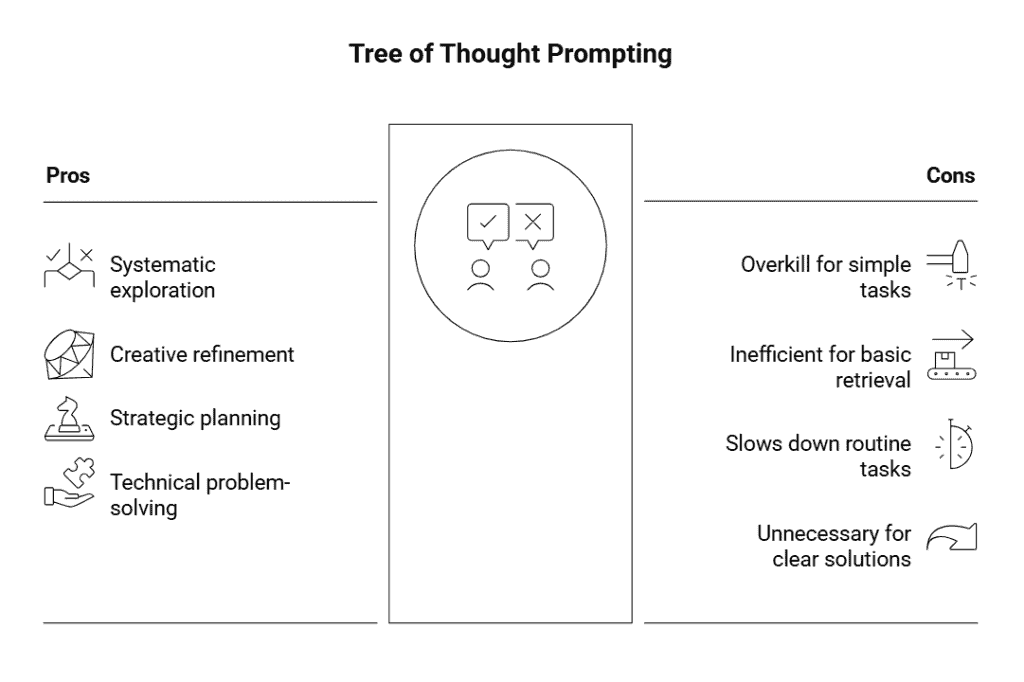
Tree of Thought (ToT) works best for problems that require exploration, comparison, and step-by-step reasoning. If the task has multiple possible paths or outcomes, ToT helps evaluate them systematically instead of settling for the first idea.
Use ToT when:
You’re developing a marketing strategy and need to compare audience segments, messaging angles, or channel options.
You’re working on creative projects (e.g., product descriptions) and want multiple angles, technical, emotional, comparative, to evaluate and refine the best one.
You’re doing strategic planning such as mapping project timelines with dependencies, constraints, or potential risks.
You’re solving technical problems like debugging or diagnosing system issues where multiple hypotheses need to be tested.
When NOT To Use Tree of Thought Prompting
ToT isn’t useful for straightforward, factual, or quick tasks. If the question has one clear answer or the task doesn’t require exploring alternatives, ToT becomes unnecessary and time-consuming.
Avoid ToT when:
You’re asking simple factual questions (e.g., capital of France, Celsius to Fahrenheit).
You’re retrieving basic information, summarising text, or extracting data from documents.
You need fast results for routine tasks like drafting simple emails or generating basic content variations.
The problem genuinely has one obvious solution path and exploring alternatives doesn’t add value.
How To Write Tree of Thought Prompts
Writing a ToT prompt isn’t complicated, but it does require more structure than your typical AI request. You’re essentially building a framework that guides the model through exploration, evaluation, and decision-making. Here’s how to structure it.
Step 1: Define The Problem Clearly
Start by framing exactly what you need solved. The clearer your problem statement, the better your solution paths will be.
Include the context that matters. What’s your goal? What constraints are you working with? What’s the scope?
Compare these two approaches:
Vague: “Help me improve my website.”
Clear: “I need to reduce my website’s bounce rate, which is currently 68%. My budget is $5,000, and I can’t do a complete redesign. The site is an e-commerce store selling outdoor gear.”
The second one gives the AI something concrete to work with. It knows the goal, the limitation, and the context.
Step 2: Request Multiple Solution Paths
This is where you trigger the branching. You need to explicitly tell the model to generate different approaches, not just variations of one idea.
Use phrases like: “Generate three distinct strategies” or “Provide multiple approaches that differ in their core methodology.”
The keyword here is “distinct.” You want genuinely different paths. If you’re planning a marketing campaign, you don’t want three versions of social media ads. You want one path exploring social media, another considering email marketing, and maybe a third looking at partnership opportunities.
Step 3: Set Evaluation Criteria
Tell the model how to judge these options. What makes one solution better than another?
Your criteria should match your situation. That might include cost, time to implement, potential ROI, risk level, resource requirements, or scalability.
Be specific. Instead of “consider feasibility,” try “evaluate based on implementation time and whether it requires hiring additional staff.”
Step 4: Guide The Selection Process
Finally, structure your prompt to compare the options and recommend the strongest one.
Ask the model to rank the approaches against your criteria. Then request a recommendation with reasoning. Something like: “Based on these factors, which approach offers the best balance of quick results and long-term impact?”
This step turns exploration into action. You’re not just collecting ideas. You’re getting a reasoned recommendation you can actually use.
Tree of Thought Prompting Examples
Seeing ToT prompting in action makes the whole approach click. Here are three complete examples that show how you’d actually structure these prompts for different scenarios.
Example 1: Strategic Business Decision
Let’s say you’re deciding how to handle a sudden competitor price drop that’s affecting your sales.
“We’re facing a 20% price cut from our main competitor that’s impacting our Q3 sales. I need to evaluate our response options. Generate three distinct strategic approaches we could take: one focused on matching their pricing, one focused on adding value without changing price, and one focused on repositioning entirely. For each approach, break down the immediate actions, resource requirements, and potential risks. Evaluate each strategy against these criteria: impact on profit margins, customer retention likelihood, and implementation speed. Consider that we have a 6-week timeline and a $50K budget for changes. Based on this analysis, recommend which path makes the most sense and explain why the other options fall short.”
This prompt walks through all four elements. You’ve defined the specific problem (competitor pricing), requested distinct paths (three different strategies), set clear evaluation criteria (margins, retention, speed), and asked for guided selection with reasoning.
Example 2: Creative Content Planning
You’re planning a campaign for a sustainable clothing brand targeting Gen Z.
“I’m developing a social media campaign for our sustainable clothing line aimed at 18 to 25 year olds. The goal is driving website traffic and building brand awareness. Generate three different creative directions: one leveraging user-generated content, one built around educational sustainability content, and one focused on influencer partnerships. For each direction, outline the content types, posting frequency, and key messaging angles. Evaluate these options based on production feasibility with a two-person team, potential reach within our target demographic, and authenticity alignment with our brand values. Our campaign runs for 8 weeks with minimal paid promotion budget. Recommend which direction gives us the strongest foundation and explain what makes the other approaches less suitable for our constraints.”
You’re not just asking for ideas. You’re exploring specific creative paths, setting real-world evaluation criteria, and asking the AI to weigh trade-offs based on your actual limitations.
Example 3: Technical Problem-Solving
Your web app is experiencing slow load times during peak hours.
“Our web application is experiencing 8 to 12 second load times during peak traffic hours, affecting user experience and causing drop-offs. Explore three different technical solutions: optimising database queries and indexing, implementing a caching layer, and moving static assets to a CDN. For each solution, detail the implementation steps, estimate the development time, and identify potential complications. Evaluate these approaches based on expected performance improvement, development complexity for a small team familiar with Node.js and PostgreSQL, and ongoing maintenance requirements. We need to implement a solution within 3 weeks. Recommend which approach addresses our bottleneck most effectively and explain why the alternatives are less optimal given our technical stack and timeline.”
This shows how ToT works for technical decisions. You’re exploring different solutions, not just asking for the answer, and you’re making the AI consider your specific technical environment and constraints.
Benefits of Tree of Thought Prompting
Tree of Thought (ToT) prompting stands out because it forces exploration before decision-making. Instead of jumping to the first acceptable answer, it lets you compare multiple reasoning paths side by side. This leads to deeper thinking and more reliable outcomes.
It helps you explore a wide range of possible solutions instead of defaulting to the first idea.
It improves decision quality on complex problems by evaluating different paths against clear criteria.
Research shows ToT improves reasoning accuracy due to its transparent comparison of alternatives.
It prevents anchoring bias by ensuring multiple branches are developed before choosing a final direction.
You end up with a more considered, defensible final answer that reflects real exploration rather than guesswork.
Limitations of Tree of Thought Prompting
While powerful, ToT prompting isn’t always the most efficient. It requires more steps, more structure, and more computational resources. For simpler or time-sensitive tasks, this complexity quickly becomes unnecessary.
It consumes significantly more tokens and time because the AI must generate, evaluate, and combine multiple branches.
It requires well-designed prompts with clear branch definitions and evaluation criteria, or the output becomes scattered.
It’s overkill for simple tasks like definitions, direct facts, or basic calculations.
Sometimes ToT produces several strong paths but no clear winner, leaving you to make the final judgment.
In short, ToT works best when complexity justifies the effort. If the task is straightforward, or you need quick answers, simpler prompting will serve you better.
Best Practices For Tree of Thought Prompting
Start with three paths. That’s the sweet spot for most problems. You get enough diversity to avoid tunnel vision without drowning in options. If the problem turns out to be more complex than expected, you can always adjust.
Make your evaluation criteria specific and measurable. Don’t just say “evaluate based on feasibility.” Say “evaluate based on implementation time, budget under $10k, and technical complexity for a team of two developers.” The more concrete your criteria, the sharper your results.
Balance depth with efficiency. Not every branch needs to go five levels deep. Sometimes two levels of exploration give you what you need. Think about the actual complexity of your problem before deciding how elaborate to make your tree.
Test your prompt structure with a simpler version of your problem first. You’ll learn quickly if your evaluation criteria make sense or if your branch definitions are too vague. Iterate based on what you see.
Know when to use simpler methods. If you’re halfway through crafting a ToT prompt and realise a straightforward Chain of Thought would work fine, switch gears. Save ToT for problems that genuinely benefit from exploring multiple paths.
Companies everywhere are bringing AI into the workplace. Marketing teams use it to write ad copy. Developers use it to generate code. Customer service runs on AI chatbots. Design teams create logos with it. Even HR departments use AI to screen applications.
No industry is untouched. No job role is completely the same as it was two years ago.
So it’s only natural to wonder: will AI replace human jobs?
It’s not paranoia. According to data, 30% of U.S. jobs could be automated by 2030. That’s just five years away.
Some roles are already seeing massive changes. Others remain mostly untouched. The difference comes down to what your job actually requires.
This guide breaks down exactly where your job stands. We’ll look at creative fields, tech roles, marketing positions, and professional services. You’ll see which jobs face the highest risk, which ones are practically AI-proof, and most importantly, what you can do about it.
What AI Is Capable Of Now
Before you panic about job loss, let’s look at what AI actually does today:
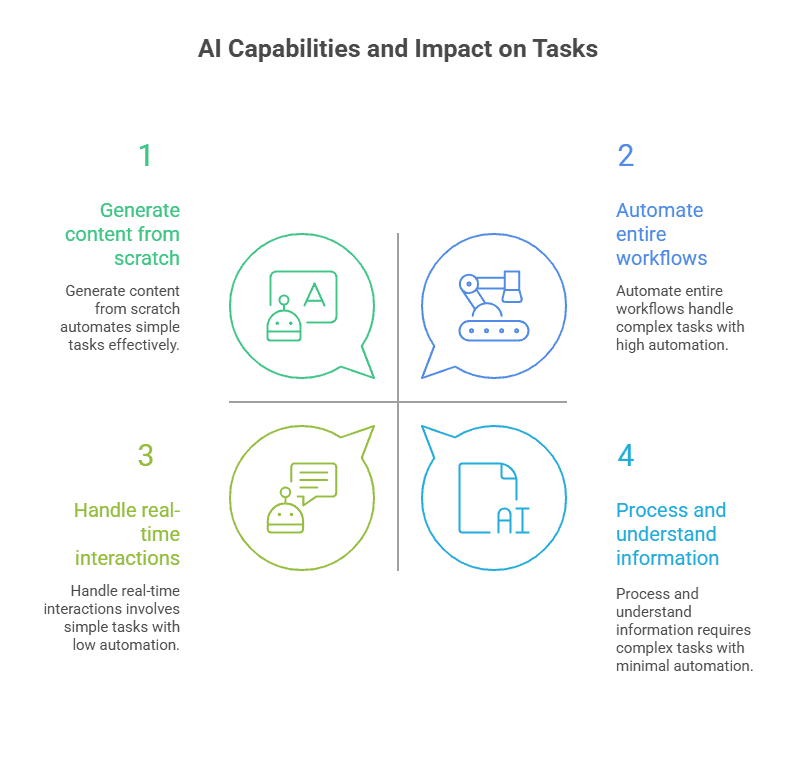
Generate content from scratch: Write blog posts, create images in any style, produce videos, and compose music, all from simple text prompts
Process and understand information: Analyse documents, extract key insights, summarise lengthy reports, and answer complex questions about your data
Automate entire workflows: AI agents can now chain together multiple tasks. Researching a topic, writing a report, sending emails, and scheduling follow-ups without human intervention
Connect systems through APIs: AI tools can call external services, pull data from multiple sources, update databases, and trigger actions across different platforms automatically
Handle real-time interactions: Power chatbots that understand context, translate conversations between languages instantly, and provide 24/7 customer support
Create sophisticated visual content: Generate professional-quality images, edit videos with natural language commands, and even create animations or 3D models
According to the World Economic Forum, by 2030, 34% of tasks will be completed by technology (up from 21% now), with work split equally between human-only, tech-only, and hybrid approaches.
Current AI Adoption Rates
About 78% of companies globally now use AI in at least one part of their business. That’s roughly 280 million organisations out of 359 million worldwide.
Here’s where things stand right now:
Generative AI has taken over workplaces. 82% of big companies use it weekly, and 46% use it every single day. Small businesses are even further ahead, 89% use AI in their daily operations
Adoption happened incredibly fast. 71% of organisations now use generative AI regularly, making it one of the fastest-adopted technologies in business history
IT and telecom companies lead everyone else. 38% have deep AI integration, and the sector is expected to generate $4.7 trillion in value by 2035. Healthcare, manufacturing, finance, and retail are all racing to catch up
Company size matters a lot. In the U.S., half of all companies with 5,000+ employees use AI regularly. For companies over 10,000 employees, that jumps to 60%
Only 30% of advanced tech companies have AI everywhere. Most organisations are still struggling to scale it across their entire operation
AI in Creative & Content Jobs
Creative work sits in an interesting spot. AI can now generate images, edit videos, and write blog posts in seconds. But here’s what the data shows: creativity isn’t just about production speed. It’s about understanding what moves people, what a brand stands for, and why one message lands while another falls flat.
1. Content Writing
AI handles most of the repetitive work that used to take up content writers’ time. First drafts of product descriptions get done in minutes. SEO optimisation happens automatically with keyword suggestions, meta descriptions, and heading restructures.
Template content like email newsletters, social media captions, and basic how-to articles gets produced faster than manual writing.
According to SurveyMonkey’s 2025 research, 51% of marketing teams now use AI to optimise content, and 40% use it for research.
But AI trips up when things get nuanced. It struggles to capture a brand’s actual voice. The subtle tone that makes one company sound playful while another sounds authoritative.
AI Adoption Rates in Content Writing
Content writers aren’t ignoring AI, they’re using it heavily:
90% of marketers use AI for text-based tasks in their workflows
Idea generation leads at 90%, followed by draft creation at 89% and headline writing at 86%
Understanding subtle brand personality nuances that develop over years
Matching tone consistency across 50+ pieces of existing content
Knowing when to break grammar rules for effect (like starting sentences with “But”)
Catching cultural references that resonate with specific audiences
Adjusting voice for different customer journey stages
Will AI Replace Content Writers?
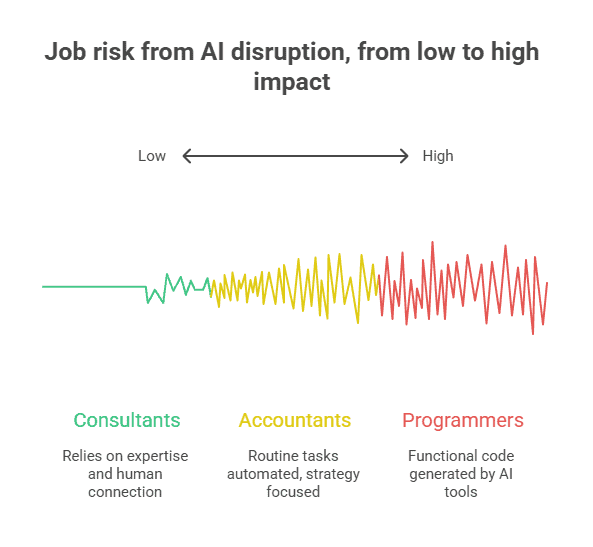
So,will AI replace content writers? The honest answer is: some of them, yes. Writers who only handle routine, template-based content, product descriptions, basic blog posts, and generic social media updates are seeing their work get automated.
But writers who think strategically, who can nail brand voice, and who create content that actually connects with people? They’re not getting replaced.
They’re getting more efficient. The real shift is that it’s becoming writers WITH AI versus writers WITHOUT AI. The ones who learn to use these tools for research, first drafts, and optimisation while bringing their own creativity and strategic thinking to the final product? Those writers are producing better work, faster.
2. Copywriting
AI tools are now handling a lot of copywriting work. Companies use them to generate email subject lines, product descriptions, and ad variations for testing.
The technology works well with template-heavy content like CTAs and social media captions. The difference shows up in persuasion. AI can follow formulas and create variations quickly, but it doesn’t understand why someone hesitates before buying. It misses the emotional journey of a purchase decision and the “why” behind objections that stop conversions.
AI Adoption Rates in Copywriting
The numbers show copywriters are already using AI heavily in their daily work. Most of this adoption happens in areas where copy follows predictable patterns.
51% use AI for email marketing and SEO copywriting tasks
76% of marketers use AI to generate copy for various campaigns
Most adoption happens in template-heavy work like subject lines and CTAs
AI’s Impact on Copywriting Tasks
When it comes to routine copy that follows standard formats, AI performs well. These are the areas where copywriters spend less time now than they did two years ago.
Email subject lines get generated in bulk for testing
Product descriptions follow formulas AI executes well
Social media captions with standard CTAs get automated
Ad variations multiply quickly for A/B testing
What AI Cannot Do in Copywriting
But persuasive copywriting requires understanding human psychology in ways AI consistently misses. These are the gaps that keep experienced copywriters valuable.
AI doesn’t understand the emotional journey of a purchase decision
It misses the “why” behind objections that stop conversions
Humor, when AI attempts it, often falls flat or feels forced
Strategic word choice based on customer psychology requires human insight
Knowing when to use scarcity vs. social proof vs. authority depends on context AI can’t fully grasp
Will AI Replace Copywriters?
So, will AI replace copywriters? The field’s splitting. Template copywriters who write standard product descriptions and basic email sequences face real pressure. But copywriters who craft campaign strategies, understand audience psychology, and create messaging that actually converts? They’re still in demand. AI gives you 100 variations. Experienced copywriters know which one will work and why.
3. Writers
This broader category includes technical writers, ghostwriters, journalists, and authors. The work varies wildly, from instruction manuals to investigative journalism to novels. What they share is the need to communicate complex ideas clearly.
AI is helping writers with research, drafting, and structure. Tools can summarise research papers, create outlines from notes, and suggest improvements to existing work. Companies are using AI to speed up the early stages of writing projects. About 60% of companies use generative AI to support their writing processes, and 87% of marketers use AI to assist in content development.
The craft itself still needs humans. Original analysis, authentic storytelling, and voice-driven work require someone who’s actually lived and thought deeply about the subject. AI can help you start, but it can’t replace the thinking that makes writing worth reading.
AI Adoption Statistics for Writers
Writers across different specialisations are experimenting with AI tools. The adoption varies based on what type of writing they do, but the overall trend is clear.
60% of companies use generative AI to support their writing processes
87% of marketers use AI to assist in content development
68% use it specifically for content ideation
How AI Helps with Writing
AI tools handle the grunt work that used to eat up hours of a writer’s day. These capabilities make the research and early drafting phases faster.
Summarising long research papers into key points
Creating first-draft outlines from scattered notes
Suggesting structural improvements to existing work
Generating multiple angles on the same topic quickly
Catching inconsistencies in long-form work
Where Human Writers Still Dominate
Certain types of writing require judgment, experience, and authenticity that AI can’t fake. These are the areas where writers remain essential.
Investigative journalism that requires source verification and ethical judgment
Storytelling with authentic human experience and emotion
Technical writing that requires deep subject matter expertise
Original analysis and argumentation that challenges existing thinking
Voice-driven work where personality is the product
The collaboration model is taking hold. Writers use AI for research, outlining, and overcoming blank-page paralysis. But the actual craft, the voice, the argument, the structure that makes complex ideas accessible, still requires human judgment. Think of AI as a research assistant who never sleeps but still needs an editor who knows what matters.
4. Video Editors
AI is now handling tasks that used to take editors hours. Tools built into Adobe Premiere and DaVinci Resolve can auto-cut silences, match colour across different cameras, and generate captions automatically.
Social media content creators use AI editing tools heavily for quick turnarounds. The technology speeds up the mechanical parts of editing, which is genuinely useful on tight deadlines.
Emotional pacing is where AI falls short. Knowing when to hold on a character’s face for impact, building tension through cut timing, or recognising which takes have the subtle performance qualities that matter, these decisions require human intuition. AI might cut together a coherent video, but an experienced editor makes you feel something.
AI Adoption Rates in Video Editing
Video editing is seeing rapid AI integration, though adoption patterns vary widely based on project type. YouTube editors lean on AI tools more than documentary filmmakers.
AI video editing tool market is growing fast as more editors experiment with automation
Major editing software like Adobe Premiere and DaVinci Resolve have built AI features directly into their platforms
Social media content creators use AI editing tools more heavily than traditional film editors
Marketing teams increasingly rely on AI for quick turnaround video content
What AI Can Do in Video Editing
AI tools now handle several technical tasks that used to eat up editing time. These features are particularly useful when you’re working on tight deadlines.
Auto-cutting removes silences, filler words, and awkward pauses from interviews
Colour correction matches footage from different cameras automatically
Audio balancing adjusts volume levels across multiple clips
Caption generation transcribes dialogue and syncs text to video
Scene detection identifies shot changes for easier organisation
What AI Struggles With in Video Editing
But AI consistently misses the human elements that make editing an art form. These are the skills that separate decent editing from work that actually engages an audience.
Knowing when to hold on a character’s face just a beat longer for emotional impact
Building tension through cut timing and music selection
Understanding narrative flow across a full story arc
Recognising which takes have the subtle performance qualities that matter
Making creative choices that break conventional patterns when the story demands it
Will AI Replace Video Editors?
So will AI replace video editors? Basic editing work for corporate videos, social media clips, and automated content is at risk. Companies will use AI tools instead of hiring editors for simple projects.
Editors who specialise in narrative storytelling, commercial work, or any project where emotional impact matters will remain in demand.
But they’ll need to embrace AI tools for the technical grunt work while focusing their human skills on the creative decisions that algorithms can’t make. The editors who resist learning these tools might find themselves at a disadvantage against those who use AI to work faster.
5. Graphic Designers
AI image generators have exploded in the last two years. Tools can now create logos, suggest layouts, generate colour palettes, and produce images for backgrounds and concepts.
Designers who used to spend hours creating variations of a social media campaign can now do it in thirty minutes. That productivity boost is rea,l and companies are noticing.
Strategic design is where AI struggles. Understanding why certain design choices resonate with a specific audience, navigating vague client feedback, or creating visual systems that work across dozens of applications these require judgment that AI doesn’t have. AI generates options. Designers make strategic choices about which options solve the actual problem.
AI Adoption in Graphic Design
The numbers show designers aren’t rejecting AI, they’re figuring out how to use it without losing what makes their work valuable.
According to Adobe’s global survey, 83% of creative professionals now use generative AI in their work
Use of AI-powered design tools rose 55% in the past year
78% of creative professionals use AI for visual content generation
20% of designers report their employers now require AI tool usage
Digital-focused designers show the highest adoption rates at 74%
AI’s Capabilities in Design
AI tools have gotten seriously capable for certain design tasks. These are the areas where AI saves designers significant time.
Logo generation based on brand keywords and industry
Layout suggestions for posters, social media graphics, and presentations
Colour palette creation that matches mood or brand guidelines
Image generation for backgrounds, textures, and concept mockups
Automated resizing of designs across multiple platforms
What AI Misses in Strategic Design
But AI consistently fails at the strategic thinking that makes design valuable. These gaps are significant and protect experienced designers from automation.
Understanding why certain design choices will resonate with a specific audience
Navigating client feedback that’s vague or contradictory
Creating visual systems that work across dozens of applications
Balancing brand consistency with the need for fresh, attention-grabbing work
Reading cultural moments and adapting design language accordingly
Junior designers and those doing repetitive production work face real pressure. Companies will use AI for simple graphics instead of hiring entry-level designers. That’s already happening. Experienced designers who understand brand strategy, user psychology, and creative problem-solving will adapt.
They’ll use AI to handle the tedious parts while focusing on the strategic thinking that clients actually pay for. The role is shifting, not disappearing. But it’s shifting fast enough that designers need to stay ahead of the tools.
AI in Tech and Engineering Jobs
If any industry should be comfortable with automation replacing human work, it’s tech. Software engineers and data scientists build the AI systems threatening jobs across other fields. The irony isn’t lost on anyone.
Tech roles are experiencing AI disruption firsthand. Some positions face serious pressure. Others are becoming more valuable as AI expands. The difference often comes down to how much of the job involves repetitive patterns versus complex problem-solving.
Programmers
Programming in 2025 looks completely different from what it did a few years ago. Over 90% of developers are now using AI tools for things like generating code, fixing bugs, and automating boring tasks. On average, these tools are creating about 28% of the code in projects.
GitHub Copilot is dominating with 42% of developers using it. After that, you’ve got Google’s Gemini Code Assist, Amazon Q, Cursor, and ChatGPT all fighting for attention. Most of these plug right into IDEs like VS Code, giving you suggestions while you’re actually typing.
AI Coding Assistants Commonly Used
GitHub Copilot leads at 42% usage, tops surveys for autocomplete, context-aware code, and debugging across languages. Free tier boosts efficiency.
ChatGPT generates and explains code from prompts, aids learning and prototyping. Free and versatile for newcomers and experts.
Tabnine and Cursor work natively in IDEs for personalised suggestions, refactoring, and style adaptation. Cursor combines VS Code-like UI with chat.
Amazon Q focuses on AWS development workflows.
Replit Ghostwriter enables collaborative coding.
Blackbox AI translates natural language into actual code.
How Programmers Are Using These
About 48% of developers are using multiple AI tools at once, mixing and matching based on what they need. The top priorities are productivity (84% mention this), speed (77%), and quality.
The results speak for themselves. 82% are seeing at least 20% productivity gains, and a quarter are getting over 50% improvements. Almost half of developers (49%) have been using these tools for a while now, so they’re not experimenting anymore, they’re actually good at it.
But there are real challenges. Privacy is a concern for 47% of people, and there’s a skills gap that companies are trying to figure out.
What This Means for Programming Jobs
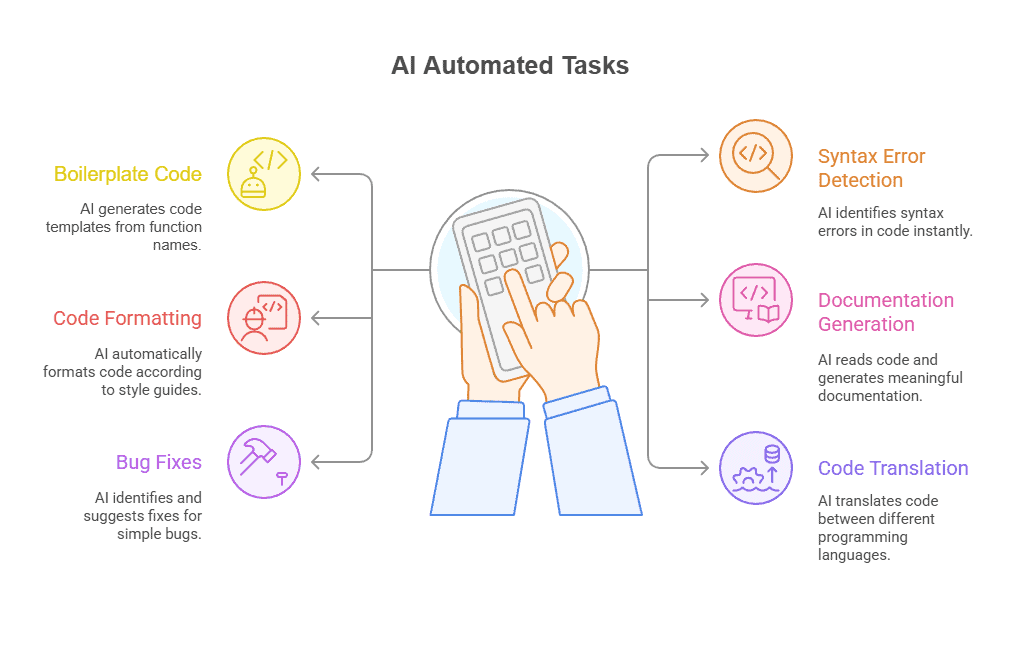
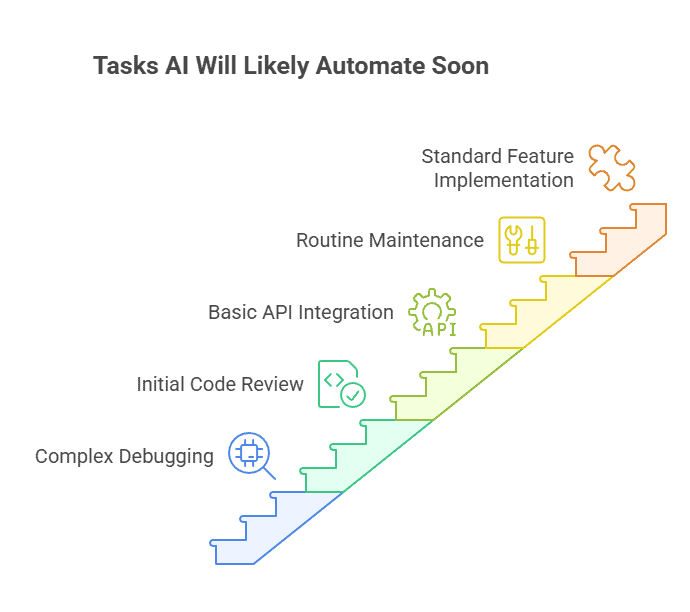
AI is taking care of the repetitive stuff, which means programmers are moving into higher-level work. System architecture, oversight, innovation. That’s where the job is heading.
So, will AI replace programmers? Nobody’s getting mass replaced, but you do need to know how to work with AI now. It’s becoming a required skill. About 76% of developers expect their roles to keep growing and changing as AI gets better.
The key thing is: AI is a tool, not a replacement. The programmers who are thriving are the ones who learned how to use it effectively.
Software Engineers
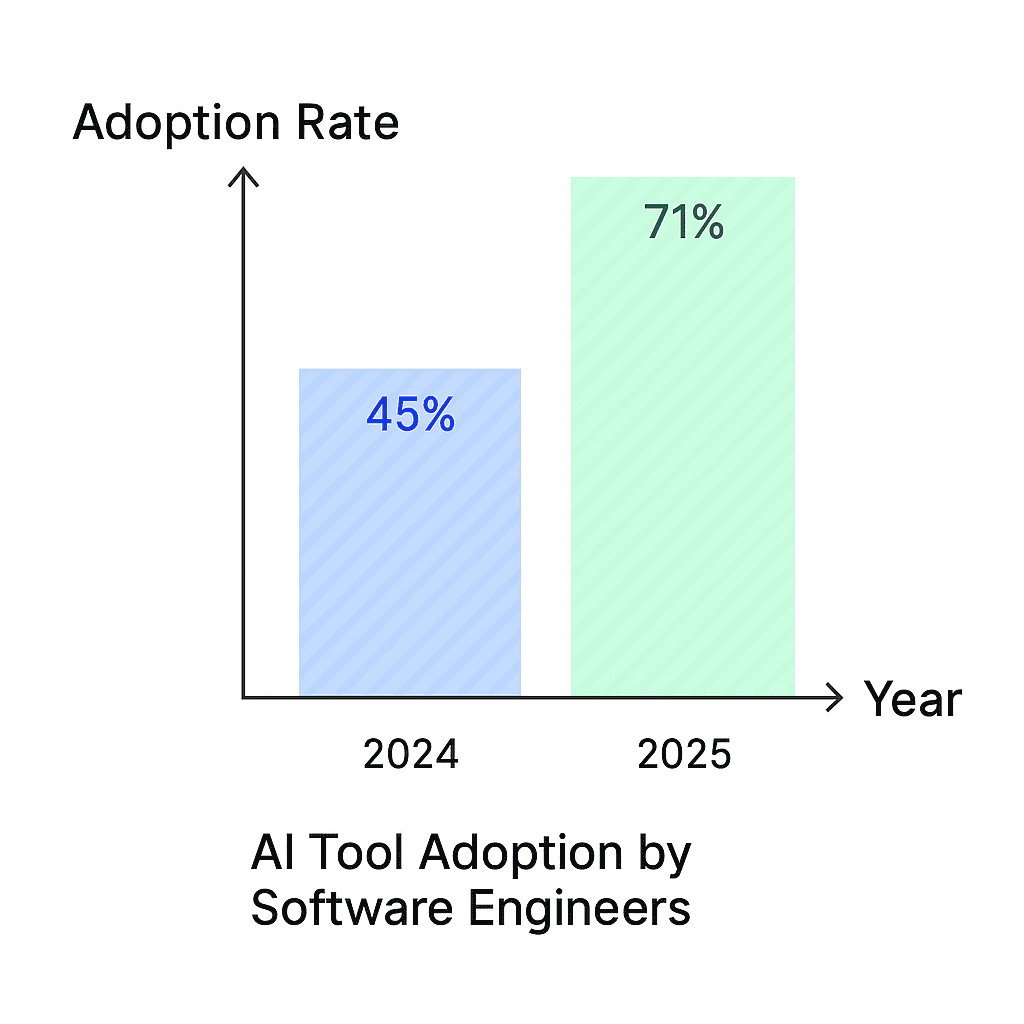
Software engineering has basically gone all-in on AI. We’re talking 97.5% of companies using it in 2025, up from 90.9% just last year. Engineers are using it for everything from generating code to writing documentation, reviewing other people’s work, testing, and squashing bugs.
The productivity gains are legit. About 82% of companies say they’re seeing at least a 20% boost, and a quarter of them are getting over 50% better results. AI is becoming as normal as opening your IDE in the morning.
How Companies Are Using It
Here’s what’s interesting: 59.5% of companies now have their own in-house AI specialists building custom tools. Only 17.7% are just using off-the-shelf products. That’s a big shift toward making AI work for your specific needs instead of using generic solutions.
Why are companies doing this? 84% want productivity gains and cost savings. About 78% are after faster delivery times. More than half are focused on better quality and fewer errors.
Stack Overflow’s data backs this up. 84% of developers are either using AI or planning to, and almost half (49.4%) have been using it for over a year. This isn’t a trend anymore, it’s just how things work now.
What Software Engineers Are Actually Doing
AI handles the repetitive grunt work, which means engineers get to focus on the interesting stuff. Strategic planning, making big decisions, solving complex problems. That’s where humans are spending their time now.
About 76.5% of engineers think AI’s role is going to get way bigger over the next 3 to 5 years, especially with agentic systems that can handle DevOps and planning tasks.
But it’s not all smooth sailing. Privacy concerns are the biggest issue (47.5% mention it), and there’s a real skills gap. Companies are dealing with this by building their own expertise internally, which has gone up dramatically.
Where This Is All Going
The consensus is clear: AI is going to keep growing. But the focus is shifting to doing it ethically and making sure the ROI is actually there. Companies that are crushing it with AI are the ones investing in MLOps and training their people properly.
DORA reports show that AI is definitely making things faster, but quality is kind of hit or miss. The teams getting elite results are the ones that figured out how to make humans and AI work together effectively, not just throwing AI at everything and hoping for the best.
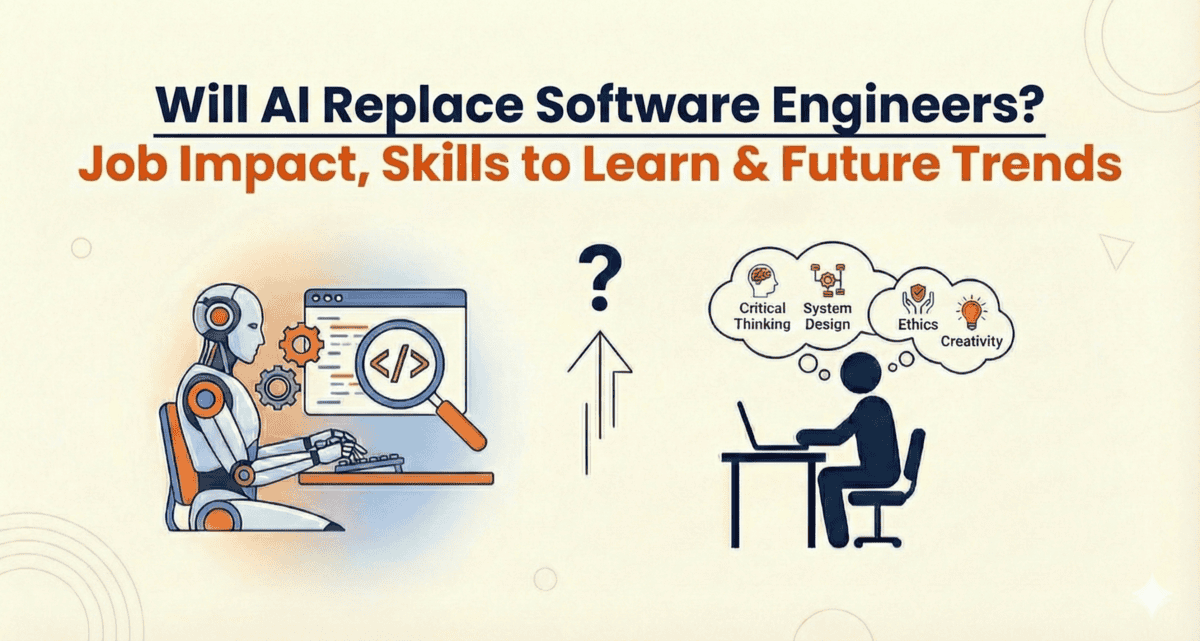
Software engineers are among the safest tech positions from AI replacement. The complexity of system design, the need for strategic technical decisions, and the requirement to understand business context all protect this role.
Engineers who learn to use AI tools effectively will have an edge. But the core skills of software engineering, problem decomposition, system thinking, and technical leadership, remain firmly in human territory.
Web Developers
Web developers have jumped on the AI bandwagon in a big way. Between 84% and 91% are now using these tools in 2025, and about half of them use AI every single day. On average, AI is writing around 28% of the code that ends up in projects.
Companies are a bit slower to adopt, with 45% integrating AI into their processes. But when they do, it’s speeding up development cycles and letting them build things like personalised user experiences and chatbots. The interesting part? Most developers (60%) are keeping AI’s contribution under 25% of their total code, so humans are still very much in charge.
What Developers Are Doing With AI
91% are using it for code generation, which is by far the most popular use case.
Learning new things and doing research comes in second, while text generation is also popular.
Image generation is lagging behind at just 38% adoption.
Stack Overflow’s survey shows 84% either using AI or planning to, up from 76% the year before.
About 45% of companies have AI baked into their workflows, and that number’s expected to grow as no-code tools get better.
Commonly Used AI Tools in Web Development
GitHub Copilot is leading the pack for code help. It autocompletes code, helps with debugging, and most developers using it say it’s responsible for about 28% of their code output.
Wix ADI and Builder.io are making waves in the no-code space. They let you build entire websites just by answering questions or picking templates. Great for small businesses that need something fast with built-in SEO and mobile features.
Uizard and Figma AI are handling the design side, turning rough sketches into actual UX prototypes. Google Analytics 4 and Hotjar are using AI to figure out how users behave and what needs fixing.
Developers are starting small, testing these tools on smaller projects first before rolling them out everywhere. The big wins are in automation (saving time and money), security improvements, and personalisation.
What This Means for Web Developer Jobs
AI is taking over the boring stuff like repetitive coding and testing. That frees developers to focus on bigger picture things like system architecture and coming up with new ideas. Projects are moving faster, and there are fewer bugs.
But here’s the thing: nobody’s getting fully replaced. Jobs are just changing. Now you need to know how to work with AI tools and oversee what they’re doing. The main headaches are privacy concerns, costs, and making sure everyone knows how to use these tools properly.
Basic website development work is moving to AI and no-code tools. Small businesses that used to hire developers for simple sites now use AI website builders. That’s eating into the entry-level market.
Developers with strong JavaScript skills, experience with modern frameworks, and the ability to solve complex technical problems will continue finding work. But the profession is splitting into two tiers, commodity work that AI can handle and specialised work that requires expertise. The middle is getting squeezed.
Data Scientists
AI is now deeply embedded in data science workflows. Data scientists are using AI to build, automate, and sometimes replace parts of their own pipelines. The role has shifted from “model builder” to “AI-augmented decision and product designer.”
AI Adoption and Usage in Data Science
Around 78% of organisations report using AI somewhere in their analytics or data stack in 2025.
Data teams are typically among the heaviest internal users of AI.
Daily AI use has nearly tripled in five years.
Many data scientists now rely on AI for code generation, feature engineering, and experimentation setup.
Generative AI is responsible for a rapidly growing share of all data produced and transformed, including synthetic data to augment or replace real-world datasets.
What This Means for Data Science Jobs
AI automates a huge fraction of repetitive work like data cleaning, boilerplate modelling, and documentation. Advanced users are seeing productivity gains between 25-50%.
The demand is shifting away from purely technical skills. Now it’s about problem framing, domain expertise, evaluation, and governance. Why? Because many baseline models and code snippets can be generated automatically now.
At the macro level, AI is both destroying and creating roles. Forecasts talk about tens of millions of jobs displaced, but an even larger number created in new AI-centric and data-centric positions. The net effect is actually positive, just disruptive.
The Bottom Line
So, will AI replace data scientists? The risk level is low as of now. The job isn’t disappearing, it’s evolving faster than almost any other role. Data scientists who adapt to being AI orchestrators rather than just model builders are the ones who’ll thrive.
The irony isn’t lost on anyone: the people building AI are the first ones whose jobs are being transformed by it. But the ones who embrace that change are becoming more valuable, not less.
Data Analysts
AI adoption among data analysts has shot past 78% in organisations during 2025. Daily usage has tripled since 2020, reaching 314 million users worldwide. Analysts are mainly using AI for automating data cleaning, building visualisations, and generating predictive insights.
Tools like Tableau, Power BI, and Julius AI can now handle complex analysis through natural language queries. You just ask questions in plain English. Productivity is jumping between 25-50% for most users, though 45% are concerned about data bias issues.
The analysts crushing it are the ones integrating MLOps properly. These high performers are seeing major returns on investment. The role itself is shifting from routine number crunching to strategic oversight.
Key Adoption Stats
78% of organisations are using AI for data analysis work.
Daily AI use has tripled since 2020, hitting 314 million users globally.
77% of companies prioritise AI compliance in their analytics.
35% have fully deployed AI, while 42% are running pilots in their analytics stacks.
Data teams lead internal AI usage across companies.
71% of firms are embedding generative AI for forecasting and market analysis.
95% of professionals use AI at work or home.
Only 6% of organisations are “high performers” seeing real earnings impact.
Popular Tools and Usage
Powerdrill Bloom, Tableau, and Power BI offer AI-powered visualisation, automatic modelling, and secure dashboard integrations.
Julius AI and Polymer provide intuitive analysis of spreadsheets and databases without needing coding skills. Analysts are using these for machine learning builds, data filtering, and pulling real-time insights from multiple sources.
What This Means for Data Analyst Jobs
AI is taking over the repetitive work, which enables 37% productivity gains on average. Analysts are now focusing on governance, compliance, and domain expertise instead of manual data processing.
New roles are being created. The job market is actually net positive with 97 million jobs created versus 85 million lost to automation.
Skills gaps are still a problem. But the dominant trend is augmentation, not replacement. Analysts who learn to work with AI are becoming more valuable, not less.
Can Data Analysts Get Replaced?
So, will AI replace data analysts? The short answer is no, not really. The data shows augmentation is winning over replacement. While AI automates the grunt work, it creates demand for analysts who can interpret results, ensure data quality, and make strategic decisions.
The job market backs this up with 97 million new jobs created compared to 85 million lost. Analysts aren’t disappearing, they’re evolving into roles that require higher-level thinking and AI oversight.
AI in Marketing and Business Jobs
Marketing and business roles are riding a strange wave right now. AI handles the grunt work, data crunching, basic content, and scheduling, but the human touch still drives the strategy. You’re seeing a shift, not a shutdown.
What’s interesting here is that these jobs aren’t disappearing. They’re splitting. The repetitive stuff gets automated. The creative, strategic thinking stays human. Some roles adapt faster than others.
Digital Marketers
Digital marketing has gone completely AI-powered in 2025. About 88% of marketers are using AI tools, and 88% are using them daily. That’s basically everyone.
The sector’s AI market hit $47.32 billion this year and is projected to exceed $107 billion by 2028. That’s a 36.6% growth rate annually.
Marketers are mainly using AI for content generation (93% faster output), insights (81%), and decision-making (90%). And get this: 92% of businesses plan to invest even more. The results are showing 81% gains in brand awareness and sales, plus 75% cost savings. Though 49.5% are dealing with privacy concerns.
Key Adoption Stats
83% of marketers gain time for strategic work thanks to AI.
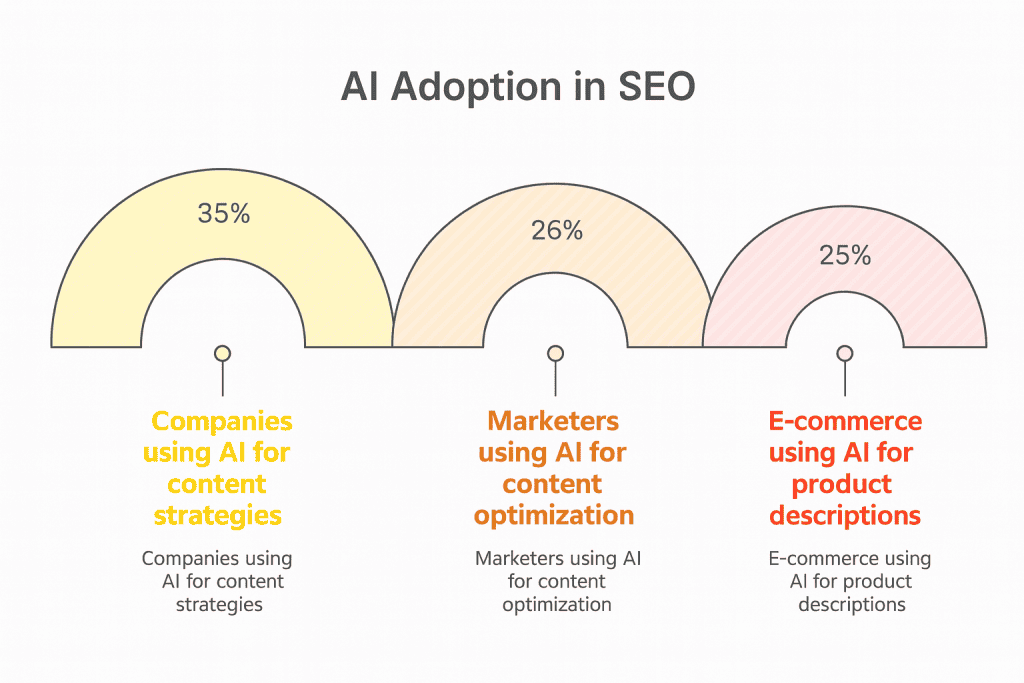
51% are optimising website and social content with AI tools.
74% report higher job enjoyment and are exceeding their targets.
69% are excited about how AI is elevating their roles.
Fortune 1000 firms are boosting AI spend at nearly 90%.
75% of staff have shifted from production work to strategy.
What This Means for Digital Marketing Jobs
AI is automating the routine tasks, which enhances personalisation and customer experiences. About 41% say that’s the top benefit. But it’s raising ethics and data issues that demand constant upskilling to maintain an edge.
Marketers are pivoting to oversight and creativity. Tools like chatbots enable 24/7 customer support, and predictive analytics are building loyalty. Overall, AI is amplifying marketing roles, not replacing them. The growth is explosive, but the focus is on augmentation.
Where This Is Headed
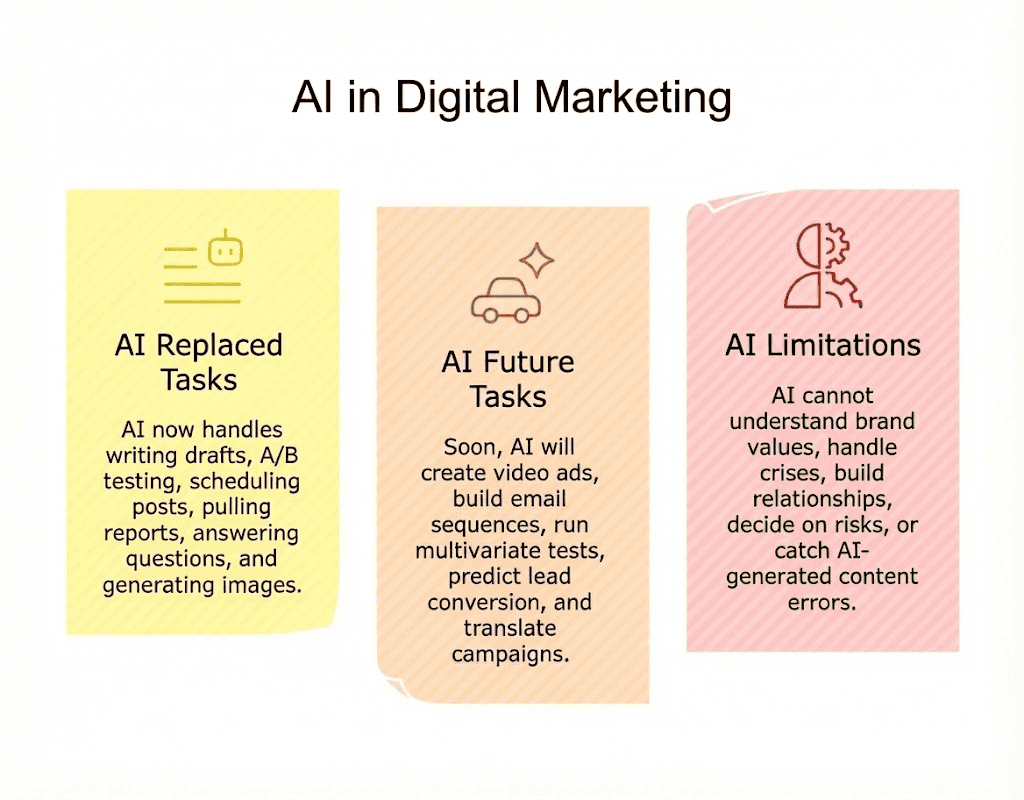
So, will AI replace digital marketers? Not entirely, but it’s changing what “digital marketer” means. Junior roles focused on execution, posting content, pulling basic reports, are shrinking.
The shift is real: marketers who used to spend 80% of their time on execution are now spending 80% on strategy. That’s a complete flip in just a couple of years.
If you’re in marketing and not using AI for the grunt work, you’re literally working harder than you need to while your competitors work smarter.
SEO Specialists
SEO has basically been taken over by AI in 2025. About 86% of SEO specialists are now using AI tools for keyword research, content optimisation, and on-page improvements. These tools are automating between 37-75% of repetitive tasks.
The results speak for themselves. Businesses using AI in their SEO strategies are seeing 30% better search rankings within six months, 45% higher organic traffic, and 38% more conversions. AI is making personalisation and efficiency way better.
What AI Does in SEO
AI tools automate the technical and research-heavy parts of SEO. These capabilities have made SEO work much faster.
Crawls thousands of pages for technical errors
Identifies keyword gaps and opportunities
Suggests content improvements for target keywords
Analyses SERP features and predicts ranking potential
Drafts meta descriptions and title tags
Optimises existing content for better rankings
Where Humans are Still Needed
SEO specialists bring strategic thinking and understanding of user behaviour. These skills keep specialists essential despite AI automation.
Understanding search intent behind keywords
Building content strategies that serve users, not just algorithms
Navigating algorithm updates and adapting quickly
Knowing why Google suddenly deprioritised a site
Combining technical knowledge with content expertise
Making strategic decisions about which opportunities to pursue
Key AI Adoption Statistics in SEO
86.07% of SEO pros are using AI in their strategies.
67% cite automation of tasks like meta-tags as the top benefit.
52% note performance gains specifically in on-page SEO.
65% of firms see overall improvements in their results.
82% of enterprise specialists plan to invest more in AI.
64% prioritize tool accuracy when choosing what to use.
What This Means for SEO Jobs
SEO work is shifting from manual labour to strategic oversight. Content output is up 42%, and rankings are improving by up to 49% for companies using AI effectively.
But specialists need to watch out for biases and adapt to the fact that 19% of Google results are now AI-generated content. That’s a big deal.
The role is evolving. You need AI fluency now. Tools like ChatGPT (used by 69% of SEO pros) handle drafting work, which frees up time for analytics and newer tactics like GEO (Generative Engine Optimisation) and AEO (Answer Engine Optimisation).
Where This Is Headed
About 19% of top-ranking Google content is AI-generated now, and that’s up significantly from before. Sites using AI are growing 5% faster than those that don’t.
Marketers are planning broader AI search integration. AI Overviews are appearing in 26.6% of financial queries, which is changing how SEO works fundamentally.
The future is hybrid human-AI workflows. Pure AI content doesn’t cut it, and pure human content is too slow. The specialists who figure out the right balance are the ones who’ll stay competitive.
Bottom line: if you’re in SEO and not using AI, you’re already behind.
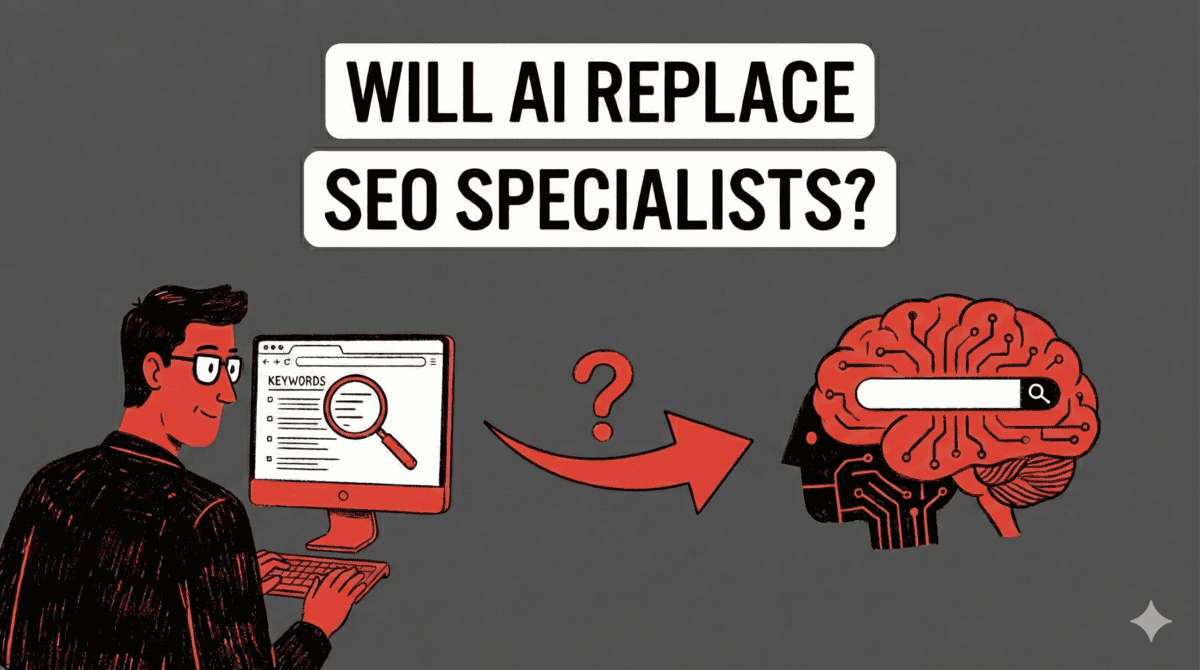
Will AI Replace SEO Specialists?
So, will AI replace SEO specialists? The technical grunt work is automated, yes. But SEO is part strategy, part psychology, part keeping up with Google’s mood swings. AI handles the repetitive stuff. Specialists who combine technical knowledge with strategic thinking and content expertise are still essential. The role is evolving, not evaporating.
Business Analysts
About 78% of organisations are using AI for business analysis work in 2025. Analysts themselves are using AI to automate between 40-50% of the routine stuff like crunching numbers and building reports.
This lets them focus on what actually matters: strategic insights and decision-making. Productivity gains are hitting 37% on average. AI’s handling predictive modelling and visualisation, though 42% are running into challenges like data bias and skill gaps.
What AI Does for Business Analysis
AI handles the computational heavy lifting in business analysis. These capabilities speed up data processing dramatically.
Crunches numbers and processes massive datasets
Builds predictive models automatically
Generates basic reports and visualisations
Identifies trends in customer behaviour
Forecasts sales and revenue patterns
Flags anomalies and unusual patterns in data
What Business Analysts Do
Business analysts bring context and strategic thinking that AI lacks. These skills make analysts valuable even as AI handles more data processing.
Interpret what the data actually means for the business
Ask the right questions in the first place
Investigate why trends appear, not just that they exist
Translate insights into actionable recommendations
Understand organisational dynamics and priorities
Navigate stakeholder meetings and competing interests
AI Adoption Statistics in Business Analysis
71% of firms have deployed generative AI in their operations.
Business analysts lead at 60% efficiency in forecasting and trend analysis.
92% of top companies have integrated AI strategies.
They’re prioritising business intelligence tools for real-time analytics.
Daily AI use has tripled since 2020.
Analysts are allocating 3.32% of budgets to AI, especially in retail and consumer sectors.
What This Means for Business Analyst Jobs
AI is cutting manual work significantly. Companies are seeing productivity boosts between 26-55% and getting $3.70 back for every dollar invested in AI.
But here’s the reality: you need to upskill. Only 6% of organisations are “AI high performers” seeing major impact on earnings. The rest are struggling.
Analysts are evolving into AI overseers, managing custom models and governance. This reduces the need for entry-level positions but creates huge demand for expertise. The failure rate is brutal too: 70-85% of AI projects fail without proper training.
Where This Is Headed
Nearly 50% of tech leaders have embedded AI in their strategies. Business analysts are driving enterprise-wide access through natural language querying, which is at 20% adoption now.
By 2026, workforce access to AI analytics is expected to triple. Compliance is becoming a huge priority, with 77% of companies focused on it.
The bottom line? Business analysts who learn to work with AI are going to be fine. The ones who don’t are going to struggle to stay relevant. The role is fundamentally changing from data processor to strategic AI orchestrator.
The data processing part, yes. But analysis requires business context, industry knowledge, and understanding organisational dynamics. AI can’t attend stakeholder meetings or negotiate between departments with competing priorities. Analysts who focus on strategic interpretation rather than just data processing remain valuable.
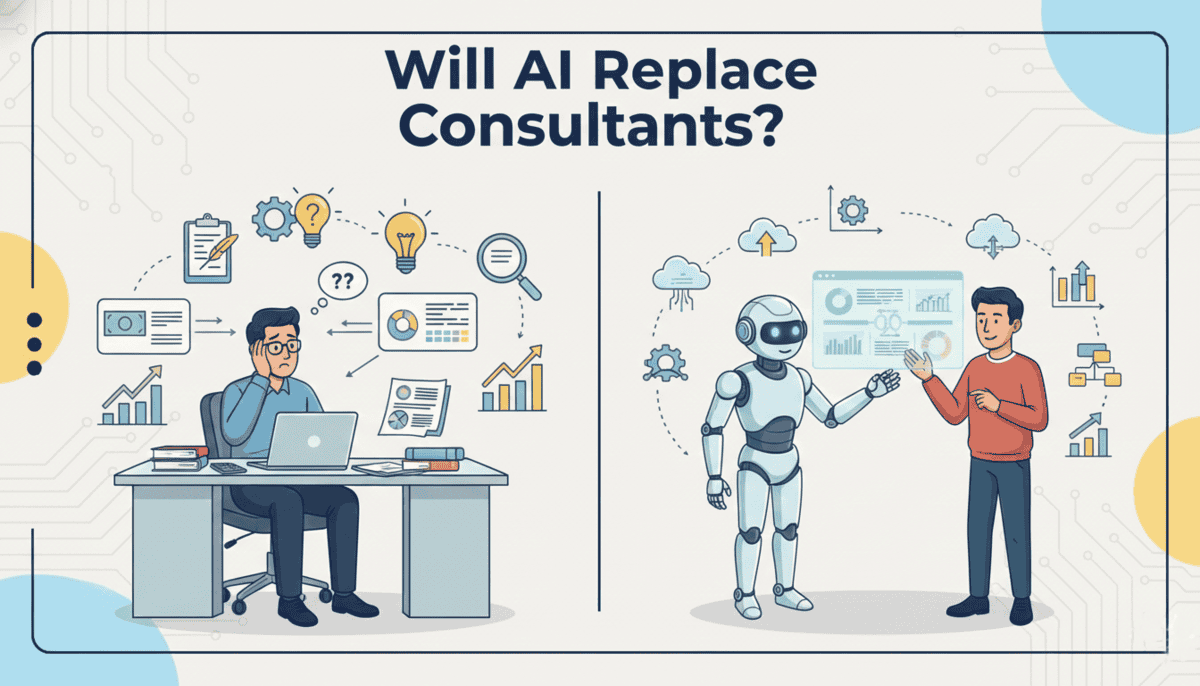
Consultants
AI adoption in consulting has hit 72% across firms in 2025. The market’s valued at $11.07 billion and growing at 26.2% annually, with projections showing $90.99 billion by 2035.
Big players like BCG, Accenture, and EY are leading the charge, integrating AI into strategy work and analytics. The traditional consulting model is being completely rethought because of this technology.
AI is automating between 40-50% of routine tasks and boosting productivity by 37%. Consultants are shifting from doing grunt work to focusing on insights and strategic advice.
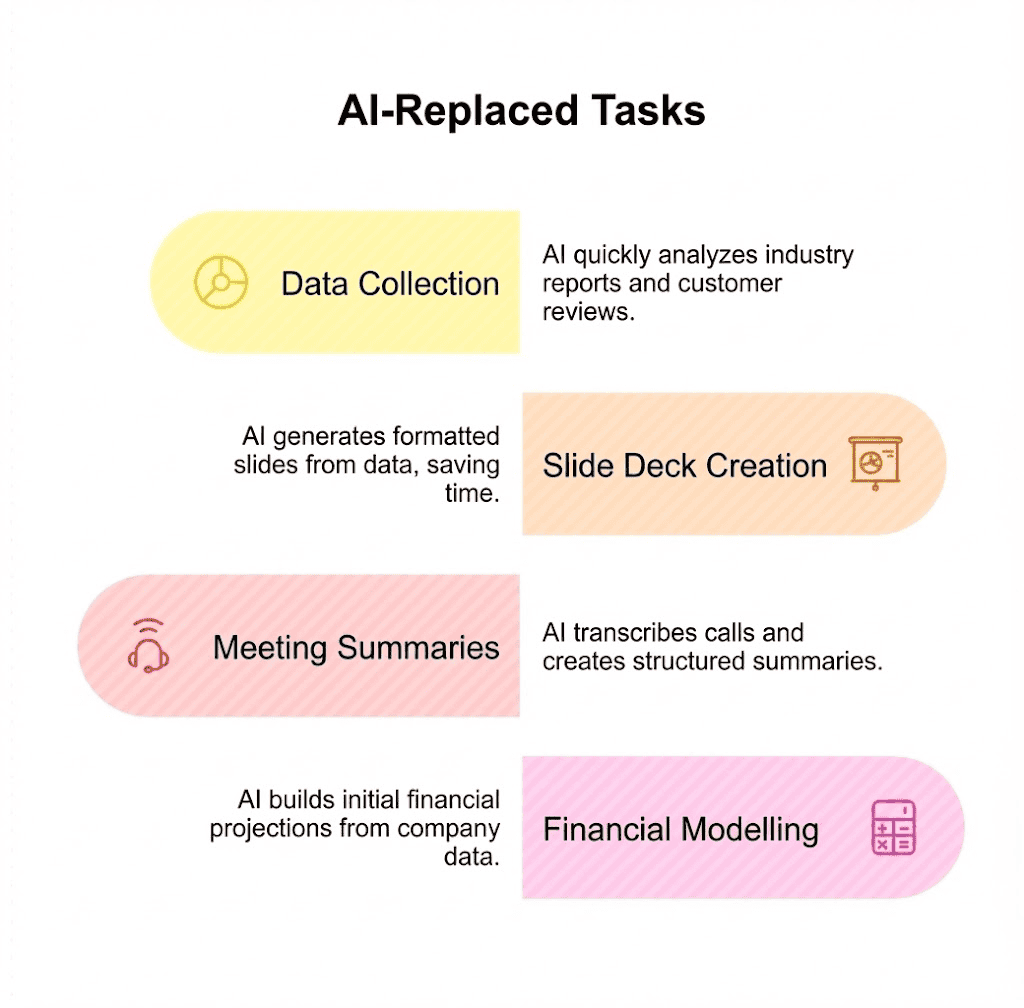
What AI Does in Consulting
AI automates the research and analysis work that junior consultants used to handle. This changes how consulting firms structure their teams.
Compiles industry research and market data
Analyses competitor strategies and benchmarks
Drafts initial frameworks and recommendations
Processes client data and identifies patterns
Generates preliminary reports and presentations
Creates slide decks with basic insights
Where AI Struggles
Senior consulting work relies on skills that AI can’t replicate. These are the capabilities that keep experienced consultants in demand.
Building relationships with clients and earning trust
Understanding unspoken organisational dynamics
Reading between the lines during meetings
Catching what clients mean versus what they say
Tailoring recommendations to company culture
Managing change and navigating political realities
Key AI Adoption Statistics in Consulting
72% of consulting firms are actively using AI in their operations.
75% of executives plan AI investments, restructuring their traditional pyramid models.
The consulting AI market is valued at $11.07 billion in 2025.
Expected to reach $90.99 billion by 2035, growing at 26.2% annually.
AI is automating 40-50% of routine consulting tasks.
Productivity gains are hitting 37% on average.
What This Means for Consulting Jobs
The big shift is in how consulting firms are structured. The traditional model had tons of junior consultants doing research and analysis, with senior partners overseeing everything. AI is changing that pyramid.
Junior consultants are being augmented with AI, which means fewer people can do more work. That’s changing the economics of consulting firms pretty dramatically. Instead of hiring armies of analysts, firms are investing in AI tools and smaller teams of people who know how to use them.
But here’s the thing: this isn’t about replacement. It’s about elevation. Consultants who used to spend 80% of their time gathering data and building slides are now spending that time on strategy and client relationships. The work is getting more interesting, not less.
Can Consultants Get Replaced?
So, will AI replace consultants? The risk is low, but it’s still there. Senior consultants are safe. The relationship-building, strategic thinking, and change management aspects remain deeply human. But the career path is changing. Firms hire fewer junior consultants since AI does the groundwork. If you’re entering consulting, you’ll need to demonstrate strategic thinking earlier in your career.
Recruiters
AI adoption in recruiting has exploded in 2025. Between 43-67% of organisations globally are now using AI tools, up from just 26% in 2024. US firms are leading the charge at 76% usage for things like sourcing candidates, screening resumes, and reducing bias.
Enterprise companies are even further ahead at 78% integration. That’s 189% growth since 2022. About 41% of recruiters are using AI daily for candidate matching, and these systems are hitting 89-94% accuracy on resume parsing.
The time and cost savings are legit. Projections show 80% of HR will have AI integrated by the end of the year, with $1.2 trillion in global savings.
Key Adoption Stats
51% of firms use AI in hiring right now, expected to hit 68% by December 2025.
Tech sectors lead at 89% adoption.
75% of HR professionals are prioritising AI investments.
54% are planning to increase spending by 40% or more.
60% are automating end-to-end hiring processes.
AI is reducing bias by 50% and boosting candidate satisfaction by 52% through transparency.
What This Means for Recruiting Jobs
AI handles about 40% of repetitive tasks. Initial screening is a big one, with 40% of applications getting filtered before a human ever sees them. This frees recruiters to focus on relationship-building and strategy.
The role is evolving toward AI oversight. There are trust gaps though. Only 26% of applicants trust that AI will evaluate them fairly. That’s creating demand for specialists who can manage these systems properly. About 49% of organisations are hiring for these roles.
The net effect? Faster hiring without mass displacement. Though regulations are slowing things down in Europe, where adoption sits at 36%.
Where This Is Headed
GenAI experimentation has hit 37% globally. Chatbots and predictive analytics are becoming standard. Gartner predicts 81% adoption by 2027.
Younger candidates are driving this too. Gen Z and Millennials accept AI tools 34% more than older generations. That’s signalling sustained growth in personalised, efficient hiring pipelines.
The recruiting function is fundamentally changing. It’s less about manually sifting through resumes and more about managing AI systems that do the first pass, then focusing human attention where it actually matters.
Can Recruiters Get Replaced?
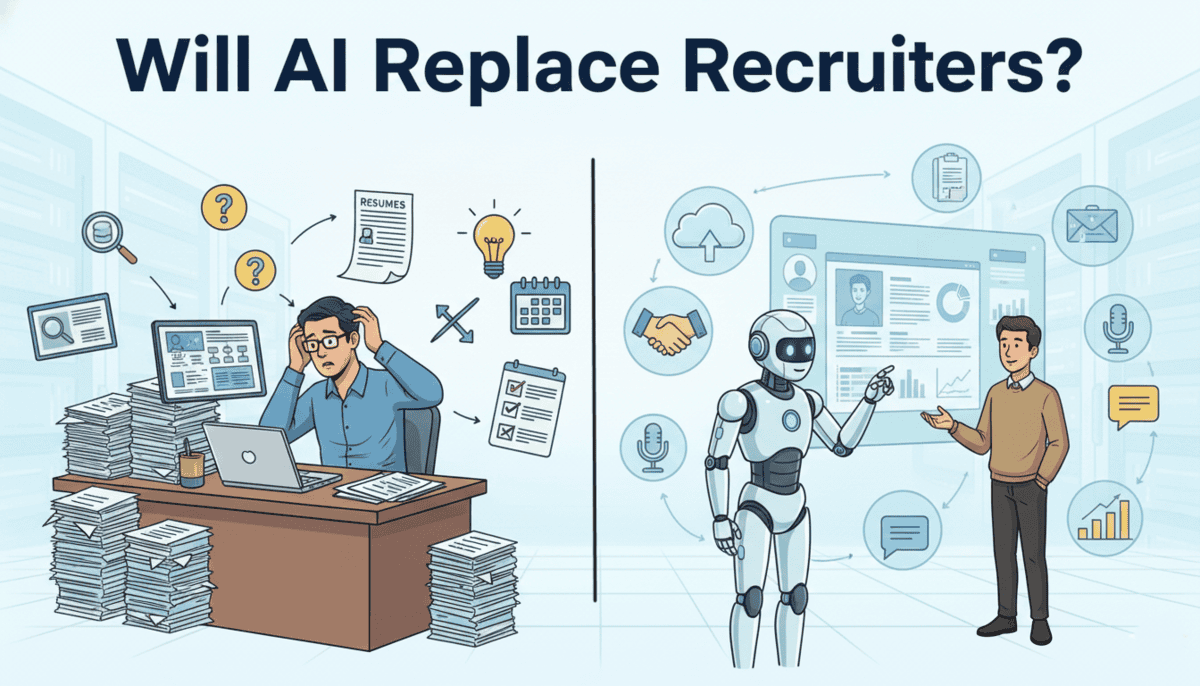
Will AI replace recruiters? Not really. AI is handling the grunt work like initial resume screening and scheduling, but the human element remains critical for relationship building, cultural fit assessment, and candidate experience.
The demand is actually growing for recruiters who know how to work with AI. About 49% of organisations are actively hiring specialists who can manage these systems. The job isn’t disappearing, it’s upgrading to focus on strategy and human connection instead of administrative tasks.
Project Managers
Project management has seen a huge uptick in AI adoption. About 70% of organisations are now using AI tools in 2025, and another 29% are planning to implement them. That’s nearly double what we saw two years ago when it was just 36%.
The market hit $3.58 billion this year, up from $3.08 billion in 2024. That’s a 16.3% growth rate. Projections show it hitting $7.4 billion by 2029.
Project managers are using AI mainly for predictive analytics, risk assessment, and automation. The results are impressive: project success rates are up 25% and productivity is up 20%.
What AI Does for Project Management
AI handles the administrative and tracking aspects of project management. These features make PMs more efficient at logistics.
Tracks task completion and progress automatically
Flags potential delays before they become critical
Optimises schedules based on team capacity and availability
Predicts project risks by analysing historical data
Sends automated status updates to stakeholders
Suggests resource reallocation when bottlenecks appear
What AI Still Cannot Do in Project Management
Project management is fundamentally about managing people, not just tasks. These human skills keep PMs essential.
Handling team dynamics and interpersonal conflicts
Managing stakeholder expectations and communication
Mediating when team members clash
Negotiating boundaries when scope creeps
Motivating teams through difficult project phases
Making judgment calls when plans need to change
How Project Managers Are Using It
22% of project managers report active AI deployment in their work.
Tech sector leads at 34% adoption, followed by finance.
Only 12% see substantial use right now, mainly due to resource gaps.
82% are using AI more frequently than they expected five years ago.
62% view recent AI advancements as very positive for their sector.
75% of experts note improved delivery in complex projects.
85% support on-the-job training for AI skills.
What This Means for Project Management Jobs
AI is set to automate about 80% of routine tasks by 2030. That shifts project managers toward strategic decisions, resource optimisation, and leadership roles instead of admin work.
Projects are hitting their timelines and budgets better. But there are real challenges: trust issues, skills gaps (29% feel unprepared), and data governance concerns.
Jobs are evolving, not disappearing. You need to know how to work with AI to stay competitive. The managers who get this are the ones who’ll thrive.
Where This Is Headed
Growth to $5.7 billion by 2028 signals we’re hitting a tipping point. Healthcare and construction are piloting AI for risk mitigation.
Tech-forward firms are leading the pack. Companies that lag behind risk project delays and inefficiency. Overall, AI is freeing up time for innovation, which is perfect timing given the rise of hybrid methodologies and remote work trends.
The key takeaway? AI is becoming essential infrastructure for project management, not a nice-to-have feature.
Can Project Managers Get Replaced?
So, will ai replace project managers? The administrative tracking, sure. But project management is fundamentally about people, not tasks.
You navigate personalities, manage expectations, and make strategic trade-offs between speed, quality, and resources. AI optimises logistics. Humans manage the messy reality of getting people to work together effectively.
AI in Professional Services
Professional services, law, medicine, accounting are facing a different kind of AI disruption. These fields built their value on specialised knowledge and years of training. AI now accesses that same knowledge base instantly.
But here’s the thing: knowledge alone isn’t expertise. Applying it in context, with judgment and empathy, still requires humans. The gap between what AI knows and what professionals do is narrower than it used to be, but it’s still there.
Lawyers
The legal sector is catching up with AI in 2025, though it’s happening in a pretty uneven way. About 38% of corporate legal departments are using AI tools, and another 50% are exploring implementation. Mostly for contract drafting and research.
Here’s what’s wild: individual lawyers are way ahead of their firms. 85% of them are using generative AI daily or weekly, while firms are stuck at just 21-27% adoption. Civil litigation leads at 27%, and personal injury is at 20%.
Bigger firms are doing better. If you’ve got 51 or more lawyers, you’re looking at 39% adoption versus 20% in smaller firms. A lot of this is happening through integrations with existing software rather than standalone tools.
What AI Does in Legal Work
AI automates research and document review tasks that used to take junior associates hours or days. These capabilities speed up the mechanical parts of legal work significantly.
Reviews contracts for specific clauses and potential issues
Summarises case law and legal precedents
Flags potential legal issues in documents
Conducts discovery by searching thousands of documents
Drafts basic legal documents using templates
Analyses past case outcomes for patterns
What AI Struggles With
Legal practice requires strategic thinking and human judgment that AI can’t replicate. These are the skills that keep lawyers essential.
Building legal strategy and deciding how to proceed
Negotiating with opposing counsel
Reading judges’ tendencies and jury psychology
Making judgment calls on complex situations
Advising clients considering business goals and risk tolerance
31% of individual lawyers and 21% of firms are using generative AI.
82% report efficiency gains for tasks like drafting (54%), research, and data analysis (14%).
Thomson Reuters found active integration rising from 14% in 2024 to 26% in 2025.
45% of firms are planning to make AI central to their practice within a year.
Immigration lawyers top individual usage at 47%, while firms lag due to trust, ethics, and privacy concerns.
What This Means for Legal Jobs
AI is handling a lot of the administrative burden, which lets lawyers focus on strategy and actually talking to clients. But getting firms to roll this out widely is tough. ROI concerns, training needs, and governance issues are all in the way.
The good news? Jobs aren’t disappearing. AI is augmenting what lawyers do, not replacing them. But there’s a growing need for lawyers who actually know how to use these tools. The gap is huge right now. Individual lawyers are experimenting freely while firms are stuck writing policies.
Productivity boosts are real and measurable. But success really depends on education and building ethical frameworks around AI use.
Can Lawyers Get Replaced?
The answer to will AI replace lawyers is simple: No. Risk Level: Low-Medium
Not the litigators or strategists. But the career path is shifting. Junior associates used to spend years doing document review and research. AI handles that now. New lawyers need to develop strategic skills earlier. The profession isn’t disappearing, but it’s being reshaped. Lawyers who audit AI outputs and focus on strategy will thrive.
Accountants
Something crazy happened in accounting this year. AI usage jumped from just 9% in 2024 to 41% across firms worldwide in 2025. About 35% of accountants are now using AI every single day.
The market’s reflecting this shift too. It hit $6.68 billion this year, which is a 70.4% jump from last year. Small and medium-sized firms are leading the charge, making up 68% of the market. And get this: 77% of firms are planning to spend even more on AI.
The results? About 73% of accountants say AI is working better than they expected, especially for efficiency and client service. But here’s the weird part: only 37% are actually investing in training their teams, even though 85% are optimistic about AI.
How Accountants Are Using AI
46% of accountants use AI daily, nearly double the rate in small businesses.
Main uses are task automation (41%), research (40%), and advisory work (93%).
72% of firms use AI at least weekly, and 64% are planning upgrades.
The Big Four accounting firms are committing billions to AI.
61% see AI as a way to cut mundane tasks, with 95% getting 98% accuracy gains from automation.
What This Means for Accounting Jobs
People who really know how to use AI are saving about 79 minutes every day. That’s translating into 39% higher revenue per employee. Instead of doing routine work, accountants are moving into more strategic roles.
Some firms are automating over 80% of their tax preparation work. Same with reconciliation tasks. This is actually helping with the shortage problem, since 75% of CPAs are retiring.
But here’s the thing: you need accountants who actually understand AI. The fear of job loss is there, but what’s actually happening is jobs are changing, not disappearing. Some projections say AI could save the accounting industry $1 trillion by 2030.
Where This Is Headed
The sector is eyeing $37.6 billion by 2030. Real-time analytics and predictive tools are driving this growth.
Small and medium businesses are leading the way, with 44% going digital and 38% using AI for things like multi-currency handling. This creates a productivity flywheel. Firms that prioritise AI training and integration are getting a real competitive edge in client value.
Will AI Replace Accountants?
So, will AI replace accountants? For basic bookkeeping and tax prep, yes. But strategic accountants who advise on financial decisions, navigate complex regulations, and build client relationships remain essential.
The profession is splitting into automated transaction processing and high-value advisory. If you’re in accounting, move toward the advisory side.
Doctors
Healthcare is going through a pretty massive shift with AI, and the numbers tell an interesting story. The market sits at around $37.98 billion today, but experts think it’ll hit $674.19 billion by 2034. That’s a 37.66% jump every year.
What’s really changed is how doctors themselves are using these tools. By the end of 2024, 66% of physicians had started working with AI in some form. That’s up 78% from just a year earlier. Most big hospitals have either started testing AI systems or already put them to work by mid-2025.
The generative AI piece alone is worth $3.3 billion this year. And here’s the thing: it’s not about replacing people. It’s about helping overworked staff do their jobs better during a time when hospitals can’t find enough workers.
AI Usage In Healthcare
When COVID hit, 94% of healthcare executives started spending more on AI. Now 92% say they need it to deal with staffing problems.
About two out of three doctors use AI for everyday things like reading through patient notes or spotting warning signs before something goes wrong.
The FDA has approved over 950 AI medical devices, but insurance only covers 23 of them. So adoption is slower than you’d think.
What This Means for Doctors and Nurses
AI diagnostic tools can catch heart attacks with 99.6% accuracy. That kind of precision is helping cut hospital stays by 20% and saving about $40 billion a year in surgery costs.
Nurses are spending 20% less time on repetitive tasks, which saves another $20 billion. That means doctors get more time to handle the really complicated cases that need human judgment. We’re also seeing totally new jobs pop up, like people who manage AI systems in hospitals or chief medical officers who actually understand how this tech works.
Sure, some people worry about losing their jobs. But what’s actually happening is doctors are making better decisions and burning out less.
Where This is All Headed
Generative AI in healthcare is expected to grow 146% between 2025 and 2028. By 2030, it should be worth over $10 billion.
Just in the US, the market could reach $102.2 billion by 2030, growing at 36.1% annually. Hospitals might save $13 billion in costs this year alone. Right now, most hospitals are focused on getting AI systems that actually work together smoothly to help with patient flow and take pressure off their clinical teams.
Can Doctors Be Replaced?
Medicine isn’t just diagnosis. It’s communication, empathy, and shared decision-making with patients. So the answer to will AI replace doctors is no.
AI is becoming an incredibly useful diagnostic assistant, especially in radiology and pathology. But the human relationship between doctor and patient remains central to care. Patients trust people, not algorithms, with their health decisions.
Teachers
AI has become a major tool for improving teaching efficiency in 2025. About 60% of teachers now use AI as part of their regular work routines, particularly for tasks like creating lesson plans and developing teaching materials. This technology helps save 44% of the time teachers previously spent on administrative tasks.
The global market for AI in education has grown to $7.57 billion this year, marking a 46% increase from 2024. Education organisations are leading AI adoption, with 86% now using generative AI tools, which is the highest rate among all industries.
While roughly one-third of experts express concerns about potential job displacement in the long run, AI is currently being used to support teachers rather than replace them, especially in areas facing teacher shortages.
How Teachers Are Using AI
60% of teachers regularly incorporate AI into their work, mostly for research purposes (44%), creating lesson plans (38%), and generating summaries (38%).
86% of education organisations have implemented generative AI tools, leading all other sectors in adoption rates.
Teachers typically spend close to 10 hours each week on planning and grading activities, areas where AI helps create initial outputs that teachers then review and refine.
Effects on Teaching and Learning
AI gives teachers more time to interact directly with students, which helps reduce burnout and improve retention rates in regions struggling with teacher shortages.
Students in programs that use AI support show impressive results. They score 54% higher on assessments, demonstrate 10 times greater engagement levels, and have 70% better course completion rates compared to those in traditional learning environments. Market analysts predict the sector will reach $112 billion by 2034, indicating that AI will continue supporting and enhancing teaching roles.
Industry Growth
The overall educational technology market is approaching $404 billion by the end of this year, with AI contributing to a 16.3% compound annual growth rate since 2019.
AI-powered tutoring systems have reduced student dropout rates by 20% through personalised learning approaches. A large majority of business leaders (92%) are planning to increase their AI investments, with a focus on developing AI literacy as an essential skill for future educators.
Will AI Replace Teachers?
Teaching is relationship-based. Students need human connection, encouragement, and someone who believes in them. So the answer to will AI replace teachers is no. AI can personalise content delivery and handle administrative grading. But the mentorship, inspiration, and social-emotional aspects of teaching remain deeply human. Good teachers use AI as a tool, not a replacement.
Therapists
AI mental health chatbots are growing in popularity, especially for preliminary support and between-session check-ins.
But they’re used as supplements, not replacements. AI chatbots provide basic cognitive behavioural therapy techniques, offer mood tracking, and suggest coping strategies. They’re available 24/7 for check-ins and can flag concerning patterns to human providers.
Building trust and providing nuanced support requires human connection. Therapists read body language and tone that reveal what clients can’t articulate. You adapt therapeutic approaches based on individual needs and cultural backgrounds. When a client is in crisis, you make judgment calls about safety and intervention that AI can’t handle.
Current Adoption of AI in Mental Health Support
The use of artificial intelligence for mental health purposes has grown significantly in 2025. More than half of people (53%) now turn to AI tools when dealing with stress, anxiety, or similar concerns.
This number jumps even higher for younger adults aged 25-34, where over 80% report using these technologies. The industry itself is valued at approximately $1.8 billion this year and is expected to expand at rates between 24-40% annually through 2032.
Among young people in the United States, roughly 13.1% (around 5.4 million individuals) have sought mental health guidance from generative AI, with that figure climbing to 22% for those 18 and above.
Usage Patterns
Just over half (53.6%) of surveyed individuals use AI for mental health assistance, with 15% engaging with these tools every day.
Nearly one-third (32%) say they would be interested in receiving therapy from AI instead of human professionals, though the majority (68%) still prefer working with people.
Among teenagers and young adults, between 17-24% show signs of depending on AI tools, which researchers have connected to increased risks of social anxiety and depression.
How Well AI Works
Chatbots designed for therapy have shown the ability to reduce depression symptoms by 64% compared to groups without intervention. Prediction systems have demonstrated 92% accuracy in identifying suicide risk within a seven-day window.
A model developed at Vanderbilt achieves 80% accuracy in predicting suicide risk by analysing hospital records. Data from OpenAI indicates that roughly 0.15% of users who engage with their systems weekly display signals of elevated mental health distress.
Industry Expansion
The AI mental health field is experiencing rapid growth, with forecasts showing an increase of $3.13 billion between 2025-2029, representing a 30.9% compound annual growth rate. This expansion is fueled by improved personalisation capabilities and the need to bridge gaps in mental health care access.
The United States is leading in adoption, with the market expected to reach $3.3 billion by 2032, driven partly by high rates of mental health conditions.
Will AI Replace Therapists?
So, will AI replace therapists? Risk Level: Very Low
Absolutely not. Therapy is fundamentally about human connection and trust. AI chatbots might help with basic support or between sessions, but they can’t replicate empathy, clinical judgment, or the therapeutic relationship. Mental healthcare requires human understanding in ways that AI simply can’t provide. The human element isn’t just helpful, it’s the entire point.
The Verdict: Job-By-Job Risk Breakdown
So where does your job actually stand? Let’s organise everything we’ve covered into a clear snapshot based on risk level.
Low Risk: Consultants, doctors, lawyers, project managers, software engineers, teachers, therapists, and data scientists. These roles lean heavily on expertise, judgment, and human connection that AI struggles to replicate.
Medium Risk: Accountants, business analysts, content writers, copywriters, digital marketers, graphic designers, recruiters, SEO specialists, video editors, web developers, writers, and data analysts. Expect significant workflow changes with AI handling routine tasks while humans focus on strategy and creativity.
High Risk: Programmers face the most disruption as AI tools increasingly generate functional code. That said, it’s still about transformation rather than replacement.
Each job has its own detailed breakdown linked in the sections above if you want to understand the specific factors shaping your role.
Jobs AI Will Create
By 2030, AI will generate 170 million new jobs. Yes, 92 million jobs will be displaced. But that leaves a net gain of 78 million brand new positions that didn’t exist before.
This isn’t a prediction anymore. It’s actively happening.
In Q1 2025 alone, there were 35,445 AI job postings in the U.S. That’s 25% more than the same time last year. And the median salary for these roles? $156,998. These are well-paid, in-demand positions.
The New Roles Showing Up
Prompt Engineers: Specialists who know exactly how to communicate with AI to get the best results. They understand both the technology and the business well enough to bridge that gap
AI Ethics Officers: Someone needs to ensure AI systems aren’t making biased or unfair decisions. These people set the rules and audit the outcomes
AI Trainers: Industry experts teaching AI systems the specific knowledge and context they need. Think doctors training AI on medical imaging or lawyers training AI on case law
AI Auditors: Quality control for algorithms. They check AI outputs, hunt for errors and biases, and make sure systems actually work as promised
Data Scientists: Demand is growing 10% year-over-year. Someone has to analyse and interpret all the data AI systems generate
AI Architects: Engineers who build and connect complex AI systems across entire organisations
What You Should Focus On
Here’s the thing about AI disruption. It’s not about choosing between learning AI or losing your job. It’s about understanding how to work alongside these tools in a way that makes you more valuable, not less.
83% of workers and employers agree that everyone needs AI upskilling. That’s not a warning. That’s a roadmap.
Skills to Learn
AI literacy: You don’t need to build AI systems, but you should know how to use them effectively. Think of it like learning Excel in the 1990s. It became table stakes.
Critical thinking and analytical skills: AI generates outputs. You need to evaluate whether those outputs make sense, catch errors, and determine what’s actually useful.
Creative problem-solving: AI works from patterns in existing data. When you’re facing novel challenges or need truly original approaches, that’s still human territory.
Emotional intelligence and interpersonal skills: Understanding people, reading the room, managing relationships, these remain distinctly human advantages.
Adaptability and continuous learning mindset: The AI landscape shifts constantly. Being comfortable with change and willing to learn new tools becomes more valuable than mastering any single technology.
Domain expertise in your field: Deep knowledge of your industry, clients, or specialisation is what turns you from an AI user into someone who gets exceptional results from AI.
How to Adapt
Start treating AI as your assistant, not your competition. The World Economic Forum projects 30% of the workforce will be upskilled in current roles by 2030. That’s millions of people learning to work differently, not finding entirely new careers.
Look at your daily work and identify which tasks are repetitive or follow clear patterns. Those are prime candidates for AI automation. Then ask yourself what happens when those tasks take 20% of the time they used to.
What high-value work could you focus on instead? Maybe you’re a writer who can finally spend more time on research and interviews instead of formatting. Or a developer who can architect complex systems instead of debugging basic syntax errors.
If you’re thinking about a career pivot, don’t panic and jump ship entirely. Instead, look at adjacent roles that use your existing expertise.
You’ve probably seen the headlines. Writers losing jobs to AI. Content marketers panicking. Freelancers watching their client lists shrink as companies turn to ChatGPT instead.
All these might make you think, “Will AI Replace Writers?” Is this the end of writing as a career? Or is this just another wave of tech panic that’ll pass once everyone realises AI can’t actually do what we do?
Let’s break this down honestly. We’ll look at what AI can actually do right now, where it falls short, and what this means for your career as a writer.
The Growth of AI Writing Tools
GPT-3 dropped in 2020, showing people that AI could write like a human. Then ChatGPT launched in November 2022, and suddenly everyone had access to AI writing. Within months, businesses weren’t asking if they should use AI; they were already trying to figure out how.
Today, you’ve got options. Here are the main AI writing tools people actually use:
ChatGPT – The one that started the mainstream craze
Jasper – Built specifically for marketers and content teams
Copy.ai – Focused on short-form copy and ads
Writesonic – Another marketing-focused option with SEO features
Claude – Known for longer, more nuanced writing
Grammarly (with AI features) – A grammar checker that now generates content
The numbers tell you everything. 82% of businesses now use AI tools for content creation, and the global AI market is projected to hit $1.8 trillion. What’s more, 40% of marketers use AI daily, with 68% reporting increased ROI from AI content tools. That’s not hype anymore. That’s adoption.
What AI Can Do in Writing Today
Let’s get practical. AI writing tools aren’t magic, but they’re not useless either. The reality sits somewhere in the middle, and what you get depends heavily on what you’re asking them to do.
1. Content and SEO Writing
This is what AI does the best. Tools can write full blog posts, product descriptions, and how-to guides that hit the basics. They’re decent at following SEO structure, incorporating keywords naturally, and maintaining a consistent tone throughout longer pieces.
The catch? The writing can feel robotic. You’ll get a solid first draft, but it needs human polish to stand out.
2. Social Media Content
AI handles social posts surprisingly well. Short captions, quick updates, and engagement hooks. The tools can adapt the tone for different platforms and generate multiple variations quickly.
3. Email Marketing
Subject lines, promotional emails, and newsletter drafts roll out fast. AI can personalise at scale and test different approaches without breaking a sweat.
According to research on AI adoption, 75.7% of digital marketers now rely on these tools for exactly this reason.
4. News Summaries and Reports
AI excels at condensing information and presenting data clearly. Financial reports, news roundups, and research summaries come out clean and organised. The writing stays factual and digestible.
5. Ad Copy and Marketing
Punchy headlines and benefit-driven copy? AI’s got this. It can generate dozens of ad variations quickly and follow proven copywriting frameworks. The downside is that the copy often feels derivative. You’ll recognise patterns from ads you’ve seen before because AI learns from what already exists.
6. Creative Writing
AI can write stories, poems, and scripts that follow proper structure. But the emotional depth isn’t there. Characters feel flat, plot twists seem mechanical, and the writing lacks the unpredictability that makes fiction compelling. It’s useful for brainstorming or getting unstuck, but you wouldn’t mistake it for human creativity.
What AI Cannot Replace in Writing
Here’s what you need to know: AI can’t conduct original research, interview people, or pull from personal experience. It can’t verify whether something it’s writing is actually true or just sounds convincing. While it processes language patterns beautifully, it misses the human elements that make writing connect with readers on a deeper level.
Let’s break down where AI genuinely struggles:
Original research and firsthand experience: AI can’t pick up the phone and interview an expert. It can’t attend an event, test a product, or observe something happening in real time. Everything it knows comes from existing text, which means it’s always working with secondhand information at best. When you need fresh insights or unique angles, you’re on your own.
Fact-checking and accuracy: AI generates text based on patterns, not truth. It’ll confidently write something that sounds right but is completely wrong. You’ve probably seen this happen when it cites studies that don’t exist or mixes up dates and statistics. It can’t verify its own claims, which means every fact needs human verification.
Understanding nuance and context: AI misses subtle meanings, cultural references, and the unspoken context that shapes how we communicate. It doesn’t get sarcasm reliably, struggles with idioms, and can’t read between the lines. What seems straightforward to a human often trips it up completely.
Real emotional intelligence: AI mimics empathy but doesn’t feel it. When writing about sensitive topics or trying to console someone, it falls flat. It processes emotional language without understanding the weight behind it. Readers can tell when the emotion isn’t genuine.
Brand voice consistency: AI can approximate a writing style, but it can’t internalise a brand’s personality the way a human writer does. It might nail the tone in one paragraph and drift in the next. Maintaining that subtle consistency across multiple pieces takes human judgement.
Knowing when to break the rules: Good writing sometimes requires breaking grammar rules or structure for effect. AI follows patterns too rigidly. It doesn’t understand when a fragment works better than a complete sentence or when repeating a word creates impact instead of redundancy.
Spotting what hasn’t been written yet: AI can’t identify emerging trends or gaps in existing content because it only knows what already exists in its training data. It can’t tell you what angle is fresh or what perspective is missing from the conversation. That kind of strategic thinking requires human insight.
AI Adoption Rate and Trends in Writing
AI writing isn’t spreading evenly across industries. Some sectors are adopting it at full speed, integrating tools into daily workflows with almost no hesitation. Others are much more cautious, putting up rules and restrictions before even considering it.
Marketing, tech, media, and e-commerce are leading the adoption wave. Marketers use AI for content generation. Tech teams use it for support communication and product copy. Media outlets experiment with automated sports coverage. And e-commerce brands rely on it for listings and ads. Even small businesses are joining in because AI offers what these industries value most: speed, scale, and consistency.
This uneven adoption pattern is an important indicator when asking, Will AI Replace Writers?, because it shows that the answer depends heavily on how each industry uses and regulates AI.
But education, publishing, and research-heavy institutions are resisting. Major school districts have banned tools like ChatGPT, and universities are restricting AI to avoid plagiarism.
Publishers such as The New York Times are fighting AI use on legal grounds. Many academic journals now require disclosure or reject AI-generated content entirely. Their concerns go beyond fear; they’re protecting learning, originality, and long-established intellectual property norms.
What Writers Are Saying About This
Ask ten writers about AI and you’ll get ten different answers. Some are treating it like a productivity breakthrough. Others act like it’s the end of their profession. Most fall somewhere in between, still trying to figure out where they stand.
1. The Optimists
These writers see AI as another tool in the toolbox, nothing more dramatic than that. They’re using it for brainstorming, research, or finding that word on the tip of their tongue. To them, the panic feels overblown. They point out that calculators didn’t kill mathematicians and spell-check didn’t destroy editors.
What matters is the final product, and they’re confident their judgement and creativity still drive the work. Plus, if it helps them write faster or pitch more ideas, why wouldn’t they use it?
2. The Pessimists
Then you’ve got writers who want nothing to do with this technology. Fiction authors especially feel strongly about this, viewing AI as fundamentally unethical and a threat to their livelihoods.
Training models on copyrighted work without permission crosses a line for them. The thought of being replaced by something that learnt from their own writing stings. They’re not interested in adapting when the whole system feels rigged against them.
3. The Realists
Then there’s the middle ground. These writers acknowledge AI isn’t going anywhere, but they’re not ready to embrace it with open arms either. They’re watching, testing cautiously, and trying to figure out how to protect their work while staying competitive.
They worry about clients choosing cheaper AI content over human writers, but they also recognise that quality still matters. Their approach? Stay sceptical, stay informed, and figure out how to position yourself as the human element that AI can’t replicate.
AI’s Impact on Writing Jobs
October 2025 saw record corporate layoffs in 20+ years, with content writers explicitly listed among replaced roles.
Companies that once employed teams of writers now operate with skeleton crews and AI tools. The shift happened faster than most industry experts predicted, and it’s hitting certain writing jobs harder than others.
High Risk Writing Jobs
Basic content writing sits at the top of the vulnerable list. Think product descriptions, simple blog posts, data entry writing, and routine reporting. These jobs share one thing in common: they follow predictable patterns and don’t require deep expertise.
A fantasy sports site laid off experienced writers and immediately replaced them with AI, proving that even specialised niches aren’t safe when the content follows templates. SEO article mills have collapsed almost entirely. Companies realised they could generate 100 articles for what they used to pay one writer. This is a shift that directly fuels the question, Will AI Replace Writers?, especially in roles where originality and critical thinking aren’t central to the output.
Medium Risk Writing Jobs
Copywriting and email marketing occupy this uncertain middle ground. AI handles the first drafts now, but companies still want human oversight for brand voice and strategy.
Social media managers are seeing their roles shift from creating content to editing AI outputs and managing analytics.
Technical writers face similar pressure. Canva laid off technical writers after assuring employees AI wouldn’t threaten jobs. The work still exists, but fewer people are doing it. You’re competing not just with other writers, but with tools that cost $20 per month.
Lower Risk Writing Jobs
Investigative journalism, long-form narrative writing, and brand strategy remain relatively protected. These roles require human judgement, source relationships, and creative thinking that AI can’t replicate yet.
Speechwriting for executives stays safe because it demands understanding of personality, context, and political nuance. Creative directors who shape entire campaigns still have their jobs. The common thread? These positions require expertise that takes years to build and involve high-stakes decisions where mistakes cost real money or reputation.
New Roles Emerging
‘AI content editors’ and ‘prompt engineers’ are the buzzwords right now, but let’s be honest about what they pay. Most of these positions offer 30-40% less than traditional writing roles, and they’re often contract work without benefits.
You’re essentially teaching AI to do what you used to get paid more to do yourself. Some writers are transitioning into hybrid strategist roles where they oversee AI teams, but there are far fewer of these jobs than there were traditional writing positions. The maths doesn’t work out in the writer’s favour.
Will AI Replace Writers?
Yes, AI is already replacing some writers. Especially those doing basic, repetitive, or low-value content.
If the work is generic, easy to automate, or something companies only need quickly, AI can handle it. That is why many simple blog and copywriting jobs are disappearing.
But skilled writers are becoming more important.
Writers who bring research, interviews, storytelling, brand understanding, or clear creative judgement still offer what AI cannot. The role is shifting toward guiding and improving AI output. So AI will replace some writers, but the ones who adapt and add real value will stay in demand.
AI is handling resume screening, scheduling interviews, and ranking candidates. 96% of US hiring professionals now use AI in recruitment, and that number keeps climbing. This shift is real, and it’s happening fast.
Now the question arises: Will AI Replace Recruiters? The short answer is more complicated than yes or no.
Understanding what AI can and can’t do in your role matters more now than it did a year ago.
How AI Has Changed Recruitment
AI tools now handle the repetitive work that used to take a lot of time. The shift happened gradually, then all at once.
Resume screening changed first. AI systems parse applications in seconds, matching keywords and qualifications against job requirements. They rank candidates based on the criteria you set.
The same goes for sourcing. AI searches databases, identifies passive candidates, and even predicts which prospects might be open to new opportunities.
Scheduling automation came next. Chatbots coordinate interview times without human intervention. They handle back-and-forth communication, send calendar invites, and reschedule when needed. Candidates get instant responses instead of waiting days for an email reply.
Candidate engagement shifted, too:
AI chatbots answer common questions about role details, company culture, and application status.
Automated emails keep candidates informed throughout the process
Text message systems send reminders and updates
Follow-up sequences run without manual input
Predictive analytics represent the newest change. Algorithms analyse candidate data and predict success probability. They score applicants based on past hiring outcomes. Organisations using AI tools report up to 30-40% drops in cost-per-hire and significantly faster screening processes.
Recruitment Tasks AI Has Replaced
AI hasn’t just changed recruitment. It’s taken over entire chunks of the process that used to eat up hours of a recruiter’s day.
Resume parsing and initial screening: AI systems scan resumes, pull out key information, and organise it into structured data in seconds. No more manually typing candidate details into spreadsheets.
Keyword matching and qualification checks: The software compares job requirements against candidate profiles automatically, flagging who meets the basic criteria and who doesn’t. Recruiters used to do this line by line.
Interview scheduling and calendar coordination: AI chatbots now handle the back-and-forth, checking availability across multiple calendars and booking time slots without human intervention.
Basic candidate questions get answered through chatbots, too. Things like “What’s the salary range?” or “Is this position remote?” don’t need a human anymore. The same goes for application status updates. Automated messages keep candidates informed without recruiters lifting a finger.
Job posting distribution: AI can search candidate databases for matches, send initial outreach emails, and manage all the data entry and tracking that used to bog down recruiting teams.
What’s left for humans? The stuff that actually requires judgement. Building relationships. Assessing cultural fit. Negotiating offers. Making the final call on who to hire.
Current AI Adoption in Recruitment
AI in recruitment isn’t some future trend anymore. It’s happening right now, and the numbers show just how fast it’s spreading.
67% of organisations now use AI in recruitment, with enterprise companies pushing that number even higher at 78%. That’s a 189% growth since 2022. We’re not talking about early adopters anymore. This is mainstream.
What HR professionals are getting out of it:
70% of HR professionals report time savings as their biggest benefit from using AI tools. That translates into real results: 31% faster hiring times on average. Companies are also seeing a 50% improvement in quality of hire metrics, which suggests AI isn’t just making things faster but actually helping them find better candidates.
58% of HR professionals worry about algorithmic bias creeping into their hiring decisions. Another 51% are concerned about depersonalisation, the sense that candidates are being processed through a machine rather than evaluated by humans. Legal compliance worries sit at 50%, which makes sense given how murky the regulatory landscape still is.
Here’s what’s interesting, though: candidates themselves seem more optimistic. 57% of workers believe AI reduces racial and ethnic bias in hiring, up 6% from the previous year. That’s a notable shift in perception.
The gap between HR concerns and candidate optimism tells you something important. AI in recruitment is moving forward, whether everyone’s comfortable with it or not. The question isn’t whether to adopt it anymore. It’s how to use it responsibly.
Recruitment Tasks AI Cannot Replace
AI in recruitment is great at processing data and following patterns, but there are entire dimensions of hiring that require something algorithms don’t have. That is human intuition, context, and emotional intelligence.
1. Reading the room during interviews
When you’re sitting across from a candidate, you pick up on things that don’t translate to data points. The slight hesitation before answering a question about their current role. The way their energy shifts when talking about team projects versus solo work.
You’re not just evaluating what someone says, but how they say it, what they leave unsaid, and whether they’ll actually gel with your team’s specific dynamics. AI can accurately assess qualifications and skills, but it struggles with cultural fit: those subtle interpersonal dynamics that make or break a hire.
2. Building trust over time
Recruiting isn’t transactional. You might spend months nurturing a relationship with a passive candidate. Understanding their career aspirations, and learning what frustrates them about their current situation.
That rapport? It’s built on genuine conversations, shared experiences, and showing up consistently. AI can send follow-up emails, but it can’t grab coffee with someone and have that moment where they finally open up about what they’re really looking for.
3. Strategic workforce planning
Let’s say your company is pivoting its business model over the next two years. You need to start building a talent pipeline for roles that don’t fully exist yet, based on where you think the market is heading.
That requires connecting dots between business strategy, market trends, competitive intelligence, and emerging skill sets. You’re making educated guesses about the future. AI excels at pattern recognition from historical data. But it’s not great at anticipating what’s never happened before.
What Candidates Now Expect Because of AI
Candidates know what’s possible now. And they’re not patient about companies that haven’t caught up.
Candidates worry that an algorithm killed their application before a human saw it. Many people feel uneasy when AI makes decisions about their careers without knowing how or why. They want assurance that someone actually reviewed their work. They want to know why they didn’t advance, especially if they felt qualified.
This is where you come in. The more automated your process, the more human you need to be in the parts that matter. Transparency builds trust. Silence builds resentment.
So, Will AI Replace Recruiters?
The straight answer: AI won’t replace recruiters.
But let’s be clear about what that actually means. The job you’re doing today? That’s changing. Fast. AI isn’t going to take your role, but it’s going to change what that role looks like.
AI will handle the mechanical parts, parsing resumes, scheduling interviews, and sending follow-ups. You handle the meaningful parts: reading body language in an interview, sensing when a candidate is about to accept another offer, and knowing which team member will clash with a hiring manager’s style.
The recruiters who’ll struggle aren’t the ones being replaced by AI. They’re the ones refusing to use it. Because while you’re manually screening 50 resumes, someone else is using AI to screen 500 and spending their time on the 10 that actually matter. They’re faster, more informed, and building better relationships because they’re not buried in admin work.
71% of engineers now use AI tools in 2025, up from 45% in 2024. That jump happened in just one year.
AI is changing how software gets built. The tools are faster. The workflows are different. And people are asking the obvious question: will AI replace software engineers?
The answer isn’t simple. AI can do a lot, but it can’t do everything. Let’s break down what’s actually happening in software engineering and what it means for the people who build software for a living.
Software Engineering Before AI
Software engineers used to write every line of code manually. Writing boilerplate code for APIs, setting up database connections, and creating repetitive functions ate up hours of their day.
Debugging meant reading through code line by line. You’d set breakpoints, check variable values, and trace execution paths manually. Finding that one misplaced semicolon could take half a day.
When stuck on a problem, engineers turned to Stack Overflow. They’d search through documentation, read forum threads, and test different solutions until something worked. The research process alone could stretch a simple fix into an afternoon task.
Testing followed a similar pattern. Engineers wrote unit tests by hand, ran test suites, and reviewed results. Code reviews meant reading through pull requests manually, checking for bugs, style issues, and logic errors. Senior developers spent significant chunks of their week just reviewing other people’s code.
This workflow worked, but it was slow. Repetitive tasks filled up calendars. The actual creative problem solving got squeezed between all the routine work.
How AI Has Changed Software Engineering?
What changed most is speed. Tasks that took half a day now take minutes. According to Netguru, 78% of organisations now use AI in at least one business function, and software engineering is leading that shift.
Tasks AI Has Completely Automated
Some coding tasks barely need human hands anymore. AI tools handle them from start to finish without breaking a sweat.
Boilerplate code generation. You type a function name and AI writes the entire template. What used to take 10 minutes now happens in seconds.
Syntax error detection. Your editor catches mistakes before you even finish typing. Red squiggly lines appear instantly. You fix them on the spot.
Code formatting and linting. No more arguments about tabs versus spaces. AI formats everything according to your style guide automatically.
Basic documentation generation. AI reads your code and writes comments that actually make sense. It explains what functions do and what parameters mean.
Simple bug fixes. Missing semicolon? Wrong variable name? AI spots these issues and suggests fixes before you even run the code.
Code translation between languages. Need to convert Python to JavaScript? AI handles the syntax changes and adapts the logic to match each language’s conventions.
Tasks AI Will Likely Automate Soon
AI isn’t finished evolving. While some tasks still need human judgment, the gap is shrinking, which is why people increasingly ask will AI replace software engineers.
1. More complex debugging scenarios. AI can already spot simple bugs. Soon it’ll track down the weird ones that happen only on Tuesdays when the database is under load.
2. Initial code review passes. AI will scan pull requests for logic errors, security issues, and performance problems before a human ever looks at them.
3. Basic API integration. Connecting to third-party services means reading docs and writing authentication code. AI will soon handle standard integrations from scratch.
4. Routine maintenance tasks. Version updates, dependency management, and compatibility fixes. AI will take care of these without anyone asking.
5. Standard feature implementation. Common features like user authentication, search bars, and pagination. AI will build these based on specifications alone.
What AI Cannot Do in Software Engineering
AI can’t understand why your company chose that weird database structure five years ago. It doesn’t know that the CEO hates pop-ups or that your biggest client needs a specific workflow.
Here’s what still needs human engineers:
Business context and user needs. AI doesn’t sit in meetings where someone explains that customers actually want X, not Y. It can’t read between the lines when a stakeholder says “make it simple” but really means “don’t change what my team already knows.”
Architectural decisions. Choosing between microservices and a monolith isn’t just technical. It depends on your team size, budget, timeline, and what happens if the system goes down at 3 AM. AI struggles with this kind of complexity and the trade-offs that come with real-world constraints.
Legacy systems with tribal knowledge. That module everyone’s afraid to touch because Bob wrote it in 2009 and he’s the only one who knows why it’s built that way? AI can’t decode that without the story behind it.
Stakeholder communication. Explaining to a non-technical manager why the “quick fix” they want will break everything takes human judgement and patience.
Current AI Adoption Rates Among Software Engineers
In 2024, around 45% of developers used AI tools regularly. By 2025, that number shot up to 71%. That’s a 26-percentage-point increase in just one year. What pushed this surge? The tools got better at understanding context.
Common AI Tools Software Engineers Use Now
Here’s what most developers have open in their tabs:
GitHub Copilot writes code alongside you inside your editor. It reads what you’re building and suggests the next lines before you type them.
ChatGPT answers coding questions, explains complex functions, and helps debug when you’re stuck on something weird at 2 AM.
Tabnine learns your coding style and autocompletes based on patterns it picks up from your work.
Amazon CodeWhisperer (now called Amazon Q Developer) works best if you’re coding in the AWS environment, suggesting code that fits their cloud services.
Replit Ghostwriter handles everything from writing to debugging right inside the browser-based Replit platform.
What Software Engineers Are Most Worried About
The tools are helpful, but they also make people nervous. According to Exploding Topics, 43% of workers expect AI to cause job changes in the next five years. For developers specifically, here’s what keeps them up at night:
Job security: If AI writes code faster, will companies need fewer developers?
Skill degradation: Relying too much on AI might make you forget how to solve problems from scratch.
Code quality: AI suggestions aren’t always secure or optimised. Blindly accepting them can introduce bugs or vulnerabilities.
Over-dependence: What happens when the tool goes down or gives bad advice and you can’t spot it?
Job Impact of AI on Software Engineering Roles
Not all software engineers face the same level of risk. The impact depends heavily on where you sit in the career ladder.
Impact on Junior Engineers
Entry-level roles are taking the biggest hit. Companies are hiring fewer junior developers because AI can handle many tasks that used to go to new graduates. Code reviews, bug fixes, simple feature implementations, these were once training grounds for juniors. Now they’re prompts.
That means new engineers need to show value beyond just writing code. You’ll need stronger problem-solving skills and the ability to work with AI tools from day one. The bar for entry has risen.
Impact on Senior Engineers
Senior developers? Less threatened. Your value isn’t in typing code faster, it’s in knowing what to build and why. AI doesn’t understand user needs, business constraints, or technical trade-offs the way someone with years of experience does.
Your work is shifting toward more strategic territory. System design, architecture decisions, mentoring, cross-team collaboration. McKinsey’s State of AI 2025 shows organisations are still figuring out AI’s workforce impact, but one pattern is clear: jobs requiring judgment and experience remain critical.
What Software Engineers Should Do to Stay Relevant
Here’s what actually matters if you want to stay valuable:
Learn to work with AI tools. You don’t need to become an AI expert, but you should know how to use code assistants effectively. They’re part of the job now.
Focus on problem-solving, not syntax. Understanding the why behind code matters more than memorising how to write it. AI handles syntax. You need to handle logic and architecture.
Get better at communication. You’ll spend more time explaining problems, reviewing AI-generated code, and collaborating with non-technical teams. Writing and talking clearly become bigger parts of your job.
Understand the business side. Engineers who grasp customer needs, revenue models, and business constraints are harder to replace. You’re not just coding you’re solving business problems.
Go deeper into system design. High-level architecture, scalability decisions, security considerations these require experience AI doesn’t have. Double down on these skills.
Will AI Replace Software Engineers?
No, but AI will replace software engineers who refuse to adapt.
AI isn’t eliminating the profession, it’s changing what the job looks like. The engineers who survive are the ones who use AI as a tool rather than compete with it. Code generation is getting automated. Problem definition, system design, and business translation aren’t.
Ten years from now, there will still be software engineers. They’ll just spend less time writing boilerplate and more time on the complex, messy, human parts of building software. The role isn’t disappearing. It’s evolving.
AI is already inside consulting firms. 72% of organisations now use AI in at least one business function, a sharp increase from 32% just two years ago.
Generative AI tools are drafting reports, analysing data sets, and building financial models that once took consultants days to complete.
This raises the question directly: will AI replace consultants? The answer isn’t simple, and it’s not the same for every type of consulting work.
Some tasks are already being automated. Others remain firmly in human territory. This article examines where AI is taking over, where it’s failing, and what consultants need to do to stay relevant.
How AI Has Already Changed Consulting Work
By 2025, PwC, Deloitte, EY, and KPMG each launched multi-agent AI platforms that work like digital teammates. These platforms don’t just assist with tasks. They complete them.
The technology handles everything from data processing to client documentation without requiring human oversight for routine work.
What AI Now Handles Automatically
Data analysis: AI processes datasets in minutes that used to take analysts days to clean and interpret
Research synthesis: Tools pull insights from client reports and historical data without human intervention
Meeting documentation: AI transcribes calls and generates action items automatically
Slide formatting: Platforms like Google Duet and Notion AI convert raw research into polished presentations
Project scoping: AI reviews past engagements to define project parameters and timelines
The Direct Link to Workforce Cuts
This automation created immediate consequences. PwC cut 5,600 positions in FY2025, while KPMG eliminated overtime pay for junior auditors. The firms aren’t replacing these roles. AI now performs the routine tasks these employees once handled, from drafting reports to running initial analyses.
The shift happened fast. What consultants spent 60% of their time on two years ago now takes 15% because AI does the groundwork. That efficiency came at the cost of entry-level jobs that used to be the training ground for future partners.
What Consultants Are Worried About
Half of workers report concerns about AI’s effect on job security. For consultants, the worry isn’t just about losing a job. It’s about the entire structure of the profession changing.
The traditional consulting pyramid is breaking down. For decades, firms had many junior analysts at the bottom doing research and data work, feeding up to a smaller group of senior partners. AI now handles those entry-level tasks, creating what industry insiders call an “obelisk” structure instead.
This obelisk model is tall and narrow. Firms need fewer people overall, and most of them are senior. The roles that used to train fresh graduates, positions focused on building models, researching competitors, and creating slide decks, are disappearing. That means fewer entry points into the profession and a harder path to becoming a partner.
Consulting Tasks AI Has Replaced
AI tools now handle work that used to occupy entire teams of junior consultants. What took hours or days can now happen in minutes.
Data collection and analysis: AI processes hundreds of industry reports, regulatory filings, and customer reviews in minutes. It pulls relevant insights without human analysts spending days reading through documents.
Slide deck creation: Formatting presentations used to consume 30-40% of a junior consultant’s time. AI tools now generate formatted slides from raw data and notes, matching brand guidelines automatically.
Meeting summaries and documentation: Recording tools transcribe client calls and produce structured summaries with action items. No more junior consultant typing notes while trying to follow the conversation.
Basic financial modelling: AI builds initial financial projections and scenario analyses from company data. It creates working models that senior consultants can review and refine, rather than building them from scratch.
Tasks AI Will Replace Soon
We’re two years into what McKinsey predicted back in 2023. They stated that automation could replace up to 30% of consulting tasks within five years. That timeline puts most of the shift happening between now and 2026.
Status updates and progress reports are moving to automated systems. Junior-level client communication, like responding to standard queries or updating project timelines, no longer needs human involvement for most routine exchanges. The AI reads project management data and communicates changes directly.
By 2028, 15% of routine work decisions will be made autonomously by AI, up from essentially 0% in 2024. This includes decisions about resource allocation on projects, timeline adjustments based on bottlenecks, and flagging risks that match predefined patterns. The shift from zero to 15% in four years shows how fast this technology is scaling in practical business settings.
Tasks AI Cannot Replace
Some consulting work requires capabilities that AI systems don’t have. These aren’t skills that will be automated in five or ten years. They’re fundamentally human:
1. Complex stakeholder management: Reading organisational politics, sensing tension in executive meetings, and knowing when someone’s silence means disagreement.
2. Change management: Understanding why employees resist new processes even when data says they’re better. Recognising cultural nuances that make the same strategy work in one office and fail in another.
3. High-stakes strategic decisions: Making calls when data points in multiple directions. Reading competitive moves that haven’t shown up in reports yet. Using judgement when the stakes involve company survival or major pivots. These decisions need context that lives outside spreadsheets.
4. Client trust and relationship building: Creating the personal connection that makes a CEO call you instead of a competitor. Building a reputation over years of delivery. Being the consultant someone trusts with their career-defining project.
5. Ethical and contextual judgement: Deciding how to handle recommendations that could eliminate 500 jobs. Understanding community impact beyond financial metrics. Navigating situations where the right business decision conflicts with company culture or values.
What Consultants Should Focus On
If you’re a consultant right now, your survival depends on becoming irreplaceable in ways AI can’t match.
Start with AI fluency. Learn prompt engineering, not as a novelty but as a core skill. You need to direct AI agents, integrate multiple tools into your workflow, and know which platform works best for each task.
According to recent data, 79% of professionals use generative AI to improve customer experience and 67% to optimise processes. Consultants who use AI will replace consultants who don’t. It’s that simple.
But tools alone won’t save you. You need to develop deep industry expertise that AI can’t extract from documents. Context matters. Sector dynamics, unwritten rules, and political undercurrents in organisations. These come from years of immersion, not data scraping.
Focus on these capabilities:
Strategic synthesis: Taking AI-generated analysis and turning it into business judgement
Storytelling: Transforming data insights into persuasive narratives that drive decisions
Change management: Helping organisations implement recommendations, not just delivering them
Ethical judgement: Navigating grey areas where AI offers efficiency but humans must weigh consequences
The consultants who thrive will be those who use AI to do the work of three analysts while focusing their own energy on client relationships and strategic thinking. Everyone else is competing with software that works 24/7 and doesn’t need a salary.
Will AI Replace Consultants?
No. But it will replace a lot of consulting jobs.
The traditional consulting career path is dead. Junior analysts who spent two years building Excel models and formatting slides are already being cut. PwC didn’t eliminate 5,600 jobs because business was slow. They eliminated them because AI does that work faster and cheaper.
If your job is primarily data analysis, research, or document creation, you’re at immediate risk. Those tasks are already being automated. If you’re a consultant who spends most of your time on deliverables rather than clients, you’re competing with software. And you’ll lose that competition.
But consultants who combine AI proficiency with judgement, relationships, and strategic thinking remain irreplaceable. The ones who can direct AI agents to do the grunt work while they focus on stakeholder management and high-stakes decisions. The ones clients trust to navigate sensitive situations and make calls that have real consequences.
For aspiring consultants, the traditional entry path is gone. The barrier to entry just got much steeper.
Over the next three years, expect smaller teams doing higher-value work. Fewer people per project, more senior-heavy structures, and zero tolerance for consultants who can’t leverage AI. The job isn’t disappearing. But most of the jobs are.
Right now, 56% of marketers are using generative AI for their SEO workflows. That number was close to zero just two years ago. Tools that write meta descriptions, analyse keywords, and even draft entire blog posts are becoming standard in marketing teams.
If you’re an SEO specialist, you’ve probably wondered where this leaves you. Will AI Replace SEO Specialists? Can AI actually do your job? Should you be worried about your role shrinking, or is this just another tool you need to master?
The answer isn’t simple. Some SEO tasks are already being automated. Others still need human judgement. Let’s look at what’s actually changing and what that means for your career.
What SEO Looked Like Before AI
Before AI tools took over, SEO specialists spent most of their time on repetitive, manual tasks. Keyword research meant opening dozens of tabs, copying data from tools like Google Keyword Planner or SEMrush, and organising everything into spreadsheets by hand.
Content optimisation involved checking each page for keyword density. Manually adjusting meta descriptions, and cross-referencing competitor pages one by one.
The skill set was different too. You needed patience for tedious work, sharp analytical thinking to spot patterns in data dumps, and the ability to juggle multiple tools that didn’t talk to each other. According to SeoProfy, specialists would spend hours on tasks that AI now handles in minutes. That’s not an exaggeration. It was genuinely time-consuming work.
How AI Has Changed SEO Work
Tasks that used to eat up a lot of time, like analysing competitor content or identifying technical SEO issues, happen automatically. SEO platforms scan thousands of pages, spot ranking opportunities, and flag problems before you even open your laptop.
The shift isn’t just about speed. Your role as an SEO specialist has moved from doing the work to directing it. You’re setting parameters, reviewing what AI generates, and making strategic decisions based on patterns the tools surface.
93% of marketers edit AI-generated content before publishing, which shows the new workflow: AI drafts, you refine and approve.
AI handles the repetitive stuff like keyword clustering, content outline generation, and performance tracking. You focus on understanding user intent, crafting brand voice, and deciding which opportunities are actually worth pursuing.
SEO Tasks AI Has Fully Taken Over
Some SEO tasks don’t need much human brainpower anymore. 78% of marketing teams use AI for content creation, SEO, and optimisation, and it makes sense when you look at what AI can handle on its own. These are the grunt-work tasks that used to eat up hours of your day.
Basic keyword research
Meta description generation
Schema markup implementation
Competitor analysis reports
Technical audits
Content outline creation
SEO Tasks AI Will Likely Automate Soon
Link building outreach is the next domino to fall. Tools are already using AI to find prospects, personalise emails at scale, and handle follow-ups without you lifting a finger. According to recent data, 19% of marketers plan to add AI in search to their SEO strategy in 2025.
What’s right behind that? Real-time SEO adjustments and predictive analytics that spot ranking opportunities before your competitors even notice them.
AI will test different title tags, meta descriptions, and internal links on the fly, then automatically apply whatever performs best. Whether this feels like handing over the keys or finally getting a co-pilot who never sleeps depends on how you adapt.
What AI Still Cannot Do in SEO
AI handles the technical grunt work, but it can’t read the room. Some SEO responsibilities still demand the kind of judgement that only comes from years of navigating messy business realities.
Strategic direction and goal setting: AI can’t decide whether your business should prioritise local rankings over national visibility or balance brand awareness with lead generation. Those decisions require understanding company priorities that change based on quarterly targets and market conditions.
Brand voice development: Tools can mimic your tone, but they can’t create it from scratch. Building a distinctive voice means understanding your audience’s frustrations, your competitors’ blind spots, and what makes your brand worth caring about.
Relationship building and link outreach: Getting a high-authority site to link to you isn’t about templates. It’s about knowing the right person, understanding what they care about, and offering something that benefits both sides.
Complex decision making: When your site traffic drops 40% overnight, AI can flag the problem but it can’t weigh whether to wait for Google’s next update, restructure your entire site, or pivot your content strategy entirely.
Understanding business context: Your CEO wants to rank for a keyword that gets zero conversions. AI will optimise for it. A human will push back and explain why that’s a waste of budget.
Crisis management: When a PR disaster tanks your brand searches or a Google penalty wipes out your rankings, you need someone who can think three steps ahead and make judgement calls under pressure.
Current AI Adoption in SEO
While AI tools are spreading across the SEO world, adoption looks different depending on who you ask and what they’re actually using it for.
Here’s what the data shows:
Only 26% of U.S.-based marketers use AI to optimise their content for SEO
35% of companies use AI to create SEO-driven content strategies
Most revenue still comes from traditional search, with 62% of SEOs saying AI search accounts for 0-5% of site earnings
What stands out here is the gap between belief and action. Plenty of SEO teams talk about AI, but actual implementation sits somewhere between cautious testing and limited deployment. The tools are available, but they’re not reshaping revenue streams yet. Most companies are dipping their toes in specific use cases rather than diving into full AI transformation.
Tools SEO Specialists Commonly Use Today
Most professionals today work with a mix of AI-powered tools and traditional platforms.
The typical stack includes comprehensive platforms, content optimisation tools, and AI writing assistants. Here’s what you’ll find in most SEO toolkits right now:
SEMrush and Ahrefs for keyword research and technical audits
Surfer SEO and Clearscope for content optimisation
ChatGPT and Jasper for content generation
Frase for content briefs
MarketMuse for content planning
These tools handle different parts of the SEO workflow. But they still need someone to make strategic decisions about which keywords to target, what content to create, and how to position a brand in search results.
What SEO Professionals Are Worried About
The anxiety in SEO communities is real. Scroll through Reddit or industry forums, and you’ll see a consistent theme: people wondering if their skills will matter in two years. Nearly 30% of workers fear AI might replace their jobs within 3 years, and SEO folks are no exception.
Here’s what’s hitting hardest. Entry-level SEO roles are seeing the most impact. Tasks like basic keyword research, meta tag optimisation, and content briefs used to be how you got your foot in the door. Now AI handles them in minutes. Data backs this up: early-career workers in AI-exposed jobs have seen a 13% employment decline since companies started integrating AI tools.
The shift is causing real uncertainty about which skills to invest in. You’re good at technical audits? Cool, but AI can crawl sites faster than you. You write solid content? AI does that too now. What many SEO professionals are realising is that their roles are evolving from execution to oversight. You’re less likely to be writing title tags and more likely to be checking if AI wrote them correctly.
Job Impact of AI on SEO Roles
AI is impacting SEO roles in different ways depending on experience level.
Mid-Level and Senior SEO Professionals
These roles are moving from doing tasks to making decisions. Senior SEOs spend less time manually checking pages or building spreadsheets. Instead, they’re:
Interpreting what AI tools tell them and deciding what action to take
Making judgment calls when Google’s algorithm changes
Connecting SEO work to bigger business goals
Deciding if AI content recommendations actually fit the brand
AI does the data work. Humans decide what it means and what to do with it.
Junior SEO Roles Are Struggling
Entry-level positions are getting hit hardest. Companies are hiring fewer junior SEOs because the tasks that used to train them are now automated:
Keyword research is done by AI tools
Meta tag updates happen automatically
Basic audits run through software
Employers now want people who already know how to manage AI tools and think strategically. That’s tough for someone just starting out.
The old path where you start with grunt work and slowly build skills is disappearing. The industry hasn’t figured out how to train new talent in this AI-first environment yet.
How SEO Specialists Can Stay Relevant
The shift isn’t about fighting AI, it’s about positioning yourself where automation can’t reach. . For anyone wondering will AI replace SEO specialists, the answer depends on how well you adapt to the parts of SEO that still require human intelligence.
Learn to manage AI tools like a manager, not a user. You need to know how to direct these tools, spot their mistakes, and refine their output. Think of yourself as the strategist who tells AI what to do, not the person doing what AI can already handle.
Build your strategic thinking and business acumen. Understand how SEO ties into revenue, customer lifetime value, and business goals. The more you can speak the language of the C-suite, the harder you are to replace.
Focus on relationships and networking. AI can’t grab coffee with a potential link partner or negotiate a collaboration. Your ability to build genuine connections becomes a competitive advantage.
Master data interpretation beyond the surface level. AI can pull reports, but can it tell you why traffic dropped despite rankings staying stable? Your job is connecting dots that algorithms miss.
Develop expertise in brand strategy and positioning. Understanding how a brand should be perceived and communicating that through search requires human judgement. AI doesn’t get brand nuance.
Build cross-functional skills across UX, CRO, and analytics. The broader your skill set, the more valuable you become. SEO increasingly overlaps with user experience and conversion optimisation.
Stay current with both AI capabilities and algorithm changes. You can’t direct what you don’t understand. Keep testing new tools and reading up on how search engines are evolving.
Sharpen your persuasion, communication, and negotiation skills. These human elements matter when you’re presenting strategy to stakeholders or convincing developers to prioritise your technical fixes.
Will AI Replace SEO Specialists?
The question isn’t whether AI will replace SEO specialists, but which ones it will replace.
If you’re only doing keyword research, writing meta descriptions, and running technical audits, AI will take your job. But if you’re building strategies, making business decisions, managing relationships, and steering AI tools toward real outcomes, you’re not getting replaced.
You’re becoming more valuable. The specialists who treat AI as a threat will struggle, while those who treat it as a tool will thrive.
AI is everywhere in marketing now. It writes ads, sends personalised emails, and creates social media posts.
Three out of four marketers now use AI tools in their daily work. They’re not experimenting anymore. They’re actually relying on it. AI handles tasks that used to take hours. It writes copy, analyzes data, and runs campaigns.
So what happens to marketers? If AI does the writing, the testing, and the number-crunching, what’s the actual job? Are we slowly becoming unnecessary, or is the role just changing into something else?
What Digital Marketing Looked Like Before AI
Back then, digital marketing relied on pure manual labor. Everything took time and someone had to actually do it.
SEO meant spending days researching keywords one by one and building backlinks by manually reaching out to websites
Every blog post, social caption, and email was written from scratch with no AI assistance
Running ads meant constantly checking dashboards to adjust bids, pause campaigns, and shift budgets by hand
Data lived in different places – Google Analytics, Facebook Ads, email platforms – and you had to export and analyse it all yourself
A/B testing was slow. You’d create two versions, wait weeks for results, then manually figure out which one won
Personalisation was basic. At best, you could segment your email list into a few groups
That’s why marketing teams were large and campaigns were expensive. Every single task required human hours to complete.
AI’s Takeover of Marketing Tools
AI stopped being experimental around 2022 and 2023. That’s when it moved from “nice to have” to “we need this now.” ChatGPT’s public launch in late 2022 flipped a switch.
Suddenly, 88% of companies were using AI in at least one function by 2025, according to McKinsey. Marketing teams didn’t wait around. They grabbed whatever AI tools they could find and started testing, raising new questions like will AI replace digital marketers as these tools rapidly reshaped daily workflows.
Here’s where AI took over:
Content generation tools: These write blog posts, social captions, and email copy in seconds. Tools like Jasper and Copy.ai turned what used to take hours into a five-minute task.
Ad platforms with AI: Facebook, Google, and LinkedIn now optimise your ad spend automatically. The AI decides who sees your ads and when, based on who’s most likely to click.
Analytics and prediction tools: Platforms like HubSpot and Google Analytics use AI to predict customer behaviour. They tell you which leads are hot before you even talk to them.
Email automation: AI personalises subject lines, send times, and content for each subscriber. Mailchimp and ActiveCampaign handle this without you lifting a finger.
SEO tools: Surfer SEO and Clearscope analyse top-ranking pages and tell you exactly what to write. They even suggest keywords you’re missing.
Social media schedulers: Tools like Buffer and Hootsuite now use AI to pick the best times to post and suggest content ideas based on what’s trending.
This entire shift happened in roughly two years. What used to be cutting-edge in 2022 became table stakes by 2024.
What AI Does in Digital Marketing Now
Let’s get specific about what AI handles versus what still needs your brain. The lines aren’t as clear as most people think.
Tasks AI Has Replaced
Writing first drafts for blog posts, social captions, and email copy
A/B testing headlines and ad variations without manual setup
Scheduling social posts based on when your audience is most active
Pulling basic performance reports and dashboards
Answering routine customer questions through chatbots
Generating image variations and resizing graphics for different platforms
Tasks AI Will Replace Soon
Creating entire video ads from text prompts
Building full email sequences that adjust based on recipient behaviour
Running multivariate tests across dozens of campaign elements at once
Predicting which leads will convert before you even reach out
Translating campaigns into multiple languages while keeping cultural context intact
Tasks AI Cannot Replace
Understanding what your brand actually stands for and why it matters
Reading the room during a client crisis or PR situation
Building genuine relationships with partners and influencers
Deciding which creative risks are worth taking
Catching when AI-generated content sounds off or misses the mark (which matters because 52% of consumers are less engaged when they detect AI content)
AI Adoption in Digital Marketing
The numbers tell a clear story about where marketing stands with AI right now.
83% of employees using AI report productivity improvements.According to Deloitte, generative AI is making a measurable difference in how quickly work gets done. Companies are seeing faster turnarounds on campaigns and content.
75% of employees say their company actively promotes AI use. Organisations aren’t just allowing AI tools, they’re encouraging teams to adopt them. This shift shows leadership recognises the competitive edge AI brings.
The vast majority of marketers still edit AI-generated content.HubSpot’s research shows that marketers aren’t publishing AI output as-is. They’re using it as a starting point, then refining it to match brand voice and accuracy standards.
32% of companies expect workforce reductions, while 13% expect increases. The workforce impact varies widely. Some organisations are cutting back on roles, but others are hiring to manage and maximise AI tools.
What Digital Marketers Think About AI
Some are optimistic about the time they’re saving. Others worry they’re training their own replacement.
On one side, you’ve got marketers who see AI as the productivity boost they’ve been waiting for. They’re using it to knock out first drafts faster, analyse data without pulling their hair out, and finally tackle those tasks that always got pushed to the bottom of the list. The efficiency gains are real.
But flip through marketing forums and you’ll see the other side too. People questioning whether their skills still matter. Concerns about companies cutting teams because “AI can do it now.” Frustration with clients who expect the same quality work at half the price because “you’re just using AI, right?
What most working marketers agree on is this. AI handles the grunt work, but you still need human judge ment to make it actually good. The tool speeds things up, but it doesn’t replace the strategic thinking or the understanding of what your audience actually cares about.
AI’s Impact on Digital Marketing Jobs and Hiring
According to research compiled by Invoca, AI is expected to displace 85 million jobs globally by 2025 but create 97 million new ones. That’s a net gain of 12 million jobs. But those aren’t the same jobs going to the same people.
What’s actually changing? Companies need AI prompt engineers, automation specialists, and data analysts who can make sense of AI outputs. Traditional copywriting roles are shrinking while “AI content strategist” positions are popping up. The shift isn’t just about job titles. It’s about what you can do with the tools.
Here’s what hiring managers are prioritising now:
AI tool fluency across multiple platforms
Critical thinking to edit and improve AI outputs
Data interpretation skills
Strategic planning that humans still do better
The gap between marketers who adapt and those who don’t is widening fast. You’re not competing with AI. You’re competing with marketers who know how to use it.
New Skills Digital Marketers Need to Learn
If you want to stay relevant, you need to adapt. Here are the skills that matter now:
Learn to use AI: Learn how to use ChatGPT, Jasper, Midjourney, Sora and other AI platforms. Know which tool works best for what task.
Prompt engineering: Writing the right prompts gets you better AI outputs. This is now a skill worth learning properly. You can take help of tools like an AI prompt generator for this as well.
Data interpretation: AI can pull numbers, but you need to understand what they actually mean and what actions to take.
Strategic thinking: AI can’t decide your brand positioning or long-term strategy. That’s still on you.
Content editing and quality control: AI writes the first draft. You need to make it sound human, on-brand, and actually good.
Automation workflow design: Know how to connect different tools and create automated systems that save time without breaking things.
The marketers who’ll survive aren’t the ones fighting AI. They’re the ones learning how to use it better than everyone else.
So, Will AI Replace Digital Marketers?
AI won’t replace digital marketers, but digital marketers who use AI will replace those who don’t.
You’re not competing with AI. You’re competing with marketers who’ve figured out how to make AI work for them. The ones who’ll struggle are those clinging to manual processes while others automate reporting, scale content, and personalise campaigns at speeds humans alone can’t match.
Your job isn’t disappearing. It’s evolving into something that demands both technical skills and the creative thinking AI still can’t touch.
When you hire someone full-time, you’re signing up for a lot more than just their salary. There’s health insurance, taxes, office space, equipment, training, and whatnot.
For small businesses and startups, this traditional hiring model can drain resources fast.
Employee outsourcing changes this. With it, you can bring in skilled professionals without the baggage of full-time employment. An outside provider handles all the employment stuff while you focus on actually running your business.
Let’s get into the details of what employee outsourcing really is and how it can help you grow.
What Is Employee Outsourcing?
Employee outsourcing means hiring talent through third-party providers instead of bringing them onto your direct payroll. You get the work done without handling recruitment, benefits, or HR paperwork.
How is it different from traditional employment? When you hire an employee directly, you’re responsible for everything: from healthcare to tax withholdings to office space. With outsourcing, an external company employs the worker. You define the work, they deliver results, and the provider handles the employment logistics.
This approach has become massive. The BPO market is projected to reach $347.95 billion in 2025, and approximately 300,000 jobs are outsourced annually from the US. Companies aren’t just doing this to save money anymore. They’re accessing specialised skills, scaling faster, and staying flexible in unpredictable markets.
How Employee Outsourcing Works
Getting started with employee outsourcing is pretty simple once you know what you need. First, you figure out which roles or tasks make sense to outsource. Maybe your customer support is overwhelmed, or you need IT specialists but can’t afford full-time salaries.
Once you know what you need, the next step is finding the right outsourcing partner. Look for companies with solid experience in your industry. Use a profile database to vet potential candidates and verify their expertise. Check reviews, compare pricing models, and have conversations with a few providers before making a decision.
When you’ve chosen a partner, you’ll work together to define the scope clearly, what tasks need doing, what your expectations are, and how you’ll communicate.
After that, the provider handles most of the work. They take care of payroll, benefits, and compliance while you focus on training the outsourced team on your systems and processes. You manage them like any other team member with regular check-ins, feedback sessions, and performance reviews.
Why Companies Outsource Employees
Companies aren’t outsourcing just because it’s trendy. There are real, measurable reasons why this approach makes sense. Let’s break down the main motivations.
1. To cut costs
Hiring full-time employees comes with salaries, benefits, office space, equipment, and training costs. Outsourcing cuts through that. According to recent data, companies report a 32% reduction in labour costs and 25% improvement in efficiency when they outsource. That’s not pocket change.
2. Access talent you can’t find locally
Maybe you need a specialised developer or a bilingual customer service rep. Your local hiring pool might come up empty. Outsourcing opens the door to global talent without relocating anyone or sponsoring visas.
3. Freedom to focus on what matters
Administrative tasks and support functions eat up time. When you outsource those roles, your core team can zero in on product development, sales, or strategy, the stuff that actually grows your business.
4. Flexibility to scale up or down
Seasonal spikes? New project launching? You can bring on outsourced employees quickly and scale back when things slow down. No awkward layoffs or hiring freezes needed.
Benefits of Employee Outsourcing
You know outsourcing can shave off 32% of your costs and give you access to global talent. But that’s just scratching the surface. When you dig deeper, the advantages stack up in ways that touch nearly every part of your operations.
Here’s what outsourcing actually does for your business:
Predictable spending: Companies spend an average of $115.46 per employee on outsourcing, which gives you clear, fixed costs instead of the unpredictable expenses that come with full-time hires.
Skip the recruitment marathon: You sidestep weeks of posting jobs, screening resumes, and conducting interviews. The outsourcing partner handles all that legwork.
Instant expertise: Need a cybersecurity specialist or a data analyst right now? Outsourcing plugs that skills gap immediately instead of spending months training someone.
Round-the-clock coverage: Teams across different time zones mean your customer support or IT monitoring never sleeps, even when your office does.
Zero infrastructure headaches: You don’t buy extra office space, computers, software licenses, or equipment. The outsourcing provider covers all that.
Types of Employee Outsourcing
Outsourcing isn’t one-size-fits-all. The type you pick depends on what you need, where you need it, and how hands-on you want to be. Let’s break down your options.
Based on Location
Onshore outsourcing: You hire teams within your own country. Same time zones, same language, similar work culture. It’s pricier than other options, but communication flows smoothly and you avoid cultural mismatches.
Nearshore outsourcing: Your outsourced team sits in a nearby country, usually with just a few hours of time difference. Think a U.S. company working with teams in Mexico or Canada. You get cost savings without sacrificing easy collaboration.
Offshore outsourcing: This is when you partner with teams halfway across the world, like hiring developers in India or customer service reps in the Philippines. The cost savings here are massive, but you’ll deal with bigger time gaps and need solid communication systems.
IT Outsourcing (ITO): Everything tech-related: software development, network management, cybersecurity, cloud services, and technical support.
Human Resources Outsourcing (HRO): Outsource recruiting, employee onboarding, benefits administration, and compliance management to HR specialists.
Knowledge Process Outsourcing (KPO): This is the high-level stuff that requires real expertise, market research, financial analysis, legal services, or medical diagnostics.
Based on Engagement Model
Project-based: You hire an outsourced team for a specific project with a clear start and end date. Perfect for launching a new app, running a marketing campaign, or handling a one-time data migration.
Staff augmentation: You temporarily add outsourced professionals to your existing team. They work alongside your in-house staff but remain employed by the outsourcing provider. Great when you need extra hands for a few months.
Managed services: The outsourcing partner takes full ownership of an entire function, like your IT infrastructure or customer support. They manage it end-to-end while you focus on everything else.
Employee Outsourcing Examples
Companies outsource all kinds of roles depending on what they need. Here are some common examples you’ll see across industries:
1. Customer Support – Many businesses outsource their call centres and live chat support. Instead of hiring a full in-house team, they partner with specialised support providers who handle customer inquiries, complaints, and technical questions.
2. Payroll and Accounting – Processing payroll, managing invoices, and bookkeeping are perfect for outsourcing. External firms handle tax calculations, payments, and financial reporting while you focus on running the business.
3. IT Management – Companies outsource everything from network maintenance to software development. Need someone to manage your servers, fix technical issues, or build a mobile app? Outsourced IT teams handle it.
4. Human Resources – Recruiting, onboarding new employees, managing benefits, and handling compliance paperwork all get outsourced. HR firms take care of the administrative burden while you manage your actual team.
5. Digital Marketing – Content creation, social media management, SEO, and paid advertising campaigns are frequently outsourced to specialised marketing agencies who know the ins and outs of online promotion.
6. Data Entry and Administrative Tasks – Repetitive tasks like updating databases, processing documents, and managing schedules eat up time. Outsourcing these functions frees your team for more important work.
The pattern is simple: if it’s not core to your business but still needs doing, it’s probably something you can outsource.
Employee Outsourcing vs Traditional Hiring
So, how do you decide between building an in-house team or outsourcing? Let’s break down what each approach really means for your business.
Cost structure
Traditional hiring comes with salary, benefits, office space, equipment, and taxes, everything bundled into one employee. Outsourcing flips this. You pay for the work you need when you need it. No long-term overhead piling up during slow months.
Hiring speed
Finding the right full-time employee takes weeks, sometimes months. You post jobs, screen resumes, conduct interviews, and negotiate offers. With outsourcing, you can have specialists working on your project within days. The talent pool is already vetted and ready.
Commitment level
Hiring someone full-time is a serious commitment. You’re planning for years, not months. Outsourcing gives you flexibility. Scale up for a big project, scale down when it wraps. No awkward conversations about letting people go.
Control and communication
In-house teams sit right next to you. You can walk over and ask questions anytime. Outsourced teams require more structured communication, regular check-ins, clear documentation, and project management tools. But with the right setup, this actually forces better processes.
When Should a Company Consider Outsourcing?
Not every business needs to jump into outsourcing right away. The timing matters. Some companies rush into it without thinking through whether it actually solves their problems. Others wait too long and miss chances to grow faster or save money.
Here are situations where outsourcing makes the most sense:
You lack specialised skills in-house. If you need a data scientist but don’t have the budget to hire one full-time, outsourcing gives you access without the hefty salary commitment.
You’re trying to cut costs without sacrificing quality. Hiring locally might stretch your budget thin. Outsourcing to regions with lower labour costs can help you stay competitive.
You need to scale rapidly. Your startup just landed a big client and you need five developers yesterday. Building an in-house team takes months. Outsourcing can fill that gap fast.
Non-core functions are eating up time. Your team spends hours on payroll, IT support, or customer service when they should focus on product development. Let someone else handle the routine stuff.
You have temporary or project-based needs. You need a team for a six-month app redesign. Once it’s done, you won’t need them anymore. Outsourcing avoids the awkwardness of layoffs.
Risks and Challenges of Employee Outsourcing
Outsourcing sounds great on paper, but it’s not all smooth sailing. Companies run into problems they didn’t see coming. Being aware of these challenges helps you plan better and avoid nasty surprises down the road.
Here’s what can go wrong:
Data security concerns. You’re handing sensitive information to an outside company. If they don’t have strong security measures, your customer data or intellectual property could be at risk.
According to recent research, 29% of companies report financial damage from third-party cybersecurity incidents, with reputational damage close behind at 26%.
Loss of direct control. You can’t walk over to their desk and check on progress. Managing remote teams requires different skills and more structured processes.
Communication barriers. Time zones, language differences, and cultural nuances can create misunderstandings. What seems like a clear instruction to you might be interpreted differently halfway across the world.
Quality control issues. Not every outsourcing provider delivers the same standard of work. Without proper vetting, you might end up with mediocre results that need expensive fixes.
Compliance and legal complications. Different countries have different labour laws, tax regulations, and data protection rules. Staying compliant gets tricky when your team is spread across multiple jurisdictions.
How to Choose the Right Outsourcing Partner
Picking the wrong outsourcing partner costs more than money. It wastes time, damages morale, and can set your projects back by months. The right partner, though, feels like an extension of your own team. They get your vision, deliver quality work, and make your life easier instead of more complicated.
Here’s what to look for when evaluating potential partners:
1. Define your goals first. Before talking to any provider, get crystal clear on what you need. Are you looking for cost savings, specialised expertise, faster delivery, or all three? Your goals shape which partner fits best.
2. Evaluate their experience and track record. How long have they been in business? Do they have experience in your industry? A partner who’s worked with similar companies understands your challenges better.
3. Review their portfolio and case studies. Don’t just take their word for it. Look at actual work they’ve delivered. Ask specific questions about projects similar to yours.
4. Assess technical capabilities. Make sure they’re using current technologies and methodologies. If they’re stuck with outdated tools, that’s a red flag.
5. Check their financial stability. A partner struggling financially might cut corners or disappear mid-project. Look for established companies with solid reputations.
6. Verify compliance and security measures. Ask about their data protection policies, security certifications, and how they handle confidential information. This isn’t negotiable.
7. Test communication and cultural fit. Have detailed conversations before committing. Do they respond quickly? Do they ask smart questions? Can you see yourself working with them long-term?
8. Compare pricing models. Understand exactly what you’re paying for. Fixed-price, hourly, or dedicated team models each have pros and cons depending on your needs.
9. Request client references. Talk to their current or past clients. Ask about reliability, quality, communication, and how they handle problems.
10. Start with a pilot project. Don’t commit to a massive engagement right away. Test them on a smaller project first. You’ll learn how they work, spot potential issues, and make a more informed decision about scaling up.
The right partner doesn’t just complete tasks. They bring insights, suggest improvements, and care about your success as much as you do. Take your time with this decision. Rushing it leads to headaches you don’t need.
Hey, I'm Aashish
Each week I share research backed AI oriented content in my newsletter.
There are AI ideas, AI trends, tutorials, and guides.
24k entrepreneurs read it. I'd love you to join.