
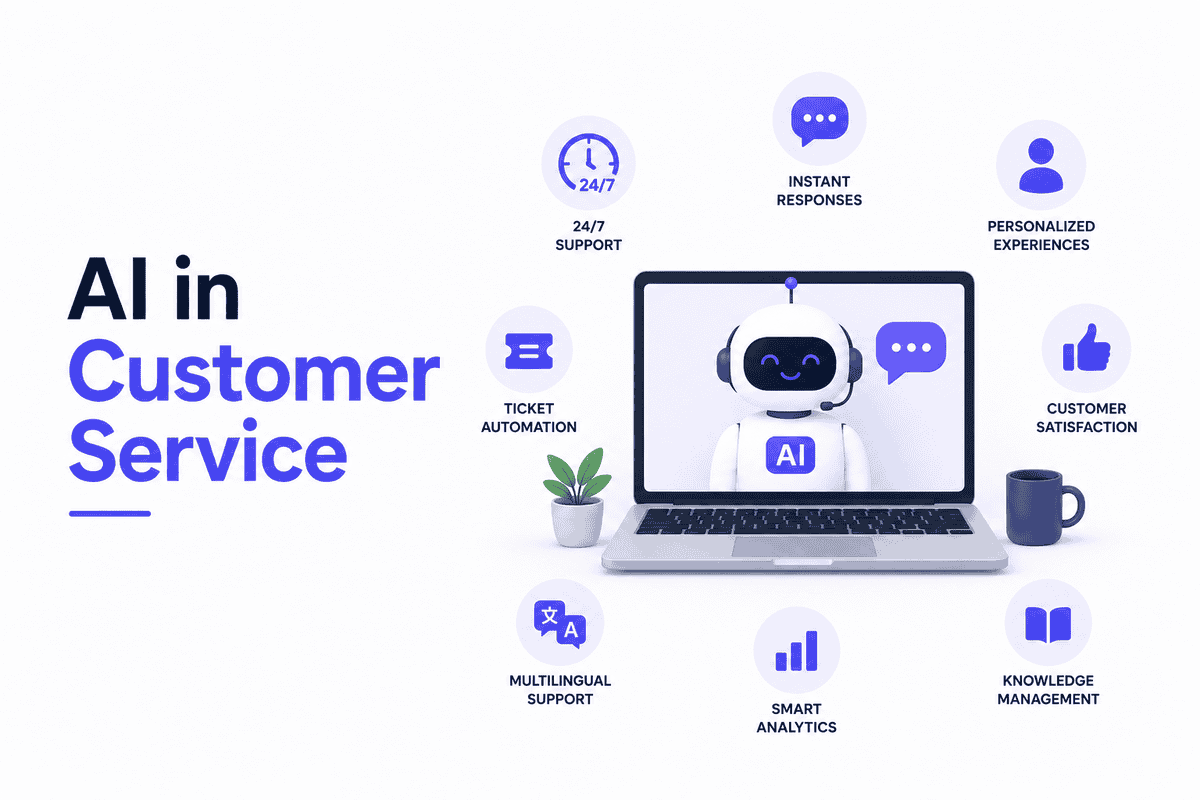
Every customer expects fast, accurate answers. But your support team can only handle so many tickets before burnout kicks in. That’s where AI steps in.
As of 2026, about 32% of customer service teams report using AI, with an additional 47% having planned or started implementation in 2025–2026. So what’s driving this shift? Simple. AI can handle routine questions around the clock. It frees your team to focus on complex issues that actually need human judgment.
This guide breaks down exactly how AI works in customer service, the real benefits companies are seeing, the tools worth considering, and the challenges you should expect.
What Is AI in Customer Service?
AI in customer service uses machine learning, natural language processing (NLP), and automation to handle customer questions, route tickets, and support your human agents.
Old chatbots followed strict scripts. Ask something slightly different, and they’d freeze. Today’s AI systems understand context. They pick up on customer intent, pull relevant information, and generate human-like responses.
This shift happened because of advances in large language models and better training data. The result? AI that actually helps instead of frustrating customers even more.
How AI Customer Service Works
Here’s how AI in customer service typically works:
- First, the system reads or listens to what the customer says. This is natural language understanding (NLU). It figures out what the customer wants, like checking an order status or resetting a password.
- Next, it matches that request to a known solution. If the customer asks about shipping, the AI pulls the right answer from your knowledge base or FAQ.
- Then it generates a response. Modern systems don’t just copy-paste answers. They adjust the tone and detail based on the situation.
And if the issue is too complex? The AI escalates to a human agent. It passes along the conversation history so the customer doesn’t have to repeat themselves.
Assisted AI vs Autonomous AI
There are two main ways AI shows up in customer service.
1. Assisted AI works behind the scenes. It suggests responses to your agents, surfaces relevant articles, or summarises long tickets. The human still makes the final call.
2. Autonomous AI takes it further. An AI customer service agent operating autonomously can handle entire conversations from start to finish. It answers common questions, processes simple requests, and only hands off to humans when things get complicated.
Most companies start with assisted AI to build confidence. Then they move toward autonomous handling for repetitive, low-risk queries.
Benefits of AI in Customer Service
You now know how AI works in customer service. But what does it actually do for your business? Let’s look at the real benefits you can measure. Here’s what changes when you add AI to your support operations:
1. Reduced Response Times and 24/7 Availability
Customers hate waiting. AI fixes that problem right away.
AI agents respond instantly. No queues or “your call is important to us” messages while customers wait on hold. They get answers the moment they ask.
Plus, AI works around the clock. Your support doesn’t stop when your team goes home. Weekend questions get answered at 2 AM just as quickly as Monday morning ones.
This matters because 76% of customer conversations get resolved by AI alone. That means most customers never need to wait for a human at all.
2. Cost Savings and Operational Efficiency
Here’s where AI really shows its value. The cost savings are massive.
FastBots projects $80 billion in global contact centre labour cost reduction by 2026. That’s not small change. That’s entire industries rethinking how they spend money on support.
How does this work? AI handles routine questions that used to require human agents. Password resets. Order status checks. Basic product questions. These make up most support tickets.
When AI takes these tasks, your human team handles fewer tickets per day. You need fewer agents to do the same work. Or your current team handles more complex issues that actually require human thinking.
3. Improved Customer Satisfaction
Faster answers lead to happier customers. But there’s more to it than that.
Customers get consistent answers every time. AI doesn’t have bad days. It doesn’t forget company policies. It gives the same accurate information whether it’s the first call of the day or the thousandth.
This consistency builds trust. When customers know they’ll get reliable help quickly, they come back. They tell their friends. They stay loyal to your brand.
And here’s the business impact: this loyalty translates directly to growth. Companies that deliver consistent, reliable service see customers returning more often and spending more over time.
4. Agent Productivity and Reduced Burnout
Your human agents have tough jobs. They answer the same questions dozens of times daily. That repetitive work causes burnout and high turnover.
AI changes their work experience. It handles the routine tier-1 tickets that drain energy. Your agents focus on complex problems that actually need human judgment and empathy.
This makes their jobs more interesting. They solve real puzzles instead of answering “where’s my order?” for the hundredth time. They feel more useful and less like robots themselves.
The result? Better agent retention. Happier employees. And customers with complex issues get help from people who actually enjoy solving problems.
Best AI Customer Service Tools and Platforms in 2026
Here’s the thing: choosing an AI customer service platform isn’t about finding the “best” one. It’s about finding the right fit for your business size, budget, and goals.
Let’s break down what’s actually available right now and how to think about choosing one.
1. Enterprise Platforms
Big companies need big solutions. These platforms are built for scale, security, and deep customisation.
- Zendesk AI works best if you’re already in the Zendesk ecosystem. It adds AI features to existing workflows without requiring a complete system overhaul.
- NICE Cognigy focuses on contact centre automation. It handles voice and digital channels with strong compliance features. Industries like finance and healthcare often choose it.
- Kore.ai offers what they call “experience optimisation.” It’s popular with large enterprises that need multi-language support across complex workflows.
- Sprinklr combines customer service with marketing and social media management. It’s good for companies wanting unified customer experience data.
- IBM Watsonx Assistant brings IBM’s AI research to customer service. It’s known for data security features and works well in regulated industries.
2. Mid-Market and SMB Platforms
Small and mid-sized businesses need different things. Easy setup, clear pricing, and room to grow matter more than enterprise bells and whistles.
- Intercom Fin targets sales-support hybrid teams. It’s a strong choice for companies blending support with growth goals. It charges per resolution, so costs scale with usage.
- Tidio Lyro is designed for small teams. Setup takes minutes, not months. The same benchmark shows it works well for businesses handling fewer than 500 tickets monthly.
- Helply calls itself “the best AI agent for customer support” for small businesses. It uses outcome-based pricing: you pay when the AI actually drafts a reply or resolves an issue, not just for using the platform.
- Monday.com Service brings AI into project management workflows. Their platform emphasises omnichannel support, automation, and analytics. It’s good for teams already using Monday.com for other work.
How to Evaluate an AI Customer Service Platform
Before signing any contract, run through this checklist:
- Integration: Does it connect with your existing CRM and helpdesk tools? A platform that needs custom development to work with your current setup will slow you down.
- Data security: Check compliance certifications. If you handle customer data in regulated industries, this isn’t optional.
- Resolution rate benchmarks: Ask vendors for real performance data. Look for numbers, not just promises.
- Customisation options: Can you train the AI on your specific knowledge base? Generic responses don’t build customer trust.
- Total cost of ownership: Look beyond the monthly fee. Calculate what happens when you scale. Some platforms charge per conversation, others per agent seat. Figure out which model makes sense for your growth pattern.
AI Customer Service Use Cases
Let’s look at real examples. Companies across industries are using AI in customer service and seeing measurable results. These aren’t theoretical possibilities. They’re happening right now.
Here are the most common and effective use cases:
Automated Query Resolution
This is the most straightforward use case. AI handles common questions without human involvement.
Rio achieved 90% pre-sales query resolution using Crescendo.ai. Customers asked about product details, pricing, and availability. The AI answered them instantly, freeing sales staff to focus on closing deals.
Think about your own support tickets. How many are “where’s my order?” or “how do I reset my password?” AI can handle these routine questions 24/7, giving customers instant answers and reducing your ticket backlog.
Intelligent Ticket Routing and Triage
Not all support requests are equal. Some need immediate attention. Others can wait.
AI reads incoming tickets and figures out what’s needed. It categorises requests by topic, urgency, and complexity. Then it routes them to the right team or agent automatically.
Urgent billing issues go straight to senior staff. Simple product questions get automated responses. Complex technical problems reach specialised teams. This means customers get help from the right person faster.
Multilingual Support
Global businesses face a challenge: supporting customers in multiple languages. Hiring multilingual staff is expensive and limits scalability.
AI solves this by providing real-time translation. Customers write in their preferred language. The AI understands and responds in that same language. No need for separate support teams for each market.
6Practive Customer Engagement
Most customer service is reactive. Customers reach out when something goes wrong. AI changes this dynamic.
AI monitors customer behaviour and identifies potential issues before they become problems. It notices when a customer hasn’t logged in for a while. It flags when someone repeatedly visits the cancellation page.
Then it triggers proactive outreach. A helpful email. A special offer. A check-in message. This approach prevents churn and shows customers you’re paying attention to their experience.
Agent Assistance and Knowledge Retrieval
Even when humans handle the conversation, AI can help behind the scenes. It surfaces relevant knowledge base articles during live conversations. It suggests responses based on company policies and past interactions.
This means agents spend less time searching for information. They get accurate answers faster. And customers receive consistent, policy-compliant responses regardless of which agent helps them.
Implementation Challenges and Limitations
AI in customer service isn’t all sunshine and rainbows. Let’s be honest about the challenges you’ll face:
- Knowledge base quality: AI can only give accurate answers when the information in your knowledge base is complete, updated, and well organised.
- Integration complexity: AI needs to connect with your CRM, ticketing software, and communication channels. Poor integrations can cause slow replies, missing data, and failed escalations.
- Customer trust: Customers may lose trust when AI gives generic answers or fails to understand their problem.
- Escalation gaps: Customers should be able to reach a human quickly when AI cannot solve their issue. The agent should also receive the full conversation history.
- Workforce impact: AI may automate many repetitive customer service tasks, especially high-volume and low-complexity work.
- Employee training: Customer service teams will need training to handle more complex problems and work effectively with AI.
- Change management: Companies should clearly explain how AI will affect employee roles and prepare teams for the transition.
- Temporary service issues: Service quality may decline during the early stages as companies test systems, fix errors, and improve workflows.
Best Practices for Implementing AI in Customer Service
The difference between successful and failed AI implementations usually comes down to approach. Companies that rush in without a plan struggle. Those that start small and scale based on results succeed. Here are the practices that actually work:
1. Start with High-Volume, Low-Complexity Queries
Instead, look at your ticket data. Find the top 10-20 questions customers ask most often. These are usually simple things like order status, password resets, or return policies.
Automate these first. They’re low-risk and high-impact. You’ll see results quickly, which builds confidence with your team and leadership. Then expand from there.
2. Maintain Human Escalation Paths
AI should make it easier for customers to reach humans, not harder. The best implementations treat AI as the first line of defence, not the only option. When AI can’t handle something, it should seamlessly transfer the customer to a human agent. The conversation history should go with them.
Never trap customers in an AI loop. If someone asks to speak to a human, make it happen immediately. This builds trust and prevents frustration.
3. Monitor Resolution Rates and CSAT Continuously
You can’t improve what you don’t measure. Track these numbers religiously.
AI resolution rate: what percentage of conversations does AI handle without human help? Customer satisfaction: how do customers rate their experience after talking to AI? Escalation frequency: how often does AI need to hand off to humans?
Watch these metrics weekly. If resolution rates drop or CSAT dips, something’s wrong. Maybe the knowledge base needs updating. Maybe the AI needs retraining. Catch problems early before they become crises.
4. Train and Involve Your Support Team
Your agents aren’t just users of AI. They’re partners in making it work.
Involve them from the start. Ask what questions they answer most often. Get their feedback on AI responses. Let them flag when the AI gets something wrong.
This does two things. First, it makes the AI better because you’re using real-world feedback. Second, it gets agent buy-in. When people help build something, they’re more likely to use it well.
Train your team on how to work alongside AI. Show them how to use AI-generated suggestions. Explain when to override AI recommendations. Make them feel like they’re in control, not replaced by machines.


