
Home / AI tools / AI Watermark Remover
AI Watermark Remover.
Remove Gemini’s logo and AI labels from images, and hidden watermark characters from AI text. Free, with no login.
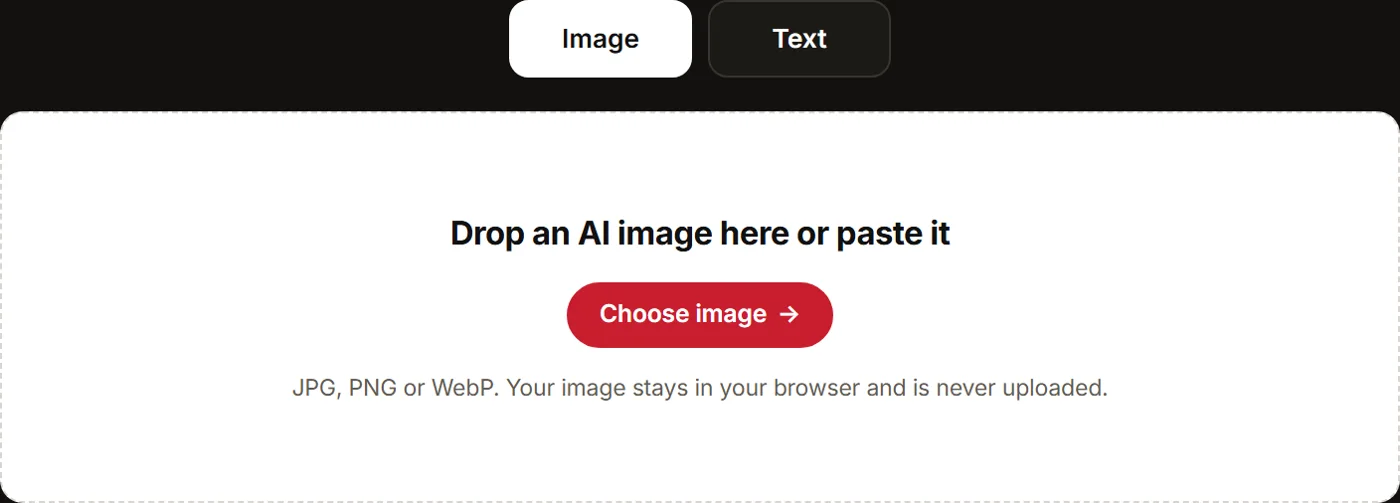
Drop an AI image here or paste it
JPG, PNG or WebP. Your image stays in your browser and is never uploaded.
What we found
Rewording removes word-pattern watermarks such as Google’s SynthID-Text. Feedough AI does it, not ChatGPT, Claude or Gemini.
What we found
The AI Watermark Remover above is ready to use right now. Pick the Image tab or the Text tab. For an image, drop a file into the box or paste it with Ctrl+V. It takes JPG, PNG and WebP. For text, paste it in and press Remove watermark.
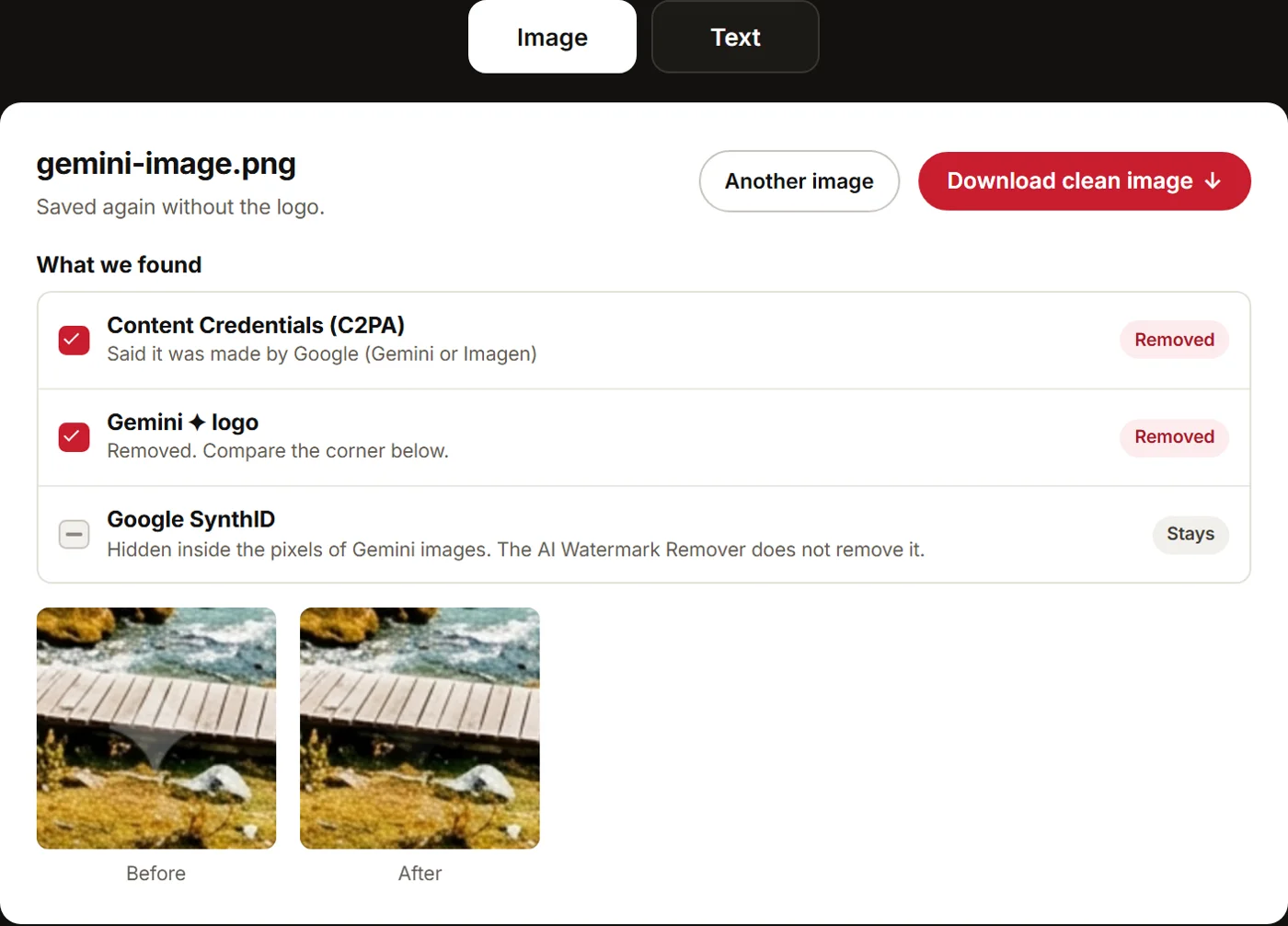
The AI Watermark Remover then shows a “What we found” checklist. Each row says what it found and what it fixed. Then you get a Download clean image or Copy text button. It strips C2PA Content Credentials, which sit inside the file. It also clears other AI metadata, the Gemini corner logo and hidden characters in text.
One limit to know up front. The AI Watermark Remover does not remove SynthID or any other mark hidden in the pixels. Those marks stay, and a detector can still find them.
Images are cleaned in your own browser and never uploaded to Feedough. Free, no login.
How To Use The Feedough AI Watermark Remover
Step 1: Pick The Image Tab Or The Text Tab
Use the Image tab for a JPG, PNG or WebP file. The AI Watermark Remover also takes AVIF, HEIC and GIF, but redraws those as PNG. A GIF keeps its first frame only. Use the Text tab for text you copied from ChatGPT, Gemini or Claude.
Step 2: Drop An Image Or Paste Text Into The AI Watermark Remover
Drop the file into the box, paste it with Ctrl+V, or choose it from your computer. Files go up to 60 MB. The file is processed in your own browser and never sent to Feedough. On the Text tab, paste the text and press Remove watermark.
Step 3: Tick The Gemini Logo Box Or The Reword Box
On images, the checklist has a Gemini ✦ logo row with a box. Ticked, it removes the sparkle logo from the corner. It ticks itself only when the file’s data says Google made the picture. Got a Gemini image without that data? Tick it yourself. Leave it off for other images, since the step can leave a dark mark on them.
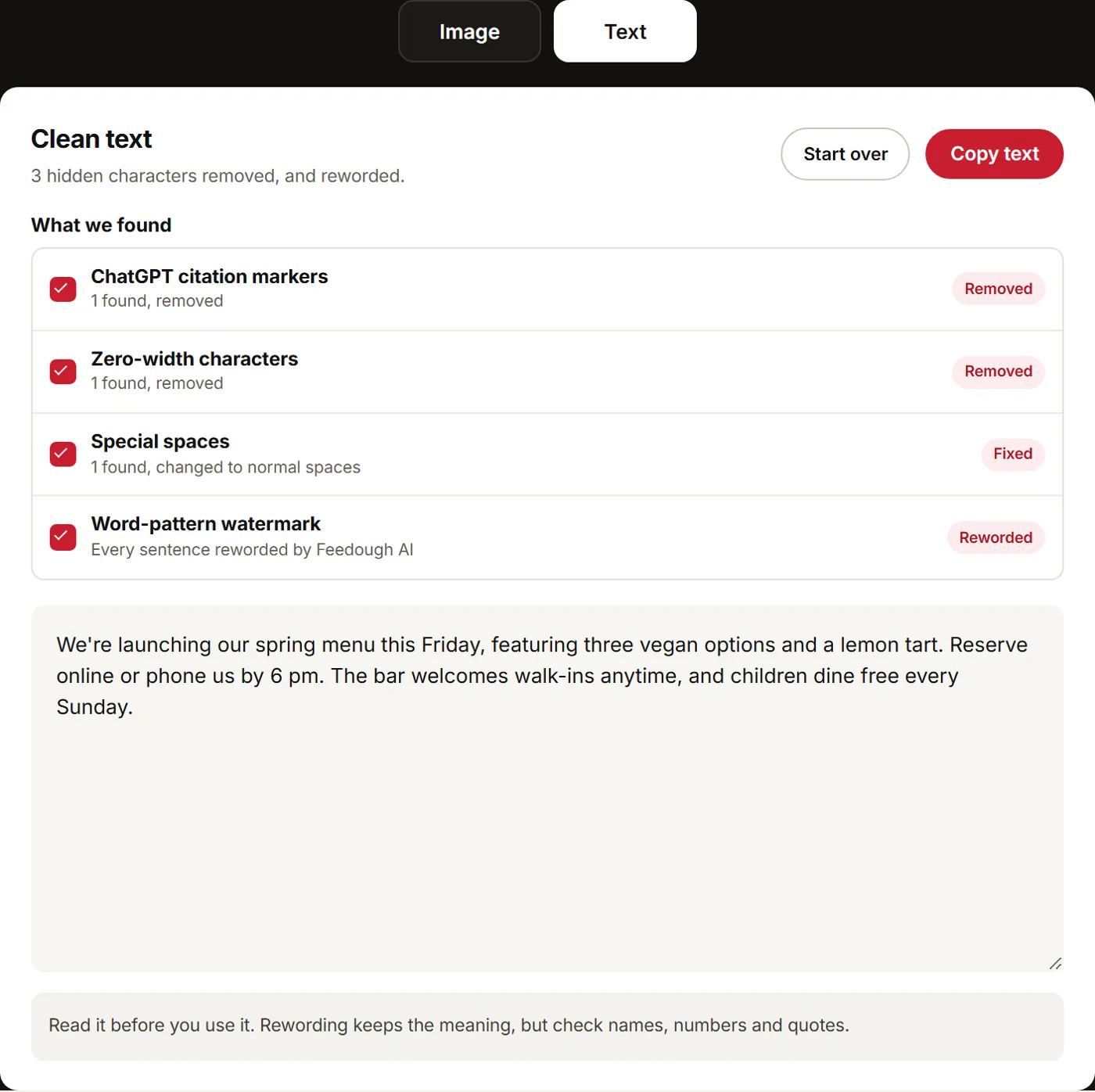
On text, “Also reword it with AI” makes Feedough AI reword every sentence. This weakens word-pattern watermarks like Google SynthID text. Your text is sent once and not stored.
Step 4: Read The “What We Found” Checklist
Every item found gets its own row. Fixed items show a red ticked box and a Removed or Fixed tag. Example row: “Content Credentials (C2PA): said it was made by Google (Gemini or Imagen)”.
Optional fixes show a box you tick, like the Gemini logo row. On text, the Word-pattern watermark row notes that Gemini and Claude hide one in their choice of words. If you skipped rewording, that row has a Reword now button.
One row always stays: Google SynthID on Google images, or Invisible pixel watermark on the rest. Its grey dash and Stays tag mean the mark is still in the pixels. The AI Watermark Remover does not remove it.
Step 5: Download The Clean Image Or Copy The Clean Text
Press Download clean image. The file saves as <name>-clean.<ext>. On the Text tab, the checklist sits above the clean text. Then press Copy text.
Gemini Watermark Remover: Remove The Gemini Logo And Google C2PA
Drop a Gemini image into the Image tab of the AI Watermark Remover. You get a clean copy with the sparkle and the Google C2PA data gone. SynthID stays.
Remove The Gemini Sparkle Logo
The sparkle sits in the bottom-right corner. The AI Watermark Remover clears it by working out the pixels under the logo. It uses an open-source engine built for Gemini images.
We tested it on 25 Gemini sample images. Sizes ran from 1:1 and 16:9 to 9:16, 21:9, 4:1 and 2816×1536. All 25 came out clean. The result screen shows a before and after zoom of the corner.
Logo removal re-saves the file. A PNG stays a PNG. JPG and WebP are saved at 95% quality.
Remove Google C2PA Data From The Image
The AI Watermark Remover also strips the Google C2PA data. Its row in the checklist names Google as the maker.
The Google SynthID row is tagged Stays. Google’s SynthID and C2PA checks say the watermarks are not visible to users. SynthID lives in the pixels. The AI Watermark Remover does not remove it.
Since 14 August 2026 Gemini has a Media watermark setting. Turned off, it hides the sparkle on new images. On is the default, and some countries don’t get the switch by law. SynthID and C2PA stay either way. So the AI Watermark Remover still has work to do.
Gemini text carries a word-choice watermark too. Paste it in the Text tab and tick the reword box.
ChatGPT Watermark Remover: Clean OpenAI C2PA And Hidden Characters
Drop a ChatGPT image into the Image tab of the AI Watermark Remover. The checklist names OpenAI as the maker. It cuts the C2PA Content Credentials out of the file. Pixels and quality stay the same.
OpenAI documents two signals on its images. OpenAI’s content provenance docs list C2PA metadata plus SynthID. SynthID is part of the image itself and may survive some edits. The same page says editing, converting or sharing a file can remove its metadata. The AI Watermark Remover removes the C2PA part. SynthID stays, and its row in the checklist is tagged Stays.
Now the text. Paste a ChatGPT answer into the Text tab and press Remove watermark. Say you paste an answer with web sources into a blog draft. Extra marks can ride along unseen. The AI Watermark Remover strips:
- Hidden ChatGPT citation markers (private-use characters such as the U+E200 cite sequences)
- Zero-width characters and hidden tag characters
- Stray emoji style codes, direction marks and soft hyphens
- Odd spaces, such as the narrow no-break space, swapped for normal ones
- Russian or Greek look-alike letters inside English words, swapped for English ones
Nothing that should stay gets cut. Emoji, flags and the joins Hindi and Arabic need all stay. So do right-to-left marks in Hebrew or Arabic. The checklist gives a count for each kind it found.
One thing to keep straight. None of these characters is an official OpenAI text watermark. OpenAI’s docs list no public text signal. Only approved groups can check text with OpenAI’s tools.
Claude Watermark Remover: Reword Claude Text And Strip C2PA
Paste your Claude text into the Text tab. Tick “Also reword it with AI” before you press Remove watermark. Missed it? The Word-pattern watermark row has a Reword now button.
That step matters for Claude. In its Claude text watermark announcement (14 August 2026), Anthropic says newer Claude models watermark their text with a version of Google DeepMind’s SynthID-Text. A secret key shapes the choice of words. Nothing is added to the text and there are no hidden characters. So character cleaning alone finds nothing to strip.
Anthropic says light edits probably won’t remove it. A full rewrite, where every word is replaced, does. Older Claude models get the watermark over the coming months. You can’t check Claude text yourself, since Anthropic’s detection API is a private preview for eligible organisations.
Feedough AI does the rewording. It rewrites every sentence but keeps facts, numbers, names, links, quotes and formatting. In our tests, reworded text shared 0 to 2% of its four-word runs with the text that went in. The new text is cleaned again before you copy it.
This is not a promise that a detector will pass. ChatGPT, Claude and Gemini are not used for this step, so their own text watermarks can’t be added back.
Claude images are a different job. Anthropic attaches C2PA to the .png, .jpg and .svg files Claude makes. Drop a Claude PNG or JPG into the Image tab, and the AI Watermark Remover strips that C2PA data.
Remove C2PA And AI Metadata From Images
Drop a JPG, PNG or WebP into the Image tab of the AI Watermark Remover. It cuts out the metadata blocks and copies the picture data as it is. So pixels and quality stay the same. AVIF, HEIC and GIF files are redrawn as PNG, and Gemini logo removal saves the file again.
Here is exactly what goes and what stays.
Data in the file | What the AI Watermark Remover does |
|---|---|
C2PA Content Credentials | Removed |
EXIF, XMP and IPTC data (with the IPTC trainedAlgorithmicMedia AI label Midjourney files carry) | Removed |
Photoshop data and file comments | Removed |
PNG text notes, where Stable Diffusion tools store the prompt | Removed |
Extra embedded images and data hidden after the end of the image | Removed |
Colour profile | Kept |
SynthID and other marks hidden in the pixels | Not removed |
We tested it on 42 AI images. They came from Gemini, OpenAI gpt-image, Midjourney, Flux, Seedream, Ideogram and other AI image generators. No metadata label was left in any of them. SynthID and other pixel marks are not touched.
The “What we found” checklist names the maker when the removed data says so. You get tags like Adobe Firefly or Black Forest Labs Flux. Adobe attaches Content Credentials to its AI-made content by default, and that can’t be switched off.
Why this matters in practice: platforms read different labels. An audit of AI labels by platform, published by IPTC, found two gaps in March 2026. LinkedIn reads C2PA but not the IPTC DigitalSourceType tag. Instagram reads that IPTC tag but appears not to read C2PA. So one file can get an AI label on one platform and none on the other.
AI Watermark Remover FAQ
Is The AI Watermark Remover Free?
Yes. Image cleaning and text cleaning are free with no login. Rewording is free too. It takes up to 8,000 characters at a time, about 30 times a day.
Does Feedough Upload Or Store My Images And Text?
No. Images are processed in your own browser and never uploaded to Feedough. Text is not stored either. It is sent once to Feedough AI only when you tick the reword box.
Does The AI Watermark Remover Remove SynthID?
No. SynthID lives in the pixels, so it stays in the file. Its row in the checklist is tagged Stays, so you always know it is still there.
Will Reworded Text Pass An AI Detector?
There is no promise there. A May 2026 preprint tested single attacks such as synonym swaps, paraphrasing and translation on 100 prompts. They removed SynthID-Text in only 2% to 14% of samples. Feedough AI rewords every sentence, not just a few words. Results still vary. To check an image, video or text for AI signs, try the free AI Watermark Detector.
Is It Legal To Remove AI Labels?
That depends on where you publish. EU AI Act Article 50 applies from 2 August 2026. AI makers must mark their output in a machine-readable way. People who publish deepfakes must say so. So must people who publish AI text on public matters with no human review. The European Commission’s labelling code covers how that marking works. Platforms have their own label rules too. Check both before you strip labels from work you post.
The AI Watermark Remover is at the top of this page whenever you want a clean file.
More free tools
- AI Watermark DetectorCheck images, video and text for AI watermarks.
- Image to Prompt GeneratorTurn any image into a prompt.
- AI Image Description GeneratorDescribe an image in plain words.
- Gemini Prompt GeneratorWrite better prompts for Gemini.