
The AI conversation shifted in 2025. It stopped being about chatbots and started being about AI agents. The difference is simple but important. A chatbot answers your question. An AI agent does a job.
It reads your inbox, drafts replies, updates your CRM, and flags what needs your attention, all without you pressing a button.
The global AI agents market hit $7.6 billion in 2025 and is projected to cross $10.9 billion in 2026, growing at over 45% annually. Gartner forecasts that 40% of enterprise applications will include task-specific AI agents by the end of 2026, up from less than 5% in 2025.
If you’re a developer, a startup founder, or a business leader looking to build your first AI agent, this guide will walk you through what AI agents actually are, how they work under the hood, a step-by-step process to build one, real use cases, and the mistakes you should avoid.
What Is an AI Agent?
An AI agent is software that uses a large language model (LLM) as its brain. But unlike a regular chatbot that generates a response and stops, an agent can take action. It can call APIs, query databases, send emails, update records, run code, and interact with external systems.
The key difference is autonomy. A chatbot responds. An agent acts.
When you ask ChatGPT to draft an email, that’s a chatbot interaction. When an AI system reads incoming emails, classifies them by urgency, checks the customer’s order history, resolves simple issues on its own, and only escalates complex ones to a human, that’s an agent.
AI agents run in a loop. They receive an input, reason about what to do, take an action, observe the result, and then decide what to do next.
How AI Agents Work
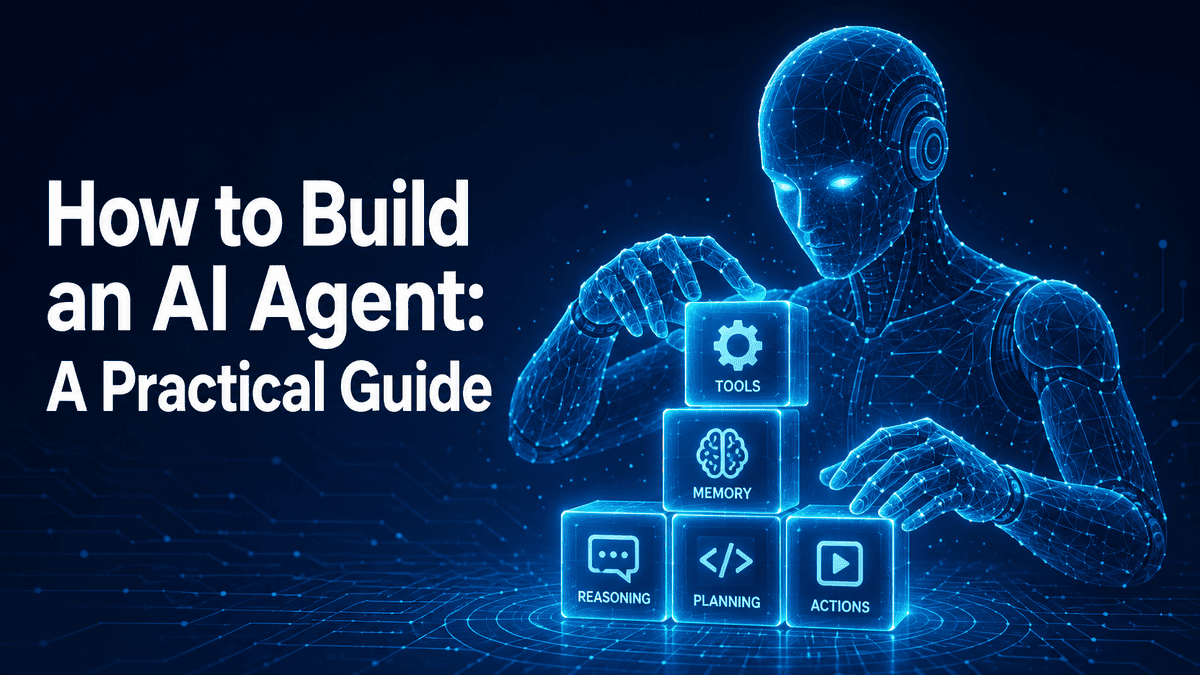
Every AI agent, regardless of how complex, is built on four core components working together. Here’s a breakdown of each:
- The Reasoning Layer (LLM): This is the brain of the agent. It interprets the user’s input, plans what steps to take, and decides on the best course of action. Models like GPT-4, Claude, and Gemini serve as the reasoning engine. The LLM doesn’t do everything on its own, but it drives every decision the agent makes.
- Memory: Without memory, an agent forgets everything after each interaction. Memory gives it context. Short-term memory holds the current conversation or task state. Long-term memory stores information across sessions, like past interactions, learned preferences, or historical data.
- Tools: Tools are what turn a language model into an agent. Without them, the LLM can only generate text. With tools, it can search the web, query a database, call an API, send an email, update a spreadsheet, etc. Tools are divided into “read” tools (fetching data) and “write” tools (taking actions).
- The Orchestration Layer: This is the control centre. It manages the flow of tasks, sequences API calls, handles errors and retries, enforces safety limits, and coordinates between the reasoning engine and everything else. It’s what keeps the agent from running in an infinite loop or calling the wrong tool at the wrong time.
How to Build an AI Agent
Building an AI agent isn’t as intimidating as it sounds. But there’s a right way and a wrong way to go about it. Here’s a step-by-step process.
Step 1: Define a Clear, Narrow Purpose
This is where most projects fail before they even start. “Build an AI agent to improve marketing” is too vague. The agent will get confused, produce generic output, and frustrate everyone involved.
Instead, define a very specific job. Good starting points include:
- An agent that triages incoming support tickets and resolves common queries automatically.
- An agent that qualifies inbound leads based on specific criteria and routes them to the right salesperson.
- An agent that monitors a data dashboard and sends a daily summary with flagged anomalies.
The best candidates for your first agent are tasks that are repetitive, somewhat predictable, but still require some level of decision-making. If a task is entirely predictable, simple automation will do. If it requires constant human judgment, an agent isn’t the right fit yet.
Step 2: Choose Your LLM
Your choice of model affects the agent’s reasoning quality, speed, and cost. In 2026, the most common options are:
Model | Best For | Trade-offs |
|---|---|---|
ChatGPT (OpenAI) | General-purpose agents, strong tool use | Higher cost at scale |
Claude (Anthropic) | Complex reasoning, long document analysis | Slightly slower on simple tasks |
Gemini (Google) | Multimodal tasks, Google ecosystem integration | Tool-use reliability still improving |
Open-source (Deepseek, Kimi, Mistral) | Full data control, no vendor lock-in | Requires more infra and tuning |
A smart approach many teams use is model routing: use a smaller, cheaper model for simple tasks and a more powerful model for complex reasoning steps. This can cut costs by 60-70% without hurting performance.
Step 3: Design and Connect Your Tools
Tools are what make your agent useful in the real world. The tools you connect depend entirely on the job your agent is supposed to do. If it’s a customer support agent, it needs access to your knowledge base, order management system, and email. If it’s a research agent, it needs web search and document retrieval.
Each tool needs a clear name, a description the LLM can understand, defined input parameters, and error handling for when things go wrong.
One of the biggest developments in 2026 is the Model Context Protocol (MCP), which standardises how agents connect to external tools and data sources. It has already hit 97 million downloads and is quickly becoming the standard for agent-tool connectivity.
Step 4: Set Up Memory
For a simple, single-task agent, you might get away with just passing the conversation history as context. But for anything more complex, you need a proper memory system. A good memory setup typically has three layers:
- Working memory: The current task context. What’s the user asking? What steps have been taken so far?
- Short-term memory: Session-level history. What happened earlier in this conversation?
- Long-term memory: Persistent knowledge across sessions. Past interactions, user preferences, learned patterns.
Step 5: Pick a Framework or Platform
You don’t have to build everything from scratch. In 2026, there are mature frameworks and platforms for every skill level. For developers, options like LangChain, LangGraph, CrewAI, and the OpenAI Agents SDK offer code-level control over agent design. For non-technical teams, visual platforms with drag-and-drop interfaces let you build agents without writing code.
If you need something custom built, production-grade, and tailored to your specific business workflows, working with professional ai agent development services can save a lot of time and reduce the risk of failed deployments.
This is especially relevant for complex use cases involving multiple integrations, compliance requirements, or multi-agent coordination.
Step 6: Add Guardrails and Human Oversight
This step is non-negotiable. Without guardrails, agents can hallucinate, take unintended actions, or access data they shouldn’t. At a minimum, you should:
- Set clear boundaries on what the agent can and cannot do.
- Limit which tools it can call and under what conditions.
- Require human approval for high-risk actions (like issuing refunds or sending external communications).
- Log every action the agent takes for auditing and debugging.
- Set maximum loop counts to prevent runaway execution.
Step 7: Test, Deploy, and Iterate
Before going live, test thoroughly. Check for hallucinations, like does the agent make up facts? Test the logic flow, does it take the most efficient path? Verify instruction adherence, does it follow your guidelines consistently? And confirm safety boundaries, can it access data it shouldn’t?
Start with a small group of internal users. Monitor closely. Collect feedback. Refine prompts and tool configurations. Then gradually expand. The teams that succeed with AI agents aren’t the ones with the fanciest initial build. They’re the ones with the tightest feedback loops between real-world usage and continuous improvement.
AI Agent Use Cases and Examples
AI agents are already in production across industries. Here are some of the most impactful use cases in 2026.
Customer Support
This is the most mature use case. AI agents handle incoming support tickets end-to-end: reading the customer’s message, checking their account history, searching the knowledge base, resolving common issues (refunds, order updates, password resets), and only escalating complex cases to human agents.
Klarna’s AI agent famously handled 2.3 million customer conversations, equivalent to the work of 700 support agents. Companies are seeing 30% or more of cases resolved without any human involvement.
Sales and Lead Qualification
Sales agents talk to website visitors, ask qualifying questions, score leads based on predefined criteria, and route hot prospects to the right salesperson. They can also enrich CRM records in real time by pulling in company data and engagement history. Salesforce reported that companies using AI agents in sales drove a 15% increase in deals and shortened sales cycles by 25%.
Internal IT Support
IT help desk agents handle password resets, access requests, software provisioning, and basic troubleshooting. They pull from IT knowledge bases, execute common fixes automatically, and create tickets for anything they can’t resolve. For large organisations, this frees up IT staff to focus on more complex infrastructure work.
HR and Recruitment
AI agents are screening resumes, scheduling interviews, answering candidate questions about benefits and company culture, and even helping with onboarding paperwork. Unilever reported saving over $1 million per year in recruiting costs and reducing time-to-hire by 75% using AI-powered recruitment workflows.
Finance and Compliance
In finance, agents handle invoice reconciliation, expense categorisation, fraud detection, and compliance monitoring. They can cross-reference transactions against regulatory requirements and flag potential issues before they become problems. The structured, rule-heavy nature of financial workflows makes them well-suited for agentic automation.
Software Development
Coding agents assist developers by writing boilerplate code, reviewing pull requests, running tests, documenting code, and even fixing bugs. GitHub data shows that approximately 4% of GitHub commits are now authored by AI coding agents like Claude Code. While they’re not replacing developers, they’re handling the repetitive parts of the development workflow.
Common Mistakes to Avoid When Building AI Agents
Building an agent is one thing. Building one that works reliably in production is another. Here are the mistakes that trip up most teams:
- Starting too broad: The number one killer. Trying to build an agent that “handles everything” leads to a system that handles nothing well. Start with one specific workflow. Nail it. Then expand.
- Skipping guardrails: An agent without boundaries is a liability. Without proper safety measures, agents can hallucinate data, take harmful actions, or leak sensitive information. Only 21% of companies have a mature governance model for agents, and that gap is where most production failures happen.
- Ignoring cost at scale: LLM calls are cheap when you’re testing with 10 requests a day. At 100,000 requests, costs can become disqualifying. Model the cost of your agent at target scale before committing to the architecture. Use model routing and caching to keep costs manageable.
- Jumping to multi-agent systems too early: Multi-agent architectures (where multiple specialised agents coordinate on a task) are powerful but add significant complexity, latency, and cost. Get a single agent working reliably first. Only add coordination when one agent genuinely can’t hold all the context a task requires.
- No evaluation framework: If you can’t measure how your agent performs, you can’t improve it. Set up evaluations from day one. Track accuracy, task completion rates, hallucination rates, and user satisfaction. Pick 3 key metrics per agent and review them weekly.
- Treating it as a one-time project: An AI agent isn’t something you build and forget. Models improve, user needs change, and edge cases surface over time. The teams that get real value from agents are the ones that treat them like living software, with regular updates, prompt tuning, and ongoing monitoring.
- Underestimating data integration: 80% of enterprise IT leaders report that connecting AI agents with existing tools and systems is their biggest challenge. Your agent is only as useful as the data it can access and the systems it can interact with. Plan for integration work upfront.
- Skipping human oversight entirely: Fully autonomous agents sound great in a pitch deck, but in practice, a human-in-the-loop approach delivers far better results in 2026. Let the agent handle the routine work, but keep humans in control of high-stakes decisions.


