

I’ve tested a lot of free AI detectors this year. They all claim to be accurate. But then you paste the same text into three different ones and get three completely different scores.
Four out of five faculty members say their institution’s AI guidelines are not comprehensive, according to a 2025 survey. Yet AI adoption among students keeps growing. That gap between the problem and the tools available is real.
In this guide, I’ll walk you through five free AI detectors that actually hold up in 2026. You’ll see what each one does well, where it falls short, and which one fits your needs.
Here are five best free AI detectors you can start using right now.
The Rundown
- If You Need OCR for Handwritten Essays: Winston AI , “Its free trial scans text, documents, URLs, and even scanned images with built-in OCR.”
- When You Want Unlimited Long-Form Checks: Copyleaks , “You scan up to 25,000 characters without logging in, rare among free detectors.”
- If You Just Want a Quick Check: QuillBot , “You paste text and see results in seconds, with no signup required.”
- When You’re Processing Batches of Files: ZeroGPT , “You upload multiple files and get PDF reports back without creating an account.”
- Your Cross-Reference Tool for Multiple Engines: Undetectable AI , “You run one scan and see results from seven detectors at once, inline in Docs.”
The Best Free AI Detectors
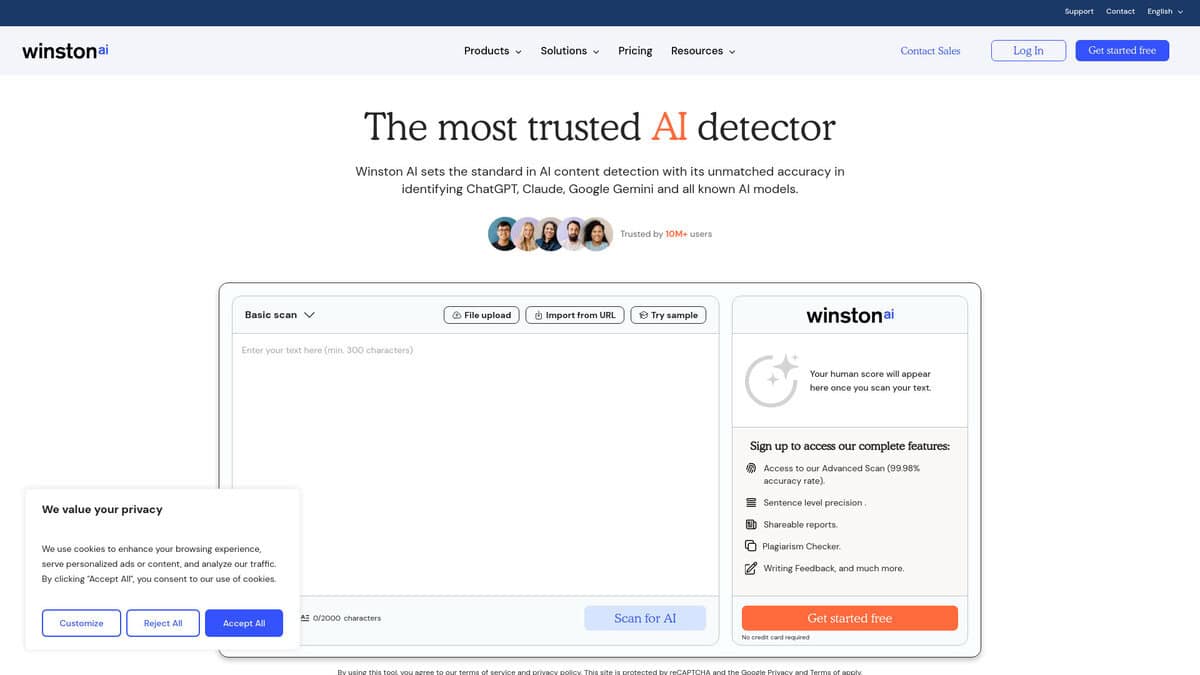
Winston AI
Free Plan | 2,000 credits over a 14-day trial |
Best For | Multi-format detection: text, documents, URLs, images |
Key Features | AI text detection, OCR (handwriting/scans), document and URL scanning, image/deepfake detection, sentence-level heatmap, PDF reports |
Accuracy (real-world) | 76% to 95% in independent 2026 testing (Winston itself claims 99.98%) |
False Positive Rate | Roughly 8-10% on genuinely human text |
Paid Plans start at | Around $12-18/month for roughly 80,000 words |
I didn’t expect a free trial to include OCR for handwritten essays, that’s usually locked behind a paywall on most detectors I’ve tried.
You get 2,000 credits for 14 days, and you can spend them on plain text, uploaded documents, scanned images, or even a URL you want checked directly. Compared to QuillBot or ZeroGPT’s free detectors, which basically just let you paste text and scan it, this feels like a genuinely different tier of tool, and it’s the main reason I’d point someone here first if they only want to try one free option.
Winston AI advertises 99.98% accuracy, and I’d take that number with a grain of salt. Independent 2026 testing against detectors like GPTZero, Copyleaks, Originality.ai, Turnitin, and ZeroGPT puts real-world accuracy somewhere between 76% and 95%, depending on the content type and the methodology used. That’s a wide range, and it tells you accuracy shifts a lot based on what you feed it.
I also noticed the false positive issue isn’t just theoretical. About 8 to 10% of purely human-written samples get flagged as AI in independent tests, and there are real reports of a student’s own college essay coming back as 100% AI. If you’re relying on a Winston score to make a final decision about someone’s work, don’t treat the number as gospel.
Claude-generated text seems to be a blind spot too. One 2026 benchmark found Winston missed roughly one in four Claude 3.5/3.7 outputs, so if you suspect Claude specifically, don’t rely on this detector alone.
Still, against ZeroGPT (the weakest performer in most 2026 comparisons at around 82%) and QuillBot’s free checker, Winston holds up better on consistency. For teachers grading physical or scanned submissions, the OCR feature alone might be worth trying since images from Midjourney, DALL-E, Stable Diffusion, and Adobe Firefly all get flagged too. Once your free credits run out, paid plans start around $12-18/month for roughly 80,000 words.
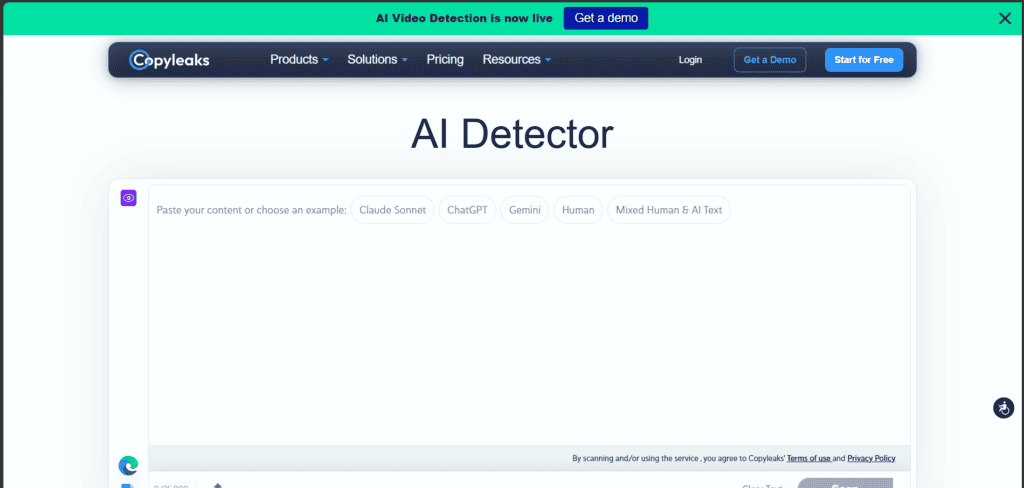
Copyleaks
| Free Scan Limit | Up to 25,000 characters per scan, no login required (roughly 4,000 to 5,000 words) |
|---|---|
| Best For | Long-form content: blog posts, essays, reports |
| Languages | 30+ including English, Spanish, French, German, Japanese, Chinese |
| Accuracy Claim | Over 99%, with a reported 0.03% false-positive rate |
| Extra Access | Browser extension, Google Docs add-on, LMS integrations, API |
The first thing that stood out when I ran a full blog draft through Copyleaks was how far I got before hitting a paywall. Most free detectors choke around 1,500 to 2,000 words, but I dropped in a roughly 4,000-word article and it scanned the whole thing in one pass, no login needed.
That 25,000-character cap is genuinely rare among free tools. Copyleaks itself calls it a higher limit than most major AI detection tools, and after testing several others for this list, I’d agree that’s not just marketing talk.
Where it gets interesting is the depth of analysis. Without an account, you just get an overall AI percentage. Create a free account, though, and you unlock sentence-by-sentence breakdowns with highlighted AI phrases and pattern insights, which is what actually helped me figure out which paragraphs needed rewriting instead of just knowing “this piece is 40% AI.”
I’ll be honest, gating that deeper analysis behind sign-up feels like a small tax. It’s still free, but it’s not entirely frictionless, and unlimited scanning isn’t part of the free tier either. Heavier, recurring use eventually pushes you toward a paid Personal or Pro plan.
If you write in anything other than English, this matters more than you’d think. Copyleaks supports over 30 languages, with published per-language accuracy figures on its non-native English accuracy research , something a lot of free detectors just don’t compete on since many lean heavily English-first. Tools like Winston AI, QuillBot, ZeroGPT, and Undetectable AI are worth trying too, but none of them match this same combination of a high free character limit and broad language coverage in my testing.
On raw detection accuracy, a Cornell Tech study named Copyleaks the most accurate tool for LLM-generated text among those it tested, a claim referenced in Copyleaks’ own third-party accuracy write-up . A separate academic study cited there found Copyleaks had the highest sensitivity for GPT-4 generated content among five tools tested, though it noted the tool struggled more once humans had edited the AI text afterward, which is worth remembering if you’re checking heavily polished drafts rather than raw AI output.
It also catches paraphrased or blended AI-human writing reasonably well, which matters since most long-form content today is some mix of both. You can see how Copyleaks explains its detection logic on its AI Logic page and check the exact per-language numbers on its testing methodology page if you want the receipts before trusting a score on something important.
For occasional long-form checks, the free tier alone covers more ground than I expected going in, and if you end up needing it inside your actual workflow, the browser extension, Google Docs add-on, and LMS integrations make it easy to stick with.
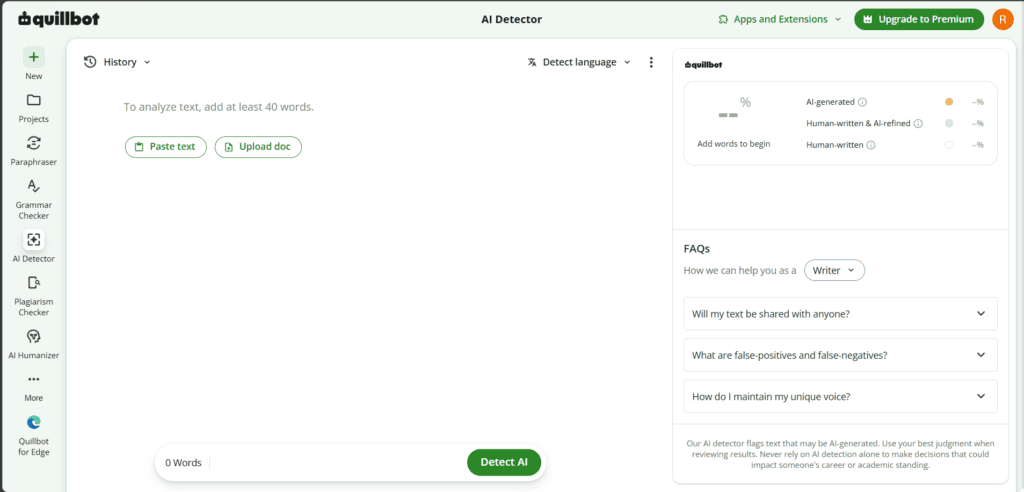
QuillBot
| Price | Free (Premium removes limits) |
|---|---|
| Free scan limit | Up to 1,200 words per scan, 6 scans/day |
| Speed | Results in seconds |
| Signup required | No, for basic scans |
| Languages | 20+ |
I pasted a chunk of text into QuillBot without creating an account, and that alone tells you something. No email, no waiting, just a result in about two seconds.
What sold me on it for casual use is the lack of friction elsewhere.
Winston AI gates its free tier behind a 2,000-credit, 14-day trial that needs signup. Copyleaks does the same and rate-limits anonymous scans. QuillBot just lets you paste and go, and still hands you sentence-level highlights explaining why something got flagged, plus access to its grammar checker, humanizer, and plagiarism checker on the same free plan.
I wouldn’t treat it as gospel though. QuillBot’s own FAQ admits no detector is perfect and warns against using it as the sole basis for high-stakes decisions, good advice worth heeding.
And that 1,200-word cap means longer essays or articles need splitting into chunks, or you’ll want Premium for a one-shot scan of the full text.
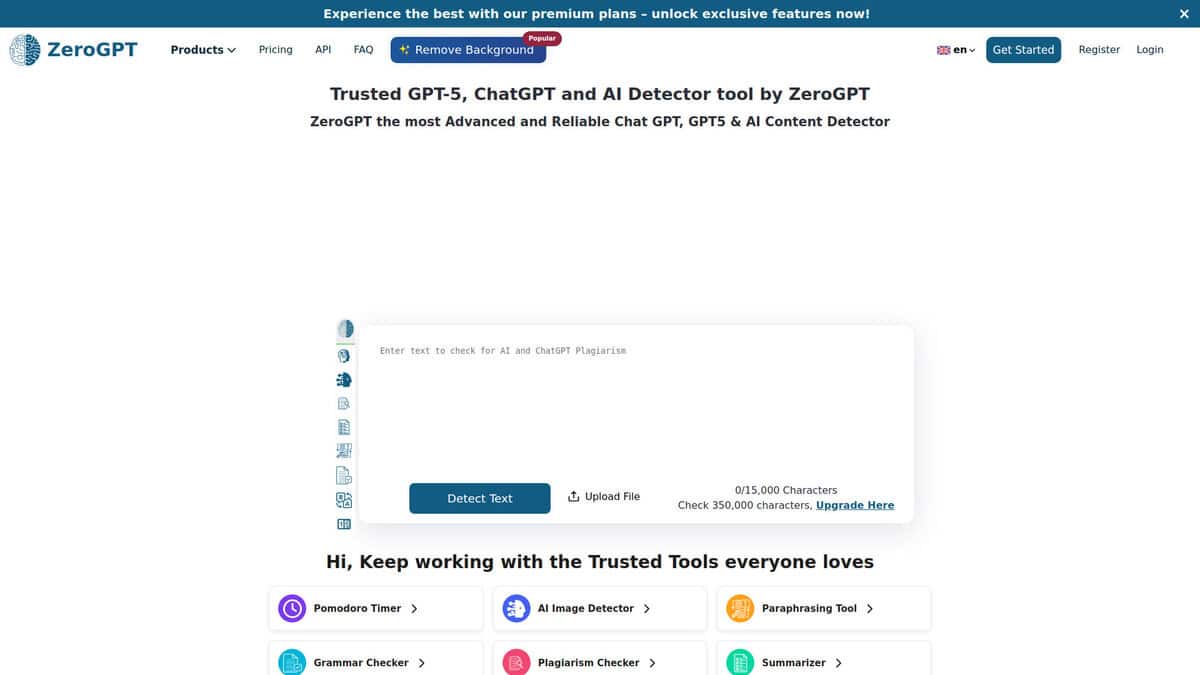
ZeroGPT
Signup required | No, paste and scan immediately |
Free character limit | Up to 15,000 characters per scan |
File upload | Yes, batch upload supported |
Detection engine | DeepAnalyse™ (perplexity, burstiness, linguistic features) |
Models covered | ChatGPT, GPT-4o, GPT-5, Claude, Gemini, Grok, DeepSeek, LLaMa |
Paid plans | Plus/Pro/Max, roughly $9.99/mo territory, removes ads |
The first thing I noticed about ZeroGPT is how little it asks of you. No email, no password, no “create an account to continue” wall. You just land on the page, paste your text, and hit scan.
That 15,000-character cap is generous for a free tool, enough for a blog post or a full essay in one go. If you have got a batch of files instead, you can upload them and the dashboard checks them automatically. I found that handy when I had a stack of drafts to run through at once, rather than copy-pasting one by one.
You get more than a single percentage too. ZeroGPT highlights the exact sentences it thinks are AI-generated, so you are not just staring at a number wondering what triggered it. It also spits out a downloadable PDF report if you need to share results with someone else.
Here is where I will be honest with you though. ZeroGPT advertises 98% accuracy on its homepage, and I would not take that at face value. Independent testing tells a different story, with real-world accuracy closer to 64% to 85% depending on the benchmark, and a false positive rate ranging from about 14.6% to as high as 33%. That means it can flag genuinely human writing as AI, especially formal academic work and ESL writing.
I also noticed detection gets shakier on humanized or paraphrased text, and on newer models like GPT-4o, Claude, and Gemini compared to older GPT-3.5 output. Upgrading to a paid Plus, Pro, or Max plan will not fix this either, since it runs the same DeepAnalyse™ engine underneath, just without ads and with higher limits.
So where does that leave you. I would treat ZeroGPT as a fast first-pass checker, not a final verdict. It is great for a quick gut-check on your own writing or a rough scan before you dig deeper. I would not lean on it alone for anything high-stakes, like an academic integrity case or a hiring decision. Detection tools only tell you whether content was likely AI-generated, not whether it is actually true—if you also need to verify the claims themselves, AI fact-checking tools handle that side of things.
Undetectable AI
| Free word limit | 10,000 words per scan |
|---|---|
| Signup required | No |
| Detectors cross-checked | Turnitin, GPTZero, Copyleaks, Originality.ai, ZeroGPT, Sapling, Winston AI |
| Chrome extension | Yes, works on Google Docs, email, social media |
| Google Docs support | Yes, inline via extension |
| Best for | Students, marketers, freelancers, SEO teams wanting a broad free check |
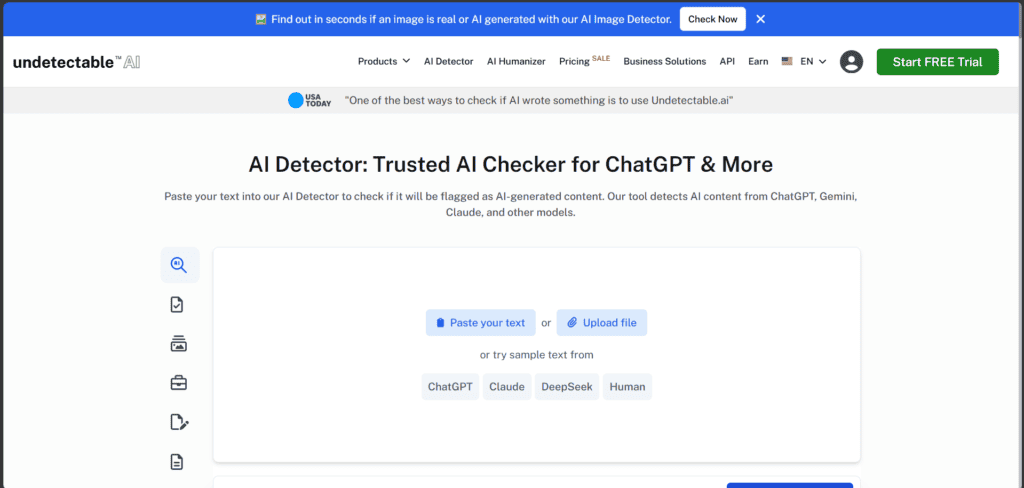
The first thing that got my attention was the word counter sitting right on the homepage, 0/10,000. No email, no login wall, just paste and scan. That’s a genuinely generous free limit compared to most detectors that cap you at a paragraph or two.
What I actually liked most, though, was what happens after you hit scan. Instead of giving you one score, it runs your text through Turnitin, GPTZero, Copyleaks, Originality.ai, ZeroGPT, Sapling, and Winston AI at once. You get seven opinions in one pass instead of paying for seven separate tools.
I also tried the Chrome extension, and it’s more useful than I expected. It sits quietly while you write in Google Docs, and you can check for AI patterns without copying text out to another tab. It works in Gmail and on social platforms too, which is handy if you’re editing captions or emails on the fly.
Now, the honest part. Independent 2026 testing (Pangram Labs among others) found it’s excellent at confirming human-written text as human, but noticeably inconsistent at catching raw AI text from newer models. In plain terms, it rarely gives false alarms, but it can miss actual AI writing. I’d treat it as a second opinion tool, not the final verdict, especially when you’re checking content generated by newer models.
I also went through its Trustpilot page myself before writing this, and it sits around 3.4 out of 5 across 931 reviews. That number looks rough at first glance, but almost every negative review I read was about billing and subscription issues tied to the paid humanizer product, not the free detector I’m reviewing here. So don’t let that rating scare you off the free scanner itself.
If you just want one free, browser-based checker that cross-references multiple engines and lives inside Docs while you write, this earns a spot in your workflow.


