Feedough Logo

Blog

  • This Startup Makes Hiring as Easy as Wearing Your Pyjamas – PyjamaHR Startup Review

    This Startup Makes Hiring as Easy as Wearing Your Pyjamas – PyjamaHR Startup Review

    Recruitment can often feel like wading through molasses—slow, sticky, and frustrating. HR professionals and recruiters face a daunting challenge every day: finding the right candidate quickly amidst a sea of outdated tools that seem stuck in the past. You’re spending hours sifting through resumes, coordinating schedules, and managing communication, all while battling clunky systems that frustrate rather than facilitate.

    What if there was a way to streamline this process? Imagine a solution that takes the hassle out of hiring, putting you back in control without sacrificing quality.

    Meet PyjamaHR, the brainchild of Harpreet Singh and his team, born from their frustrations with current Applicant Tracking Systems (ATS) that feel like they belong in the early 2000s. Using advanced technology and user-friendly design, PyjamaHR modernises recruitment while keeping it budget-friendly for businesses of all sizes.

    We conducted an interview to learn more about how this innovative platform helps solve pressing HR challenges.

    What is PyjamaHR?

    PyjamaHR is an advanced recruitment platform designed to simplify the hiring process for HR professionals, recruiters, and small to medium-sized businesses. With a focus on reducing manual intervention, the platform automates routine tasks such as resume sorting and interview scheduling, allowing you to focus on finding the right candidate. This modern Applicant Tracking System (ATS) integrates artificial intelligence to enhance candidate matching, providing data-driven insights for more informed hiring decisions.

    The primary issue PyjamaHR addresses is the inefficiencies inherent in outdated recruitment systems. Many businesses struggle with clunky, complex ATS software that hampers productivity. PyjamaHR modernises this experience, offering a user-friendly interface and seamless integration with other business tools to facilitate a smooth workflow.

    What sets PyjamaHR apart from competitors is its affordability and scalability. Starting at just £15 per user per month, it makes sophisticated recruitment technology accessible to a wide range of organisations. Additionally, its proactive customer support ensures that users receive assistance quickly, which is critical in today’s fast-paced hiring environment. With these attributes, PyjamaHR proves to be a valuable resource for modern recruitment challenges.

    PyjamaHR Founders

    Harpreet Singh, the CEO and co-founder of PyjamaHR, has a rich background in software development and consultancy. Alongside his co-founders, Suchal Bojamma and Srinivas Aravind, Harpreet has spent years honing their skills in technological innovation. Their collective experience primarily stemmed from running a successful bespoke software consultancy in India, where they found a particular niche in swiftly hiring top talent. Despite their achievements, they were continually frustrated by the limitations posed by existing Applicant Tracking Systems (ATS), which led them to reimagine how recruitment should function.

    In the early days of PyjamaHR, challenges loomed large. Transitioning from consultancy to developing a sophisticated recruitment platform was no small feat. Harpreet, Suchal, and Srinivas faced the challenge of developing an ATS that was not only intuitive but also embedded with artificial intelligence capabilities.

    Alongside technological hurdles, they faced difficulties in securing funding crucial for their ambitious venture. In spite of these obstacles, their determination to break free from outdated systems led them to develop strategic partnerships and conduct extensive testing in order to overcome them.

    The spark that ignited PyjamaHR arose from their shared frustrations with existing recruitment tools. As they attempted to optimise their hiring strategy, it became glaringly clear that the ATS landscape was in dire need of innovation. They envisioned an accessible yet powerful tool that could democratise recruitment technology for businesses of all sizes. This driving purpose shaped the company’s mission from the outset, ensuring that the final product would meet real-world needs and facilitate efficient hiring processes.

    Harpreet and his team have since transformed that initial concept into a reality. By combining their industry knowledge and technical expertise, they created PyjamaHR to address the inefficiencies that plagued traditional systems. The founding team’s firsthand experience with the challenges of hiring in a fast-paced environment allowed them to build a product centred on practicality, affordability, and advanced technology. The foundation they laid is already making significant strides in reshaping how recruitment is conducted.

    Interview with Harpreet Singh, CEO & Founder of PyjamaHR

    We had the opportunity to sit down with Harpreet Singh, the CEO and co-founder of PyjamaHR. Here are the insights from our conversation:

    Q: What inspired you to venture into this particular industry?

    A: We saw a significant gap in the market. Existing ATS tools were outdated and overpriced. This frustration led us to create an affordable, modern solution that meets the demands of today’s workforce.

    Q: Can you tell us about the early days of your startup?

    A: The early days were challenging. We had to develop an intuitive ATS with advanced AI capabilities and secure funding to support this. Convincing clients to switch from traditional systems to our new product required strategic partnerships and rigorous beta testing. Our efforts eventually paid off, gaining traction in a competitive market.

    Q: How do you differentiate your startup from your competitors?

    A: We have several key differentiators. We are one of only seven ATS platforms globally integrated with LinkedIn ApplyConnect and many other job boards. Our affordability, starting at £15 per user per month, is unmatched. Our AI capabilities are advanced, assisting with job creation, candidate sourcing, and interviews. Our customer support team is fast, with an average response time of 8.5 minutes. PyjamaHR is also easy to set up and offers a full-featured 2-week trial with no credit card needed.

    Q: Has your startup received external funding? If so, how did your recent funding round come about?

    A: Yes, we secured funding by demonstrating the unique value and potential of PyjamaHR. We created a robust demo showcasing our innovative features and efficiency improvements. This resonated with investors at a startup event, leading to deep discussions and eventually securing their confidence through our clear data and passionate explanations.

    Q: What are your startup’s plans for the future?

    A: We plan to expand our integrations and enhance our AI capabilities. Our goal is to introduce over 100 job board integrations by the end of 2024. We aim to make PyjamaHR the go-to recruitment platform for businesses of all sizes, ensuring sophisticated recruitment technology is accessible to everyone.

    Feedough’s Take on PyjamaHR

    PyjamaHR is shaping up to be a game-changer in the recruitment industry. Its approach to modernising the hiring process with advanced technology and user-friendly design is not only innovative but crucial in today’s fast-evolving job market. The startup’s ability to make sophisticated tools accessible and affordable gives it a significant edge, allowing small to medium-sized businesses to compete on a level playing field with larger corporations. Going forward, if PyjamaHR continues to evolve and expand its features while maintaining customer support and cost-efficiency, it can expect sustained growth and potentially disrupt the traditional recruitment models. A key aspect to watch will be how they scale their technology and customer base without losing the quality that defines their service.

  • How to Check Your Digital Footprint: The Complete Guide

    How to Check Your Digital Footprint: The Complete Guide

    Sorry to burst your bubble, but your data is out there on the internet as you read this sentence… 

    If you doubt it, Google yourself. What you see there on the screen is your digital footprint.

    We live in an era where it is nearly impossible to live without the internet; therefore, our internet presence leaves visible (or invisible) traces.

    But how does this digital footprinting begin and how can one trace it? And if one can trace it, are there ways to eliminate these traces?

    If you are looking for the best ways to remove your digital footprint, you will soon have your answer.

    But before that, let us understand what exactly is a digital footprint and what all constitutes under it.

    What is Digital Footprint?

    When you access the web, the traceable activity and data you leave online become your digital footprint.

    You may even know them as digital shadows or electronic footprints. We can segregate digital footprints into two types: passive and active.

    Passive Footprints

    These digital footprints are made when the user on the internet does not know their steps are being tracked or traced. Some examples of   this kind of electronic footprint are:

    • Your browsing history: Every website you have visited is recorded and stored.
    • The cookies you select: These are not to be ignored! Cookies are a means of tracking user behaviour on a particular website and collecting browsing habit data.
    • Data from different Apps: Certain apps, such as dating and fitness apps, ask for access to some of your personal details.
    • Data from IP address tracking: Websites can access your IP address, revealing your browsing patterns and server location.
    • Geolocation data: Remember how your apps and websites ask permission to access location services? Somebody can track you without your direct knowledge.

    Active Digital Footprint

    These footprints are formed when a user has voluntarily given their personal information on different websites, for example:

    • Subscribing for Newsletters/Emails: You’d have to share some of your personal information naturally.
    • Filling Online Forms: Sharing private information while filling any form online is a staple requirement.
    • Social Media Posts: Your photos and videos become visual information across platforms like Instagram, Twitter, and Facebook.
    • Your comments and reviews:  The comments, opinions, and reviews you leave under articles, review sites, and other social media posts leave a trace. 
    • Keeping your profile public: When you have open public profiles, especially on networking sites like dating and professional apps, your personal details are easily accessible. 

    Why Is It Important to Track Your Digital Footprint?

    With our daily internet engagements, it is no surprise that we leave our digital footprints on the web. But why is it so essential to track your digital footprint?

    • Safety and Privacy Concerns: Protecting your privacy on the internet is vital to avoid identity theft or cyber-bullying risks. Having your digital shadow tracked reduces the risk of being vulnerable to such online crimes.
    • Career Building: Employers and recruiters often try to check a candidate’s online presence, which will affect an individual’s employability. If they find positive results, that would, of course, be beneficial for the candidate. However, if they see any harmful content, it could affect the candidate’s chances. On the other hand, if you are a business owner, employees can also look into your online presence to find out about your company and yourself.
    • Reputation Management: Managing your social presence does not just suffice in real life; it also needs to extend to your internet presence. Tracking and maintaining your digital footprint will ensure an excellent online reputation.

    Which Companies Record Your Digital Footprint?

    Now that you know how your online data trail can affect you, let us look into companies’ patterns in using their users’ data. We will also explain how you can remove your digital footprint from them. We have chosen three main companies as examples and how they function when it comes to digital footprinting.

    Google

    Google is, without a doubt, one of the most widely used search engines and, therefore, has access to over 2.5 exabytes of data, which it has to handle on a daily basis. The following are the kinds of data that Google stores:

    • Search History
    • User Account Data
    • Communication Data
    • Location Data
    • Device Information
    • Storage Data
    • Advertising Data

    Google records and stores this data to enhance the total user experience, target users’ needs, and improve their services.

    But I am also sure you have been perplexed at some point in your life by how you just talked about the latest Macbook in the market, and you started getting advertisements on your phone. Well, Google is always listening, following your digital footprints, and that, as a fact, can sometimes be unsettling to users. Google’s privacy policies have often been a concern among users as it is too complex to understand.

    Fun fact: Did you know that using Chrome’s Incognito mode can provide privacy while browsing, but it does not limit the user information that websites collect?

    How do you track your digital footprint on Google?

    One of the best ways to begin tracking your digital footprint on Google is by searching yourself. Observe the data that appears in the first few pages and what kind of personal details are available.

    You can also create Google alerts for your name that will send you notifications whenever any content has been uploaded to the internet in your name. This will also remind you to keep a close eye on your online presence.

    One of the most important things to track your digital footprint is to review your online accounts and check what kind of information is accessible to the public. This especially refers to social media and other networking websites which use your Google account.

    How to remove your digital footprint from Google?

    First things first, if you have unused accounts, delete them immediately and this will result in a drop of your personal information being visible to the public audience.

    Additionally, you can also choose to keep your social media accounts private by changing your privacy settings. Changing your username to something that is not close to your original name would also help protect your account from popping up in search results.

    If you want any information removed, immediately take it down or request that the website remove it. While contacting websites directly can be a bit of a hustle, it is always worth a try. There are also measures to remove our name and personal details from Google.

    Make a habit of frequently deleting cookies and browsing history to minimise passive tracking by other websites. Using Google’s privacy tools and third-party services can also help you remove and protect your information.

    Meta

    It would be rare to find someone who does not know or use Meta, as it controls four of the most used social media platforms: Facebook, Instagram, WhatsApp, and Threads. In addition to these platforms, Meta also has a standalone messaging platform called Facebook Messenger.

    Meta reported that in the second quarter of 2024 alone, they had acquired over 3.2 billion users who use at least one of the four core platforms on a daily basis. Imagine the amount of data that Meta has a hold on…well, some of them are;

    • User Profile Information
    • Location Data
    • User Activity Data
    • Advertising and Analytics Data
    • User Device Information

    While Meta has been reigning in the social media world, we are witnessing active digital footprinting. But what about the passive footprints?

    How can we check these footprints, and what measures has Meta taken to protect users’ information? Let’s find out!

    How to track your digital footprint on Meta?

    As we deal with social media platforms here, you can start by reviewing your profile settings. Do you want it public or private? If public, what other privacy settings do you want to change to protect your content and public internet presence?

    Be well informed of Meta’s privacy policy and monitor privacy updates to ensure that your data is not being misused.

    You may also consider reviewing your own activity on these social media platforms, including posts, comments, likes, shares, and other similar activities. You always have the option to archive, hide, or delete them.

    If your accounts have been unused for a long time, review them and delete them to prevent any risks of hacking and identity theft. You also have the option to download all your data before deleting anything on an online platform. Furthermore, check for any data breaches and take the initiative to secure your account.

    How to remove your digital footprint from Meta?

    You can start by adjusting privacy settings. Meta has introduced two-step verification to enhance the security of your account. Privacy settings will also help you decide who has access to your posts, comments, and other profile information. You can customise your audience to prevent any kind of breach.

    If you have unused accounts, immediately delete them to ensure the details provided for the account are also deleted, reducing your digital footprint.

    Go on a content cleanse, where you review your posts and content uploaded on your profile and decide which can be deleted. Avoid keeping anything that reveals personal or sensitive information.

    You don’t have to miss out on the content, as you can always download it to your devices. Furthermore, clear your browsing data frequently to remove traces of your online footprints.

    Amazon

    According to 2023 statistics, Amazon is one of the largest online retailers in the world, with annual net sales of $574.78 billion. This multinational company sells products online and offers cloud computing and other services.

    The company stores a vast variety of data, mainly through its e-commerce platform and cloud computing services.

    Let us look at what kind of data it collects and stores;

    • Customer Account Details
    • Customer Preferences and Settings
    • Browsing History and Purchase Information
    • Complaints, Feedback, and Product Reviews
    • Location Data
    • Third Part Data
    • Advertising and Marketing Information

    These data are collected and recorded to enhance user experience, improve services, and provide product suggestions through advertisements. But you also need to ensure your footprints are not being tracked for the wrong reasons.

    How to track your digital footprints on Amazon?

    To track your digital shadow on Amazon, you can review your account activity, such as your order history, browsing history, and wish lists.

    Additionally, observe your Amazon Advertising Activity to check which products and brands are being targeted.

    Did you know about Amazon’s Data Download feature? Yes, you can download your order details, browsing history, and advertising data, which will show your digital footprints.

    How to remove your digital footprints from Amazon?

    If you are not an active user, you can permanently delete the account to remove your digital shadow on it.

    On the other hand, if you have an active account make sure to delete browsing and purchase history or even archive them to reduce the tracks of your online presence. Additionally, you can also remove any personal information that is on your account. This information can include your address, contact details, and payment methods.

    Unlink any third-party apps that may be connected to your Amazon account. You can do this from the account settings section called “Apps and Websites.”

    We understand if you are an Alexa lover, but please be prompt to regularly delete Alexa’s voice recordings from the settings to prevent the leak of personal information into the web world. Lastly, you should also frequently clear cookies and cache that may hold personal details and leave your digital footprints online.

    Bottom-Line?

    The companies that were discussed in this article are just three of the most used online sites, but digital footprinting is not limited to these sites. Other companies like Spotify, Netflix, Snapchat, and Apple also record your digital footprints to enhance their services. But to keep them safe and away from public view is your choice to make.

    In a world where AI is establishing its skills on the internet, unattended personal information may also be used by AI. So, checking your digital footprints and removing them should be a frequent part of your online activity.

  • Cyber Security Tips For Small Businesses

    Cyber Security Tips For Small Businesses

    While the internet came in as a blessing for our businesses – making communication, marketing and sales much easier – it also brought with it the threat of cyber attacks.

    The problem?

    Attackers don’t discriminate between a big or a small business when they find a vulnerability to exploit.

    The bigger problem?

    Small businesses like yours might not even have the resources to get back on their feet after a cyber attack.

    Expect financial losses, a damaged reputation and potential loss of customers if you don’t take the necessary measures to protect your business.

    But fret not! Here are some cyber security tips specifically designed for small businesses that can help keep your data, assets and reputation safe.

    But if you’re still not convinced, here’s why cybersecurity is important for your business

    The Importance Of Cybersecurity For A Small Business

    A small business is just as vulnerable to cyber attacks as a big corporation, if not more.

    Without adequate protection, your business can become an easy target for hackers and other malicious actors.

    These are some reasons why cybersecurity should be a top priority for your small business:

    • Data breaches: Small businesses often collect sensitive customer information, such as personal and financial data. A data breach can not only lead to financial losses but also damage trust with your customers. What if your competitor gets access to your customer data? Or some scammer who poses as your business and steals sensitive information from customers? It’s a nightmare you don’t want to experience.
    • Ransomware attacks: This type of cyber attack involves encrypting your data and demanding a ransom for its release. Small businesses are often targeted because they may not have backups or the resources to recover from an attack, making them more likely to pay the ransom.
    • Intellectual property theft: If your small business relies on unique products or services, it’s at risk of intellectual property theft. Hackers can steal your designs, source code, trade secrets, and other valuable information that could give your competitors an unfair advantage.
    • Damaged reputation: A cyber attack can damage the reputation your business has built over the years. Your customers may lose trust in your ability to protect their data, leading to a decline in sales and potential loss of customers.
    • Financial losses: Recovering from a cyber attack can be expensive, especially for small businesses with limited resources. You may have to cover the costs of fixing the damage, hiring cybersecurity experts, and implementing new security measures to prevent future attacks. Reports say that 95% of cybersecurity incidents at small and medium-sized businesses (SMBs) cost between $826 and $ 653,587.
    • Compliance requirements: Depending on your industry, legal and regulatory requirements for protecting sensitive data may exist. Failing to comply with these regulations can result in heavy fines and legal consequences.
    • Loss of productivity: A cyber attack can disrupt your business operations, leading to downtime and loss of productivity. This can result in financial losses and damage to your reputation.

    Cyber Security Tips For Small Businesses

    An interesting fact – 95% of cybersecurity breaches are because of human error. It could be as trivial as clicking on a malicious link or using weak passwords. It could also be a silly mistake, like not updating software or falling for social engineering tactics.

    To prevent these, here are some essential cyber security tips for small businesses:

    Protect Your Website

    It’s not just your endpoint devices and networks that need protection; your website is also a prime target for cybercriminals. As a small business, your website is often the first point of contact with potential customers, making it critical to secure it from cyber threats.

    Here are some essential steps you can take to protect your website

    • Install an SSL certificate: An SSL (Secure Sockets Layer) certificate adds a layer of security by encrypting all data transmitted between your website and visitors’ browsers. It also displays the padlock icon in the address bar, reassuring visitors that their connection is secure.
    • Regularly update software: Software vulnerabilities are often exploited by hackers to gain access to websites. Regularly updating your content management system (CMS), plugins, and other software can help prevent these attacks.
    • Install a antivirus on your server: If you’re on an unmanaged hosting plan, it is recommended to install a reputable antivirus on your server to scan for and remove any malware or viruses that may affect your website. There are several free and paid options available in the market. Just a simple google search for best server antivirus will provide you with a list of options to choose from.
    • Use secure passwords: Strong passwords are essential for securing your website. Avoid using common or easily guessable passwords, and consider using a password manager to store all your credentials securely.
    • Install a strong WAF: A Web Application Firewall (WAF) filters and blocks malicious traffic before it reaches your website. It can protect against common attacks like cross-site scripting (XSS) and SQL injection.

    Train Workforce Regarding Cybersecurity

    Your employees are your first line of defence against cyber attacks. You do need to ensure your workforce –

    • Identify the different cyber threats like spoofed emails, phishing attacks, ransomware, etc.
    • Know how to spot fake websites and malicious links.
    • Understand the importance of strong passwords and not sharing them with anyone.
    • Use multi-factor authentication for all accounts. It could involve using a security key, an authentication app, or a one-time code sent to the user’s phone.
    • Keep software, operating systems, and security patches up-to-date.

    To teach the same, you either need to take the teaching step yourself or involve a cybersecurity expert who teaches them the same using workshops or sessions. The curriculum should involve –

    • Recognising phishing attempts: Phishing scams are a common way hackers steal sensitive information. Train your employees to identify suspicious emails, links, and attachments.
    • Secure password practices: Encourage your employees to use strong passwords that include uppercase and lowercase letters, numbers, and special characters like. Also, educate them about the dangers of using the same password for multiple accounts.
    • Safe browsing practices: Your employees should know not to visit suspicious websites or download attachments from untrustworthy sources.
    • Data protection procedures: They should be aware of protocols for handling sensitive data and how to securely transfer information.
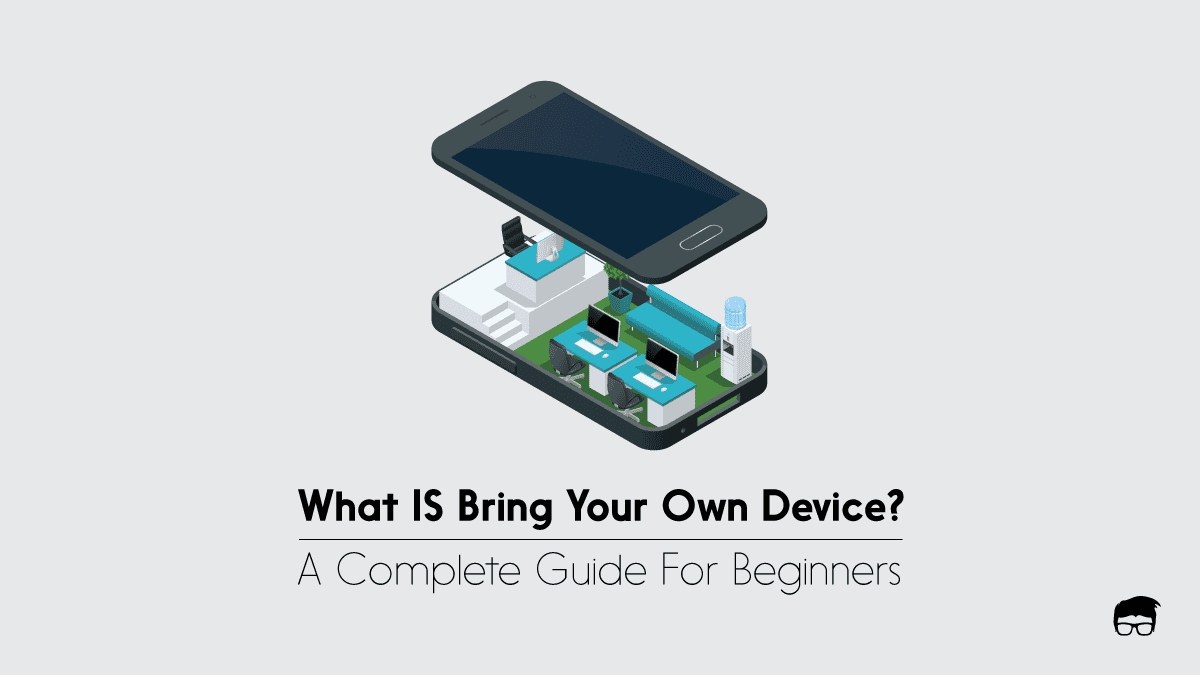
    • BYOD policies: If your employees use their devices for work, ensure they understand the security risks and follow BYOD (Bring Your Own Device) policies.
    • Incident reporting protocols: In the event of a cyber attack, your employees should know who to contact and what steps to take.

    You can even include gamified tasks to ensure your employees can differentiate phishing emails, maintain strong passwords, and follow other security protocols.

    Introduce Strong Cybersecurity Policies & SOPs

    Cybersecurity policies refer to the set of rules and guidelines that outline how your employees should behave when it comes to data security. It could include –

    • Access controls: Limit access to sensitive data to only those who need it for their job.
    • Data backup procedures: Regularly back up your data and store it in a secure location. This will help you recover quickly from a ransomware attack or any other cyber incident.
    • Network security measures: Install firewalls, antivirus software, and other security tools to protect your network from cyber threats.
    • Device management protocols: Implement policies for managing employee devices used for work, such as setting up password requirements, installing security updates, etc.

    You can even create cybersecurity-oriented standard operating procedures (SOPs) that guide your employees on how to use company devices, handle sensitive information, and report any suspicious activity.

    For example, if your small business involves handling customer’s personal information, you can have an SOP for securely storing and using customer data like credit card numbers, addresses, etc.

    Invest in Cybersecurity Tools & Services

    While cybersecurity solutions seem pricey at first, the cost of recovering from a cyber attack is likely to be far more expensive. Here are some key areas where you should invest in cybersecurity tools and services:

    Endpoint Protection

    An endpoint is any internet-connected device like a laptop, desktop, smartphone, etc. According to data breach investigation reports, 81% of businesses experienced an attack involving some form of malware, which often targets endpoints.

    Hence, protecting your endpoints is critical. Invest in a good –

    • Antivirus software: An antivirus program helps protect devices from various types of malware, ransomware, and other cyber threats. It also scans incoming emails, attachments, and downloads for malicious content. Ensure you look for antivirus software with real-time protection, automatic updates, and email scanning features.
    • Firewall: A firewall acts as a barrier between your network and the internet, monitoring incoming and outgoing traffic to detect potential threats. It can prevent unauthorised access to your network, making it an essential tool for small businesses with limited IT resources.
    • VPN: While using public Wi-Fi, a VPN (Virtual Private Network) helps secure your internet connection by encrypting data transmitted between your device and the network. This prevents hackers from intercepting sensitive information like login credentials or financial details.

    Network Security

    Network security refers to the protection of your network infrastructure from cyber threats. Some key tools and services to ensure network security are:

    • Intrusion Detection Systems (IDS): IDS monitors traffic passing through your network and alerts you if it detects any malicious activity. Some advanced IDS also have the capability to block suspicious traffic automatically.
    • Vulnerability Scanners: These tools scan your network for any potential security vulnerabilities that can be exploited by hackers. They also provide recommendations on how to fix these vulnerabilities before a cybercriminal can exploit them.
    • Network segmentation: It involves dividing your network into smaller subnets, limiting access between them and reducing the potential damage in case of a breach in one section.

    Data Encryption Tools

    Data encryption tools help protect sensitive information by converting it into code that can only be accessed with a decryption key. If you handle confidential data like credit card numbers or intellectual property, data encryption tools are a must-have for your small business.

    Backup Important Data 

    Data backup involves creating copies of important information from a primary location to a secondary storage site. This helps prevent data loss due to hardware failures, software errors, or other issues. Regular backups are essential for avoiding the permanent loss of data.

    For small businesses, data loss can be especially damaging. Losing critical data due to hardware or software failures could disrupt operations and, in severe cases, even lead to business closure. Small businesses are often more vulnerable to cyber threats, as they tend to have weaker security systems.

    Ransomware attacks, which lock businesses out of their own data until a payment is made, are a growing threat. Regular data backups allow businesses to recover their information without having to pay a ransom, minimising the impact of these attacks.

    To protect your data, it is recommended to have multiple backups in different locations. This could include cloud-based backups and physical backups on external hard drives or servers. Here are some of the best solutions for small businesses to backup their data –

    • Cloud-based backup services: Services like Google Drive, Dropbox and OneDrive offer cloud storage solutions with automatic backups. These services have different pricing plans depending on your storage needs.
    • External hard drives: You can also manually back up your important data on external hard drives or USB flash drives. This option is relatively inexpensive but requires regular manual backups.
    • Network Attached Storage (NAS): NAS systems are a combination of hardware and software that allow multiple devices to access a shared network drive for storing and retrieving data. This option is best suited for businesses with large amounts of data to back up regularly.

    Establish a Secure Wi-Fi Network

    A secure wifi network forms the backbone of your business’s network security. It is essential to secure your wifi network to prevent unauthorised access and potential data breaches.

    Here are some steps you can take to secure your wifi network –

    • Change default login credentials: The first step in securing your wifi network is changing the default username and password for your router. Default credentials are widely known and can be easily exploited by hackers.
    • Enable WPA2 encryption: WPA2 (Wi-Fi Protected Access 2) is currently the most secure form of wifi encryption. Make sure that it is enabled on your router to protect your network from eavesdropping attacks.
    • Utilise a guest network: If you have visitors or clients accessing your wifi network, create a separate guest network for them. This will prevent them from accessing sensitive information on your main network.
    • Set up a firewall: Many routers come with built-in firewalls that can filter out malicious traffic and protect your network from cyber attacks.
    • Limit access to your router’s settings: Only authorised personnel should have access to the router’s settings. Restricting access can prevent potential security breaches.

    Create A Response Plan 

    A response plan is your roadmap for what to do in case of a cyber attack or data breach. It should outline the steps you need to take to minimise the impact of an attack and recover your systems and data.

    Here are some key components to include in your response plan –

    • Identify and classify critical assets: Identify the most crucial assets in your business, such as customer information, financial data, and intellectual property. Classify them based on their importance and level of sensitivity.
    • Assign roles and responsibilities: Determine who will be responsible for managing different aspects of the response plan. This could include IT personnel, management, legal counsel, etc.
    • Create a communication plan: In case of a cybersecurity incident, it is essential to have a plan for communicating with customers and stakeholders. This could include drafting templates for communication and identifying the appropriate channels to use.
    • Regularly update your response plan: Cyber threats are constantly evolving, so it’s important to regularly review and update your response plan to address new types of attacks.

    A good response plan also helps you meet legal and regulatory requirements. It strengthens your business by defining roles, assigning crisis communication, and preserving evidence.

    But ensure you regularly test your response plan to identify potential weaknesses and make necessary adjustments. Conducting drills can help you evaluate the effectiveness of your plan and improve it accordingly.

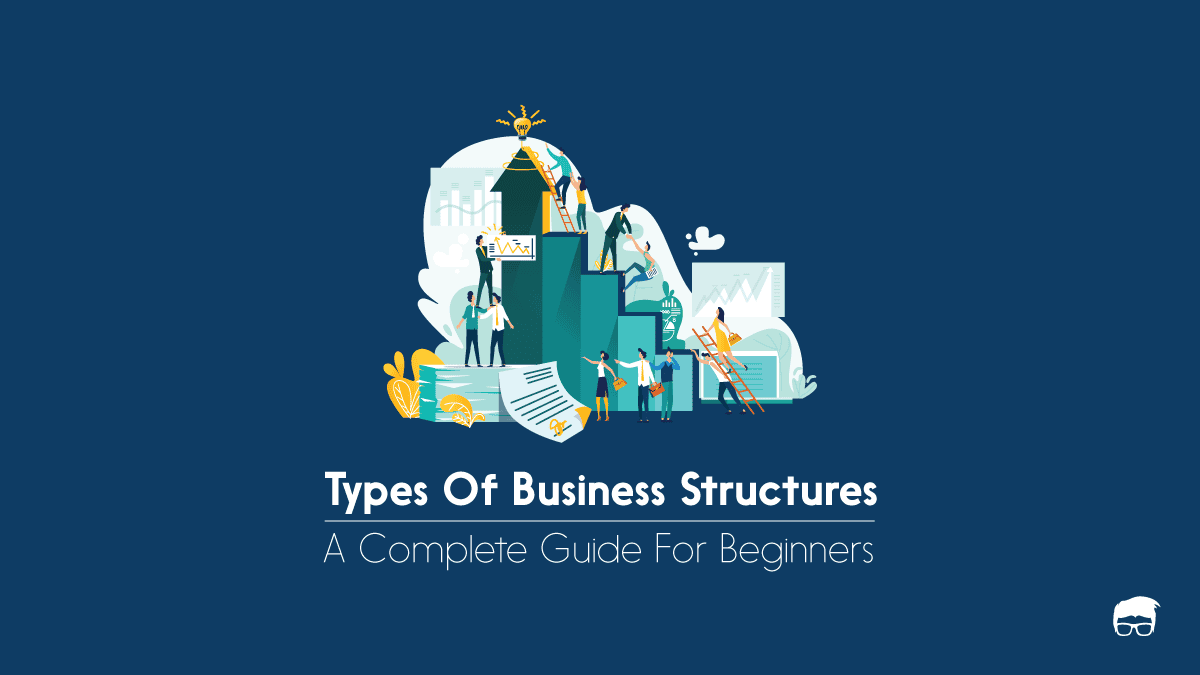
  • The 5 Types Of Business Structures

    The 5 Types Of Business Structures

    Not all businesses are the same. Some have big teams and need a lot of money to start, while others are run by just one or two people with minimal costs.

    To address this, governments recognise different business structures. Each one comes with its own legal and financial rules, along with its pros and cons.

    These business structures are the reason one sees LLP, LLC, Inc., and other tags with business names. Understanding these types of business structures is important for entrepreneurs, as it helps them make informed decisions about their business.

    What Is A Business Structure?

    A business structure is a legal setup that decides how a company is owned, run, and taxed. It affects things like:

    • Who owns the business
    • How decisions are made
    • How taxes are paid
    • What kind of personal risk the owners face
    • How easy it is to change things as the business grows

    Choosing the right structure for a business is critical. It can impact its success and growth down the road.

    Types of Business Structures

    Generally, there are five types of business structures that world governments recognise. Each has its own set of rules. These are –

    • Sole proprietor: where a person runs the business and makes all decisions. It’s an easy way to get started, but it puts all personal assets at risk.
    • Partnership: like sole proprietorships, but with two or more owners. For some businesses, this might make sense – it spreads risk and makes getting started easier.
    • Limited liability company (LLC): a mix of sole proprietorship and corporation. Owners have protection from personal risk, but they also have to decide how profits are divided.
    • Corporation: an independent entity that is owned by shareholders. They have limited liability and can raise money by selling shares.
    • Cooperative: like a corporation, but the owners are also the customers of the business. Profits are shared among members based on their contribution to the cooperative.

    Sole Proprietorship

    Sole proprietorship refers to a business structure where one person owns and operates the company. In most countries, a business owner is automatically a sole proprietor unless they register for a different structure.

    This business structure does not have any legal distinction from the owner. This means that all profits, losses, and liabilities belong to the owner personally. The business is not taxed separately, and the owner includes all business income on their personal tax return.

    Sole proprietorship is suitable for businesses with only one owner who wants full control over decision-making. It has low startup costs and can be easily set up without much paperwork. However, it also means that the owner bears all financial risks and personal liability for any debts or legal issues.

    Key Features of Sole Proprietorship

    Here are some of the distinctive features of a sole proprietorship:

    • Easy to start and dissolve: It does not require any legal or formal registration, making it an easy option for entrepreneurs.
    • Unlimited liability: The owner is personally responsible for all debts and liabilities of the business.
    • Single ownership: There can only be one owner in this structure.
    • Taxation: The business is not taxed separately, and all profits are considered the personal income of the owner.
    • Business decision-making: The owner has complete control over all business decisions.

    Advantages Of Sole Proprietorship

    Sole proprietorship comes with its own set of advantages, which makes it a popular choice for small business owners. Some of the benefits of this structure are:

    • Easy to set up and operate: Sole proprietorship has minimal paperwork and legal formalities, making it easy to start and run. In fact, in most countries, a business is automatically considered a sole proprietorship unless registered otherwise.
    • Full control: The owner has complete decision-making power and control over the business’s operations.
    • Tax benefits: As the business is not taxed separately, the owner can include all profits and losses in their personal tax return, potentially reducing their overall tax liability.
    • Low costs: Compared to other structures, sole proprietorship has low startup costs and does not require any registration fees or ongoing compliance expenses.

    Disadvantages Of Sole Proprietorship

    As with any business structure, there are also some drawbacks to sole proprietorship. These include:

    • Unlimited personal liability: The owner is personally responsible for all debts and legal issues of the business. If the company fails, the owner’s personal assets are at risk.
    • Limited growth potential: Sole proprietors may have limited access to capital compared to other structures like corporations or LLCs, which can hinder business growth opportunities.
    • Reliance on one person: With only one owner, this structure is entirely dependent on that person’s skills, expertise, and availability. This could be a disadvantage if the owner has limited resources or knowledge in certain areas.

    Partnership

    A partnership is a business structure where two or more people own and run a business together. They split profits, losses, and decision-making based on their agreement.

    Partnerships can be formed through a written or verbal agreement. It is essential to have a legal partnership agreement in place to avoid any misunderstandings or conflicts down the road.

    Types of Partnerships

    There are two main types:

    • General Partnership: All partners share equal responsibilities and liabilities.
    • Limited Partnership: Limited partners only provide capital and are not involved in running the business. They also have limited liability, meaning they aren’t personally on the hook for business debts.

    Here’s an example explaining general and limited partners:

    Two friends, Alice and Bob, started a business together. Each puts in $50,000. Alice handles day-to-day operations, while Bob is only providing money.

    • If they form a general partnership, they both have equal say and equal liability.
    • If they go with a limited partnership, Alice would be the general partner, running the show and assuming full liability. Bob would be the limited partner, protected from personal liability but with no role in decision-making.

    Key Features of a Partnership

    Here are some of the distinctive features of a partnership:

    • Shared decision-making: All partners have an equal say in business decisions unless otherwise specified in the partnership agreement.
    • Shared profits and losses: Profits and losses are divided according to each partner’s percentage of ownership or as outlined in the partnership agreement.
    • Limited liability for some partners: In a limited partnership, not all partners face personal risk. General partners handle business debts, while limited partners only contribute capital.
    • Taxation: Partnerships don’t pay taxes as a business. Instead, each partner reports their share of profits or losses on their personal tax return. This is known as “pass-through taxation.”

    Advantages of Partnership

    Partnerships have several advantages that make it a popular business structure, including:

    • Shared responsibility and workload: Partners can share the burden of running the business, allowing for more efficient decision-making and operations.
    • Complementary skills: Each partner brings different skills and knowledge to the table, making partnerships beneficial for businesses with diverse needs.
    • Tax benefits: Similar to sole proprietorship, partnerships can enjoy pass-through taxation where profits are taxed at individual rates rather than corporate tax rates.

    Disadvantages of Partnership

    Partnerships also have some drawbacks, such as:

    • Personal liability: In general partnerships, all partners assume unlimited personal liability for business debts and legal issues.
    • Potential conflicts: Disagreements and conflicts can arise between partners, especially when it comes to decision-making or sharing profits. Having a detailed partnership agreement in place can help prevent such conflicts.
    • Limited growth potential: Similar to sole proprietorship, partnerships may have limited access to capital compared to other structures like corporations or LLCs. This could hinder the business’s growth opportunities.

    Corporation

    A corporation is a legal structure that separates the business’s assets and income from its owners. This means that the corporation can sue or be sued, enter into contracts, and conduct business in its own name.

    Types of Corporations

    There are two main types:

    • S Corporation: This type of corporation provides limited liability to its shareholders while allowing profits and losses to pass through to their personal tax returns, similar to partnerships. However, it has strict eligibility requirements, such as a limit on the number of shareholders and only one class of stock.
    • C Corporation: A C corp is subject to double taxation, meaning it pays corporate taxes on profits, and then shareholders also pay personal taxes on dividends received. However, it has no restrictions on the number of shareholders or classes of stock.

    Key Features of a Corporation

    Here are some key features of a corporation:

    • Limited liability: Shareholders are not personally liable for the business’s debts and legal liabilities. Their risk is limited to their investment in the company.
    • Perpetual existence: Corporations continue to exist even if a shareholder leaves or passes away. In simple terms, the company has a life of its own that is separate from its owners.
    • Separate legal entity: A corporation is considered its own legal entity, separate from its owners. It can enter into contracts, sue or be sued, and conduct business in its own name. For example, if the corporation ends up not paying its debt, it is the corporation that is responsible rather than the shareholders, and the lenders can only sue the corporation for payment- not the individual shareholders.
    • Centralised management: The board of directors oversees the overall management and decision-making for the corporation. Shareholders only have a say in major decisions through their voting power.

    Advantages Of Corporation

    Corporations have several advantages, including:

    • Access to capital: The corporation can raise money by issuing stocks or bonds, allowing for more growth opportunities.
    • Limited liability: Shareholders are not personally liable for business debts and legal issues.
    • Perpetual existence: The corporation can continue to exist even if shareholders leave or pass away.
    • Credibility: Corporations often have more credibility and a stronger brand reputation, making it easier to attract investors and customers. This is majorly because corporations’ identity is different from the identities of their shareholders.
    • Ownership Transferability: Ownership in a corporation is easily transferable through the sale or transfer of stock to another party.

    Disadvantages Of Corporation

    The drawbacks of corporations include:

    • Double taxation: C corps are subject to double taxation, meaning profits are taxed at the corporate level and again when distributed as dividends to shareholders. This can reduce profits for shareholders.
    • Complex formation and maintenance: Corporations require extensive paperwork, legal fees, and ongoing compliance with state regulations. They also have more reporting requirements compared to other business structures.
    • More expensive: The cost of forming a corporation is higher compared to partnerships or sole proprietorships. Additionally, they may also be subject to various taxes and fees imposed by their state of incorporation.
    • Compliance requirements: Corporations have more compliance obligations, such as annual meetings, record-keeping, and filing taxes.

    LLC (Limited Liability Company)

    A Limited Liability Company (LLC) is a hybrid business structure that combines the benefits of both corporations and partnerships.

    It offers limited liability protection to a corporation while allowing for pass-through taxation like a partnership.

    To explain it better, an LLC provides –

    • Limited liability protection to its members, meaning their personal assets are not at risk if the business faces debts or legal issues.
    • At the same time, an LLC’s profits and losses can be passed through to its members’ individual tax returns, avoiding double taxation.

    Key Features Of LLC

    Some key features of an LLC include:

    • Limited liability protection: Members (owners) are not personally liable for the business’s debts and legal liabilities.
    • Pass-through taxation: LLCs enjoy pass-through taxation where profits and losses are reported on each member’s personal tax return. This avoids double taxation.
    • Flexible management structure: Unlike corporations, LLCs do not have a strict hierarchical management structure. Instead, members can choose to manage themselves or appoint a manager to handle the business’s day-to-day operations.
    • Less paperwork and formalities: LLCs have less stringent reporting requirements compared to corporations, making them easier and cheaper to maintain.
    • Flexible profit distribution: LLCs can choose how they want to distribute profits among members, unlike partnerships where it must be done according to the predetermined percentage of ownership. This allows for more flexibility in decision-making and sharing of profits.
    • Management Structure: LLCs can be managed by its members or appoint a manager to handle the day-to-day operations.

    Advantages Of LLC

    Some benefits of forming an LLC include:

    • Limited liability protection: Members are not personally liable for business debts and legal liabilities. This means their personal assets are safe from business-related issues.
    • Tax Flexibility: LLCs enjoy pass-through taxation, avoiding double taxation.
    • Management Flexibility: LLCs have a more flexible management structure compared to corporations.
    • Less paperwork and formalities: LLCs have less stringent reporting requirements, making them easier and cheaper to maintain.
    • No ownership restrictions: LLCs have no restrictions on the number of members or classes of stock, allowing for more flexibility in ownership arrangements.

    Disadvantages Of LLC

    The drawbacks of forming an LLC include:

    • Self-employment taxes: Members are subject to self-employment taxes on their share of profits. In contrast, shareholders in a corporation only pay personal income tax on dividends received.
    • Limited growth potential: Unlike corporations, which can issue stocks or bonds to raise capital, LLCs may have limited options for securing financing.
    • Varying state laws: LLCs are regulated at the state level, meaning the requirements and benefits may vary from state to state. This can make it challenging to expand the business into other states.

    LLC vs Corporation vs Company

    LLCs, corporations, and companies are all business structures commonly used by entrepreneurs. People also confuse company registration as synonymous with an LLC or corporation, but there are key differences between them.

    • An LLC is a hybrid business structure that offers limited liability protection and pass-through taxation. It combines the flexibility of a partnership with the limited liability of a corporation.
    • A corporation is a legal entity separate from its shareholders, offering limited liability protection and potential for growth through issuing stocks or bonds.
    • A company refers to any type of business organisation formed for commercial purposes. This includes both LLCs and corporations but also encompasses other structures like sole proprietorships, partnerships, and cooperatives.
    Aspect
    LLC (Limited Liability Company)
    Corporation
    Company (General Term)
    Ownership
    Owned by members (people or other companies)
    Owned by shareholders
    Can refer to any legal business type
    Liability
    Members have limited liability
    Shareholders have limited liability
    Depends on the business structure
    Management
    Flexible—managed by members or appointed managers
    Managed by a board of directors
    Varies based on structure
    Taxation
    Pass-through: taxes on personal returns
    Double taxation: company profits and dividends taxed
    Depends on business type
    Compliance
    Fewer rules and formalities
    Stricter regulations and formalities
    Varies by type and location
    Profit Distribution
    Flexible—profits shared as members agree
    Profits paid as dividends to shareholders
    Depends on structure
    Best for
    Small to medium businesses needing flexibility
    Large businesses raising capital
    Covers any business form; needs specifics

    Let’s say two friends, Sarah and Jake, want to start a business together.

    • If they form an LLC: They both become members of the LLC. They have the flexibility to manage it themselves or hire a manager. Their personal assets are protected (limited liability), meaning if the business goes into debt, they won’t lose personal items like their house or car. Profits go directly to them and are taxed on their individual returns—no corporate tax involved. It’s simple, with fewer formal requirements.
    • If they formed a Corporation, Sarah and Jake would become shareholders. They need a board of directors to manage the business, and they must follow stricter rules, like holding annual meetings. The corporation pays taxes on its profits, and then if Sarah and Jake get paid through dividends, they also pay taxes personally (double taxation). This structure is often used for larger businesses that want to raise capital through investors.
    • If they use the term “Company” without specifying: “Company” is just a general term. It could refer to an LLC, Corporation, or other types of business. Without details, it doesn’t tell us anything about ownership, taxes, or management style.

    Cooperative

    A cooperative is a type of company that operates for the benefit of its members, who are also its customers or employees. It has an equal distribution of control among its members and may have different classes of membership based on their level of involvement and contribution to the business.

    For example, a food cooperative may have members who are both customers and owners of the business. They have a say in how the business is run, but they also benefit from discounts or exclusive access to certain products.

    Amul, the largest dairy cooperative in India, is a successful example of this business model. It has over 3 million members who are local milk producers and also own shares in the company. These members have a say in the management of the business, and they also receive dividends on their shares based on the profits earned by the company.

    Cooperatives focus on meeting the needs and interests of their members rather than generating profits for external shareholders. This model often involves democratic decision-making processes, where each member has an equal vote in important decisions.

    Some common types of cooperatives include:

    • Consumer cooperatives: Owned by consumers who use the cooperative’s products or services. For example, REI, a popular outdoor gear retailer in the US, is a consumer cooperative owned by its members.
    • Producer cooperatives: These are owned by producers who use the cooperative to market and sell their products. For example, Ocean Spray is a producer cooperative where cranberry farmers own shares in the company and receive profits based on the sales of their crops.
    • Worker cooperatives: Owned and operated by the employees themselves. All employees have an equal say in decision-making and receive equal profits from the business. This model allows for more democratic control and profit-sharing among workers. Union Cab Co-op in Madison, Wisconsin, is an example of a worker cooperative.
    • Housing cooperatives: These are owned by members who live in the housing units and have a say in how the cooperative is run. These cooperatives can provide affordable housing options for members and often involve a sense of community among residents.
    • Agricultural cooperatives: Owned by farmers or agricultural producers who jointly sell their products or purchase materials at lower costs. These cooperatives can provide small farmers with more bargaining power in the market and help them reduce costs. Land O’Lakes, a farmer-owned cooperative in the US, is an example of this type.

    Features of Cooperatives

    Cooperatives are substantially different from other business structures in several ways:

    • Voluntary Association: Cooperatives are formed voluntarily by members who come together for a common purpose or benefit. Membership is usually open to all, regardless of caste, religion, gender, or income.
    • Democratic Control: Each member has an equal say in decision-making processes, regardless of their level of investment or involvement in the business. This promotes transparency and accountability within the organisation.
    • Limited Interest on Capital: Unlike traditional businesses that aim to maximise profits, cooperatives limit the interest paid on capital investments to ensure that the focus remains on serving members’ needs rather than generating external profits.
    • Patronage Refunds: Members may receive refunds based on their patronage (usage) of the cooperative’s products or services. This means that as members use and support the cooperative more, they receive a larger share of any profits earned. This incentivises member involvement and loyalty.
    • Social Responsibility: Cooperatives prioritise social responsibility and community development, often reinvesting profits in the community or supporting charitable causes aligned with their values. This helps to build a positive reputation and creates a sense of purpose for members.

    Advantages of Cooperatives

    Cooperatives can offer several advantages compared to other business structures:-

    • Easy Formation: Cooperatives can be formed with fewer formalities and legal requirements compared to corporations, making it accessible for smaller businesses.
    • Equal Control: Each member has an equal say in decision-making processes, promoting a more democratic approach to management.
    • Shared Risk and Profit: Members share the risks and profits of the business, creating a sense of ownership and responsibility among members.
    • Reduced Costs: Cooperatives can often reduce costs for their members by pooling resources. This could include bulk purchases or shared marketing initiatives.
    • Community Development: Cooperatives often reinvest profits back into the community, contributing to local economic development.
    • Stability: Separate legal entity status and the potential for long-term membership can provide stability and continuity to a cooperative, making it less susceptible to external pressures.

    Disadvantages of Cooperatives

    While cooperatives have several advantages, they also face some unique challenges and disadvantages:

    • Decision-making: In large cooperatives with a diverse membership base, decision-making processes can become slow and complicated due to differing interests and opinions.
    • Limited Capital: Without outside investors or shareholder share capital, cooperatives may struggle to raise significant amounts of capital. This limits their ability to expand or take on larger projects.
    • Conflict Management: As members are equal owners in the business, conflicts between members may be difficult to resolve and could potentially harm the cooperative’s operations. A clear conflict resolution process is crucial for effective management.
    • Limited Flexibility: Unlike traditional businesses, cooperatives may be limited in their ability to adapt and change quickly due to democratic decision-making processes and strict adherence to cooperative principles.

    Comparing Different Business Structures

    Choosing a business structure is an important decision for any organisation. Each structure has its unique features, advantages, and disadvantages. Here is a comparison of all the common business structures:

    Business Structure
    Ownership
    Liability
    Taxes
    Decision-Making
    Profit Distribution
    Sole Proprietor
    Owned by one person
    The owner makes all decisions
    Income taxed as personal income
    Owner makes all decisions
    All profits go to the owner
    Partnership
    Owned by two or more partners
    Shared personal liability
    Pass-through taxation—profits taxed on personal returns
    Decisions made jointly by partners
    Profits split based on partnership agreement
    Limited Liability Company (LLC)
    Owned by members (individuals or entities)
    Limited liability—personal assets protected
    Pass-through taxation, unless elected otherwise
    Flexible—can be managed by members or managers
    Flexible—profits distributed as agreed by members
    Corporation
    Owned by shareholders
    Limited liability—shareholders’ personal assets protected
    Double taxation—corporation pays tax on profits, shareholders pay tax on dividends
    Managed by a board of directors; shareholders vote on major decisions
    Profits distributed as dividends to shareholders
    Cooperative
    Owned by members (customers)
    Limited liability for members
    Pass-through taxation or taxed at cooperative level depending on structure
    Democratic—members vote on key decisions
    Profits shared based on members’ contributions
  • This Startup Is Transforming Funding for Impact-Driven Tech Entrepreneurs – Ventur Startup Review

    This Startup Is Transforming Funding for Impact-Driven Tech Entrepreneurs – Ventur Startup Review

    Tech entrepreneurs aiming to make a difference often face a tough road: finding the right funding and standing out in a crowded market. It’s not just about having a great idea; it’s about connecting with investors who get both the technology and the impact you want to make.

    For these driven founders, balancing innovative tech with social or environmental goals can be overwhelming. They deal with fundraising challenges, business management issues, and the pressure to show results quickly.

    Enter Ventur. This startup offers a smart, data-driven platform tailored for tech entrepreneurs with a mission. Ventur connects startups with thousands of investors and grants, boosts their visibility through targeted showcases, and provides essential resources and support.

    We caught up with Naish Yadav, the founder of Ventur, to dive into how his team is turning these tough challenges into opportunities. His insights shed light on the real impact Ventur is making for startups looking to change the world.

    What is Ventur?

    Ventur is a tailored platform designed specifically for impact-driven tech startups, addressing the significant challenges they often face in securing funding and gaining visibility in a competitive market. This service is aimed at ambitious tech entrepreneurs, typically those with a strong educational background and several years of industry experience who are passionate about leveraging technology for positive change.

    One of the primary hurdles these entrepreneurs encounter is attracting investors who understand their dual focus on technological innovation and social or environmental impact. Ventur solves this issue by connecting startups with over 12,000 investors and 500 grants, thus broadening their funding opportunities. By enhancing startup visibility through targeted showcases, the platform enables founders to stand out and get noticed by the right backers.

    What sets Ventur apart is its comprehensive, data-driven ecosystem that combines investor matching, strategic guidance, and a wealth of resources. Entrepreneurs can access over £2 million worth of perks and tools, making their journey from idea to funded reality less daunting. By focusing on the unique needs of impact-driven tech startups, Ventur significantly increases their chances of securing funding compared to those navigating the landscape independently.

    Ventur Founders

    Naish Yadav stands at the helm of Ventur, driven by a deep-seated belief in the power of technology to drive positive change. With a background steeped in technology, design, and product development, he has a solid foundation for understanding the hurdles faced by tech entrepreneurs. Before founding Ventur, Naish honed his skills within the bustling realms of early-stage startups and venture capital, amassing valuable insights that would later inform his own entrepreneurial journey.

    The inception of Ventur was ignited by Naish’s personal encounters within the startup ecosystem. Witnessing impact-driven founders struggle to secure funding and gain visibility, he recognised a significant void that needed addressing. His previous roles as an advisor allowed him to see these challenges from both sides—how ambitious startups could possess brilliant solutions yet remain unseen in a sea of competition. This combination of experience and insight spurred him on to create a platform uniquely tailored to these impact-focused innovators.

    In the early stages of developing Ventur, the hurdles were indeed formidable. Building credibility with both startups and investors was paramount. Many viewed a new platform with scepticism, given the crowded landscape. To overcome this, the team emphasised transparency, shared early success stories, and introduced a free tier, letting users directly experience the platform’s value. Additionally, establishing a robust data-driven approach meant securing essential data from accelerators and incubators, which helped to fine-tune their matching algorithms.

    What truly differentiates Ventur from other platforms is its unwavering focus on impact-driven tech startups. Naish made it a priority to cater to founders balancing innovative technology with environmental or social missions, which allows Ventur to offer resources and connections specific to their unique challenges. This specialisation is crucial in a marketplace where many platforms adopt a one-size-fits-all approach, failing to understand the complexities faced by these entrepreneurs. Thus, the support system Ventur provides—encompassing strategic guidance, investor matching, and more—stands out for its relevance and depth.

    Interview with Naish Yadav, Founder of Ventur

    In a recent opportunity, I had the pleasure of interviewing Naish Yadav, the visionary founder behind Ventur. Here’s what he had to share about his inspiring journey and the platform that aims to reshape the funding ecosystem for impact-driven tech startups:

    Q: Who are you and what is your role?
    A: I am Naish Yadav, and I represent Ventur as its Founder.

    Q: What is Ventur all about?
    A: Ventur is the ultimate funding ecosystem for impact-driven tech startups.

    Q: Who does your startup serve?
    A: Our typical customer is an ambitious tech entrepreneur in their late 20s to mid-30s, with substantial educational backgrounds and 5-10 years of industry experience. They are often first-time founders or on their second startup attempt and deeply passionate about leveraging technology for positive change.

    Q: What’s the primary problem Ventur solves?
    A: We focus on overcoming the hurdles impact-driven startups face in securing funding and gaining visibility in a competitive market. Many investors struggle to understand startups that combine technology innovation with social or environmental missions.

    Q: How does Ventur solve this problem?
    A: We offer a comprehensive, data-driven ecosystem that connects startups with over 12,000 investors and 500 grants, vastly expanding their funding opportunities. We also enhance visibility through targeted showcases, and provide a resource library with over £2 million in perks and tools, from strategic guidance to investor matching.

    Q: Tell us about your company’s founding team.
    A: As the founder, I bring experience in technology, design, product development, and early-stage startups. Ventur was born out of my personal experiences and a desire to fill a noticeable gap in the startup ecosystem.

    Q: What inspired you to venture into this field?
    A: The inspiration came from witnessing the struggles of impact-driven startups while acting as an advisor. I saw how many brilliant solutions remained hidden due to funding and visibility challenges.

    Q: What were the early days of your startup like?
    A: The early days were tough. Building credibility and trust with both startups and investors was critical. We focused on transparency, highlighted early success stories, and offered a free tier to demonstrate value directly. We also developed a strong data-driven approach by partnering with accelerators and incubators.

    Q: How does Ventur stand out from its competitors?
    A: Our unwavering focus on impact-driven tech startups sets us apart. Unlike general startup platforms, we tailor our services to the unique needs of founders balancing technology with social or environmental missions. Ventur’s comprehensive ecosystem reduces the need for multiple services, streamlining the funding journey for these startups.

    Q: Has your startup received external funding?
    A: No, we’ve not received external funding yet.

    Q: What are your startup’s plans for the future?
    A: We aim to enhance our data-driven approach, offering more insights into investor behaviour and expanding post-funding support. This includes tools for milestone tracking, performance analytics, and matching with later-stage investors.

    Q: How is Ventur performing in terms of revenue and customer base?
    A: We are currently offering a free tier, with our revenue model released just last week. We serve over 100 customers on average per month, and it’s still early for year-over-year growth percentages.

    Q: Any advice for aspiring entrepreneurs?
    A: Find your ‘why’. Ensure your business solves a real problem you’re passionate about. This passion will keep you motivated through challenges.

    Q: Any statistics about your industry you’d like to share?
    A: Indeed. Startups face significant challenges: 90% fail overall, 82% struggle with cash flow, and 42% build unwanted products. These statistics underscore the importance of platforms like Ventur to help navigate these hurdles.

    Feedough’s Take on Ventur

    Ventur clearly stands as a beacon for tech entrepreneurs who aim to merge innovation with impactful change. By offering a data-driven platform that connects startups with a vast network of investors and resources, Ventur not only amplifies their visibility but also significantly enhances their chances of securing vital funding. This specialised focus on impact-driven startups positions Ventur to potentially disrupt the traditional funding landscape, presenting a tailored solution where others offer a one-size-fits-all approach.

    Looking ahead, Ventur’s challenge will be to maintain its unique offerings and continue to build trust within its niche market, especially as competition intensifies. Given its current trajectory and strategic focus, I anticipate Ventur will not only thrive but also expand its influence, becoming essential for founders committed to both technological and social advancements. As they roll out more features, expect to see even greater facilitation of startup-investor matches that truly understand the unique dynamics of social impact entrepreneurship.

  • Top 23 Skills That Employers Look For In A Candidate

    Top 23 Skills That Employers Look For In A Candidate

    The stress of finding a job in this economy is enough to lose your brain cells one by one.

    The modern job market is highly competitive and challenging for an average Joe. People are drawn to participate in this rat race, but unlike an actual race, it is not optional. You have no choice but to be equally or even more competitive than the next person.

    But the key to unlocking the secrets of the job market is the answer to this crucial question – what do employers look for in candidates? What are their expectations?

    This is not confined to just your degree—it encompasses a wide variety of skills an employer looks for in an individual to bring to their company. While education is an essential factor to consider, your abilities and skills are also highly crucial.

    In this article, we will walk you through the essential skills you need to stand out amongst the job seekers in the current job market.

    But before that, let us dive deep into why skills are necessary for the modern job market.

    What Is the Importance of Skills in Today’s Job Market?

    Education is critical to land their dream job. But gone are the days when a degree was the only factor considered eligible for a job. Employers need to know what you can do, not just what you learned in a classroom. Understanding the skills that employers are looking for is crucial to stand out.

    Here is the thing: the job market changes faster than anything. Skills that are in demand right now would be old news tomorrow. That is why being a lifelong learner is your ticket to staying relevant. It’s not about having skills- it’s about having the right skills at the right time. You must constantly modify and mould your skill level to the demands of the present job market.

    What Are the Top 20 Skills Required in Today’s Workplace?

    If you have to think about skills as a broad concept, pinpointing the ones you need would be tiring and challenging.

    That’s why we will give you a detailed list of the top 20 skills that employers look for on a resume.

    We have separated these skills into four categories:

    • Hard Skills: The technical stuff that gets the job done
    • Soft Skills: The people-focused abilities that make you easier to work with
    • Leadership Skills: The ones that are required to handle a group of people
    • Personal Attributes: The unique qualities that make you the person you are

    Some of these are learned through training or education, while others are more innate – think of them as your natural superpowers. Understanding and developing these skills can seriously boost your career, whether you are a fresh grad or a seasoned pro.

    Let’s break down each of these skills one by one

    Hard Skills

    These are the types of skills that could be measured and acquired through education, training, or hands-on experience. These skills are essential for carrying out job-specific tasks and are quantifiable. This makes it easier for employers to assess their candidates during their hiring process.

    Hard skills are the bread and butter of your professional capabilities. They allow you to perform specific job functions and are often the first things employers look for on a resume.

    Unlike some other aspects of your professional persona, hard skills can be learned and improved over time. With dedication and practice, you can add new hard skills or level up the ones you already have.

    Some significant examples of hard skills include technical proficiency, data analysis, project management, digital literacy, and programming/coding.

    Technical Proficiency

    Technical proficiency is the ability to use tools, procedures, and processes in a particular field with expertise. It includes the necessary information to use the appropriate tools, machinery, or technological devices for a given task. This ability is critical in many fields since it allows you to work effectively and adjust to unexpected challenges.

    Technical skill makes you the go-to guy for all things tech, whether managing sophisticated software, developing a website, or fixing a computer issue. In simpler terms, you can comprehend and use technology effectively and confidently.

    Technical proficiency is essential for today’s job market. It shows a candidate’s capability to handle specific job requirements properly.

    Employers often look for candidates with technical proficiency because they can use technology to improve the organisation’s performance.

    Not to mention, it will also help to increase innovation within the company.

    If you are looking to stay relevant in today’s tech-driven world, boosting your technical proficiency is one of the wisest moves you can make

    Courses That Could Help With Improving Technical Proficiency

    Data Analysis

    Data is all around us these days. From your social media activity to your favourite shopping apps, tons of data is collected every second. But all that information is not helpful until someone can understand it–this is where data analysis as a skill comes in.

    Data analysis is a versatile skill. Whether you are in marketing or the healthcare industry, I’m sure this skill will be most important.

    Data analysis is an excellent choice if you’re looking for a skill that’s in demand, pays well, and lets you problem-solve in exciting ways.

    Plus, it’s not just about numbers. It’s about understanding the story behind the data and using that knowledge to drive real-world decisions.

    Learning data analysis should be very simple if you like solving puzzles, figuring out patterns, and helping people make sense of things.

    Courses That Could Help With Improving Data Analysis

    Project Management

    Have you ever planned and executed something on your own, like a birthday party or a school event? That entire process is a form of project management. If people often seek your help with organising and planning, you likely possess this skill!

    In the workplace context, project management is planning, organising, and overseeing a project from start to finish, ensuring it meets time, budget, and objective standards.

    As a skill, project management includes juggling multiple tasks on your own. This would include setting goals, allocating resources, handling risks, and keeping them on track. Effective project management is crucial to ensure everything runs smoothly regardless of the team size you’re leading.

    Project management is a valuable skill regardless of the industry in which you work. It helps to be efficient and organisational in the workplace.

    Strong project management keeps everything on track, whether managing a marketing campaign or launching a service.

    Courses That Could Help With Improving Project Management

    Digital Literacy

    In our increasingly digital world, there is no doubt that digital literacy is an efficient skill.

    Digital literacy is open to knowing how to use a smartphone or post pictures on social media. It involved understanding the digital landscape and navigating it responsibly and efficiently. It also includes being familiar with digital etiquette and protecting your privacy and security.

    Digital literacy is a crucial skill in the current workplace, and its importance can’t be discussed enough. This skill is essential because most jobs involve using digital devices, making it a requirement rather than optional knowledge.

    Familiarity with technology and its works helps open doors for better career opportunities. This is because many of the present high-level positions require solid digital skills.

    Courses That Could Help With Improving Digital Literacy

    Programming/Coding

    Programming is the language of the digital world. The knowledge enables us to create everything from basic web pages to sophisticated software systems. Coding is more than just writing lines of code; it’s about solving issues, developing solutions, and bringing ideas to life with technology. Programmers have the unique ability to transform ideas into usable tools that can revolutionise the way organisations operate or users engage with technology.

    Employers value coding skills since they are necessary for innovation and progress in the modern world of technology. Programmers shape the future by automating processes, improving user experiences, and building new digital products. They do more than just carry out orders; they think carefully about improving system efficiency, reliability, and adaptability. Coding skills enable people to tackle tricky issues, simplify operations, and develop innovative solutions that give businesses a competitive advantage.

    Courses That Could Help With Programming/Coding

    Soft Skills

    Soft skills are personal attributes that affect how you interact with others and handle your work. Unlike hard skills, which involve specific knowledge and expertise, soft skills include communication, teamwork, etc.

    Among the many skills employers look for in a candidate, these skills also take up a significant share. For employers, soft skills are crucial because they show how well someone can adjust to a team or handle unexpected situations.

    People with solid and soft skills can work better with others, communicate properly, and adapt to changes quickly. They also build a good rapport with their clients, solve problems faster, and contribute to a positive workspace.

    Employers want someone who knows how to get the job done, how well they get along with their team, and how they can handle the everyday stress of the workplace.

    Soft skills can be further categorised into four skills: communication, teamwork, problem-solving adaptability, and time management.

    Even though they seem simple, the correct way of carrying them out is what an employer looks for in their potential candidate.

    We have chosen ten soft skills that are essential in the workplace. These are:

    • Communication
    • Teamwork
    • Problem-solving
    • Adaptability
    • Time-management
    • Decision-making
    • Conflict resolution
    • Delegating
    • Motivational skills
    • Strategic thinking

    Communication

    This skill does not need further introduction. Some cannot study this skill from textbooks or reading materials. It is not technical; it is behavioural. For this skill, you have to introspect and identify your weak points.

    Good communication is one of the most essential skills to have in a workplace. Whether working with a team or individually, your communication skills can make a big difference in how you get your work done. Communicating clearly with team members without causing any misunderstandings will help finish the project on time and efficiently.

    A strong communication skill level will also help build trust among co-workers, managers, and clients, leading to better relationships and smoother collaboration.

    Employers look for this soft skill in candidates because they know that good communicators are more likely to be productive and work well in a team. They want candidates who can express themselves well, listen effectively, and adjust their communication based on the audience.

    Tips to Improve Communication
    • Practice active listening
    • Be aware of your body language
    • Tailor your message to your audience
    • Seek and provide constructive feedback
    • Practice public speaking

    Resources to Help Improve Your Communication Skills

    Teamwork

    Teamwork is essential in the workplace. Most jobs involve working with others to achieve a common goal. When people work well together, tasks get done faster, and the results are much better. Teamwork allows you to bring your unique ideas to the table, creating a diverse solution to problems. It also helps to divide and delegate tasks based on each person’s skill. This will make everyone’s workload manageable.

    Being a good team player means sharing ideas, listening to others, and offering help when needed. Everyone benefits from increased trust, an enjoyable work environment, and frequently higher job satisfaction.

    For employers, a candidate with good teamwork is a good sign.  This is because they know that no matter how skilful the person is, they must work with others to carry out most tasks. A good team player will strengthen the group and help the organisation achieve its goals more efficiently.

    Tips to Improve Teamwork

    • Respect others’ opinions and ideas
    • Take responsibility for your tasks
    • Offer help to team members when needed
    • Celebrate team successes

    Courses That Could Help With Improving the Skill

    Problem-Solving

    Are you usually the designated person to whom your friends come for help? Do they value your advice on any situation? This means that you have excellent problem-solving skills.

    A workplace can give rise to many unexpected challenges and issues. Being able to think through a problem, identify the solution, and carry it out is what helps things run smoothly. Good problem-solvers don’t get stuck; they break down the issue. They figure out what is causing it and develop practical solutions. This saves time, reduces stress, and keeps projects on their track.

    Problem-solving also includes being resourceful and sometimes working with others to find the best solution. Whether it is a technical issue or a client concern, having the skill to handle problems faster and effectively makes a huge difference in the workplace.

    There is no doubt that being a problem-solver in the workplace is helpful. Employers seek this skill in candidates so they can handle challenges on their own without needing any direction. Employees who can independently solve their problems or within a team keep things moving forward and contribute to the company’s success.

    Tips to Improve Problem-Solving
    • Define the problem clearly
    • Break complex problems into smaller parts
    • Consider multiple solutions
    • Use critical thinking techniques
    • Learn from past problem-solving experiences

    Resources That Could Help With Improving the Skill

    Adaptability

    With change being the only constant thing in today’s fast-paced workplace, adaptability is a must-have skill. You must be prepared to adjust to any changes and how quickly they might come at you.

    Adaptable people know how to roll with the punches, whether learning a new technology or overcoming unexpected challenges. They don’t simply survive change– they embrace it. They find new ways to stay productive and creative.

    Employers value adaptability because it means you’re ready for anything. Companies need people who can keep up in a work where things move at such a fast pace of work. According to them, if you are adaptable, they know you’re reliable and will turn these obstacles into opportunities.

    Tips to Improve Adaptability
    1. Embrace change as an opportunity
    2. Stay curious and open-minded
    3. Develop a growth mindset
    4. Practice flexibility in your routines
    5. Learn from diverse perspectives

    Resources to Improve Adaptability Skill

    1. Developing Adaptability as a Manager by LinkedIn Learning
    2. A blog titled “Adaptability in the workplace: Defining and improving this key skill” by Allaya Cooks-Campbell via BetterUp

    Time-Management

    Time management is an absolute superpower in the workplace. It is all about knowing how to make the most of your day, juggling multiple tasks, and meeting deadlines. Effective time managers break down projects and prioritise essential tasks. They don’t work harder– they work smarter.

    People who manage their time well can manage their workload while leaving space for unexpected tasks. Whether handling multiple projects or tight deadlines, they keep things running smoothly without getting overwhelmed.

    Employers look for candidates with time management because they know that you can be reliable and efficient. They can count on you to finish a task within the deadline without hassle. They also know you can handle these responsibilities without needing supervision or support.  In a fast-paced work environment, an employee with great time management skills is greatly valued, as he will be more productive and contribute to the team’s overall success. Therefore, it’ll be helpful for job-seeking if you add time-management skills to your resume.

    Tips to Improve Time-Management Skills
    • Use time-blocking techniques such as Daytheming (dedicate entire days to specific areas of work or types of tasks, for example- Mondays for strategic planning, Tuesdays for client meetings, etc.) or Pomodoro Technique (work in focused 25-minute intervals [called “Pomodoros”], followed by short breaks).
    • Minimise distractions
    • Set realistic goals and deadlines
    • Take regular breaks to maintain productivity

    Courses to Improve Time-Management Skills

    Decision-Making

    We have all come across certain situations in our lives where we had to make a crucial decision. It might have been difficult and uncomfortable, but we still had to create one. A person who can make the best decision under pressure is a great asset to a company. This skill requires critical thinking, logical reasoning and the confidence to be decisive while also being open to feedback.

    Employers value decision-making skills so much because they know you can handle responsibility and make informed choices on your own. People who can make good decisions tend to solve problems quickly, keep things moving, and reduce unnecessary delays. They know how to weigh their options, make confident calls, and reduce risks.

    Having good decision-making skills also means that you save time and resources by being decisive and avoiding any overthinking. At the end of the day, employers want candidates who can keep projects on track and help the team achieve better results. This is why this skill is very important in the workplace.

    Tips to Improve Decision-Making
    • Gather and analyse relevant information
    • Consider short-term and long-term consequences
    • Use decision-making frameworks (e.g., SWOT analysis, decision matrix)
    • Seek input from others when appropriate
    • Learn from past decisions, both good and bad

    Resources to Help With Decision-Making

    Conflict-Resolution

    Conflict is inevitable in the workplace. Whether it is a small team gathered for a project or the entirety of an office, disagreements are bound to happen. But the way it is handled is the most important thing,

    Teams can be diverse, with different individuals joining together with unique and fresh opinions. In such a case, conflict will arise. A candidate who can solve any conflicts calmly and logically is truly an asset to the company. They solve the root cause of the problem before letting it escalate and make things worse.  To employers, such a candidate who can manage conflicts easily is helpful to the organisation. They know that these types of individuals can be counted on to keep the peace of the organisation, ultimately contributing to the overall productivity

    Tips to Improve Conflict-Resolution Skill
    • Remain calm and objective
    • Practice active listening to understand all perspectives
    • Focus on the issue, not the person
    • Look for common ground and shared goals
    • Develop win-win solutions when possible

    Resources to Help in Improving Conflict Resolution

    Delegation

    Delegation includes more than just dividing tasks; it is a powerful tool that changes how a team operates. Imagine a conductor leading an orchestra and guiding each musician to play their part. When leaders delegate effectively, they empower their teams to take responsibility for their work. This helps to create an environment where everyone can contribute their unique talents.

    Employers are highly aware of the importance of delegation. They look for candidates who know that success is a team effort. They want someone who knows how to balance workload and makes sure that the tasks are distributed according to expertise.

    There is no doubt that employers value and want to maintain a strong sense of collaboration in their workplace. To them, someone who can delete tasks well is seen as a strong leader. Employers know that these individuals are capable of managing teams effectively and driving them to success. Therefore, delegation is a skill that helps the organisation succeed, making it an invaluable skill in the workplace.

    Tips to Improve Delegation
    • Gather and analyse relevant information
    • Consider short-term and long-term consequences
    • Use decision-making frameworks (e.g., SWOT analysis, decision matrix)
    • Seek input from others when appropriate
    • Learn from past decisions, both good and bad

    Resources to Help Improving Delegation

    Motivational Skills

    Motivation is a very important skill to have in a workplace. It does not stop with yourself, it goes beyond motivating the rest of the team. When someone has strong motivational skills they can turn obstacles into opportunities. They uplift those around them and create a positive atmosphere.

    Employers are aware that motivation is important to maintain the workflow and morale in the workplace. They will look for candidates who can not only motivate themselves but also those around them, especially during tough times. Employers actively seek out these individuals because they know that a motivated team increases productivity. Ultimately, motivation is more than a feel-good trait; it is crucial for achieving success in both personal and organisational success

    Tips to Improve Motivational Skills
    1. Understand the individual motivators of team members
    2. Set clear, achievable goals
    3. Provide regular, constructive feedback
    4. Recognise and celebrate achievements
    5. Lead by example and show enthusiasm

    Courses to Help in Improving Motivation Skills

    Strategic Thinking

    Strategic thinking is similar to playing chess in the workplace. It is about viewing the big picture, anticipating future actions, and planning for long-term success. While many people are concerned with getting through their day-to-day duties, strategic thinkers look beyond that, studying trends, recognising risks, and planning out the steps required to achieve necessary goals. They can connect the dots between what is now happening and where things need to go, resulting in a clear way forward.

    Employers value these skills since they are important for growth and innovation. Strategic thinkers help businesses remain ahead of the competition by making informed choices and anticipating future challenges before they happen. They don’t just respond to problems as they arise—they proactively build the future, ensuring the organisation is

    Tips to Improve Strategic Thinking
    • Regularly analyse industry trends and competition
    • Practice long-term planning and goal-setting
    • Develop scenario planning skills
    • Encourage diverse perspectives and creative thinking
    • Continuously evaluate and adjust strategies

    Courses to Help in Improving Strategic Thinking

    Personal Attributes

    Everyone possesses some unique qualities that make them who they are. Your habits, traits and the way you interact with the world determines your character to others. Unlike skills that you can develop through training, personal attributes are more about your natural approach. It is not hard skill or soft skill; it is simply your personality that makes you who you are.

    In the workplace, personal attributes are as important as technical abilities. In the eyes of employers, they prefer candidates who can bring the right attitude and energy to the office.   Employers would choose candidates who have a strong work ethic and a calm demeanour. They prefer if you are dependable and you interact well with the rest of the office. This makes you stand out in the workplace.

    In the end, without these qualities, the above-mentioned skills won’t be useful, even in a professional setting. These qualities will greatly contribute to your career and personal growth. It is not just about what you can do; it is also who you are that matters to employers.

    Creativity

    Being creative is such a valuable quality to have.  A person who is creative will likely garner more attention through it; someone who can think outside of the box will offer new ideas and solutions. Converting one’s creativity into actions makes it a skill that is useful in both professional and personal settings. 

    In a workplace, creativity is an important skill to possess. Employees would greatly appreciate someone who is creative and can bring new ideas to the table. They know that these types of individuals keep things from getting stale, helping the company stay ahead of the competition. They will bring new ways to improve products or services and will give a fresh perspective to the rest of the organisation. Being creative will show you as someone who is not afraid to try something new and is adaptable to different situations.

    Tips to Improve Creativity
    • Embrace curiosity and explore new ideas
    • Practice brainstorming and mind-mapping techniques
    • Challenge assumptions and look for alternative solutions
    • Engage in diverse experiences and learn from various fields
    • Allow time for incubation and reflection

    Resources to Help in Improving Communication Skills

    1. Creative Thinking: Techniques and Tools for Success by Coursera
    2. Creativity, Innovation, and Change by Coursera

    Emotional Intelligence

    Have you ever come across someone who is really good at sensing other’s moods? How in control some people are with their emotions? Instead of letting their negative emotions take the front seat, they proceed with patience and understanding. This is a sign of someone with good emotional intelligence or EI.

    Emotional intelligence is the ability to recognise, understand and manage your own emotions as well as those of others. It helps you to navigate the complex world of human interactions and relationships.

    A high EI is a valuable quality that an employer would look for in a candidate. They know that these types of individuals can create a positive work environment, where work is enjoyable. Having a good EI helps teams to collaborate better, increase trust, and manage conflicts smoothly. So in a world where technical skills are essential, having a high EI can truly set you apart. It makes working feel more human and a lot more connected.

    Tips to Improve EI
    1. Practice self-awareness and recognise your emotions
    2. Develop empathy by actively listening to others
    3. Manage your emotions, especially in stressful situations
    4. Improve your social skills through active practice
    5. Use emotional intelligence to build and maintain relationships

    Resources to Help in Improving EI

    Work Ethic

    A strong work ethic is like the secret sauce that turns ordinary efforts to extraordinary levels. It is defined by characteristics that show dedication, dependability, and professionalism. Consider someone who takes tremendous joy in their roles, tackling each duty with excitement as if it were a stepping stone to something bigger. They’re the ones who arrive early, ready to face the day, knowing that punctuality is more than a habit. To them, it’s a reflection of respect for themselves and their teammates.

    Employees with a high work ethic boost team morale, encourage collaboration, and help organisations achieve their goals. Their commitment to quality and responsibility creates confidence between coworkers and management.

    Employers like candidates with a high work ethic since they tend to be self-motivated and proactive problem solvers. They do not require any supervision and are capable of completing tasks efficiently. Hiring people with a high work ethic not only increases production but also fosters a happy work environment. When everyone contributes and takes pride in their work, turnover decreases and the team becomes more engaged. In short, applicants with a high work ethic are extremely valuable in the employment market.

    Tips to Improve Work Ethics
    • Prioritise tasks and manage time effectively
    • Take initiative and go beyond minimum requirements
    • Maintain a high standard of quality in your work
    • Be reliable and meet deadlines consistently
    • Stay focused and avoid procrastination

    Resources That Will Help in Improving Work Ethics

    Critical Thinking

    In a world full of information and rapid change, critical thinking stands out as a beacon of clarity. It is the ability to take a step back, assess a situation, and make sense of complex concepts. Imagine attempting to solve a jigsaw with pieces scattered all over the table; critical thinking is what allows you to see how they fit together. It enables people to challenge the present, consider other viewpoints, and find unique solutions to issues.

    For employers, the importance of critical thinking in candidates cannot be emphasised. They want candidates who can think independently and question assumptions, especially in today’s dynamic work environment. Employees with this skill are more likely to successfully manage problems and generate unique ideas that can move a business ahead.

    When hiring, employers want team members who don’t just follow instructions but actively participate in their jobs, bringing fresh perspectives and adaptability to the table. Critical thinkers are frequently better able to express their ideas and interact with others, making them important in any team environment. Critical thinking is more than simply a desirable attribute; it is a necessary component for success in the modern workplace.

    Tips to Improve Critical Thinking
    1. Question assumptions and seek evidence
    2. Analyse information from multiple perspectives
    3. Practice logical reasoning and argumentation
    4. Identify and avoid cognitive biases
    5. Regularly engage with diverse ideas and viewpoints

    Courses to Help in Improving Critical Thinking

    1. Critical Thinking Skills for University Success  by Coursera
    2. Critical Thinking Skills for the Professional by the University Of California, Davis via Coursera
    3. YouTube video on critical thinking skills titled “5 tips to improve your critical thinking skills” by Samantha Agoos via TedED

    Self-Motivation

    Self-motivation is the inner drive that pushes you to do tasks even when no one is watching. It’s the gasoline that drives you forward, allowing you to set and achieve goals without requiring assistance or support. Imagine waking up every day with a strong sense of purpose, and tackling activities with enthusiasm—this is self-motivation in action. It is about taking the initiative, remaining focused, and continuing even when things get difficult.

     Employers value self-motivated candidates since they do not need to be micro-managed. They can be left to do things on their own, without having to push them more. They can trust that self-motivated individuals will take responsibility for their work and continue to learn and grow. These types of employees tend to be proactive, find opportunities to grow, and innovate without any guidance.

    Tips to Improve Self-Motivation
    • Set clear, achievable goals and break them into smaller tasks
    • Visualise your success and the benefits of achieving your goals
    • Create a positive work environment
    • Reward yourself for accomplishments, no matter how small
    • Practice positive self-talk and affirmations

    Resources to Help in Improving Your Self-Motivation

    • A blog on self-motivation titled “Self Motivation: How to Inspire Yourself to Reach Your Goals” by Sara Friedman via Hubspot Blog
    • The Science of Well-Being by Coursera

  • What Is Bring Your Own Device (BYOD)?

    What Is Bring Your Own Device (BYOD)?

     In the corporate world, did you know that you can BYOD?

    No, we did not get it wrong—it is Bring Your Own Device! Is it astonishing that an abbreviation like this exists in our highly evolving digital world?

    Today, to maintain a balance between business requirements and personal preferences, companies have introduced specific policies to aid employees and help their businesses flourish.

    These flexible policies cater to the company’s and the employees’ demands. BYOD, or “Bring Your Own Device,” is a policy that allows employees to use their digital gadgets for work.

    What Is A BYOD Policy?

    A BYOD (Bring Your Own Device) policy is a set of rules that lets employees use their personal devices—like smartphones, tablets, and laptops—to do work tasks. It covers how employees can connect to the company’s network and systems using their own gadgets while keeping everything secure.

    The goal? To make sure employees have the flexibility they want while protecting the company’s sensitive data and ensuring cybersecurity.

    The BYOD policy includes a set of guidelines because it benefits both the employee and the employer and brings surety to smooth management. Employees will follow these guidelines when using their personal devices for work-related tasks.

    The policy ensures that personal devices are used within acceptable limits and that security measures are taken to protect the company’s data. Let us look into some of the critical components of a BYOD Policy;

    1. Security Measures: The policy entails mandatory security requirements to keep the employees and the company safe. This is done through encryption, password protection, and even installing MDM or mobile device management.
    2. Privacy and Ownership: Employees’ and employers’ privacy rights are emphasized. The ownership of the company data stored in employee’s devices is also acknowledged and protected.
    3. Scope: One of the most critical aspects of the policy is deciding which gadgets or devices can be permitted and who can use them for work.
    4. Acceptable Level of Work: This part of the policy emphasizes when, how and where employees can use their personal devices for work tasks. It also mentions situations when it’s prohibited to use them.
    5. IT Support: Clarifies the IT support the company will provide for an employee’s personal device. This support also includes managing reimbursements that come from work-related expenses.
    6. Exist Procedures: The policy also explains the protocols to be followed when an employee leaves the company and has to remove all access to company resources and data.

    What Is Included In BYOD?

    A BYOD (Bring Your Own Device) policy usually covers a few important things to make sure employees can work easily, while the company stays secure. Here’s what it typically includes:

    • Support and maintenance: Covers what kind of tech help the company will provide for personal devices and whether employees get reimbursed or a stipend for using their own gadgets.
    • Types of devices: Specifies what personal devices are okay to use for work—like smartphones, laptops, or tablets. Sometimes, it even lists the required operating systems or models.
    • Security requirements: Lays out the must-have security steps. Think encryption, antivirus software, and strong passwords to keep company data safe.
    • Access control: Explains how employees can connect to the company’s systems—usually through secure methods like VPNs.
    • Usage policies: Sets the rules for using personal devices at work. It may include bans on downloading unapproved apps or storing sensitive data.

    Benefits of BYOD

    The benefits of a BYOD (Bring Your Own Device) policy can be significant for both businesses and employees. Here’s why it makes sense:

    Benefits for Businesses

    • Cost savings: BYOD cuts down on IT costs. When employees use their own devices, companies save on buying, maintaining, and upgrading hardware. It also reduces the workload for internal IT teams.
    • Enhanced productivity: Employees are more efficient on devices they already know. There’s no need for training, and they can work beyond regular hours when needed, improving response times and performance.
    • Fewer hardware headaches: IT departments spend less time managing company-owned devices. That means fewer updates, repairs, and tech support issues, freeing up resources for other tasks.
    • Access to the latest tech: Employees often update their personal devices more often than companies do. This keeps them working on newer, more powerful devices, which can boost efficiency.

    Benefits for Employees

    • Device familiarity: Workers prefer using devices they’re already comfortable with. This makes their workday smoother and boosts job satisfaction since they don’t have to learn new systems or deal with outdated tech. For example, as most of the phones now support dual SIM cards, they can simply add an eSIM App to make both personal and professional accounts work on the same phone.
    • Flexibility and mobility: BYOD lets employees work from anywhere—whether it’s home, a coffee shop, or while traveling. It supports a better work-life balance and easily adapts to remote work setups.
    • Streamlined workflow: Switching between personal and work tasks on the same device is easier. Employees don’t need to juggle multiple gadgets, making their daily routine simpler.
    • Choice of device: Employees get to pick the devices that suit them best, whether it’s a high-end phone or a custom laptop. This leads to better comfort and productivity because they’re using what works for them.

    Challenges of BYOD

    While a BYOD (Bring Your Own Device) policy has its benefits, it also comes with some challenges. Both businesses and employees face certain risks that need careful handling.

    Challenges for Businesses

    • Security risks: The biggest concern is data security. Personal devices may not have the same protection as company-owned ones, making them easier targets for hackers or malware. If a device gets lost or stolen, sensitive company information could be exposed.
    • Data privacy compliance: Following data protection laws, like GDPR or HIPAA, is trickier with BYOD. Since personal devices mix both private and company data, it’s harder to protect sensitive information.
    • Limited control over devices: Companies don’t have as much control over personal devices. This makes it tough to enforce security updates, remote data wiping, or software rules. Different devices may have inconsistent levels of security.
    • IT support strain: BYOD adds more work for IT teams. Supporting a range of devices, brands, and operating systems can be overwhelming, especially when troubleshooting devices IT staff may not be familiar with.

    Challenges for Employees

    • Privacy concerns: Employees might worry that using their personal devices for work gives employers access to their private information—like texts, browsing history, or location data. This fear can lead to hesitation in fully embracing BYOD.
    • Hidden costs: While BYOD saves money for businesses, employees may face extra expenses. They may need to upgrade their devices, buy software, or use more mobile data for work, without compensation.
    • Work-life balance: BYOD can blur the boundaries between personal and work life. Constant access to work emails and apps can make it hard to switch off, leading to burnout if employees feel they’re always on-call.
    • Device wear and tear: Using personal devices for both work and personal tasks can wear them out faster. This could mean needing to replace them sooner, adding financial strain for employees.

      BYOD Security Solutions

      Knowing the risk alone is not enough; you must also be ready to tackle any issue that may unfold. That is where BYOD security solutions come in and are essential for organizations that authorize employees to use their devices.

      These solutions help protect your data being shared on all the employees’ devices while ensuring productivity. Let us look at some of the critical solutions they provide:

      • Cloud Access Security Brokers (CASB)
      • Data Loss Prevention (DLP)
      • Endpoint Protection Platforms (EPP)
      • Mobile Device Management (MDM)
      • Multi-Factor Authentication (MFA)
      • Zero Trust Network Access (ZTNA)
      • Containerization

      Best Practices for BYOD

      What best practices can a company follow while implementing BYOD and its security solutions? We have broken it down for you below;

      • Training Employees: This is a vital step to take for Bring Your Own Device! Every employee needs to understand the dos and don’ts that will help them keep their personal and work data safe. They should be aware of phishing attacks and adequate device management practices.
      • Incident Response Planning: We learn with practice, but precaution is always the best! The company should ensure they have a protocol or plan to follow if security incidents happen while using BYOD.
      • Policy Development: Each company will have its own goals and working nature. According to this, the company must update the BYOD policy regularly if any further grievances are found. This will ensure a smooth management of tasks with personal devices.
      • Frequent Audits: Conducting audits regarding BYOD in the company will ensure that the policies are implemented well. It will also identify if there are any potential risks in device management practices.

      BYOD can be a fantastic practice to implement in companies, and if done well, it will boost the employees’ productivity and the company’s flourishment. Ensure you are familiar with the policy, advantages, risks, and security protocols before establishing this practice and opting for BYOD in your company!

    • This AI Startup Makes Video Creation Easy for Everyone – Magic Hour Startup Review

      This AI Startup Makes Video Creation Easy for Everyone – Magic Hour Startup Review

      Creating engaging video content feels like climbing a mountain for many creators out there. The pressure to stand out in a crowded digital space can turn what should be a fun project into a frustrating challenge. With countless tools and platforms available, striking the right balance between quality and efficiency often seems impossible.

      Currently, many creators are spending hours trying to stitch together videos that resonate with audiences, only to be lost in the noise. Some seek to make unique memes or eye-catching edits, while others aim for polished narratives. The possibilities are endless, but so are the obstacles.

      Enter Magic Hour—a startup determined to bridge the gap between creativity and accessibility. Founded by Runbo Li and David Hu, Magic Hour uses the power of open-source AI video models to simplify video creation. By focusing on quality, speed, and ease of use, they have transformed a challenging task into an enjoyable experience.

      We had a chat with Runbo to explore how Magic Hour is changing the game for creators everywhere.

      What is Magic Hour?

      Magic Hour is an AI video creation platform designed for creators who grapple with the complexity of producing engaging video content. Magic Hour is designed to help budding filmmakers, a social media influencer, or an everyday content creator by simplifying the daunting task of video production and helping your voice stand out. By offering easy access to advanced open-source AI video models, creators can focus more on their creativity rather than the technical aspects of video editing.


      Many creators face the primary challenge of crafting high-quality videos, which is time-consuming. Magic Hour addresses this problem by providing a user-friendly interface that accelerates the editing process. It’s not just about speed; the platform ensures that the quality remains top-notch, allowing you to produce polished content without excessive hours of effort.

      Magic Hour stands out because it focuses on user experience. It simplifies the editing process and uses AI technology, allowing creators to make videos that truly connect with their audience and keep their message authentic. With its emphasis on quality and simplicity, creators have more time to interact with their audience instead of getting stuck on technical issues.

      Magic Hour Founders

      Runbo Li and David Hu, who have known each other since childhood, lead Magic Hour as two visionary leaders. Their connection dates back to 1997 when their mothers became close friends. This lifelong familiarity has paved the way for a strong partnership that seamlessly blends creativity with technical expertise.

      Magic Hour Founders

      Runbo and David’s diverse backgrounds play a significant role in the startup’s direction. Runbo excels in marketing, having sharpened his skills by helping their parents’ small businesses create compelling video content. This first-hand experience provided him with a keen awareness of the struggles faced by everyday creators. Meanwhile, David brings extensive technical expertise to the team, capable of handling the most challenging technical issues. Their combined experience creates a dynamic leadership team that truly understands the needs of their audience.

      The early days of Magic Hour were marked by sheer determination. To attract their first paid users, the duo committed to producing over 800 videos. They shared these creations across social media platforms daily, leading to an eventual viral moment with one particularly engaging NBA edit. This success was not just about luck; it was the product of relentless experimentation and creative effort. The viral response solidified their strategy, allowing them to focus on a niche that resonated with countless viewers.

      The inspiration for starting this venture came from a real understanding of the difficulties content creators face. Having experienced the hurdles of video production first-hand, Runbo and David were motivated to develop a solution that would ease the burden on creators everywhere. Their desire to make quality video content more accessible prompted the creation of Magic Hour, and the startup quickly evolved from a shared vision into a vibrant reality.

      Interview with Runbo Li, CEO of Magic Hour

      I recently had the chance to speak with Runbo Li, the CEO of Magic Hour, a startup making waves in the video creation space. Here’s what he shared about their journey and future plans.

      Q: Can you tell us a bit about Magic Hour and what you do?

      A: Magic Hour is an AI video creation platform designed to help creators produce engaging video content more easily. We provide access to advanced open-source AI video models, making it simpler for users to create high-quality videos without needing extensive technical skills.

      Q: What inspired you and David Hu to start this venture?

      A: Our inspiration came from helping our parents with their small businesses. We saw firsthand how difficult it was to create compelling video content, which highlighted a real need for a solution that could simplify this process.

      Q: Can you describe the early days of Magic Hour?

      A: To attract our first paid users, David and I created over 800 videos and posted them on social media daily. One of our NBA-themed edits went viral, which was a significant breakthrough. This success helped us hone in on a niche that resonated with a wide audience.

      Q: What makes Magic Hour different from other video creation tools?

      A: We prioritise quality, speed, and ease of use. Our focus on these elements ensures that users get the best experience possible, whether they’re creating videos quickly or aiming for a high level of polish.

      Q: Has Magic Hour received any external funding?

      A: Yes, we went through Y Combinator and received funding from them. This process taught us a lot about storytelling, and we found that focusing on our journey rather than just presenting a typical slide deck brought the best results.

      Q: What are your plans for the future?

      A: We’re working on building the largest and best library of AI video templates. We have several exciting features in development that we believe will significantly enhance user experience and offer potential for viral growth.

      Q: Can you share some details about your current revenue and customer base?

      A: Currently, we make around £50,000 per month and serve approximately 150,000 customers. We’re seeing a steady growth rate of 3% year-over-year.

      Q: Any final thoughts for aspiring entrepreneurs?

      A: My advice is to start today and don’t give up. Many people have great ideas but never take the first step. If you’ve got a vision, go for it.

      Feedough’s Take on Magic Hour

      Magic Hour is clearly stepping up to revolutionise video content creation with its AI-driven platform. The startup is smartly positioned to capitalise on the rapid growth of video content, offering a solution that is easy to use and capable of delivering high-quality results. This combination is likely to attract a diverse range of creators, potentially disrupting traditional video editing tools. Looking ahead, Magic Hour faces the challenge of maintaining innovation and staying ahead of rapid technological advancements. However, their commitment to enhancing user experience and expanding their template library is a strong strategy. Creators can expect continual improvements that make video production not just simpler but also more enjoyable, keeping them ahead in the constantly evolving digital landscape.

    • How to Write Meeting Minutes [A Beginner’s Guide]

      How to Write Meeting Minutes [A Beginner’s Guide]

      Meetings can range from serious to entertaining, but they often last longer than expected. One essential component everyone relies on afterward? Meeting minutes! If you are new to writing them, don’t worry—you’ve just been assigned one of the most important, yet sometimes tricky, tasks. Writing clear and accurate minutes helps ensure effective communication and accountability for everyone involved.

      In this article, we will expound on how to write effective minutes of the meeting. We’ll also discuss what they are and why they’re important. We will end this article by offering a sample for reference to ensure your minutes meet expectations. 

      So, let’s start with understanding the process and the best practices first.

      What are Meeting Minutes?

      Meeting minutes are the official written record of everything discussed during a meeting. They summarize key points, decisions, and important discussions, providing a reference for those needing the information later. This concise documentation is essential for maintaining clarity and accountability within an organization. Writing concise and accurate meeting minutes is essential for future reference and organizational transparency.  

      The key features of meeting minutes are:

      • Legal Documentation
      • Focus on Goals and Targets 
      • Record Keeping
      • Reference for Absentees
      • Reference for Future
      • Tracking Decisions and Progress 

      Who Writes the Minutes of Meeting?

      So, who takes on such an essential job into hands? The individual assigned the job of taking the minutes of the meeting is usually called the minute-taker. The task of writing meeting minutes is often completed by an administrative assistant, secretary, or designated member of the organization. However, the responsibility can also be shared by the meeting organizer or another participant.

      The person designated to prepare the minutes shouldattend the meetings on time, record all the critical points and highlight and summarise the meeting. This person should have strong listening skills and be able to organize the points promptly without missing out on any details. That is why, they are often called a meeting recorder as well. 

      Importance of Meeting Minutes

      Let us look into why meeting minutes are crucial to be recorded during a discussion:

      • Documentation: Everything communicated, discussed, and decided is documented as an official record for further reference and proof.
      • Future Reference: You can always return to the official records to help set goals and agendas and even track progress on individual projects. This access is available to everyone in the meeting or part of the team or organization. 
      • Transparency: Recording detailed meeting minutes helps everyone in the team or organization to have access to sources. It also informs them with complete knowledge about the actions happening within the team. 
      • Accountability: The meeting minutes will provide proof of who is assigned what tasks and can hold them accountable for their responsibilities. It also clears any confusion regarding task management that could occur in a team. 
      • Legal Immunity: In a more formal environment like board meetings, meeting minutes also act as a legal document. This is because it showcases evidence of people present, topics discussed and the progress or procedure of any project being handled.  

      The objective of meeting minutes can vary according to the nature of the meeting that is taking place. But that said, it still serves as an important document that holds all the proof of what took place during the meeting. 

      How to Take Meeting Minutes?

      We recommend focusing on three main things to create an exemplary meeting minutes document. Let us look at them below:

      1.  Prepare Beforehand

      • Decide which is the best medium for you to take notes—the traditional way of a physical notepad and a pen or any note-taking app. Whichever tool you choose, make sure it is easy for you to document and share later with the whole team. 
      • Make sure that you know what the meeting is about beforehand and that you are familiar with the agenda. This will make sure you do not struggle with the context of what is being discussed during the meeting. 
      • To make it easier for you, you can create a rough outline for your meeting minutes. This will help you stay organized, and you’ll be able to document the minutes as it progresses quickly. 

      2. During the Meeting

      • Take notes as you hear and make sure you understand what is being discussed so as to avoid confusion while editing. Do not forget to note down basic information like the date, time, topic of the meeting, attendees, and absentees. Knowing abbreviations will also help as it will save you time and you can always choose to edit it later. 
      • If some discussions are being taken in the meeting, make sure to include key points from them and summarize the main ideas. You could also include who contributed the points.
      • Make sure you take note of any important decisions being made or action items being assigned so that anyone can use it later as a proof of accountability. 
      • At any point in time you feel like you have missed an important point in the meeting or need some clarification, make sure to pause and clear the doubt. Note down every single point; you can always filter them out later. 
      • Additionally, you can even choose to record the meeting or, if it is an online meeting, transcribe it so that you can always fact-check later. 
      • Remember, as someone noting down the meeting minutes, you are not to write your own opinions down nor write from your perspective. Instead, you need to stick to all the facts that are being shared and discussed. 

      3. Post Meeting Duties

      • Now that you have the whole draft with you, go through them (along with the audio recordings or transcribed drafts) to make sure you have everything covered. If anything is unclear, make sure to edit it. The information should be crisp, clear, precise, and point-wise for easy understanding.
      • Your next task would be to distribute the meeting minutes promptly. Once the draft is finalized, you may share it with all the attendees and stakeholders without delay. You can share it in the following formats – 
        • Email – either paste the minutes directly in the email if it was a short meeting.Word – You can share the word file with the meetings as it’ll be easier to access and look for certain important aspects.
        • PDF – If you don’t wanEmail – You can directly share the meetings of the meeting in the email if it was a short meeting.
          Word – You can share the word file with the meetings as it’ll be easier to access and look for certain important aspects.
        • PDF – If you don’t want the other parties to edit the minutes, you can use a simple Word to PDF converter to convert your word file into PDF and share it with the other parties. 
      • If you are in a formal setting or have attended official meetings, you may have to run your minutes with a senior or facilitator of the meeting before sending it. This will also give you clarity and assurance that you have included everything necessary in your meeting minutes. 

      What Should You Include in Meeting Minutes?

      Like any legal or formal document, even meeting minutes requires certain key Like any legal or formal document, even meeting minutes requires certain key elements that you need to include. This is to ensure that the record being documented is comprehensive and useful for anyone referencing it. These are the few elements that you need to keep in mind while drafting your minutes:

      • Date and Time
      • Location of the Meeting
      • Participants (Attendees and Absentees)
      • Objective of the meeting
      • Discussions and Arguments 
      • Agenda Items 
      • Decisions Made
      • Motions and Voting Outcomes
      • Action Items 
      • Next meeting date (and agenda)
      • Additional notes, if required

      You can always omit or add these elements according to the nature of your agenda and meeting. Knowing these elements will help you keep your minutes organized and crisp. 

      Meeting Minutes Template

      So, now that we know the key elements, how would we use them during a meeting? Below is a meeting minutes template that will give you an idea of how to incorporate them. 

      Date: [​Insert Date​]
      Time: [​Insert Time​]
      Meeting Title: [Insert Meeting Title]
      Location: [​Insert Location] / [Virtual Meeting Platform​]
      Facilitator: [Insert Name, Designation]
      Attendees:
      – [​ABC, Title​]
      – [​EFG, Title​]
      – [​HIJ, Title​]
      Absent:
      – [​XYZ, Title​] (if applicable)
      Agenda:
      1. [​Agenda Item 1​]
      2. [​Agenda Item 2​]
      3. [​Agenda Item 3​]
      Minutes:
      1. Welcome and Introductions:
         – [​Summary of opening remarks or introductions​]
      2. Approval of Previous Minutes:
         – [​Summary of approval or corrections to previous meeting minutes​]
      3. Agenda Item 1: [​Title​]
         – Discussion:
           – [​Key points discussed​]
         – Action Items:
           – [​Action Item 1: Responsible Person, Due Date​]
           – [​Action Item 2: Responsible Person, Due Date​]
      4. Agenda Item 2: [​Title​]
         – Discussion:
           – [​Key points discussed​]
         – Action Items:
           – [​Action Item 1: Responsible Person, Due Date​]
           – [​Action Item 2: Responsible Person, Due Date​]
      5. Agenda Item 3: [​Title​]
         – Discussion:
           – [​Key points discussed​]
         – Action Items:
           – [​Action Item 1: Responsible Person, Due Date​]
           – [​Action Item 2: Responsible Person, Due Date​]
      6. Other Business:
         – [​Summary of additional topics discussed, if any​]
      7. Next Meeting:
         – Date: [​Insert Date​]
         – Time: [​Insert Time​]
         – Location: [​Insert Location] / [Virtual Meeting Platform​]
      Adjournment:
      – [​Time the meeting was adjourned​]
      Prepared by:
      – [​Name, Designation​]
      – [​Date​]   

      Again, this is not a set template and can be changed according to the kind of meeting and agenda. For example, student council meetings, office board meetings, project meetings, etc, can have different templates with a few changes here and there. Prepare beforehand, and you can document meeting minutes with pristine quality! 

    • How To Invest In A Startup [Beginner’s Guide]

      How To Invest In A Startup [Beginner’s Guide]

      Breaking news – $1,000 invested in XYZ startup a decade ago would have been $1M today.

      We’ve all come across news like this – and thought, what does it take to find and invest in startups like these?

      Well, a lot goes on behind the scenes in startup funding. And the majority of the time, it’s not even profitable. After all, only 10% of startups ultimately survive long-term.

      So, before going on reading this guide on how to invest in a startup, know that you only invest the amount you’re comfortable losing (or getting tenfold if things go well).

      But first, for those who are new to this startup ecosystem know that a startup is an entirely new entity than a regular new business –

      What Exactly Is A Startup?

      A startup is a fast-growing new business structure operating under extreme uncertainty aimed at solving a problem with a fresh approach powered by disruptive innovation.

      Unlike traditional businesses, startups dive into the unknown. They innovate and take risks, often without a clear path forward.

      The goal? To bring something new and valuable to the market, even when the future is uncertain.

      When compared to a regular new business, a startup differs in three critical factors:

      • Growth – A startup usually sees a hockey stick growth, which isn’t the case with a usual new small business. By hockey stick growth, we mean that a startup’s growth curve initially is slow, but quickly accelerates and hits a very steep curve. This rapid growth gives the startup the potential to become very successful and lucrative in a short period of time.
      • Disruption – A startup is characterised by extreme disruption when it comes to the business model, solution, product, communication, or any other product dimension. A new small business, on the other hand, operates on the existing models laid down by previous startups.
      • Uncertainty – A startup is full of uncertainty when it comes to its direction, revenue, and growth. A small business, on the other hand, is more certain due to its established business model and customer base.

      What Investment Opportunities Do Startups Offer?

      If you’re an individual investor,  your chance of investing in a startup is usually at its-

      During these stages, the token amount is usually low and can be anywhere from $10,000 to $5 million.

      This money isn’t always invested in return for equity. In fact, there are several instruments of startup funding. These are –

      • Equity Investments: Equity financing is when you demand equity (part of company’s ownership) in return for your money invested. The proportion of the ownership depends upon the amount invested and the company’s worth.
      • Debt Investments: Debt financing is when you provide a startup with capital by purchasing debt instruments. These instruments include notes, bills, and bonds, and these come with interests instead of company ownership. It’s relatively less risky investment but the return can be less compared to equity financing too.
      • Convertible Investments: It’s a short-term debt-cum-investment tool that you can choose to convert into common shares at a later time or an event when it is easier to determine the company’s valuation. There are several variations to this note made by big accelerators. These are –
        • SAFE – Simple Agreement for Future Equity (SAFE), created by Y Combinato, is different from a usual convertible note as it isn’t exactly a debt instrument. It’s just a legal agreement where you’re guaranteed future shares in the company during future events like equity financing, a liquidity event, or a dissolution event.
        • KISS – Keep It Simple Security (KISS), created by 500 Global, is a simplified version of a convertible note carrying maturity date and interest rates, but it automatically converts to preferred stock when a priced equity round (above a specified amount) occurs.

      Ways To Invest In Startups

      The biggest prerequisite to investing in a startup is to be ready to lose all. If you’re okay with that, here are some common ways to invest in startups:

      Angel investing

      If you’re a high-net-worth individual who can invest $10,000 to $5 million in innovative ideas, you can become an angel investor and invest in startups directly.  

      There’s no particular certification to become an angel investor, and you can simply be called one as soon as you invest in your first startup. But you can become an accredited investor (an investor legally allowed by the SEC to trade in unregistered securities) if your net worth is at least $1 million and you earn at least $200,000 per annum.

      While your prospective investments mostly comes through references or word of mouth, here are some platforms that you can join as an angel investor to find startups for your portfolio –

      • AngelList: With over 5 million members, AngelList is the largest community for startups and investors. It offers a curated list of investment opportunities and comprehensive due diligence to help you make informed decisions.
      • Angel Investment Network: This platform boasts more than 300,000 investors and has helped raise over $300 million for startups. You can easily search for opportunities by location and industry to find what aligns with your interests.
      • Gust: A global network used by 800,000 startups and 80,000 investment professionals. Gust has facilitated over $50 billion in funding. It also offers handy tools like a CRM, investor communications, and legal document management.
      • StartEngine – One of the largest equity crowdfunding platforms in the US, having raised over $650 million for 500+ startups.
      • Angel Investment Network – Global network of over 300,000 investors that has helped raise $300+ million.
      • LetsVenture – A Popular startup funding platform in India.

      However, it isn’t easy to be an angel investor, especially if you’re just starting out. You might want to join angel groups as –

      • As a first-time angel investor, finding promising startups with less chances of failure is challenging.
      • Investing in companies abroad is a task and requires additional costs. For example, if you’re an investor from Singapore and want to invest in the USA, you might need to
        • Create a U.S.-based entity, such as a Delaware LLC or corporation, to make investments.
        • Consult with US tax advisors to understand potential tax treaty benefits between Singapore and the US and structure investments to optimise tax treatment.
        • Consult with an EB5 visa attorney if you wish to obtain permanent residency in the United States through the EB-5 Immigrant Investor Program.

      Venture capital Firms

      A venture capital firm is an organisation that pools money from several angel investors, corporates, and institutions to invest in high-growth startups, usually at the Series A stage or later.

      Most VC investments are restricted to accredited investors who meet certain net worth or income thresholds. But if you’re one accredited investor, you might reach out to a few VCs through your network.

      VCs are comparatively safer option compared to angel investing as they’re in business for long and only take calculated investments like investing in later rounds.

      Also, according to statistics, good VCs saw average annual returns of 15-27% over the past ten years.

      Crowdfunding

      If you don’t have as big a pocket as an accredited investor, you can still invest in startups using crowdfunding platforms. These platforms are categorised into three types –

      • Reward-based crowdfunding platforms: You either receive the product before the public or receive rewards such as concert tickets, t-shirts, mugs, pens and, coupons, etc., in return for your investments. Kickstarter is a good example of a reward-based crowdfunding website.
      • Debt crowdfunding platforms: It’s just like debt financing. You invest in a startup and expect to be repaid with interest. LendingClub is one the popular debt crowdfunding websites.
      • Equity crowdfunding platforms: On these platforms, startups raise money in return for equity of their business. A good example is Seedrs. This crowdfunding platform simplifies shareholder management through its nominee structure.

      Startup Accelerators And Incubators

      An incubator is a collaborative program, usually run by a nonprofit organisation, designed to help startups develop during their initial stages until they can sustain themselves in the market.

      On the other hand, an accelerator is a for-profit organisation that provides young startups with short-term cohort-based programmes specifically tailored to promote years of growth within a few months.

      As an investor, you can access numerous promising early-stage startups by partnering with reputed incubators and accelerators. Here are some reputed ones –

      USA:

      1. Y Combinator
      2. Techstars
      3. 500 Startups
      4. AngelPad
      5. Plug and Play
      6. Google for Startups

      India:

      1. Startup India
      2. T-Hub
      3. Nasscom 10,000 Startups
      4. Venture Catalysts
      5. CIIE IIMA
      6. Amity Innovation Incubator

      Singapore:

      1. Antler
      2. Entrepreneur First
      3. Iterative
      4. StartupX
      5. Accelerating Asia
      6. ICE71

      UK:

      1. Seedcamp
      2. Entrepreneur First
      3. Techstars London
      4. Founders Factory
      5. Bethnal Green Ventures
      6. Wayra UK

      Secondary markets

      Secondary markets allow you to buy and sell shares in private companies after the initial funding rounds.

      In simple words, instead of the startup directly, you reach out to the shareholders of a startup like VC firms, existing angel investors, Limited Partners (LPs), etc. to buy company shares from them.

      You either reach out to the shareholders directly or through private market platforms like Forge, Equityzen, SaxonWeber, Nasdaq private markets, etc.

      How Much Can You Invest in Startups?

      Although there isn’t a minimum or maximum amount that investors invest in a startup. For example, if you’re investing in a very early-stage startup, you can invest as much as $500 for 10-30% equity.

      For a startup with good traction and initial revenue, even $5 million could give you less than 1% equity. It depends.

      • The limit can range from $2,200 to $107,000 on equity crowdfunding platforms like SeedInvest.
      • On Wefunder, individuals can invest as little as $100 at a time
      • For angel investments, there is no definitive upper limit, but usual amounts range from $5,000 to $500,000, with some going up to $5 million
      • For angel funds, especially in india, Individual investors must have net tangible assets of at least 2 crore rupees (excluding their primary residence).
      • In the USA, if you’re a non-accredited investor and your annual income or net worth is less than $124,000, you can invest up to the greater of $2,500 or 5% of your annual income or net worth, whichever is less.

      Tips for investing in startups

      Investing in startups, especially early stage is a risky affair. Here are a few tips to help you get the most out of this opportunity.

      • Seek professional advice: If you’re unsure where to start, speak with a financial advisor familiar with startup investing. They can help you avoid common mistakes and guide your strategy.
      • Conduct thorough due diligence: Before you invest, dig deep. Review the startup’s business plan. Look at the market potential. Who’s the competition? It’s like buying a house—you wouldn’t sign the deal without checking for cracks in the foundation, right?
      • Assess the founding team: The founders are key. Do they have the skills and experience to pull this off? More importantly, are they passionate? You want leaders who won’t bail when things get tough, because in startups, they will.
      • Diversify your investments: Don’t put all your eggs in one basket. Spread your investments across different startups, industries, and stages. Some will fail, but the idea is for a few winners to make up for the losses.
      • Start small: Think of your first investments as learning experiences. Start with small amounts. You’ll get a feel for how things work without risking too much upfront.
      • Understand the risks: Most startups fail. That’s the hard truth. Be mentally prepared for the possibility of losing your entire investment. If that’s a dealbreaker, this might not be for you.
      • Consider tax incentives: In the UK, look into the Seed Enterprise Investment Scheme (SEIS) or Enterprise Investment Scheme (EIS). These offer tax relief to offset some of your risks. It’s like getting a bit of a safety net.
      • Use regulated platforms: In the USA, make sure you invest through SEC-regulated crowdfunding platforms like SeedInvest or Wefunder. These platforms help ensure everything’s above board legally.
      • Know your investment limits: If you’re not an accredited investor in the USA, there are limits to how much you can invest. These limits are based on your income and net worth, so it’s smart to know your boundaries.
      • Be patient: Startup investing isn’t a get-rich-quick game. It can take years—sometimes a decade—to see returns. If you expect quick cash, this isn’t the place to find it.