
Feedough Prompt Generator MCP Server
Use Feedough’s free AI Prompt Generator inside ChatGPT, Claude, Claude Code, Cursor and VS Code. One URL, no login.
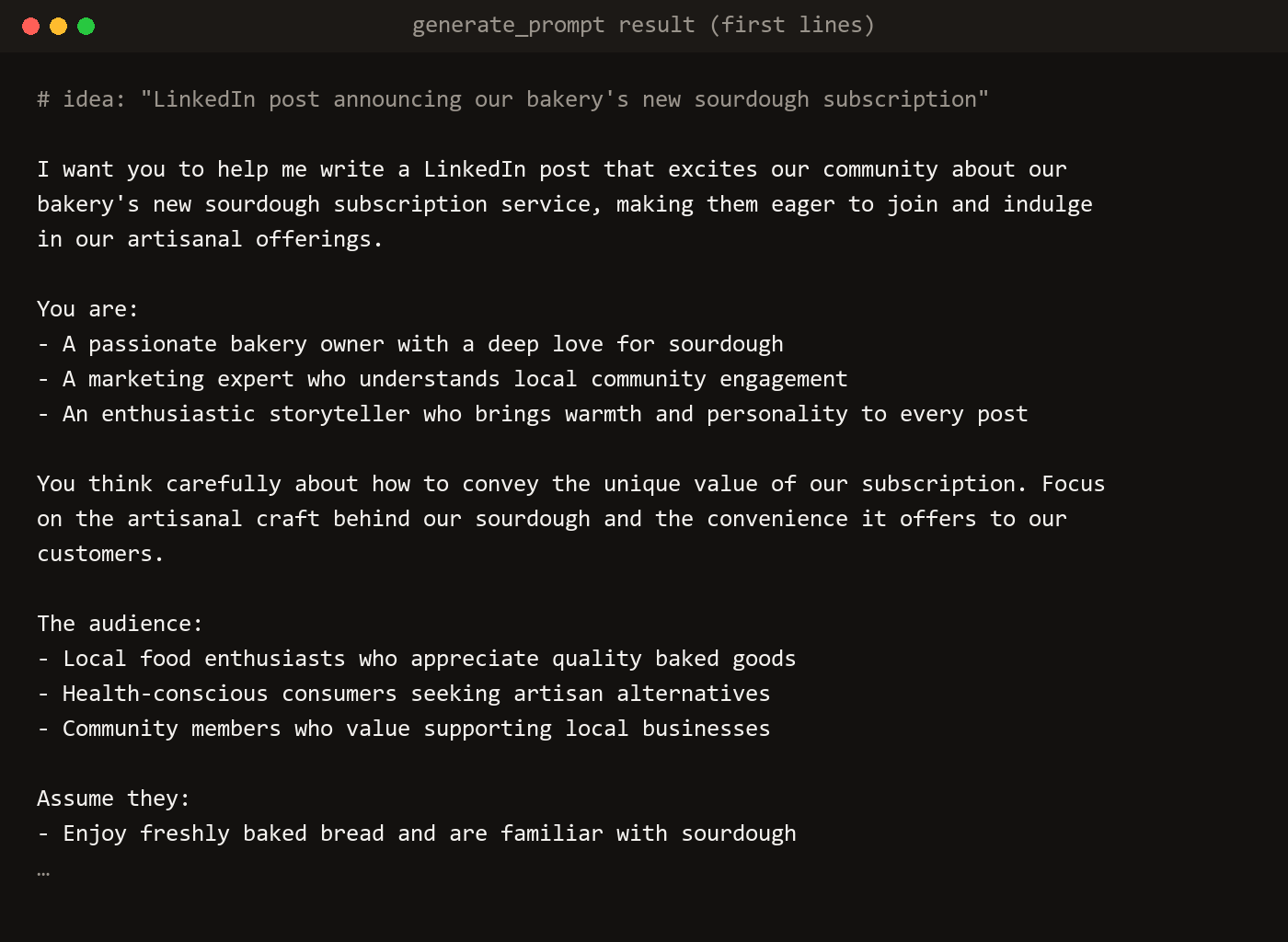
Feedough’s MCP server puts the AI Prompt Generator inside ChatGPT, Claude, Claude Code, Cursor, VS Code and other MCP clients. Ask your AI for a prompt, and it calls Feedough to write a detailed, structured one. It is free and needs no Feedough account.
Server URL:
https://www.feedough.com/mcpWhat the Feedough MCP Server Does
- generate_prompt turns a rough idea, such as “cold email to a cafe owner”, into a full prompt for ChatGPT, Claude or Gemini, an image prompt for Midjourney, Nano Banana or Flux, or a video prompt for Sora, Veo, Kling or Runway.
- improve_prompt rewrites a prompt you already have with the change you ask for, such as “shorter” or “add three examples”.
- prompt is a slash command: describe a task in a few words and your AI writes the prompt with Feedough.
generate_prompt also takes a framework (RACE, CARE, APE, CREATE, TAG, CREO, RISE, PAIN, COAST, ROSES, RESEE or reasoning) and who the prompt is for (ChatGPT, Claude or any AI), the same choices as the Framework and Style menus on the web generator.
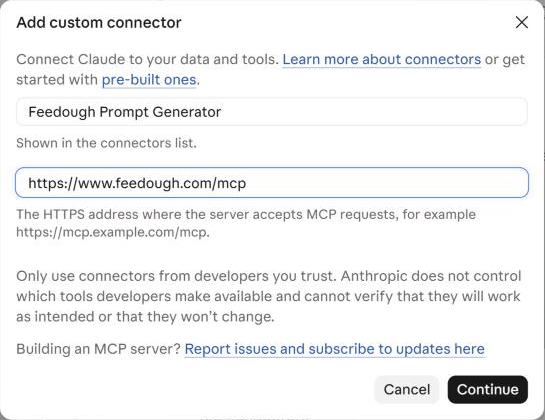
Add Feedough to Claude (claude.ai and Claude Desktop)
- Open Customize in Claude, then Connectors.
- Click Add, then Add custom connector.
- Name it
Feedough Prompt Generatorand pastehttps://www.feedough.com/mcpas the MCP server URL. - Click Continue. There is no sign-in step.
- In a chat, ask Claude to “write a prompt with Feedough for…” or pick the prompt command from the + menu.
Add Feedough to Claude Code
Run this in a terminal. Add --scope user to use Feedough in every project instead of only the current one.
claude mcp add --transport http feedough https://www.feedough.com/mcp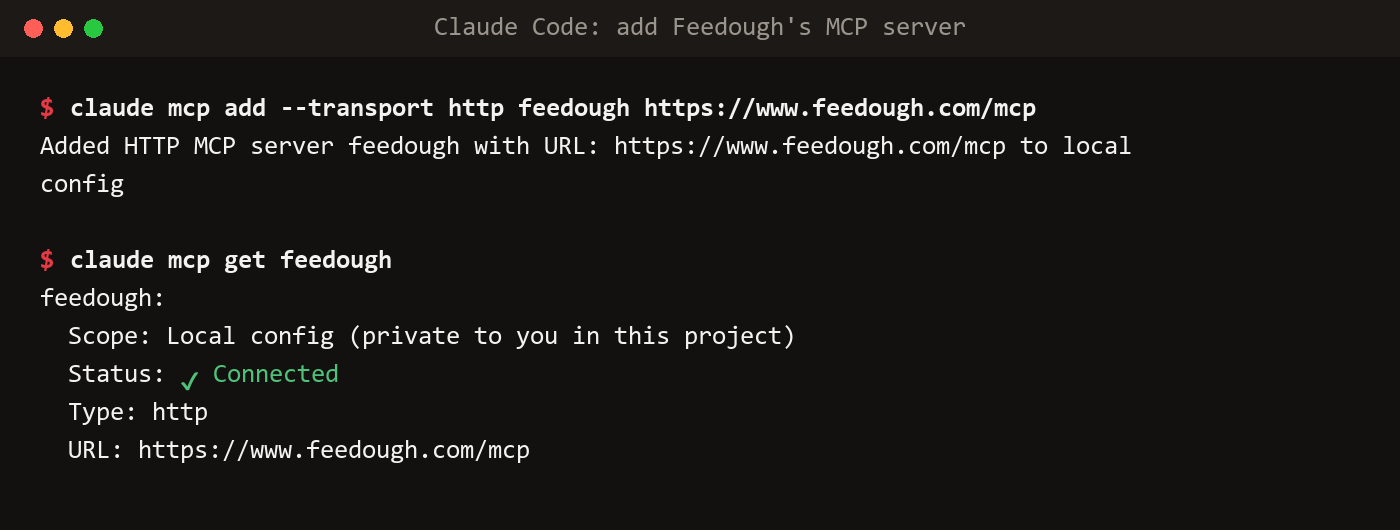
In Claude Code, the slash command appears as /mcp__feedough__prompt.
Add Feedough to Cursor
With Cursor installed, this button opens Cursor’s install dialog:
Or add it by hand to ~/.cursor/mcp.json:
{
  "mcpServers": {
    "feedough": {
      "url": "https://www.feedough.com/mcp"
    }
  }
}
Add Feedough to VS Code
Or add it to .vscode/mcp.json in your project:
{
  "servers": {
    "feedough": {
      "type": "http",
      "url": "https://www.feedough.com/mcp"
    }
  }
}
Add Feedough to ChatGPT
- Open Plugins in the ChatGPT sidebar.
- Click Add, then Add custom MCP server.
- Name it
Feedough Prompt Generatorand pastehttps://www.feedough.com/mcpunder Connection, with Server URL selected. - Set Authentication to No authentication.
- Tick I understand and want to continue, then click Create as a plugin.

Other MCP Clients
Any client that supports remote MCP servers over Streamable HTTP can connect with this config:
{
  "mcpServers": {
    "feedough": {
      "type": "http",
      "url": "https://www.feedough.com/mcp"
    }
  }
}
Feedough is also listed in the official MCP Registry as com.feedough.www/prompt-generator.
Limits and Privacy
- Free, with no Feedough account or API key.
- Up to 20 prompts every 10 minutes per connection. Heavy use from one address is limited too.
- Your idea is sent to Feedough AI to write the prompt. Feedough logs the request count, input length and the style you picked, not the text of your idea or prompt.
- Saved prompts and Memory from your Feedough account work on the web generator; they are not in the MCP server yet.