Feedough Logo

Blog

  • Dynamic Pricing – Definition, Advantages, Disadvantages & Examples

    Dynamic Pricing – Definition, Advantages, Disadvantages & Examples

    Choosing the proper pricing strategy is one of the most important undertakings for any business because any error in the setting of the price directly results in lost profit. But even when the proper price is set, it doesn’t take into account the changing market conditions and change accordingly.

    Enter dynamic pricing.

    What is Dynamic Pricing?

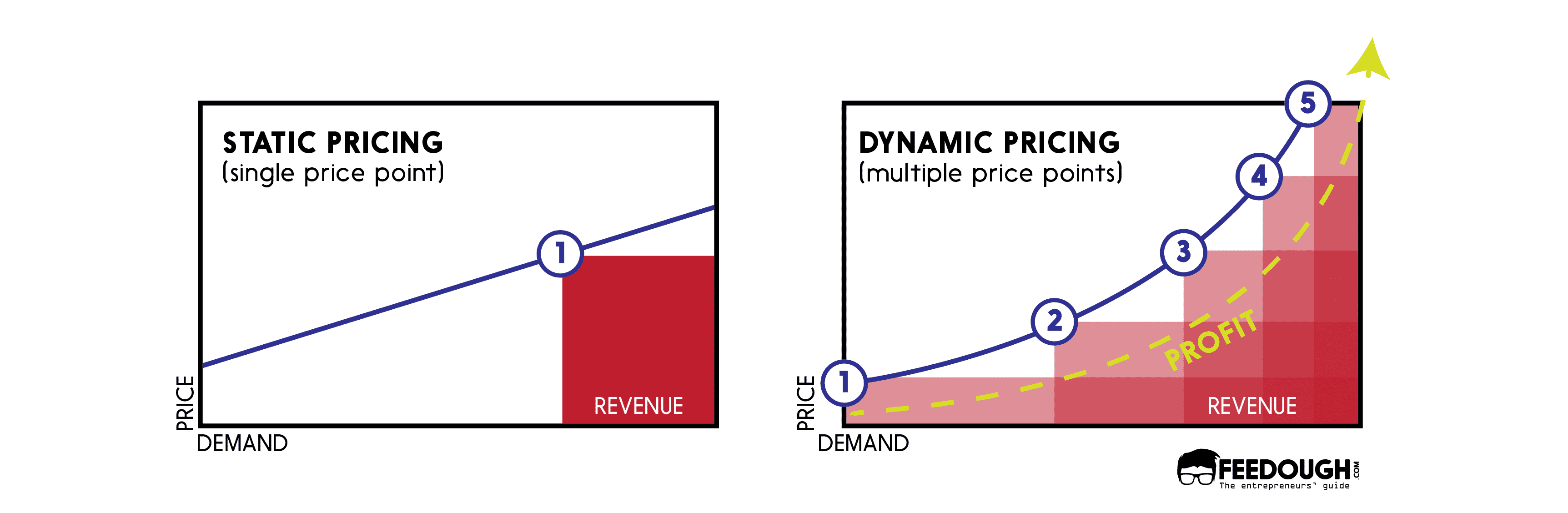
    Dynamic pricing (also called real-time pricing, surge pricing, or time-based pricing) is a technique that focuses on setting the price of the product taking into account different factors such as demand & supply, inventory, competition, locality, and other market conditions but in a smaller time frame.

    Once you’ve obtained market readings, you can then fix the price accordingly to achieve better profit margins than just leaving the price as is when it was first launched.

    You would have experienced this before on a lot of e-commerce. E-commerce sites like Amazon, Alibaba, Taobao, Walmart, eBay, and Target use this strategy effectively, changing the prices of the products depending on the demand and availability on-the-fly.

    But, keep in mind –

    The dynamic pricing strategy is not to be confused with other pricing strategies like differential pricing. Differential pricing refers to the pricing of the products based on the customer’s behaviour and characteristics, such as previous purchases and spending ability. On the other hand, dynamic pricing refers to the setting of pricing according to market conditions and similarly related factors.

    All this might seem to favour the businesses more than the consumers, but that doesn’t cover everything in its entirety.

    This brings us to –

    The advantages and disadvantages of using dynamic pricing.

    Advantages
    Disadvantages
    Higher profit and sales
    Customer dissatisfaction
    Adjusting to the competition
    Loss of sales
    Flexibility
    Gaming the system
    Better inventory management
    Not applicable everywhere
    Demand reflective pricing
    Price fluctuation

    Advantages of Dynamic Pricing

    Higher Profits & Sales
    dynamic pricing

    Dynamic pricing is really useful since it provides a venue for you to gain more all while selling more. With the use of dynamic pricing, you get to increase prices on the products whose demands have risen – netting you more profits and sales. This, though, is the ideal use and dynamic pricing can be used to boost either – profit or sales – quite well.

    Adjusting to the Competition

    Dynamic pricing can help you beat the competition quite easily. You can take the shopping preferences of your customers to provide a better experience but at a cheaper price compared to your competitors pricing all thanks due to dynamic pricing. This helps in bringing a lot more than just customers – it helps drive sales even while there are a lot of competitors in the market.

    Flexibility

    By implementing dynamic pricing, your business stands to benefit by remaining profitable. This provides flexibility and freedom to focus on other aspects of the business. Dynamic pricing provides the ability to focus on different sources of revenue while breaking even during the harshest of times. In many cases, this flexibility and freedom help make or break business operations.

    Better Inventory Management

    Dynamic pricing helps provide indirect control over the inventory – allows you to provide discounts for overstocked products to reduce their numbers or have a higher price on higher demand items to maintain the supply chain while earning more revenue. This helps in maintaining the flow of the inventory even during the toughest of times.

    Demand Reflective Pricing

    Dynamic pricing reflects the actual demand in the market. This is beneficial for the business with limited supply as it can make the most out of increasing demand.

    Similarly, low demand can benefit customers, in the form of low prices, for ordering from the business during a dull-sales period.

    Disadvantages of Dynamic Pricing

    Customer Dissatisfaction

    Dynamic pricing on products means that customers purchasing the same product but at even slightly different times means one ends up paying more than the other. This tends to upset customers who had to pay a higher price. Dynamic pricing is a double-edged sword – the customer who got the same product at a lesser price might come to trust your brand. But those on the other end can end up becoming hostile towards your company, which tends to reduce your brand image and brand value.

    Loss of Sales

    While dynamic pricing may help you gain higher profit margins all the while increasing sales, if not implemented properly, it could also lead to loss of sales and customers. In case a customer comes across the same product but priced significantly lesser by another seller, you will definitely not stand to gain from using dynamic pricing.

    Gaming the system

    Shoppers are more tech-savvy than ever. They have figured out methods and tools that can help them beat the changing prices – the tools and services provide consumers with the list of the prices of the same product from different sellers. This helps them find the cheapest of deals and negates all the steps in place for retaining a customer since they don’t care about the brand anymore – just the pricing alone. Shoppers are aware that companies tend to use dynamic pricing algorithms to set their rates and hence use ingenious methods such as using private browsers for product research, which helps limit the amount of information collected by them. This helps defeat the dynamic pricing algorithms since they tend to work by raising the prices on products with increasing search volume.

    Not Applicable Everywhere

    Dynamic pricing is a strategy that works better in certain fields and industries than the others. This may be attributed to the fact that some fields of businesses tend to prioritize customer satisfaction than just straight up chasing profit margins – this leads to a better brand image when implemented properly.

    Price Fluctuation

    Using dynamic pricing can cause significant price fluctuations in the market segment  – a competitor may lower their price, planning to make back in volume, in case you increase your prices. It may also backfire in case you lower your prices and the competition reduces their prices even lower.

    Dynamic Pricing Examples

    Transportation

    The airlines and ride-sharing industry are some of the earliest adopters of dynamic pricing. Take the example of an airline ticket. The ticket for the exact same flight with the same destination has different prices during different times of booking. One may get a cheaper ticket if they book it months earlier from the departure date while the other may have to pay higher prices if they were booking it just days before departure.

    The ride-sharing and hailing services also follow a similar method – Uber is a great example in terms of implementing dynamic pricing for their rides.

    Uber Dynamic Pricing

    Uber uses dynamic pricing to change their prices when there is heavy load, demand or traffic or lesser number of drivers accordingly. You might find that the price is different for the same trip that you took a few days earlier – this is because Uber uses its very own dynamic pricing algorithm to adjust its rates based on different factors, such as time and distance of your route, traffic and the current rider-to-driver demand.

    e-Commerce

    e-Commerce companies are the major users of dynamic pricing. This is because –

    • It is much easier to implement such strategies.
    • Easier to obtain data that can help provide personalized pricing and rates.
    • It can be used for any product on sale.

    Let’s take Amazon for example.

    Amazon Dynamic Pricing

    Amazon has always used dynamic pricing to their advantage – it has adjusted the prices of their products based on market demand. This has helped them beat competition all the while increasing sales and revenue. It is a win-win for Amazon since it doesn’t take much for it to implement this on the vast majority of products that it offers. Amazon has usually relied on automated software to help set and change their prices based on inventory, competition, and other factors accordingly. This also helps them increase their brand value and recognition among consumers.

    Entertainment

    The entertainment industry is another field where dynamic pricing is used to the maximum extent. Take the example of music concerts – they tend to increase their ticket sales with the use of clever dynamic pricing. Initially, they keep the prices low and raise them as the concert dates come near. This strategy initially helps increase awareness and demand among the ticket buyers and the concert folks can then increase the prices on their tickets as the demand rises, more than making up for and bringing a lot more in return.

    Final Thoughts

    Dynamic pricing is an essential strategy and one stands to gain a lot in return if implemented well. The main takeaway is that dynamic pricing works well if and only if implemented properly.

    Dynamic pricing helps indirectly control various aspects of sales and allows for a lot of creativity. There is an unending number of ways that data can be used to influence price using big data and machine learning.

    Go On, Tell Us What You Think!

    Did we miss something? Come on! Tell us what you think about our article on dynamic pricing in the comments section.
  • How Does IFTTT Work & Make Money | IFTTT Business Model

    How Does IFTTT Work & Make Money | IFTTT Business Model

    Unlike tangible items, software can only be used for what it is programmed to do. Unlike in the physical space where you can use an object for different purposes, you cannot easily use one piece of code to perform an entirely different task.

    This is where IFTTT steps in.

    What is IFTTT?

    IFTTT is short for If This, Then That. Named after the “if” programming conditional statement, IFTTT helps provide a software platform that you can use to connect apps, devices, other platforms and services to one other.

    ifttt basics

    This can enable you to use the output of one software to trigger another service such as say, receiving notification in order to trigger a light in the house so that you get notified much easily rather than glancing at your phone every once a while.

    That is just one example of all the things you can do by connecting different apps and services with IFTTT. Here are a few more:

    • Use your location to change your phone’s ringer and notification volume accordingly. You don’t know when this would come handy; mostly while at work or in theatres since you don’t have to manually put your phone on silent.
    • Update profile pictures on Facebook and Twitter with just one upload. Really handy for those who change their profile pictures often and want to maintain the same one on all platforms.
    • Get notification of your favourite teams on any of your devices.
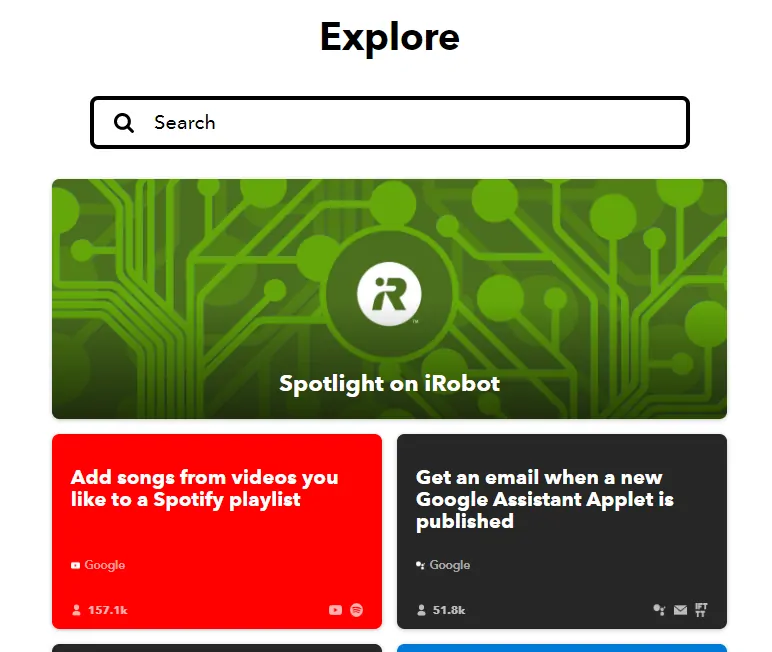
    • Add songs from YouTube playlist to Spotify with just a click.

    The possibilities are quite endless, only depending on the supportability of the service to work with IFTTT and your imagination.

    Which brings us to –

    How does IFTTT work? How does IFTTT connect so many services together?

    Let’s find out.

    IFTTT Business Model

    IFTTT can be considered as a software platform that helps connect different services. This is powered by Application Programming Interfaces (APIs) provided by other services.

    This means that IFTTT runs on API economy and helps connect two different APIs to open up new avenues for interacting which would’ve been not possible before.

    How IFTTT Works?

    IFTTT works with the help of services provided by other companies and applets.

    So –

    What are these services and applets that we speak of?

    What Are Services?

    Previously known as “channels”, Services are the apps, websites, and devices supported by IFTTT for you to command and create applets with. Services can be anything from an email client to your smartphone apps to smart home devices like Google Home or Alexa.

    ifttt services

    IFTTT supports over 600 services as of writing.

    What Are Applets?

    Applets are just code that helps connect two different services to run automated tasks. Applets consist of two parts: the trigger (if this), and the action (then that).

    ifttt applets

    IFTTT currently has over 54 million applets as of writing.

    In short –

    IFTTT acts as the platform for programming and finding applets from services – by providing a useable and neat interface, along with easy access to APIs of different services under the same roof. It gives tools for creation and listing of applets to those savvy enough while also acting as a platform for searching and using the applets.

    Here’s how.

    IFTTT’s Operating Model

    1. Users can join and search for and use applets using the IFTTT platform.
    2. It allows users to see and manage all the different services on IFTTT.
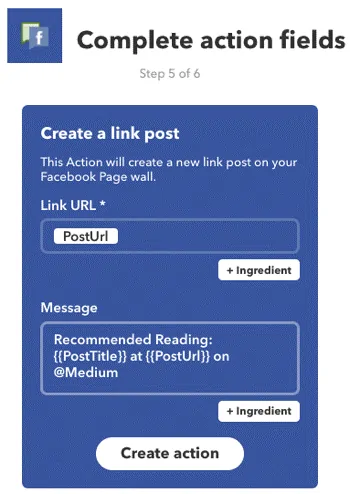
    3. Set-up an applet to perform specified actions. creating ifttt applet
    4. Create widgets to use specified applets right from the home screen. creating ifttt widget

    How Does IFTTT Make Money

    Till 2019, IFTTT had been running its operations via funding obtained from investors. According to Crunchbase, IFTTT had raised about $62.5M in total from its 5 different funding rounds starting back on Jan 1, 2012.

    But in 2020, it changed its revenue model. The company shifted to a freemium SAAS model where it charged its users to pay to create apps.

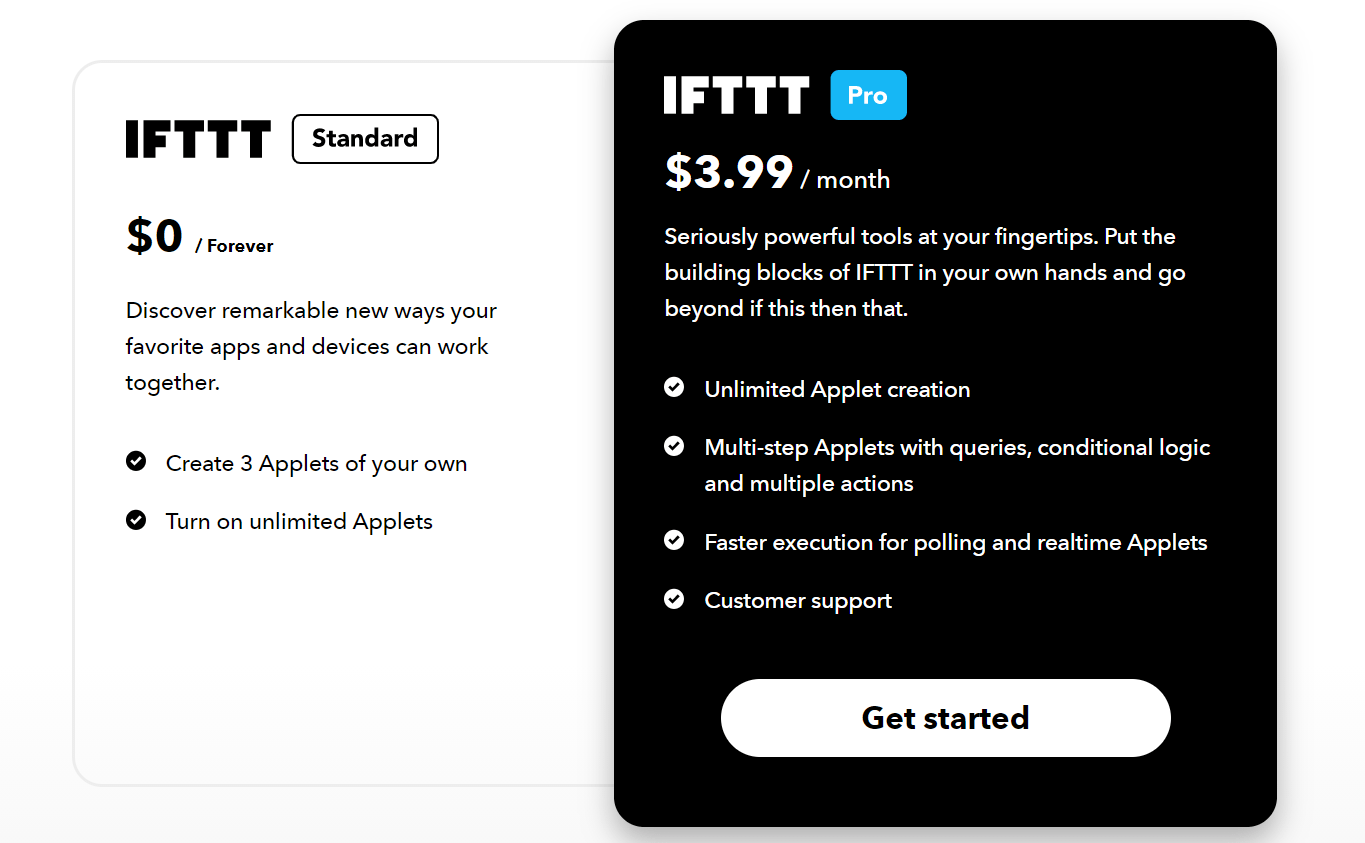
    As of date, the pricing model has two tiers:

    • IFTTT Standard: It’s free tier that allows the user to turn on unlimited applets but only lets him create 3 applets of his own.
    • IFTTT Pro: It’s the paid tier costing $3.99 per month that lets the user create unlimited applets and even use queries, conditional logic, and multiple actions in his applets.
    IFTTT pricing model

    However, till now, the main money-making source of IFTTT is its business plans.

    “So many people think of [IFTTT] from a consumer point of view. But the business side is where IFTTT generates a lot of value and where later this year we’ll see more services evolve that cater to businesses.” – Linden Tibbets

    IFTTT offers three different monthly plans for business –

    1. Developer
    2. Team
    3. Business
    ifttt plans

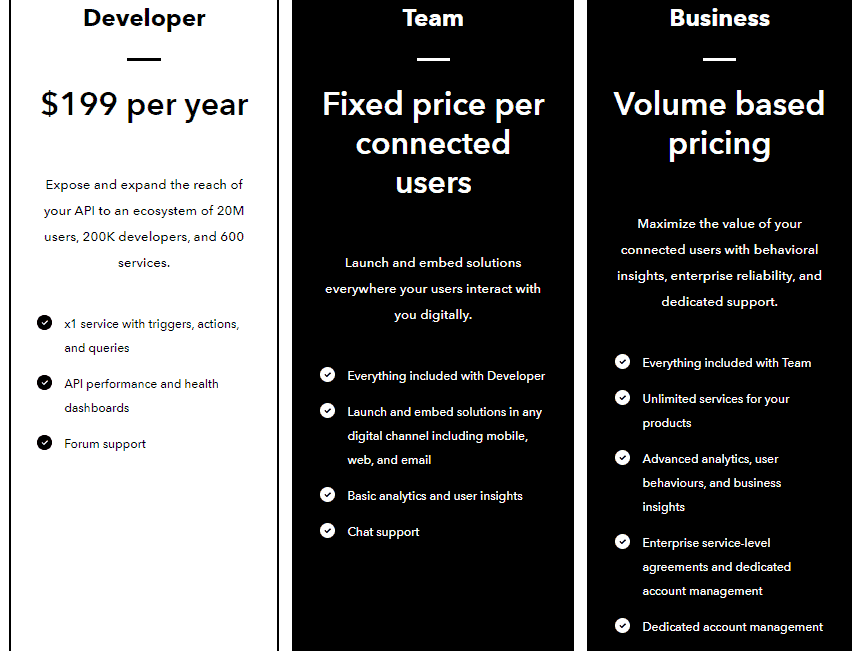
    The Developer plan has an upfront monthly fee of $199 per year and provides the basis of services such as being able to create 1 service and obtain the performance of their service and API.

    On the other hand, the Team and Business plans provide more features but with prices either fixed as per the number of users using the service and volume-based pricing respectively.

    Final Thoughts

    IFTTT has a very simple business model of providing API integrations on a large scale to the masses and it has been one of the first to cater to this market. While the number of competitors has increased it has still managed to stay afloat since it employs a small staff of programmers and marketers to maintain and promote the platform.

    IFTTT has a lot of venues to open up its revenue streams but seems to be taking it quite slow while building up more partnerships with companies to grow their offered services.

    Go On, Tell Us What You Think!

    Did we miss something? Come on! Tell us what you think about our article on How IFTTT Works & Makes Money | IFTTT Business Model in the comments section.

  • Social Selling: A Detailed Guide For Beginners

    Social Selling: A Detailed Guide For Beginners

    Cold calling is dead. Only 1% of the cold calls actually results in meetings.

    Cold emailing is also losing its effectiveness. More than 75% of your cold outreach emails aren’t even opened.

    Given these challenges, how do some B2B brands still stand out and generate more leads?

    The answer is simple –

    They develop their presence where the customer is and capitalize on the psychology of social selling.

    What Is Social Selling?

    Social selling is a selling technique where salespeople directly interact with their prospects on social media to generate and convert more leads.

    It’s the process of using social media to –

    • Find the right prospects and collect leads
    • Nurture those leads by developing relationships
    • Make those leads go further in the sales funnel
    • Convert those leads

    Here’s an example to explain social selling further –

    • Jacob owns an SEO agency which targets small and medium businesses. While browsing profiles on LinkedIn, he comes across Monica who owns a small bakery. After scrolling further, he sees that Monica has just launched her website which apparently isn’t optimized well.
    • Jacob now sees an opportunity here. He sends a connection request and even an introduction message congratulating Monica about her bakery’s success. However, he also includes his observation of Monica’s website and suggests to fix it.
    • Monica likes his input and agrees to set up a meeting to discuss the same.

    This example here isn’t hypothetical. Transactions like this happen every hour on LinkedIn, Facebook, Twitter, and even Instagram and Pinterest. As a matter of fact, 61% of US marketers use social media for lead generation.

    Social Selling vs. Social Media Marketing

    Now, many people mistake social selling to be the same as social media marketing. However, in reality, there’s a big difference between the two.

    Social media marketing is an umbrella term which focuses on big digital marketing goals like –

    Social selling focuses only on the collection and conversion of leads. It’s a subset of social media marketing and is more personalized than the usual social media marketing strategies.

    Why Is Social Selling Important?

    The traditional sales model of cold calling, sales demos, and qualifying leads is losing its relevance in this era of the internet where time is less and the options are abundant. Social selling is a way out to cater to this new audience by educating them about the offering at a place where they are most active on and in a way they don’t feel they’re wasting their time.

    Social selling is gaining importance as –

    • For every $1 invested in social selling, the ROI is $5.
    • 91% of B2B buyers are now active on social media
    • 75% of B2B buyers use social media to make purchasing decisions.
    • A prospective customer is 5x more likely to schedule the first meeting with a salesperson if they are connected on a social network like LinkedIn.

    As the internet era progresses, customers are becoming more community-driven and seek personalisation and social validation in everything they do or buy. This creates an opportunity for the salesperson to build a reputation, gain trust, and become the online companion of the prospective customers to provide them with personal guidance and validation in the decisions they make and offerings they buy. And sellers are doing this very well. According to the “State of Sales” report, the time spent by brand representatives in connecting with customers online has increased 3.2 times more than time meeting them in person.

    Social Selling Mechanics

    So, how do you social sell exactly?

    Well, there is a process, indeed.

    • It starts with identifying your prospective customers and figuring out the social media networks they are most active on.
    • You develop your own professional brand and gain the trust of your followers on that social media network. This is done by sharing quality content and proving useful to people by helping them in things you’re good at.
    • The next step involves connecting with prospective customers and building a trust-worthy professional-yet-friendly relationship.
    • And then you drive them further into your sales funnel.

    Step 1: Social Prospecting

    Social prospecting involves scouting social networks for customer interest, buying intent, or a qualified prospective lead. In simple terms, it is the process of leveraging social media networks to identify the most suitable social network and research for the most suitable customer prospects.

    You can use tools like LinkedIn saved searches which notifies you whenever a new lead matches your search query. Other than this, many also use social media monitors to track major life events and achievements of the target group which correlates with the offering.

    Step 2: Personal Branding

    Once the perfect social media network is identified the next step involves you to develop an attractive profile and post engaging content to develop a personal brand that is considered knowledgeable, approachable, and trustable.

    This step involves you to build trust, reputation, and credibility by posting relevant posts and articles which correlate with the ongoing trends. You can also ask for recommendations from existing connections, comment and react on relevant posts, and even offer pro-bono consulting.

    A good social seller knows the importance of right communication at right stage of buying funnel. He believes in forming a relationship which he can later use to refer his products.

    Step 3: Lead Generation

    A lead is often generated during a one-on-one conversation between you and a prospective customer. You get to know about the funnel stage he is in by directly talking to him.

    Different social sellers have different approaches to lead generation. While many sellers pitch directly to the prospective customers, many take time to build relations. Develop your own approach and use your own skills to generate and nurture leads.

    Step 5: Conversion

    This is the final step where you provide your prospective customer with a call to action. It could either be a purchase link or a proposal to meet and discuss things. If the prospect accepts your call to action, he is considered to have converted.

    Social Selling On LinkedIn

    LinkedIn is a pioneer when we talk about social selling. The platform provides you with a full-fledged premium sales plan subscription which comes with goal-oriented sales tools.

    Prospecting

    Since the platform highly B2B oriented, sales prospecting on LinkedIn is easier as compared to other social media networking websites.

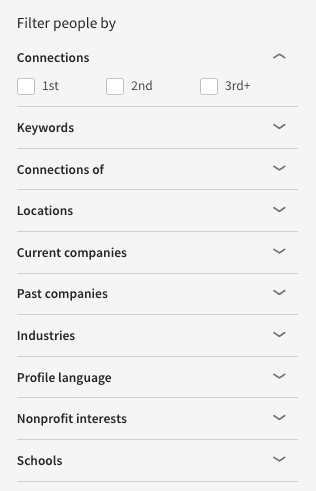
    A free user can search for leads on the network by applying the following filters –

    • Keywords
    • Connections of
    • Locations
    • Current companies
    • Past companies
    • Industries
    • Profile language
    • Schools

    social selling free linkedin
    Source: Hubspot

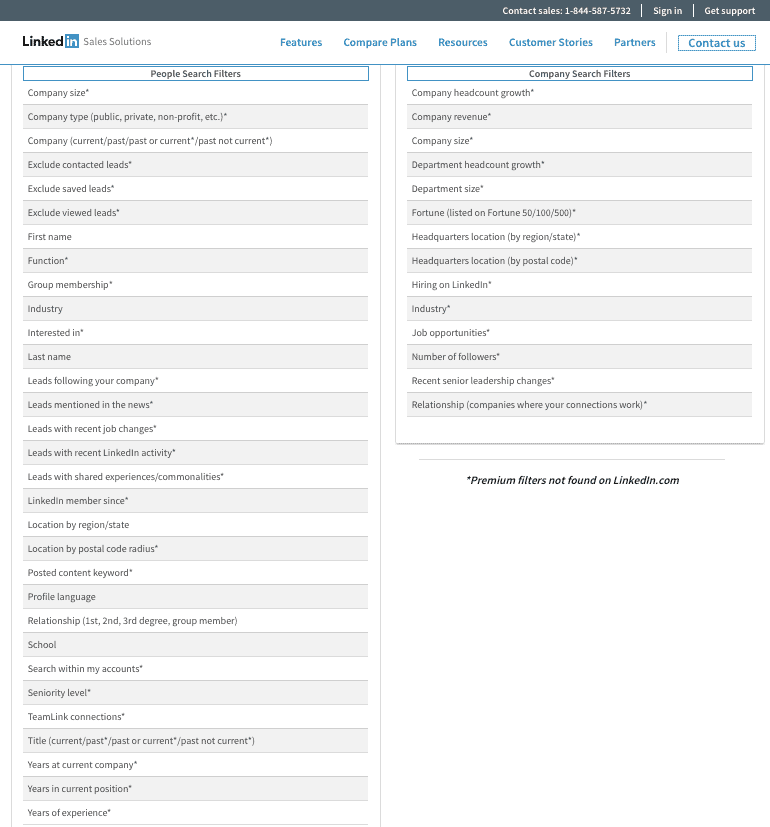
    A premium member, however, can use a lot more search filters to narrow his search results.

    linkedin sales premium features
    Source: Hubspot

    Other than this, LinkedIn also makes scouting for prospects easy by including these features on the platform –

    • “People Also Viewed” Sidebar: LinkedIn also suggests profiles of people similar to your prospect.
    • Lead Builder (paid): Lead builder is a paid feature included in the sales navigator subscription plan. This tool provides you with the ability to save a prospect as a lead. Doing so will make his updates and posts appear directly on your home page so you can build better relations with him by commenting and reacting to his posts.
    • Saved Search (freemium): This feature lets you save a search filter on LinkedIn. Every day, week, or month, LinkedIn will run the search and send you email alerts with new additions to the list.
    • LinkedIn Groups: LinkedIn has several interest-based groups which are a leads mine for a B2B seller.

    Researching On LinkedIn

    LinkedIn proves to be the perfect place to build a personal brand, not just for you but for your prospects as well. That is, once you’ve identified your prospect, getting to know about what he does, where does he work, and what are his likes and dislikes is very easy. All you need to do is to go through his profile check his about section, highlights, and articles and activities.

    You also get to know about his qualities and characters by going through the recommendations on his profile.

    Selling On LinkedIn

    Selling starts with creating a trustable personal brand. Complete your profile, share relevant information, give recommendations, ask for recommendations, and interact with your connections. You can even opt for LinkedIn premium which adds an additional badge to your profile which increases your trust factor.

    The actual sales pitch is sent using InMails (direct messages).

    The premium sales navigator subscriptions also allow you to send InMails and pitch to prospects who are not even in your connection list.

    Social Selling On Facebook

    Contrary to LinkedIn, selling on Facebook is more B2C oriented. However, it does provide tools to target B2B customers as well.

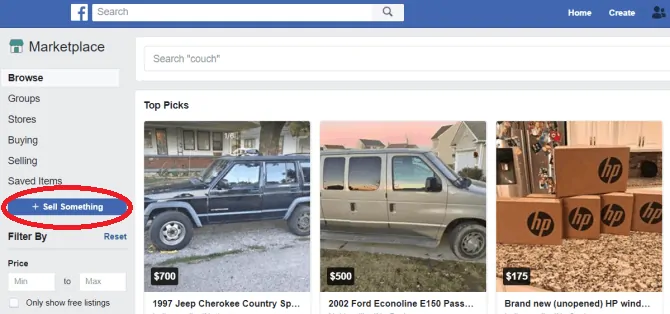
    Facebook Marketplace

    Facebook marketplace


    The platform hosts a dedicated marketplace which you can use to sell your specified offerings directly to the end consumer. The marketplace has a similar interface as that of Amazon but –

    • Anyone can list any product on the marketplace
    • The actual transaction takes place off Facebook

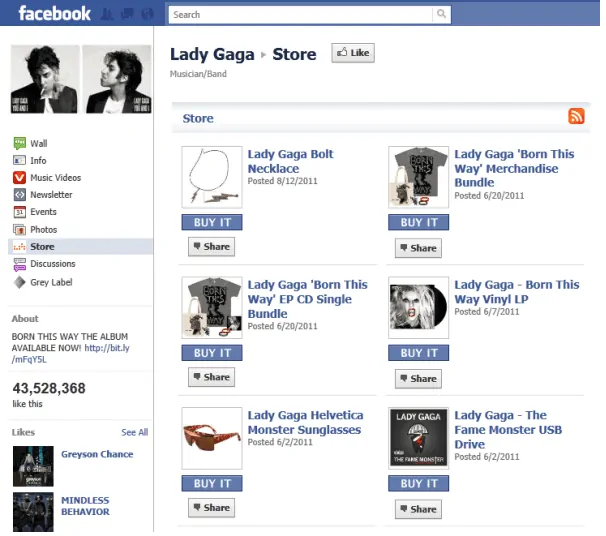
    Facebook Shop

    Example of a Facebook Shop | Source: AdEspresso

    Facebook Shop is more of a pull strategy as you don’t actually reach out to anyone with your offering. It involves adding saleable products or service on your Facebook page and showcasing them to your page visitors.

    Facebook Groups

    Just like LinkedIn, Facebook also hosts millions of interest-based, demographic-oriented groups which can prove to be a lead mine for anyone looking for sales prospects. People often post queries and take buying suggestions on such groups.

    Social Selling On Twitter

    Social selling on Twitter possible and is very prevalent. People often mention their posts in the organisation in their profile bio. This makes it easy to identify the prospects.

    twitter lists
    Source: jeffbullas.com

    The platform also provides an option to group prospects into defined lists. You can group prospects according to –

    • job titles
    • companies
    • geography
    • people you’ve met in person

    Twitter requires more patience. You need to engage the audience before pitching your product. And you need to be social while you sell. Usual sales pitches don’t work on Twitter.

    Go On, Tell Us What You Think!

    Did we miss something? Come on! Tell us what you think about our article on social selling in the comments section.
  • What Is EdTech? – Use Cases, Examples, & Future

    What Is EdTech? – Use Cases, Examples, & Future

    The education system was built at a time when the computational power of the world combined to form today’s calculator. It doesn’t make sense to use the same methods of learning and teaching as they did decades ago.

    The advancements in technology – mainly information technology and the internet mean we have yet another change to make the educational system come up to speed with today’s standards.

    Enter edTtech.

    What is EdTech?

    EdTech or educational technology refers to the use of both – hardware and software technology – to complement the learning and teaching process.

    EdTech is a vast field that covers all fields of education and the studies that come under it.

    There are a lot of that can be changed in the educational field – this is one field with a lot of challenges that can be solved with the use of technology in the right way.

    So –

    What are the challenges that the educational industry faces as of this day?

    Educational Challenges

    Monitoring, Involving & Interacting

    The amount of monitoring the progress of the students is quite hard, especially when done manually. It is a daunting task that tends to stress out the teachers. This makes the educators less involved and less passionate since they are focussed on monitoring rather than planning the best course of imparting knowledge.

    It also does not include the student’s parents in the loop. Parents have no means of knowing the exact details of what their children are being taught most of the time. Parental involvement and the number of times they get to interact with their wards and teachers at the institution is minimum and rare.

    Expensive Education

    This is a major problem all over the world – the number of students with student loans itself paints a bleak picture of the current scenario. The cost of education has increased drastically and this tends to have a negative impact on the students the most.

    Nature of Learning

    The use of physical media such as books and notes hinders the ability to have access to them whenever required. This makes learning more of a chore that reduces the involvement of the students.

    Teacher Training

    Teachers need to be trained on a regular basis – they are the most important player in the whole system. But teachers generally get trained the time they join and only after years do they undergo another major training session. If at all they do get trained frequently, the process is too cumbersome and monotonous for the teachers which tend to discourage their intuitiveness.

    Lack of Educational Standards & Universal Accessibility

    The education standards vary drastically across the world. Remote regions of the world have a significantly different standard than the ones followed in say, the cities. This is due to the inability of information and views to be easily passed on to the remote parts of the world even though global connectivity exists.

    Wastage of Resources

    Wastage here equates to the amount of environmental impact that printing or books and manufacturing of stationary causes. This may seem trivial or insignificant for many with many institutions having embraced technology to augment the learning process. But there are still places all around the world that still rely majorly on physical supplies. This just adds to the already increasing waste and pollution levels.

    Absence of uniform content

    Since the standards vary drastically in different institutions and regions, there is no uniformity in terms of the educational content and syllabus to be used. Another aspect that troubles the educators is the concept of responsive content. Uniform and responsive content not only increases the interest and participation of students but also helps remove the overheads in terms of exclusive content that is only available to certain institutions.

    Student Health & Bullying

    The pressure of the current curriculum is well known for many cases of mental illness.

    • 40% are afraid to ask for help
    • 80% said they feel overwhelmed by their responsibilities

    This brings us to bullying – it is not a new problem. Bullying has a great impact on the learning of many students. With the increasing penetration of technology, cyberbullying has risen to become a major issue for schools.

    Which brings us to –

    What are the use cases of EdTech? How do tackle the mentioned challenges?

    EdTech Use Case

    In the age of global connectedness and the use of computers and the internet to improve most fields, the educational field is one of the main few which stands to gain with the use of technology. So, why not use the technology – which is already used to empower most mundane of fields – to also empower the educational industry.

    Enhanced Educational Experience

    With the help of technology, we can create e-learning methods that help greatly promote the studying experience. Technology powered e-learning helps assist students to experience the content and lessons in a much better and more optimized way.

    E-Learning not only augments learners but helps encourage just about anybody to take up learning due to its availability and ease of access. This will not only strengthen the individual and the economy as a whole.

    Technology powered education helps increase the interactivity and bring in a lot of elements that wouldn’t be possible traditionally –

    • Video lectures
    • Reading Material
    • Integrated Activities

    Massive Online Open Courses (MOOCs)

    MOOCs allow students to access courses from colleges that make it available from across the world. Students also get to benefit from the range of courses that might otherwise not have been accessible to them. This helps bring high-quality education to everyone and mostly for quite less.

    e-Learning analytics

    e-Learning helps collect a lot of data on the activity of the students. This helps in developing a detailed insight to assess the student’s performance. This helps teachers make calculated and individually-tailored plans for each of their students. It also makes sharing the student’s performance with their parents much easier.

    Educators can improve instructor effectiveness, learner retention, and ROI of their online teaching activities with diligent use of data sets to develop behaviour-model algorithms.

    This can be done via the mixed-use of –

    Artificial Intelligence (AI) – Helps gauge the performance and provides necessary steps that can be implemented in order to improve more.

    Big data – Helps identify performance and provide insights on information that can also be easily shared with parents and students.

    Personalized Learning

    EdTech companies help provide personalized methods of learning that are tailored to individual learners through the use of AI and big data. This helps greatly with students with the varying capability to pursue learning at their own pace. This also ensures that students get the best possible assistance.

    Advanced Learning Management Systems

    Learning Management Systems (LMS) help provide features like online tutoring, MOOC designing, delivering course modules on-the-go. LMS provides a more convenient method of teaching and learning.

    It also includes digital classrooms which help in –

    • Being able to access content worldwide
    • Promoting engagement with the students
    • Making the learning experience more engaging and fun.
    • Personalizing it according to individual students
    • Monitoring student’s progress

    SCORM

    SCORM stands for Sharable Content Object Reference Model and is a collection of standards for publishing, launching, and tracking e-learning.

    SCORM has been widely adopted and helped become one of the main standards for creating and sharing e-learning content worldwide.

    Immersive Learning

    With the help of AR and VR, one can easily help simulate real-life situations or scenarios. This offers far more value than any traditional classroom setup ever could –visual learning is the most effective since it requires higher sensory focus.

    Not only does it helps one take a virtual field trip, VR or AR has also helped in –

    • Sparking design-based creativity
    • Teach complex concepts
    • Assisting as if they are present alongside
    • Easier interaction
    • Students and teachers from all over the world connect with one another easily

    These are a few important uses cases where edTech is being used to make a difference. Let’s move onto the companies and startups that are working to bring about a change in the edTech field.

    EdTech Companies/Startups

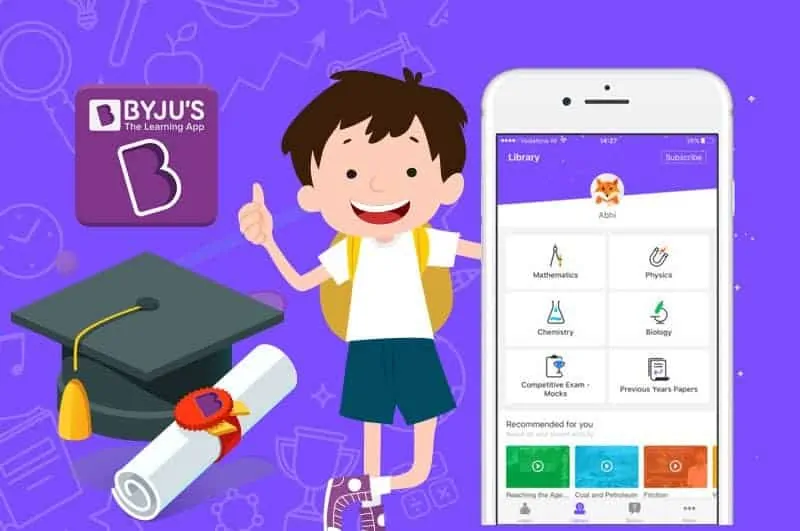
    BYJU’s

    byjus app
    Source: Growth Spartan

    The world’s highest-valued edTech startup – currently standing around $5.7 billion – runs the Byju’s – The Learning App. It helps provide videos based on educational concepts and courses.

    TORSH

    torsh
    Source: TORSH

    A company that helps provide and improve teacher’s training with the use of online data platform tools and videos. These are used to improve the coaching and observation skills of the teachers.

    Blackboard

    blackboard interface
    Source: Blackboard

    Blackboard is a company that helps provide online tools to teachers that help them connect with their students on a more individual level. They are presented with insights on their performances along with their strengths and weaknesses.

    Code Club

    code club
    Source: Code Club

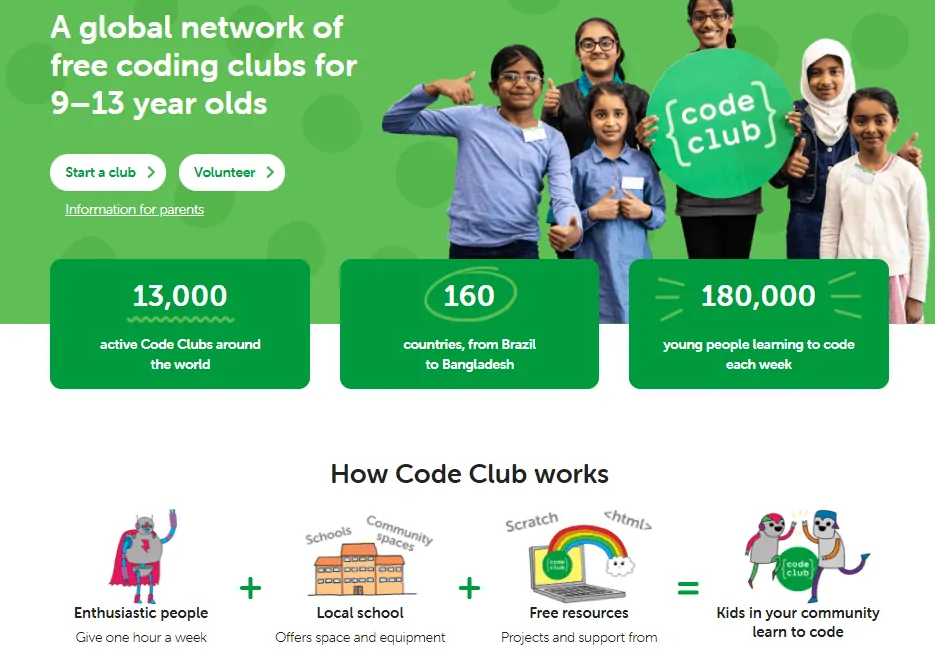
    An NGO organization that helps teach basic coding to students aged 9 to 11 over a period of 4 terms for free.

    Piazza

    piazza interface
    Source: ResearchGate

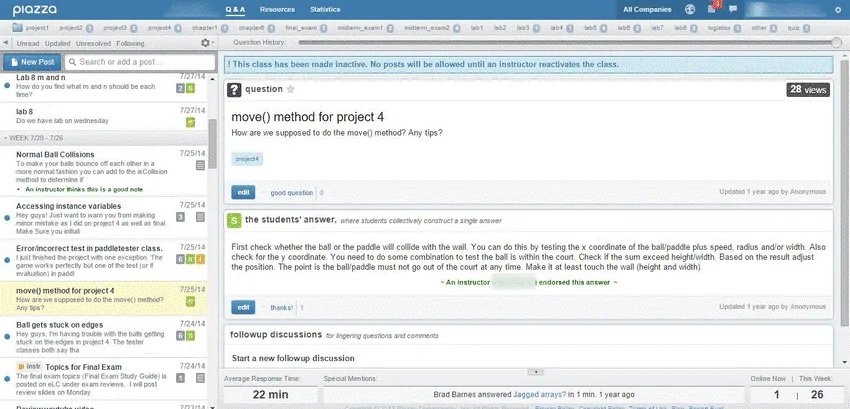
    It helps provide an online study room for students with the ability to connect with a teacher or student to ask questions anonymously.

    Future of EdTech

    EdTech is a rapidly advancing field and does not look to be slowing down. Having access to the internet alone opens up a lot of avenues of learning. You can get world-class lectures for the fraction of the cost all thanks to the innovations made by the edTech companies.

    AI and Machine Learning will prove to be game-changers and will help make education and learning only better. These two will be the driving factors of edTech since they help automate and provide personalized information on a scale that was not possible before.

    Education will always remain since it drives the world as we know it today.

    Go On, Tell Us What You Think!

    Did we miss something? Come on! Tell us what you think about our article on Educational Technology in the comments section.

  • LinkedIn Marketing: A Beginner’s Guide

    LinkedIn Marketing: A Beginner’s Guide

    If you thought LinkedIn is just for professionals and job seekers, you’ve had a wrong impression of this professional social media network. While analysing LinkedIn’s business model a few months back, I mentioned about the marketing and sales tools it provides to the businesses. This article is dedicated to using those tools to market on LinkedIn, generate leads, and convert them.

    But before we start, here are some facts about LinkedIn and LinkedIn marketing that you should know –

    • 630 million – the number of users on Linkedin.
    • Over 90 million LinkedIn users are senior-level influencers, 17 million are opinion leaders, 10 million are c-level executives, and around 63 million are in decision-making positions.
    • 25% of millennials use LinkedIn
    • 49% of LinkedIn users earn $75,000 or more in a year.
    linkedin leads

    If you’re a B2B marketer, chances are that many of your prospective customers are already on LinkedIn. All you need now is to learn how you can use this #1 professional social network to help you generate leads for your business.

    What Is LinkedIn & How Does It Work?

    Linkedin is a professional social network with a focus on making it easy for people to connect with other professionals and grow their careers and businesses.

    You can call it as Facebook for professionals – the difference being LinkedIn’s target audience is more professional and their focus is to build their personal brand, grow their professional network, land a better job, and generate more leads for their businesses.

    Other than this, the user-side operating model is similar to that of Facebook’s. You can add a connection by sending requests and publish textual or multimedia statuses which appear on other people’s (usually your connection’s) newsfeed. You build your profile as a personal brand mentioning what you do, where do you work, and what all have you achieved till now. You also have the ability to interact with other community members by sending InMails to your connections, joining groups, and replying to other’s posts using comments.

    Besides this, the platform lets you create a company page for your business as well. These pages were originally thought of HR landing pages for brands, but things have changed a lot since its launch. Now, the company pages act as a great tool to raise brand awareness, educate potential customers about your products, collect leads, and promote career opportunities.

    LinkedIn also provides with a lot of marketing tools to promote this company page and increase the brand exposure among the targeted audience.

    What Is LinkedIn Marketing And Why Should You Use It?

    Just like Facebook, Twitter, & even Whatsapp, brands use LinkedIn to market their offering to prospective customers. The difference being –

    • LinkedIn marketing is used majorly by B2B brands. ~94% of B2B marketers use LinkedIn to distribute content.
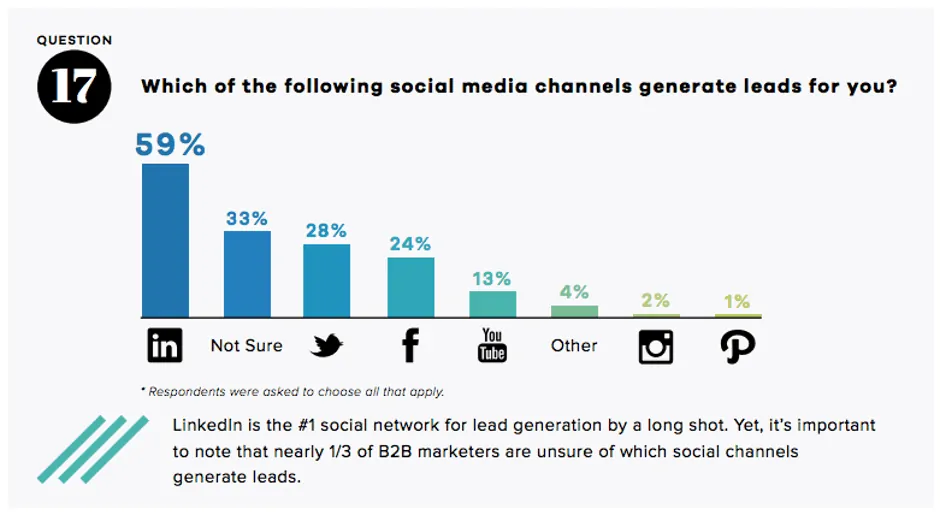
    • It is a leads mine. 79% of B2B Marketers consider LinkedIn to be an effective source of generating leads.
    • Many also use this platform to send decision-makers to their website. 46% percent of social media traffic to B2B websites comes from LinkedIn.

    In simple terms – B2B companies use LinkedIn as a marketing platform to execute inbound marketing, outbound marketing, as well as personalised marketing to generate and convert leads to drive business results.

    Developing A LinkedIn Marketing Strategy

    Unlike Facebook which people visit to spend their free time, your target audience sees LinkedIn as a place where they invest time. An effective LinkedIn marketing strategy aligns their objectives with your business objectives to get the result you look for. It involves a mix of pull and push marketing strategies to attract as many leads as you can, pitching them about your business, and converting them.

    Here’s how you can develop your own LinkedIn marketing strategy.

    Develop A Business Presence

    LinkedIn marketing starts with developing a business presence on the platform. This is done by creating a company page.

    Creating a business page on LinkedIn is as easy as creating a Facebook Page. The only prerequisite is that you should have your own LinkedIn profile before creating a page.

    • Simply, visit this page.
    • Choose the type of your business.
    • Enter the required information and upload the required images. Make sure to align them to your brand guidelines.
    • Write a professional ‘about us’ describing your target audience, mission, and vision. Make sure you include your industry related keywords in your about us section which will increase the chances of you appearing in search whenever someone searches for something similar.
    • And add your website, industry, and additional business information below that.

    Once done, invite and encourage all your employees to add your company’s page in their profile to increase the reach.

    Define Your Goals

    LinkedIn marketing is highly goal-oriented. Most of the times, the goals relate to lead generation and lead conversion. And more often than not, LinkedIn marketing uses both personal and brand efforts to fulfil those goals.

    Develop SMART goals. State why are you here on LinkedIn. It could be to –

    Start With Organic Traction

    LinkedIn marketing, just like social media marketing on other platforms, requires both paid and organic efforts. While paid is good for targeted advertising, LinkedIn is also a perfect platform to make your target audience aware of your brand and its offerings organically.

    Many people ignore this step because they don’t understand that not knowing how social media algorithms work leads to overspending. To save you from the trouble, here’s how LinkedIn algorithm works –

    • Filter #1: A bot decides whether your content is spam, low-quality, or good-to-go. It never appears on the feed of other members if it is regarded as spam or low-quality.
    • Filter#2: Good-to-go content appears temporary in the feed of audience which has shown interest in that particular profile, page, or niche. This filter tests whether the audience actually engages with the content in the form of likes, comment, click, or share. It also checks whether the audience reports it or hides it from its feed.
    • Filter #3: The observation from previous filter results either in the content being removed or being shared to other profiles who might like it.
    • Filter #4: Actual humans review the posts to determine if it should continue to be displayed in the feed, or even given an organic boost.

    Use this knowledge to post content which aligns with your goals. I suggest you use a mix of all the types of posts available on LinkedIn. Videos perform extremely well (3 times more than textual statuses). Articles, too, have a great appeal as they get discovered not only on LinkedIn but also on search engines (hence, helping you in SEO).

    Reach Out Using Paid Marketing Tools

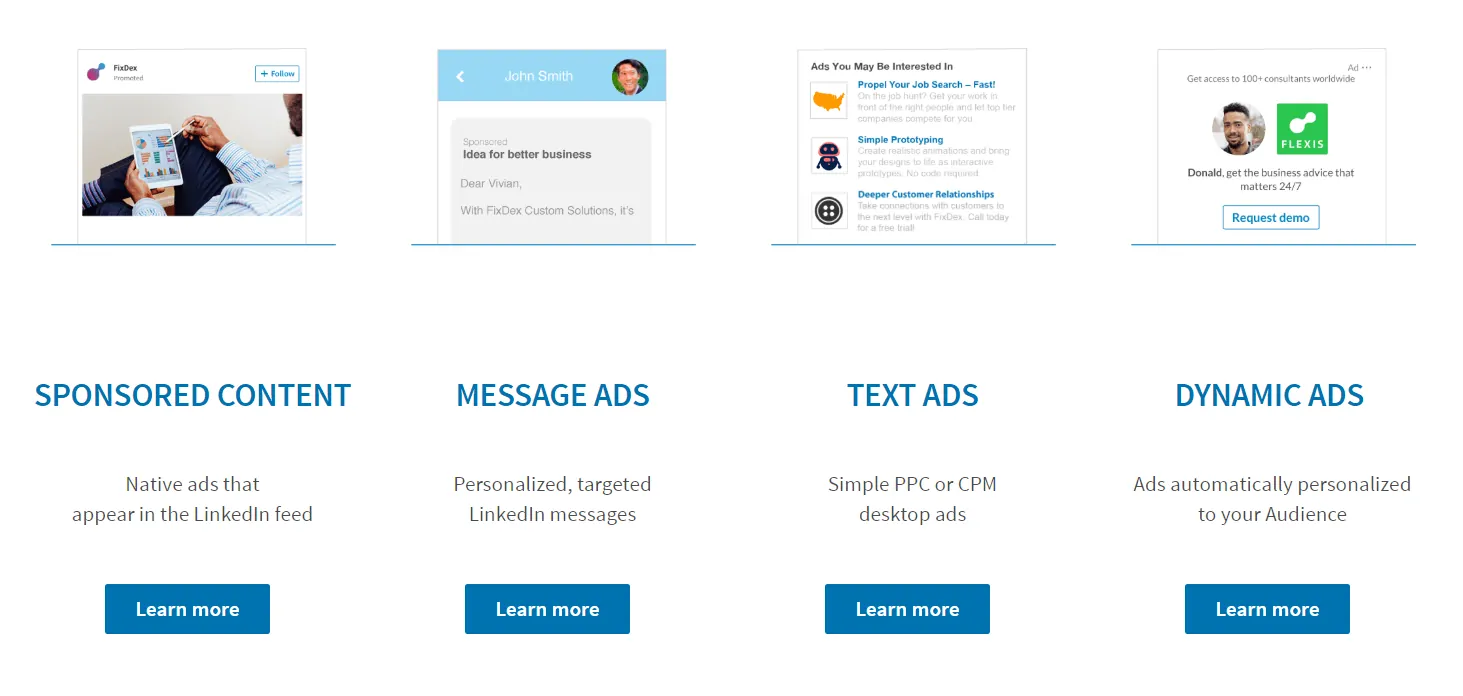
    LinkedIn provides the following marketing tools –

    • Sponsored Content (native ads): Ads which look like posts within the feed but are paid, have a sponsored tag, and have way more reach than organic posts.
    • Message Ads: Targeted ads sent directly to the inbox of the target audience along with a CTA. These ads have a lot more engagement.
    • Text Ads: Simple goal-oriented ads which don’t stand out much.
    • Dynamic Ads: Ads which change their form according to the activities, connections, and other factors related to the target audience.
    linkedin marketing

    In simple terms, use LinkedIn marketing tools to increase your brand awareness and drive targeted users to a particular landing page. Subscribe to the sales plan to

    Collect Better Leads Using Premium Subscription

    LinkedIn isn’t totally free, and this is what separates this platform from other social media platforms.

    The platform operates on a freemium business model and offers subscription plans and paid tools according to the needs of the person.

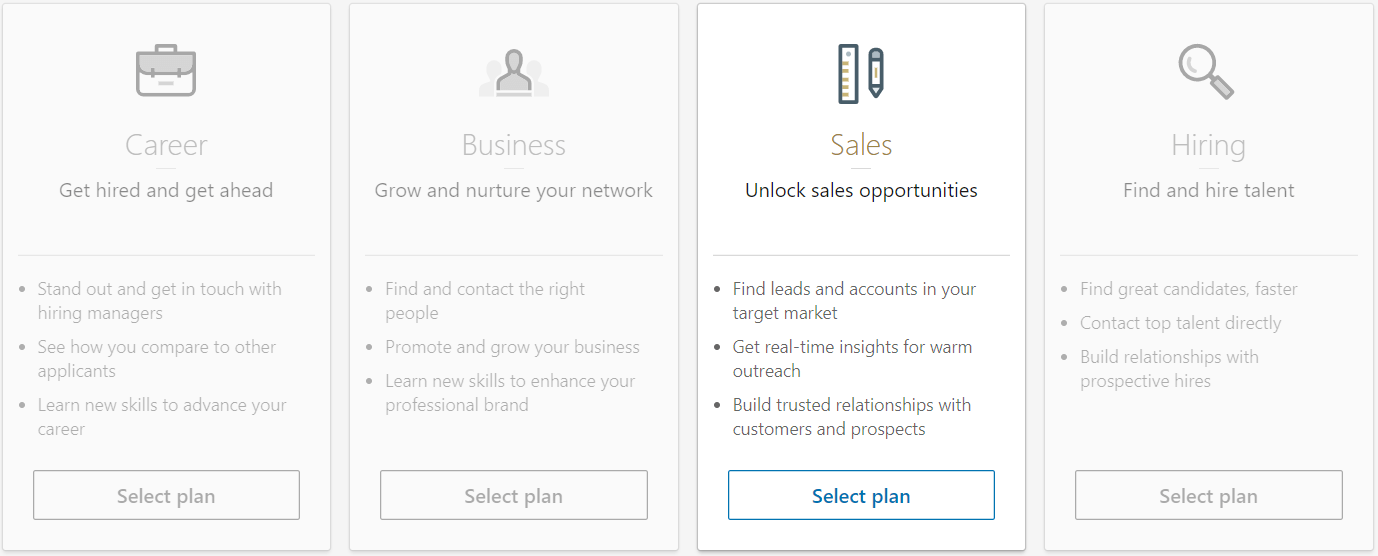
    Make use of the sales plan to up your social selling game even more.

    Unlike the free plan, which only lets you search for 100 profiles, the sales plan offers –

    • Unlimited people browsing
    • 20 InMail™ messages (free doesn’t let you message people you aren’t connected with)
    • CRM integration
    • Advanced search options
    • Lead recommendations and saved leads
    linkedin sales plan

    Convert The Leads Using Personalised Marketing

    The fact that people are on LinkedIn to invest their time makes it a perfect place to use personalised marketing to convert leads. LinkedIn users love to check their messages, posts they or their business is mentioned in, and opportunities that might benefit them.

    The best part?

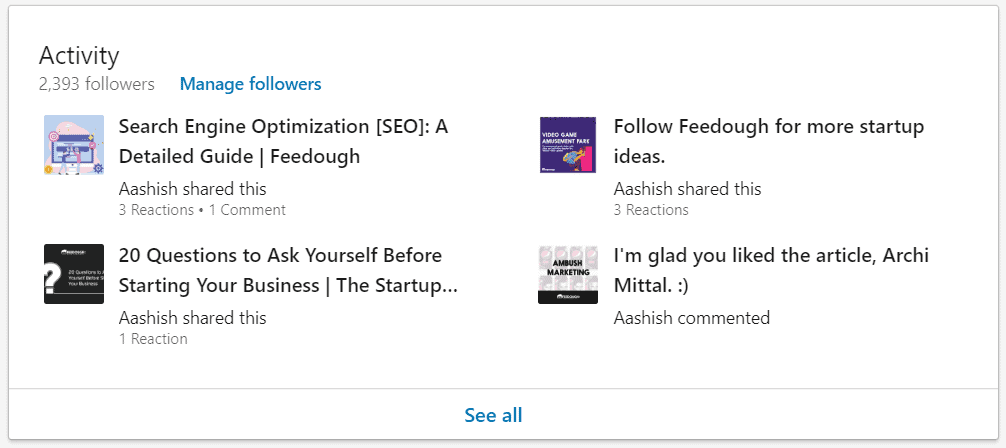
    Their every activity is visible on their profile, even their comments.

    linkedin activities

    Use this opportunity to know more about your prospective customer and hit them up with your best pitch possible.

    Simply, use LinkedIn as a user information database to find the prospective customers, send them a connection request or an InMail introducing yourself and your business, generate interest and desire in him to purchase your offering, and even convert him using your sales abilities.

    Bottom-Line?

    If you run a B2B business, LinkedIn is a great social media platform to market your brand and even do social selling. All you need is a synergy between your marketing and selling team. Make your marketing team plan campaigns for brand awareness and your selling team to do the rest – connect with aware prospective customers to make them move further in the marketing funnel.

    Go On, Tell Us What You Think!

    Did we miss something? Come on! Tell us what you think about our article on LinkedIn Marketing in the comments section.
  • What Is Agritech? – Use Cases, Examples, & Future

    What Is Agritech? – Use Cases, Examples, & Future

    When we hear technology, we think of robots, artificial intelligence and also the future problems related to them (war, maybe?). But little do we consider that the future problems will be far more basic than this. It’ll revolve around scarcity, resource allocation, and population explosion.

    With the global population expected to reach 9.7 billion by 2050, a new branch of technology has developed to innovate to feed the growing population.

    Hello, agritech.

    What is Agritech?

    Agritech or agriculture technology is the term referring to the use of technological innovations in agriculture to increase its yield, efficiency, and profitability.

    This includes using technology to achieve faster planting, modified crops that grow well in different environments, and harvesting. It can also be the use of robots, big data, AI or any methods necessary in order to solve the challenges that the agricultural industry faces.

    Which brings us to –

    The challenges that currently plague the agricultural industry.

    Agricultural Challenges

    The agriculture industry faces a lot of challenges – most of which are quite significant in terms of the impact on the future of the planet. These include –

    Land Management

    The usage of synthetic fertilizer, pesticides, and insecticides for agriculture drastically reduces the fertility of the soil. This makes the soil degrade in quality, reducing the growth rate which in turn has to be fixed by using more fertilizer, pesticides and insecticides. The usage of synthetics also seeps into and pollutes the water sources nearby.

    Climate Change

    Intensive agriculture calls for aggressive reclamation of land from forests and this not only reduces forest cover but increases the production of greenhouse gases causing climate changes and a rise in temperature. While the change in temperature and climate affects us, it also affects the growth and harvesting of plants and crops worldwide.

    Resource Depletion

    Agriculture involves a lot of machinery that requires other resources in order to be built and run – for example, metal for the parts and petroleum for the fuel. This just adds up as a bigger cause for environmental harm in the end rather than helping reduce it.

    Increasing Carbon Footprint

    Farming produces a lot of waste and by-products. Take the case of organic farming which is thought to have a positive impact on the ecosystem and healthier plants – it adds to the increasing temperature and climate change phenomenon since it takes up a lot of land compared to traditional farming methods. So, farms all over the world are forced to either be more optimized or follow traditional methods of farming which also are harmful to the ecology in the long run.

    Bio-Diversity

    The increase in population leads to the ramping up of agricultural production in order to feed the growing numbers. This, in turn, leads to the conversion of non-agricultural lands such as forests, into agricultural land. The reclamation of forest land leads to the reduction of the biodiversity of that particular area which has effects on the flora and fauna.

    This raises the questions –

    How can agritech be used to solve these challenges? What exactly are the use cases of agritech?

    Agritech Use Cases

    The use cases for agritech are many and it involves the use of technologies and applications in order to solve the challenges faced in agriculture. A few important agritech use cases include –

    Smart Farming

    Smart farming is the method of farming based on previous inspection and research in order to make farms and fields more efficient and optimized. Here are some of the methods to achieve a smart farm ecosystem –

    • Automated irrigation – An automated and adaptive irrigation service delivers crop yield increase, and water and energy cost-saving services all while conserving the environment.
    • Usage of weather forecasts to optimize the planting and harvesting of crops – Seeding the fields at the optimum time of the year helps achieve higher yields due to nature having a highly sustainable environment for the growth of the crops.
    • Precision Farming – This is achieved by the usage of sensors, satellites, drones and its data to make precise judgments for different types of crops and different tracts of land.
    • Vertical farming – It is the practice of growing crops in vertical layers – by using appropriate water irrigation systems, lighting supplements, oxygen and other gases that are needed. Urban spaces are quite dense and vertical farming is an easy and efficient method that can be implemented in order to produce food in small spaces. Take the example of being able to grow your own crops right in the middle of the city, by having a vertical farm on your roof-top or the balcony.
    • Hydroponics – Hydroponics is the method of grow crops without soil by providing the exact mineral nutrients required via water in precise amounts. Since hydroponics doesn’t involve soil, it can be easily implemented as a vertical farm and guarantees an all-year-round production while insulating the crops from the effects of climate change.

    Drones & Satellite – Scanning & Surveillance

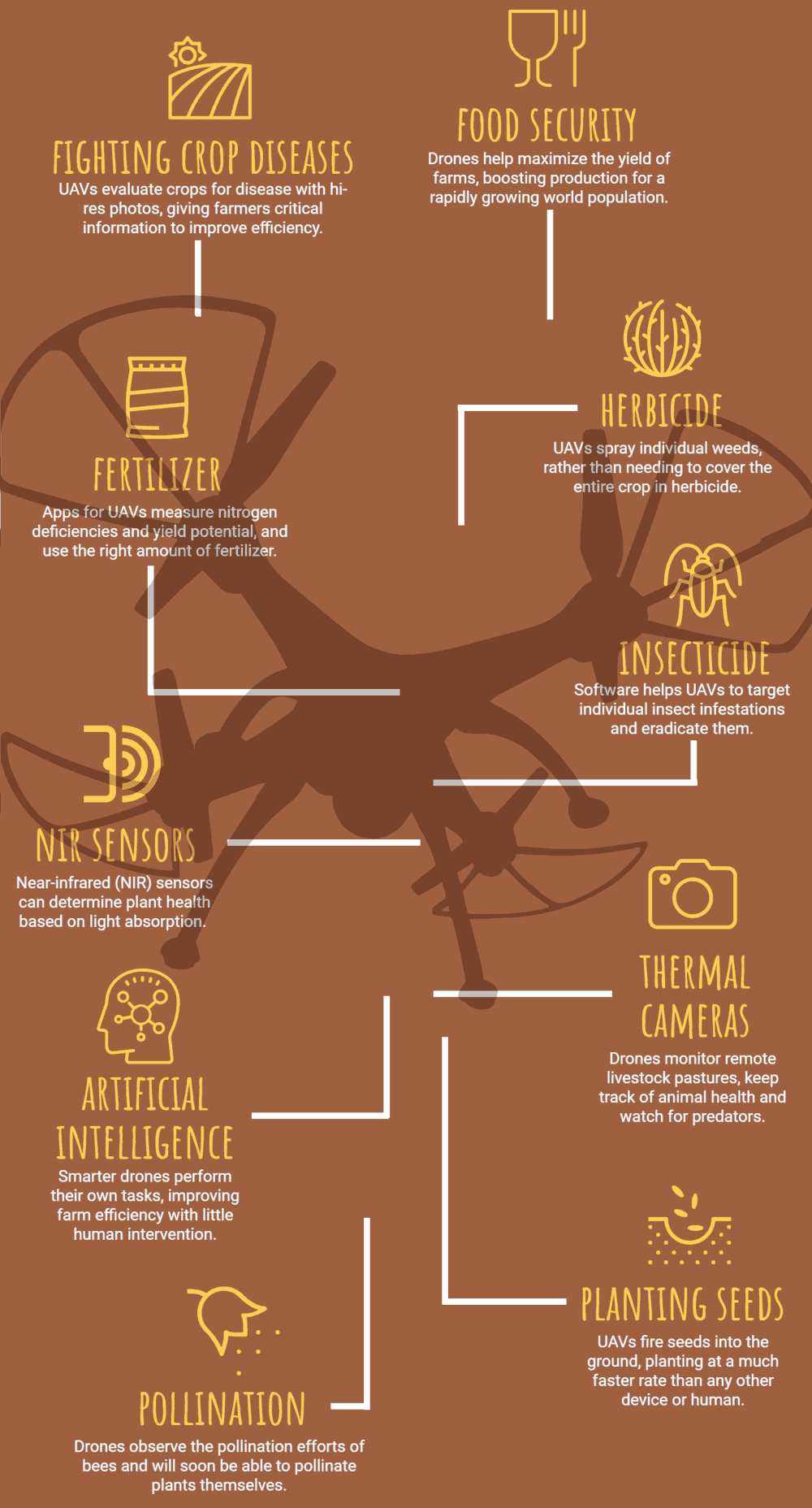
    Drones and satellites help scan the crops and fields in order to measure, monitor, and create terrain maps. Besides, drones also serve a lot of other purposes such as –

    agritech drones
    Source: Drone Nodes

    The usages of drones and satellites allow farmers to cover large tracts of land quite easily and quickly.

    IoT-based Sensors

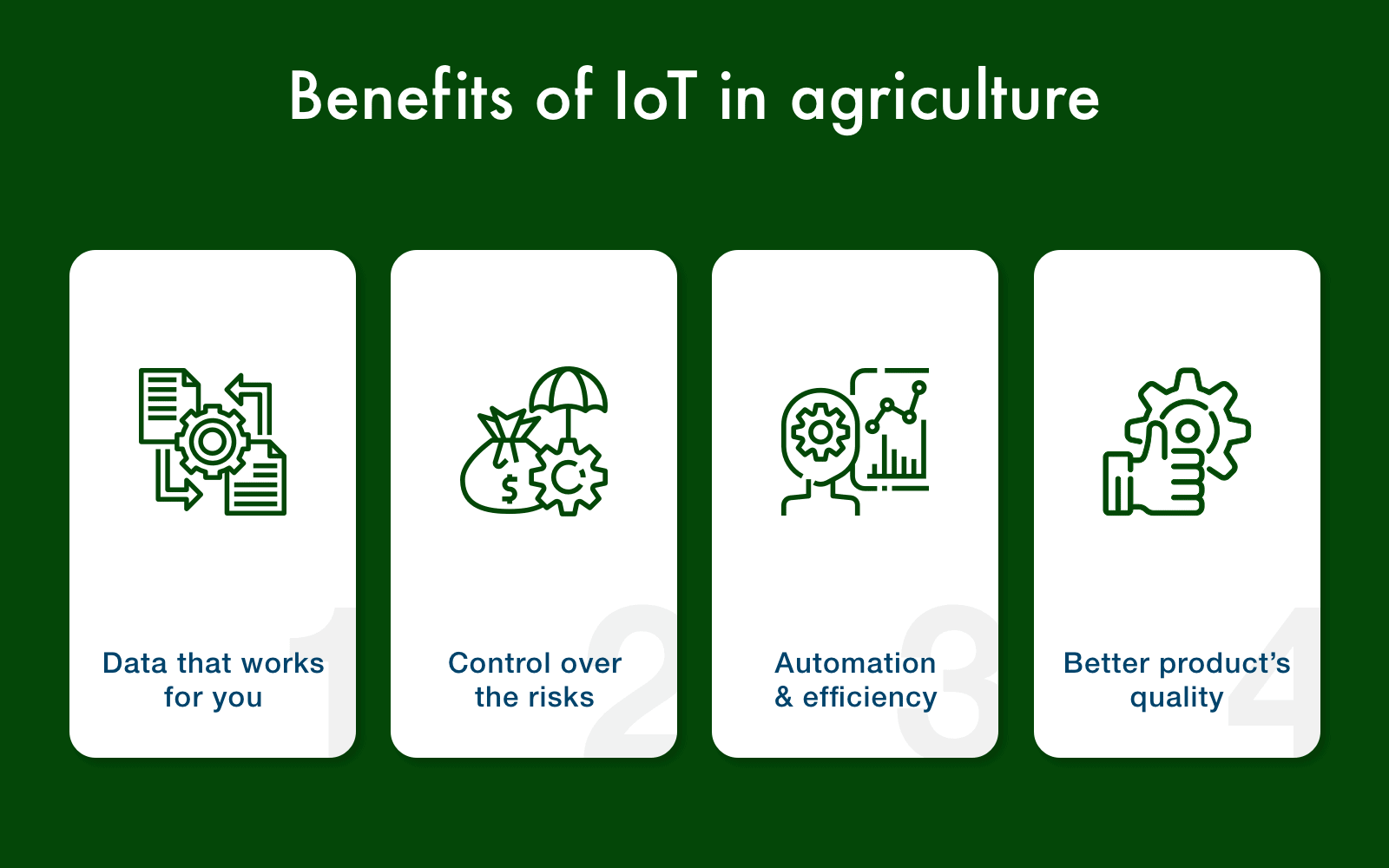
    Agritech is used to develop innovative Internet of things-based software that can track and provide accurate information about the weather, quality and current condition of the soil.

    IoT solutions are used in the agricultural industry to enable the optimization of farming without using much of farmers’ resources and time – providing them with instant statistics on their crops and fields.

    agritech iot
    Source: The IoT Magazine

    Not only can the data be used to optimize farming, but it also helps influence further decision making such as storage and delivery of the farmed goods.

    Big-data & Blockchain in Agricultural Logistics

    Logistics in agriculture is a bit hit-or-miss. Most of the time consumers are stuck without being able to know the origin of the vegetables and fruits they buy.

    To solve this, Agritech companies and entrepreneurs help in developing the use of blockchain and big-data in the agricultural sector.

    Blockchain is revolutionizing this sector by helping farmers connect with end-users directly. With the use of blockchain

    • Consumers can easily track where, when and how the produce originated.
    • It also helps in reducing the dependence on fiat currency, helping break down borders and allows the removal of the middlemen.
    • The reduction of steps needed to reach the consumers also leads to the reduction of prices of the goods.

    On the other hand, big data helps in

    • Strategizing and managing food supply at national and regional levels
    • Provides farmers with metrics – weather conditions, changes in soil structure, and crop efficiency – which can be used to further optimize and even make future decisions with remarkable accuracy.

    Biotech

    Biotech is the main focus of agritech worldwide. The main goal is to focus on improving the root of farming: crops.

    Agritech can be used to help in –

    • Creating advanced crops that can adapt to the current environment better than ordinary ones
    • Plant growth promotion
    • Soil remediation
    • Improving soil fertility
    • Increasing the agricultural yield

    Agritech not only helps in the development of crops but also helps in the development of synthetic fertilizers, pesticides and other things related to farms.

    Farm Maintenance Technology

    Agritech helps bring in advancements and innovations to the robotics and automated machinery field which helps in increasing the efficiency of agricultural production. This is because automated machinery can help in –

    • Locating and identifying the produce precisely
    • Correctly selecting the ripe one and harvesting them.
    • Optimizing water usage for proper crop growth.

    These processes when done manually can take a lot of time and resources while automating them can help in speeding up the processes on the farm.

    Production & Transportation Innovation

    • Reduction in food miles – With agritech helping evolve technologies like vertical farming and hydroponics, it allows for the growing of food closer to urban areas. This significantly reduces the time and cost it takes to transport the produce from the farms to the consumers. It also helps provide fresher, tastier and healthier food.
    • Trading Market Places – Instead of the farmers and the suppliers relying on middlemen or meeting face to face or over the phone, agritech companies also help create apps and websites optimized for the agricultural sector. This promotes easier interaction and communication between farmers & consumers.

    These are a few important uses cases where agritech is being used to make a difference. Let’s move onto the companies and startups that are working to bring about a change in the agritech field.

    Agritech Startups & Companies

    Agritech startups are changing and improving the farming sector around the world. Here are some of rising names in the global agritech industry:

    LettUs Grow

    Produces hardware and software for aeroponic indoor farms – similar to hydroponic indoor farms, but instead of growing with water solvents, the minerals are dissolved into the mist that is sprayed onto the plants.

    aeroponics
    Source: Lettus Grow

    It helps utilize 95% less water than conventional farming methods and produces healthier and more delicious plants.

    Phytech

    plant information
    Source: Phytech

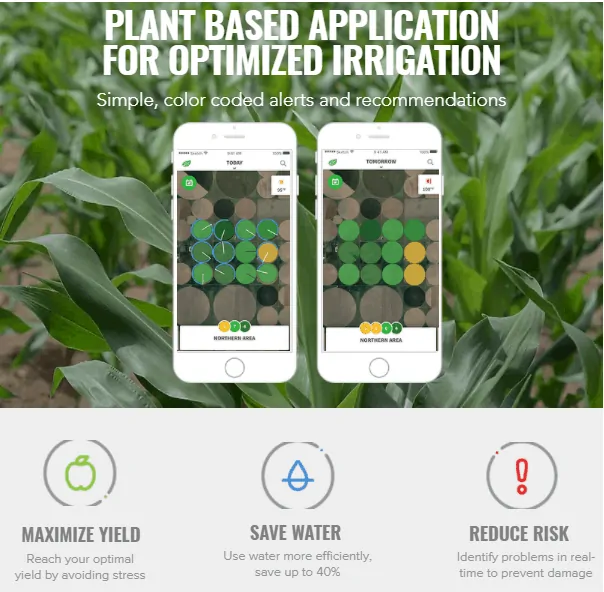
    Provides a real-time stream of data and analysis to monitor and provide actionable insights on the crops using plant-based sensors.

    Impossible Foods

    Plant-based meat burgers made from heme, a natural molecule that’s said to give meat products their distinct taste.

    impossible burger
    Source: Impossible Foods

    Root AI

    Develops AI and robotics to support the indoor farming sector –harvesting robots to be used in greenhouse and glasshouse farm operations.

    rootai plant robotics
    Source: RootAI

    NinjaCart

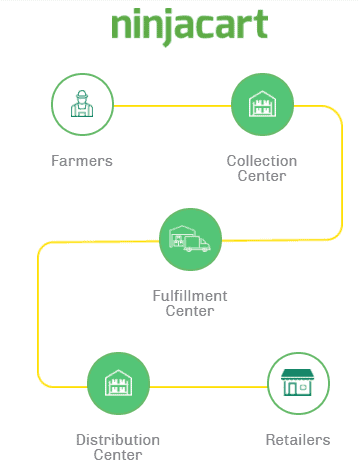
    Connects farmers with consumers and retail shops directly enabling faster and fresher produce to be available for the public.

    ninjacart supply chain
    Source: Ninjacart

    Future of Agritech

    Agritech is a fast-growing industry that shows no signs of slowing down any time soon – the production of food will always be a constant source of concern due to the expanding population.

    The rate of Agritech startups is only expected to increase, while the established players focus on improving the existing methods and technologies. Investments in agritech grew more than 40 percent, to $17 billion, in 2018 alone – nearly half of the fundraising took place in the US, followed by China and India respectively. There is a lot of potential for the future of agriculture and agritech in the years to come.

    Go On, Tell Us What You Think!

    Did we miss something? Come on! Tell us what you think about our article on Agriculture Technology in the comments section.

  • The 10 Best Slack Alternatives

    The 10 Best Slack Alternatives

    Slack has been quite prominent in the project management space for a while.

    That is not to say Slack is the only service out there that.

    Before we jump to the alternatives to Slack, let’s look at the reasons why you might have started using Slack.

    What is Slack?

    Slack is an instant-messaging platform that runs on the cloud and allows for its users to be able to send and receive messages right from within the app. What helps is the fact that Slack allows for many other existing services to be integrated into it and vice-versa.

    slack platforms

    This means that you can receive your e-mails, files, messages, notifications, and others right from within Slack. Think of it as an aggregator of different services that also provides its own messaging service.

    Everything is put under either channels (group messages) or direct messages (DMs). This makes it much easier to keep you and share stuff since it is all under one roof.

    slack user interface

    Knowing what brought you to Slack will help you hone in on the things to look out for in the alternatives that we have listed next.

    Now, let’s move onto –

    The 10 alternatives to Slack that might fit your needs the best.

    10 Slack Alternatives

    RocketChat

    RocketChat is an open-source alternative to Slack which allows for you to set up your very own customized team chat and for free.

    rocketchat user interface

    With RocketChat being open-source, you can customize it to your wish when you deploy it on your own servers. In case, you find that daunting and want a simpler experience, they also offer to run the service on their private cloud – for a monthly fee.

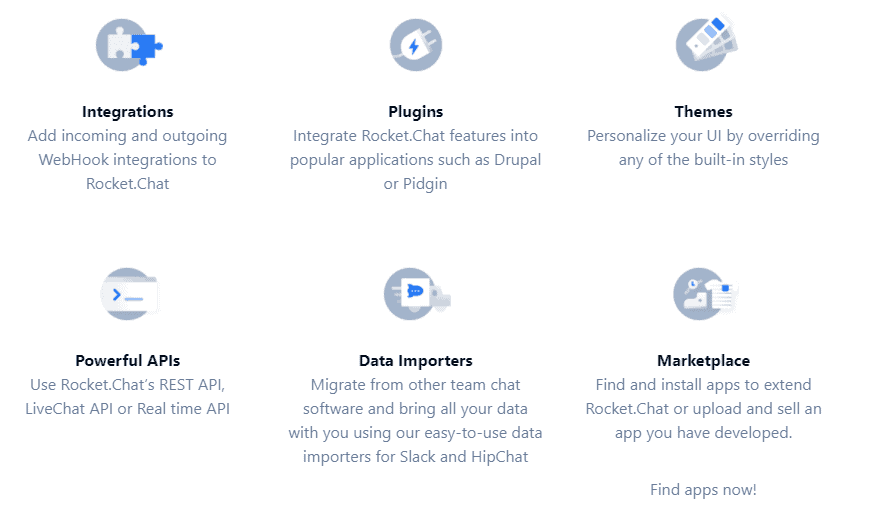
    RocketChat allows for easy migration from other services such as Slack – all that you got to do is to export your files from Slack and upload it to RocketChat and you’re all good to go. RocketChat is great in terms of the features it offers; they are quite similar to Slack’s offerings –

    rocketchat features

    • Real-time translation
    • Live chat client
    • End-to-End encryption
    • Creation of channels and groups
    • Integration with various external services and APIs
    • Customizable themes

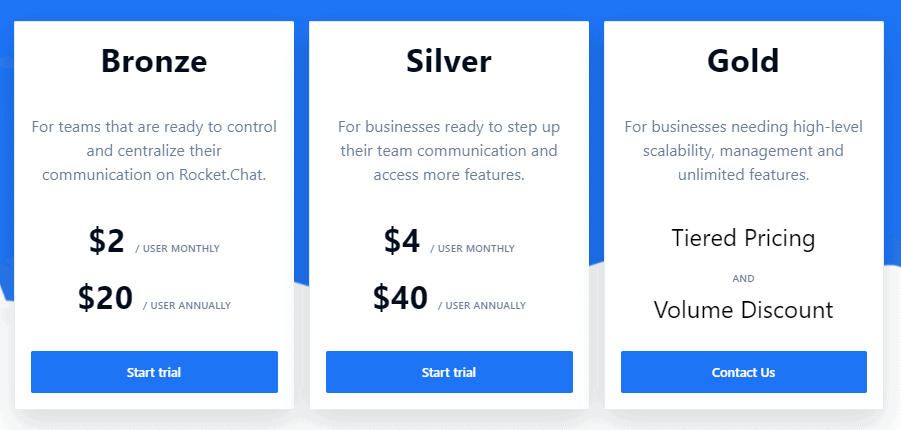
    Here’s RocketChat’s pricing for self-managed server –

    rocketchat pricing

    Here’s the pricing for their cloud-based service –

    rocketchat cloud pricing

    Hive

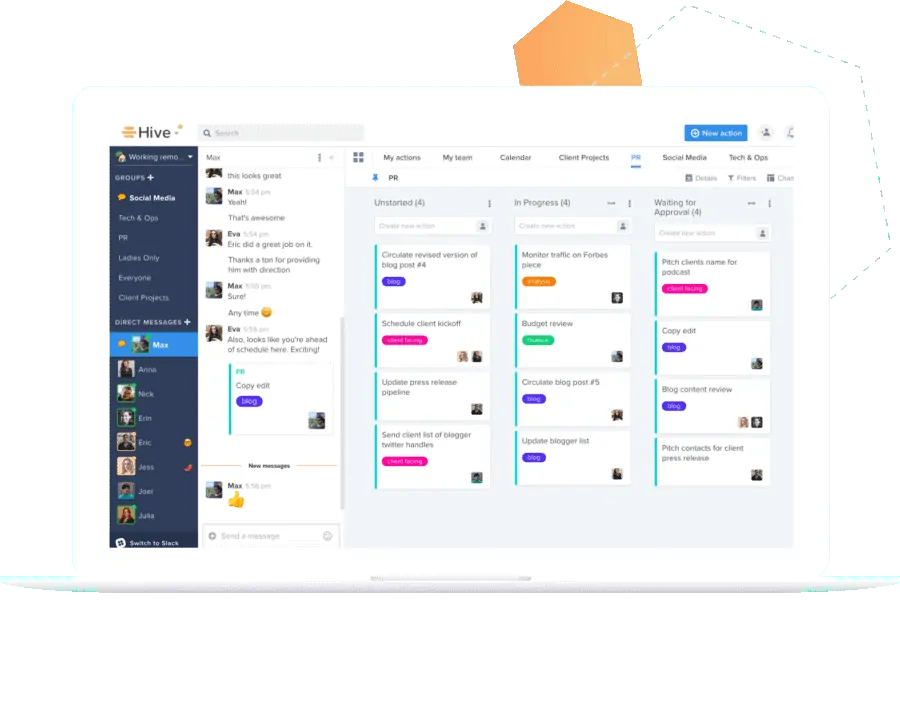
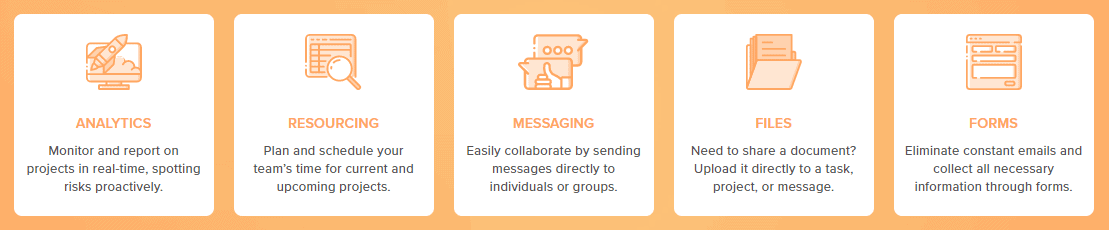
    Hive can be considered as Slack – but on steroids. While being very much similar to Slack it also builds and improves upon Slack’s existing features while putting everything – emails, lists, files, and messages – under one single page.

    hive user interface

    Hive is more suitable for enterprise users or large teams, as they can utilize the features on offer.

    hive features

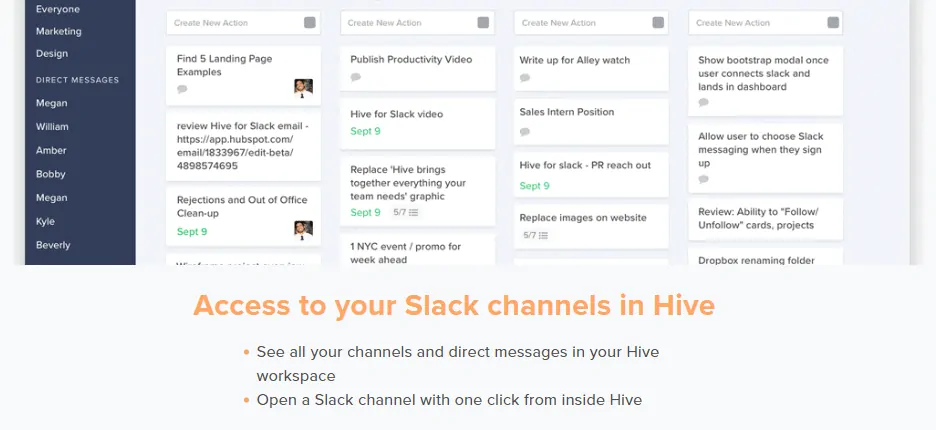
    Hive’s user-interface is also quite similar to Slack and even offers easy integration to merge your existing Slack account and all its data into Hive.

    hive slack integration

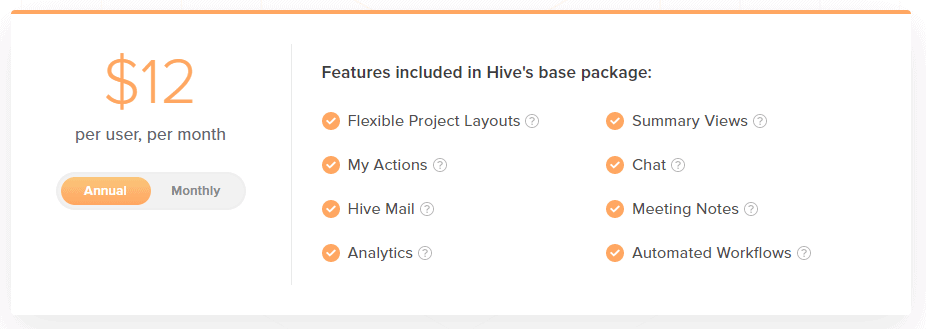
    Hive’s pricing is quite straightforward – $16/month/user if you subscribe just for a month or $12/month/user when billed annually.

    hive pricing

    Microsoft Teams

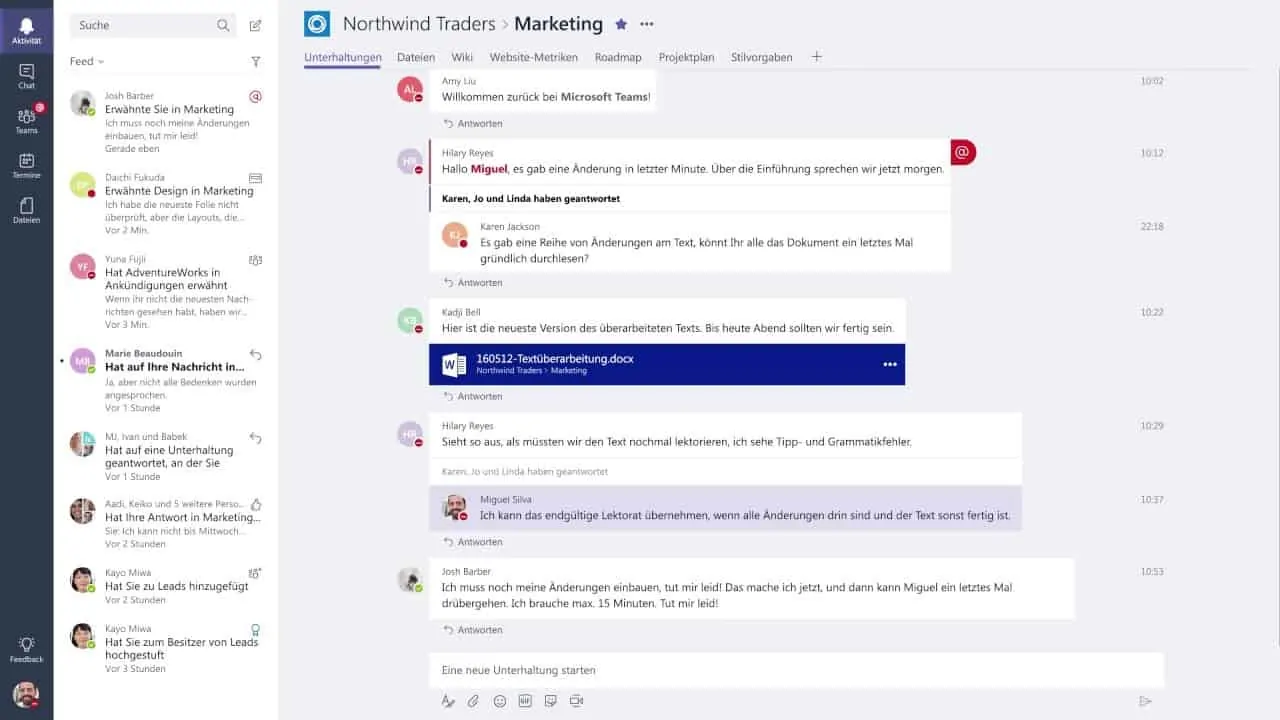
    Microsoft Teams is great for large teams and enterprises than small businesses or teams and includes all the essential features – instant chats, audio/video calls, and external services integrations (Microsoft’s products as well as 180 custom apps).

    microsoft teams interface
    Source: Microsoft Products

    • Available On: Smartphones: iOS and Android; Desktops: Windows, macOS, and Web
    • Geared towards enterprises.

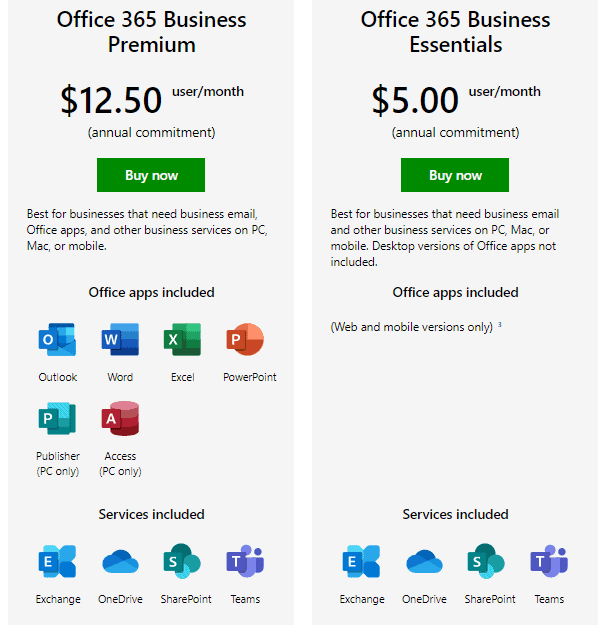
    Microsoft Teams is secure and all the data sent via it are encrypted. It also supports the creation and usage of bots within the service. It is more of a traditional enterprise tool and the next step for those looking to upgrade from Slack. Microsoft Teams comes as a part of the bundle with Business Essentials ($5/month) or Business Premium ($12.50/month) Microsoft Office 365 plans (billed annually).microsoft teams pricing

    Google Hangouts

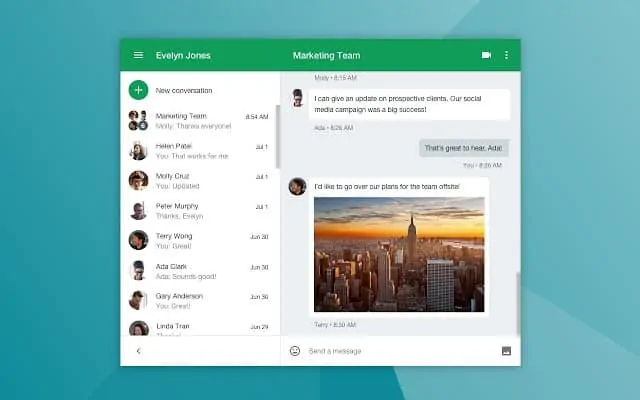
    Google Hangouts for businesses is currently split into two services under the G Suite – Hangouts Meet (Calls & Conferencing) and Hangouts Chats (Instant Messaging). It allows for instant messaging, sharing of files and voice/video-conferencing with anybody from the inside or outside your team/organization.

    hangouts user interface
    Source: Google Hangouts

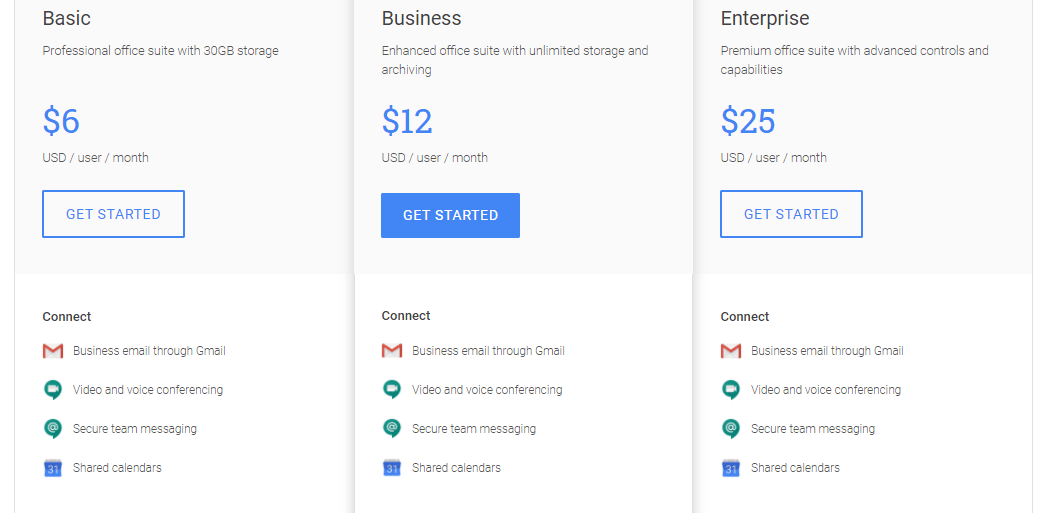
    While Google Hangouts is free for regular consumers, businesses and teams have a lot to gain by signing up for Google’s G Suite (starts at around $6/month/user) –

    google hangouts pricing

    G-Suite users get access to lot more features on Hangouts than the free users –

    • Up to 25 members per call (30 for G Suite Enterprise users) and the ability to call into meetings with a dial-in number
    • Allows for screen-sharing to present documents, spreadsheets, or presentations
    • Encrypts all data being sent
    • Can enable real-time, AI-generated closed captioning while on calls

    With Hangouts being a Google product, it integrates well with the plethora of Google services – Gmail, Analytics, Docs, Sheets, Google Drive and such – very well. It allows for the creation of groups but not the creations of specific channels as in the case of Slack.

    Chanty

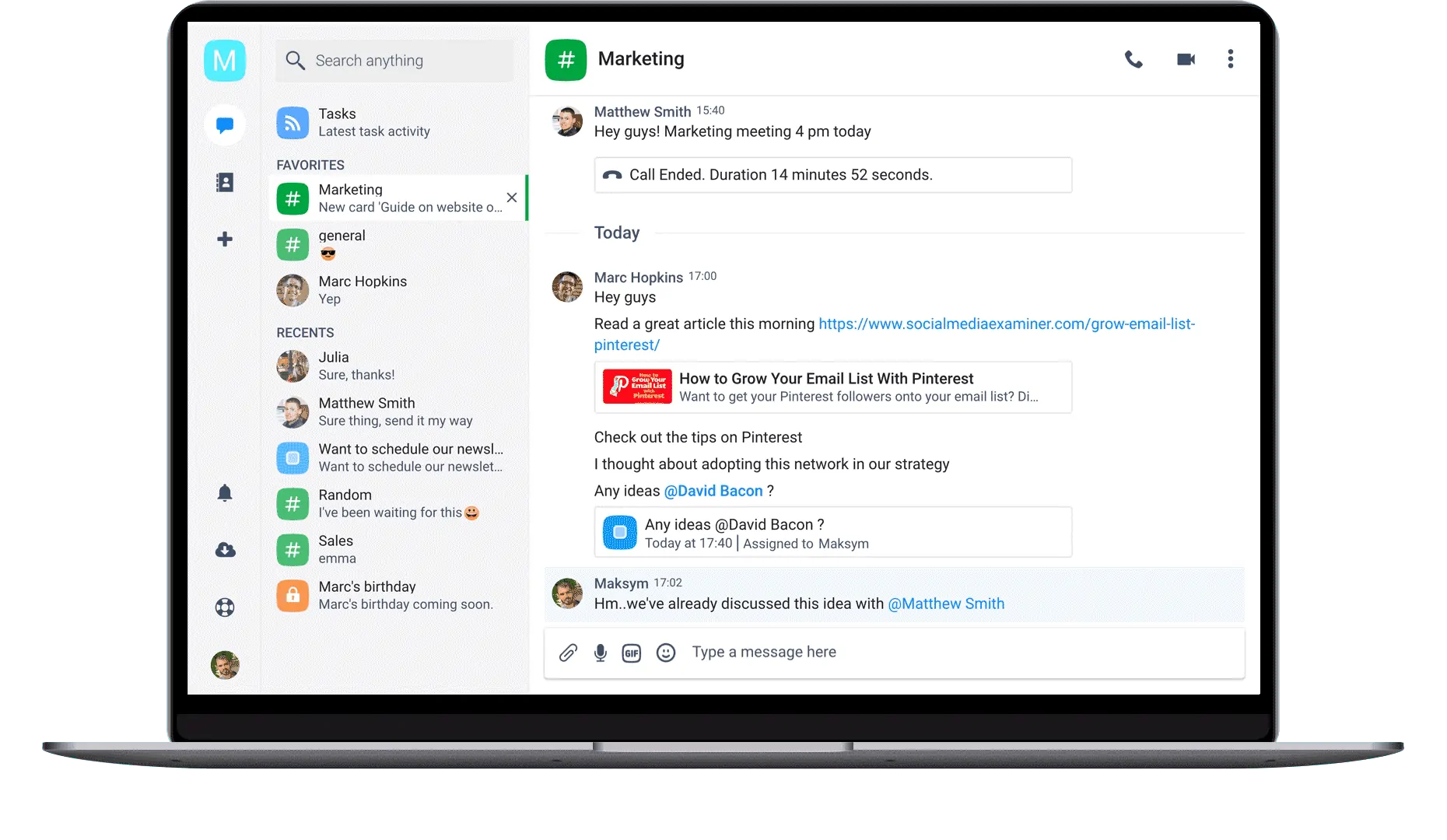
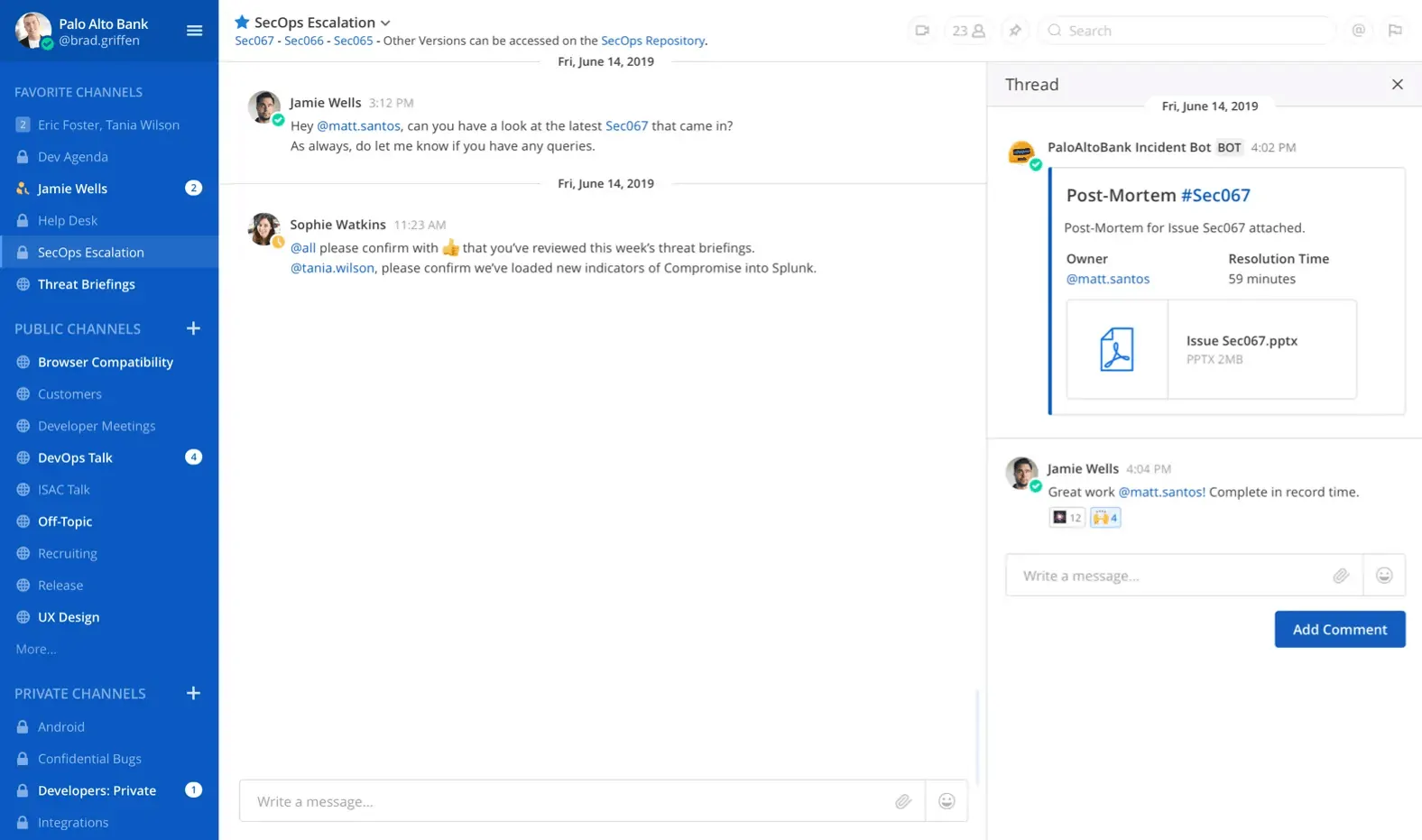
    Chanty is a simple team chat tool that is more suitable for small and medium-sized teams and businesses.

    chanty user interface
    Source: Chanty

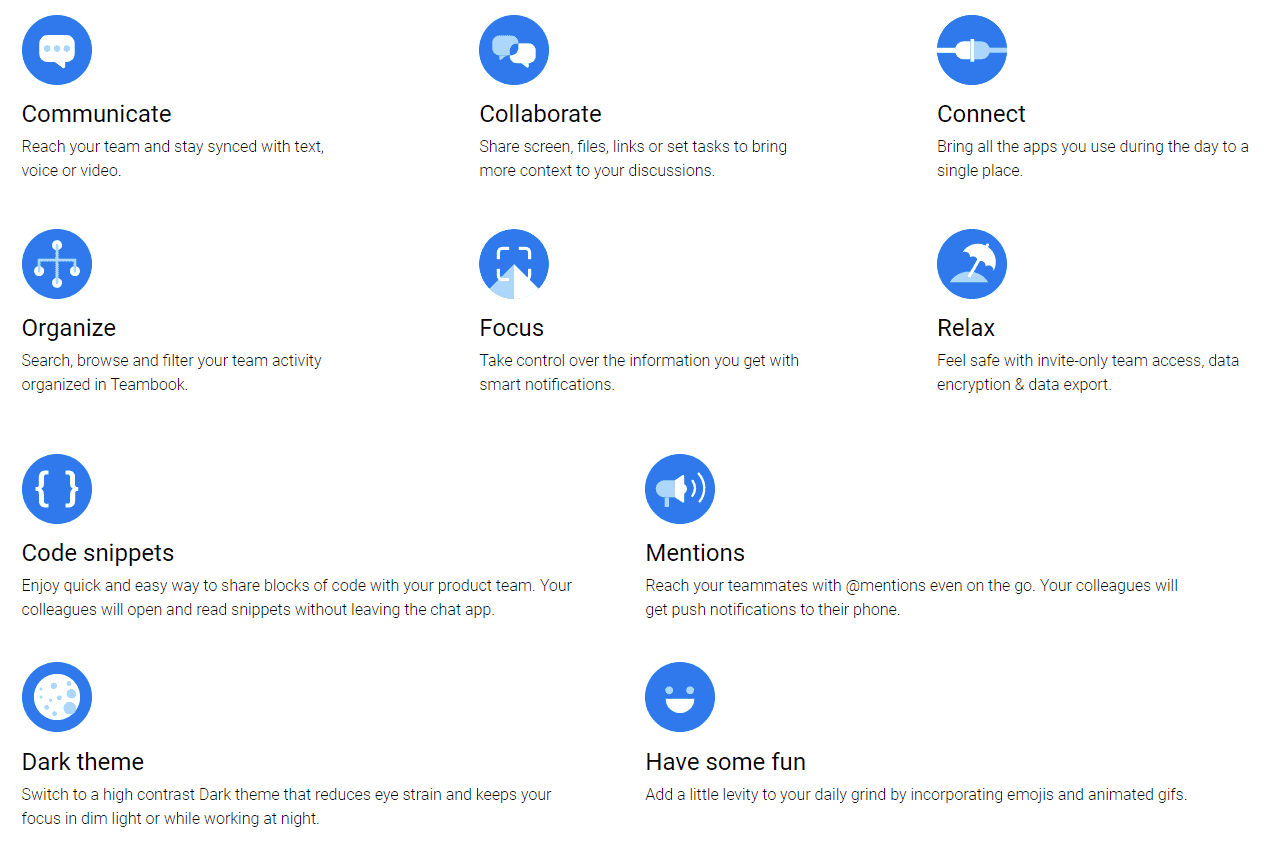
    Chanty can be seen as Slack’s lightweight counterpart – that in no way means Chanty is lean on features or functions. Chanty provides pretty much all the features that are available on Slack along with a few more – it doesn’t limit its searchable message history.

    Chanty, unlike Slack, also automatically organizes all your files, tasks, links, and conversations into folders in a feature called Teambook.

    chanty features

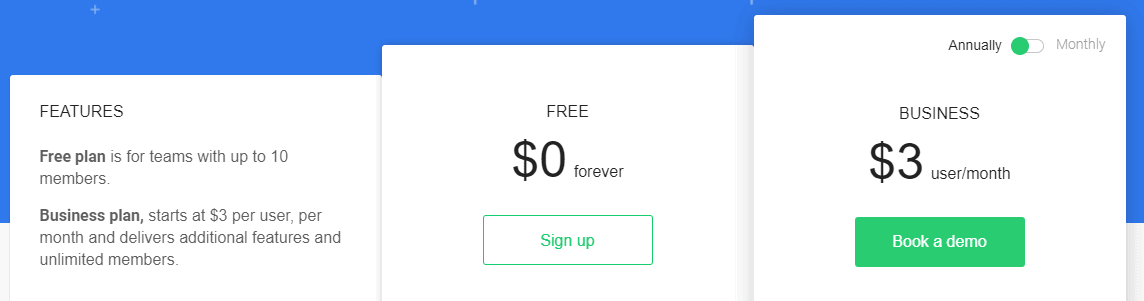
    Chanty is available for free (up to 10 people) and the paid plans start at $3 per user for each month (when billed annually) with additional features such as extra cloud storage, unlimited integrations with external services and dedicated support line.

    chanty pricing

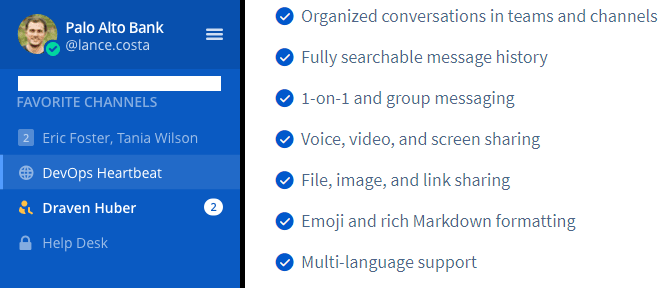
    Mattermost

    Mattermost is a private cloud, open-source alternative to Slack. It is quite similar to RocketChat in the fact that it can be deployed by you within your business for free (if you know what you’re doing) and customize it to your needs.

    mattermost user interface

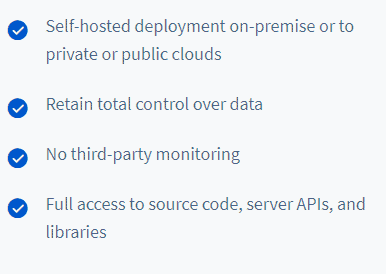
    When compared to Slack, Mattermost offers a lot of data security and privacy since it is either self-hosted or run on private cloud services –

    mattermost features

    It offers features that are similar to those offered by Slack, along with the ability to organize conversations under different threads –

    mattermost channels

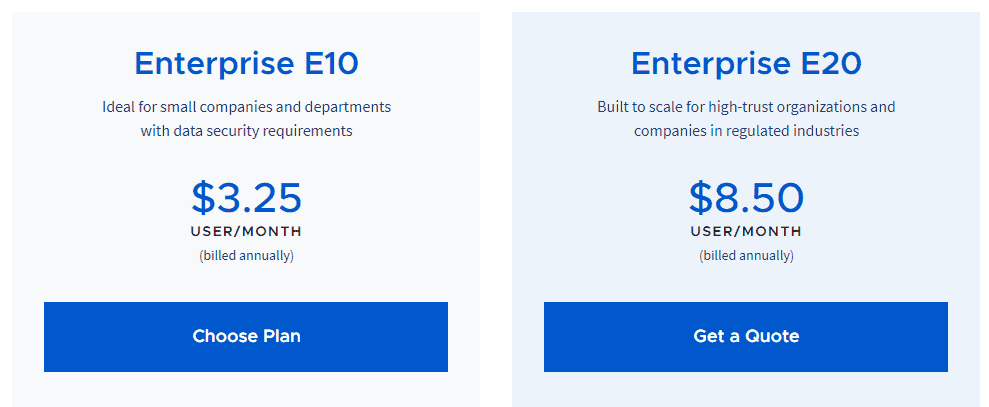
    Mattermost also offers paid plans that help run it on its private cloud with added features such as – additional security, customization, and dedicated support channels.

    mattermost pricing

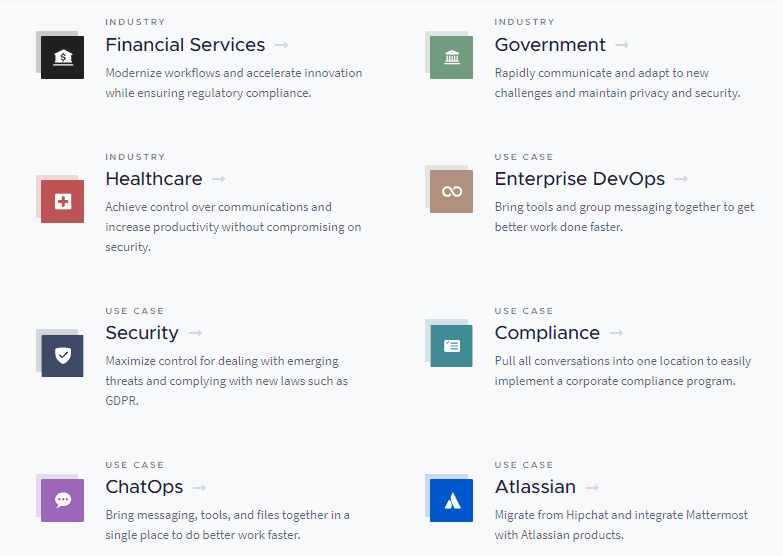
    Mattermost also provides individual solution services for the following industries/use cases –

    mattermost services

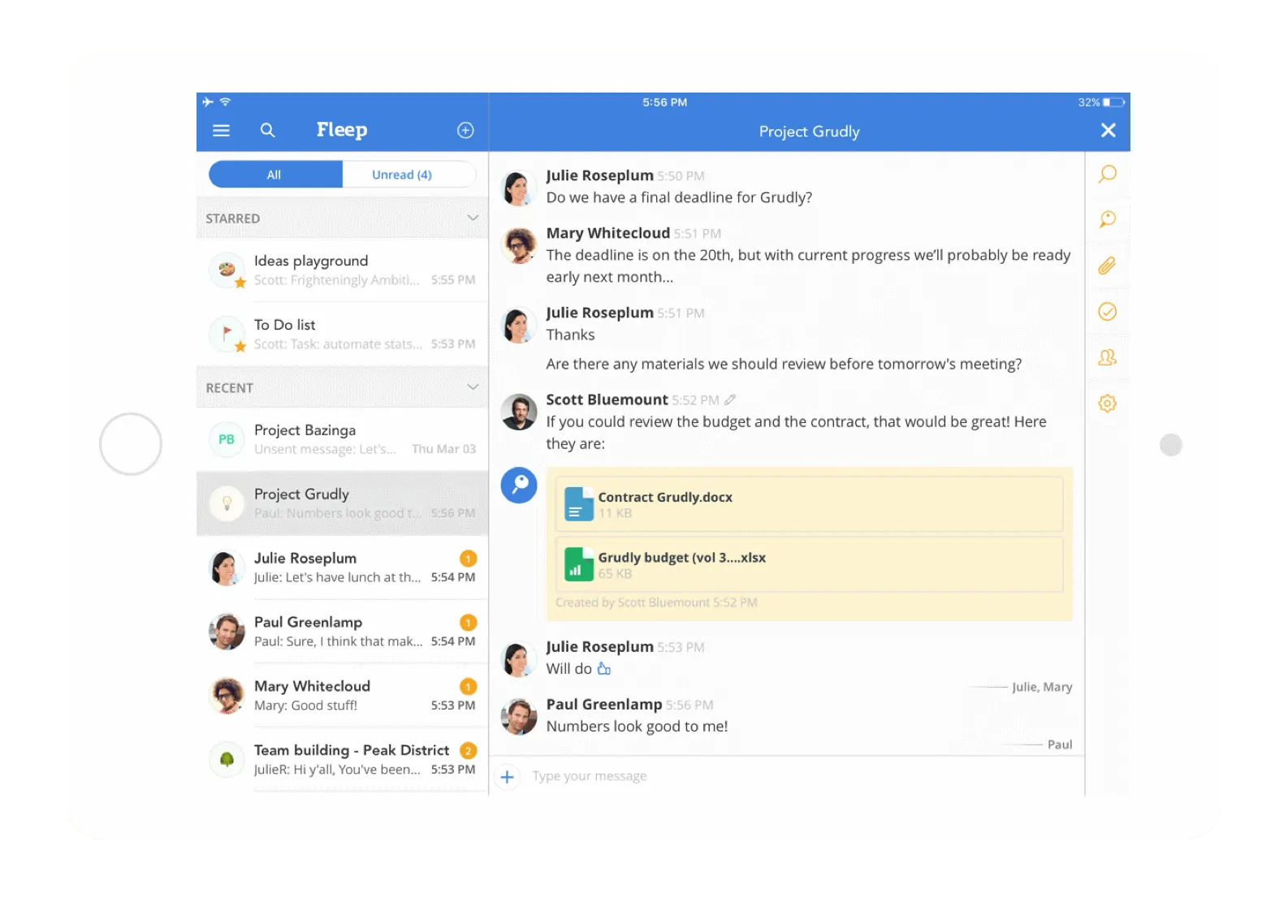
    Fleep

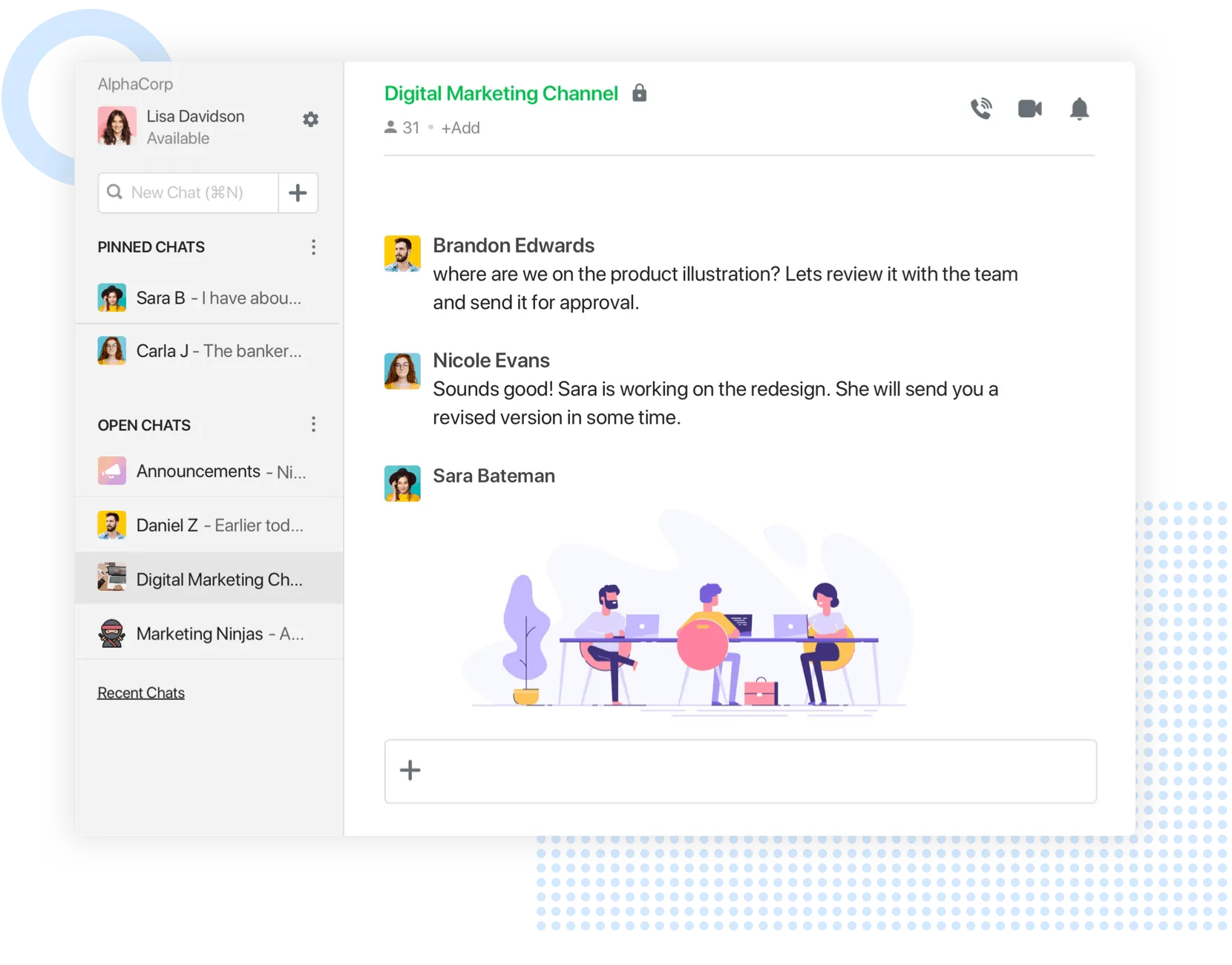
    Fleep is quite similar to Slack in terms of the ability to put conversations and messages into threads. Fleep shines over Slack in the fact that it allows the use of just a single account even when you want to communicate with ones outside your team or organization.fleep user interface

    This makes Fleep a great choice in case you found managing multiple workspaces on Slack a chore when you had to communicate between teams/organizations that were on different workspaces.

    fleep features

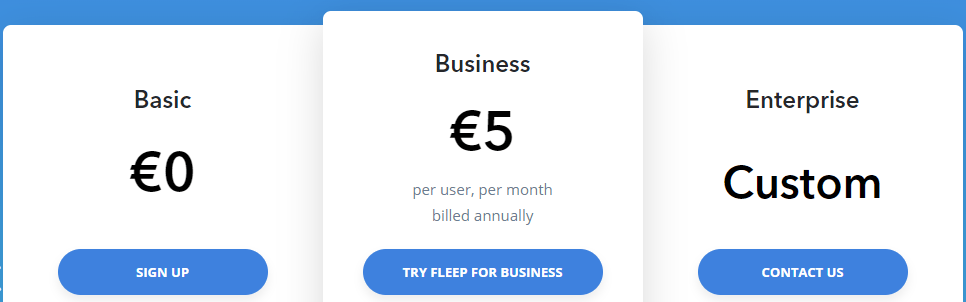
    Fleep offers a freemium plan that allows for unlimited direct messages, up to 3 groups, and 10 GB of cloud storage. The paid plans start at around $5/month/user (billed annually) and provide added features such as support for teams and organization settings.

    fleep pricing

    Flock

    Flock is a great Slack alternative. Even its user interface is quite reminiscent of Slack –

    flock user interface

    But Flock sets itself apart by claiming to run its services more efficiently and faster than Slack. Flock offers similar features to the ones available on Slack –

    flock features

    Flock offers a freemium plan that suits well for very small groups and provides integration to up to 50 apps. Flock’s paid plans start at around $3.5/month/user (billed annually) and provide additional features such as – multiple team admins, 10GB/member of cloud storage, group video calls and unlimited public/private channels.

    Flowdock

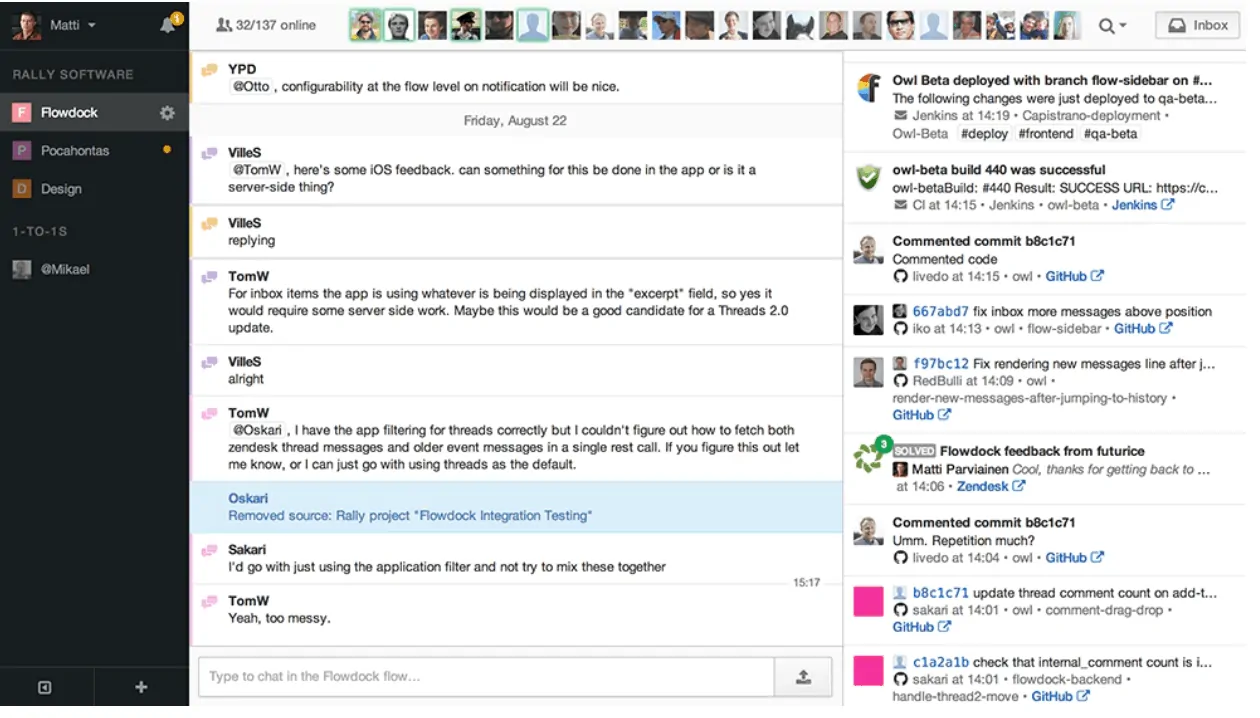
    Flowdock is another great alternative to Slack and allows you to organize conversations and messages into threads. The other features available on Slack such as – integrations, channels, file sharing and video conferencing – are also available on Flowdock.

    flowdock user interface

    The thing that sets Flowdock apart is the fact that it allows for up to 5 members teams to use the service, with all the features, for free. For the rest, Flowdock offers a 30-day free trial and paid plans that start at around $3/month/user (billed monthly) which provides added features and benefits like – unlimited integrations and chat history.

    flowdock pricing

    Discord

    Discord is a voice and text chat that was actually built for gamers since the other service that was on offer had a lot of hassle in terms of setting up or were quite costly. Discord is so well-built that it is being used by many as yet another team/project management app.

    discord interface
    Source: Discord Login

    You can replicate the public and private channels of Slack quite easily on Discord using its own public and private channel settings. Best of all – Discord is free. Also, Discord’s paid offering (Nitro) provides you with nothing but improved aesthetics and gaming-related features – none of which help boost productivity in any way.

    Discord also offers push-to-talk which could be handy in case your team or business can utilize and benefit from it.

    discord push to talk

    But with Discord not being built for team/project management, it does not allow for integrations with external apps and services quite easily – especially the productivity-based services.

    Go On, Tell Us What You Think!

    Did we miss something? Come on! Tell us what you think about our article on 10 Best Slack Alternatives in the comments section.
  • YouTube vs Vimeo: A Detailed Comparison

    YouTube vs Vimeo: A Detailed Comparison

    YouTube has a monopoly over the video-sharing industry and only recently has other services such as Facebook, Instagram and Netflix have risen to pose as a threat. With over 300 hours’ worth of video being uploaded to the site every minute, YouTube might look virtually undefeatable in the video-sharing space. YouTube also gets over 1.9 billion monthly active users to its site – making it one of the most visited websites in the world.

    Compared to YouTube, Vimeo’s stats look tiny. But Vimeo has been around for longer than YouTube and managed to thrive amongst the heavy competition.

    Vimeo

    YouTube

    • Founded: 2004
    • Monthly Active Users: 90 million
    • Founded: 2005
    • Monthly Active Users: 1.9 billion

    While YouTube has large amounts of content being uploaded to it, Vimeo prides itself as the place for artists and companies to showcase their videos and content.

    While this provides an overview of the two, let’s look in detail as to how YouTube differs from Vimeo.

    YouTube vs Vimeo

    YouTube
    Vimeo
    • Acts more as a medium where anyone can upload and share their videos
    • Large user base
    • Ad-focused user interface
    • Mostly free to use
    • Unlimited storage
    • Advertisements
    • More focused on artists and companies looking to showcase their content
    • Niche user base
    • Higher quality/niche videos
    • Free and Paid Tiers
    • Replace video after uploading
    • No ads

    Interface & Customizability

    YouTube

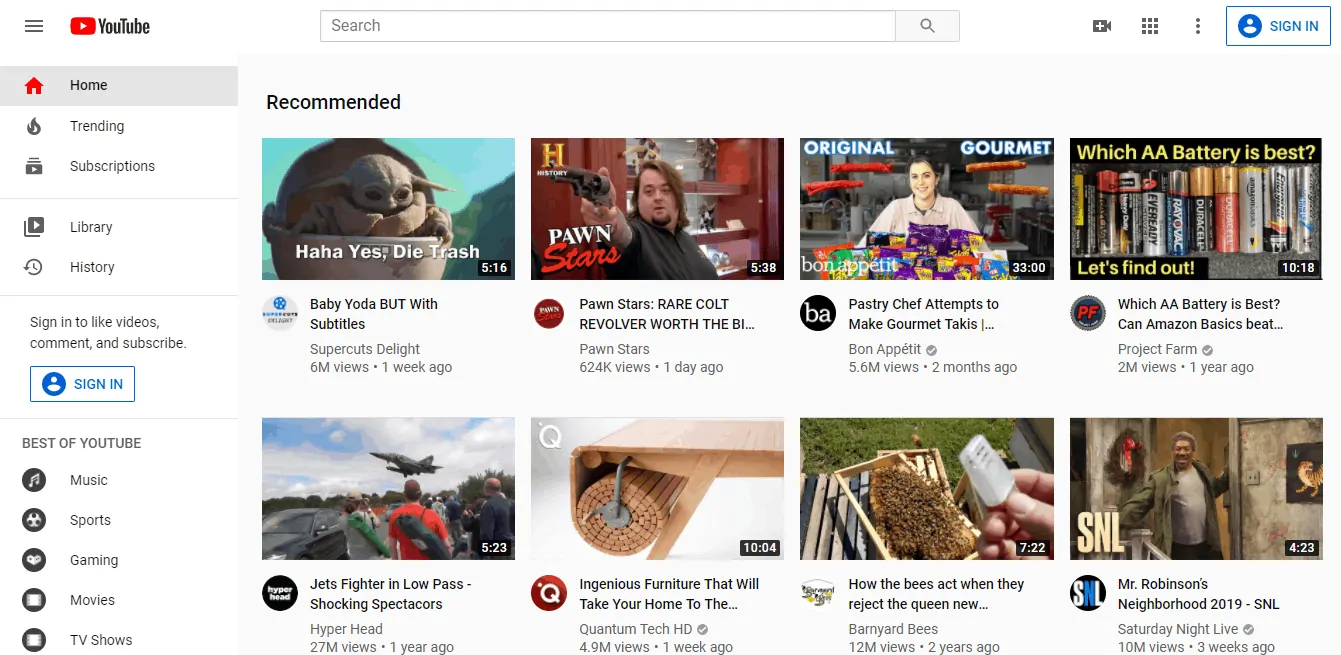
    YouTube has a generic and simplistic user interface that helps anyone navigate around the site quite easily.

    YouTube interface

    But when compared with Vimeo’s, YouTube is more focused on presenting loads of content and other interactive elements – which is good but distracts from the viewing experience at times.

    YouTube also offers its viewers the ability to change resolution, playback speed and closed captions within few clicks.

    YouTube video player

    Vimeo

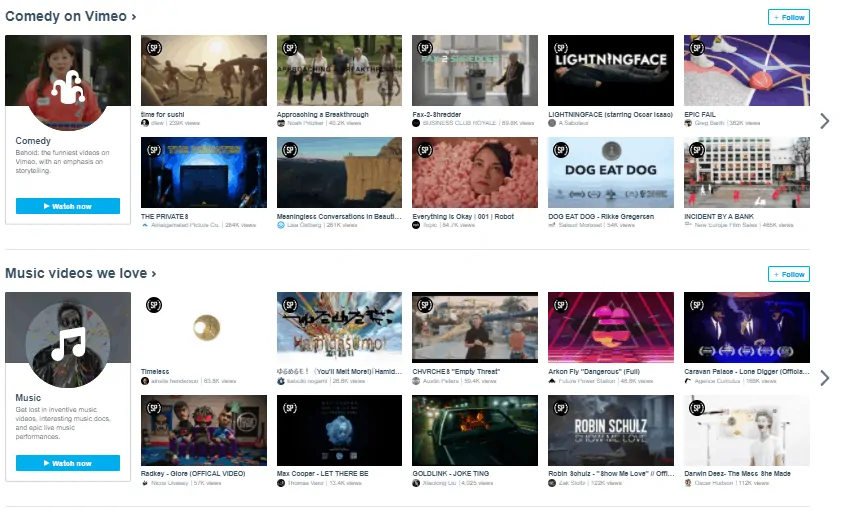
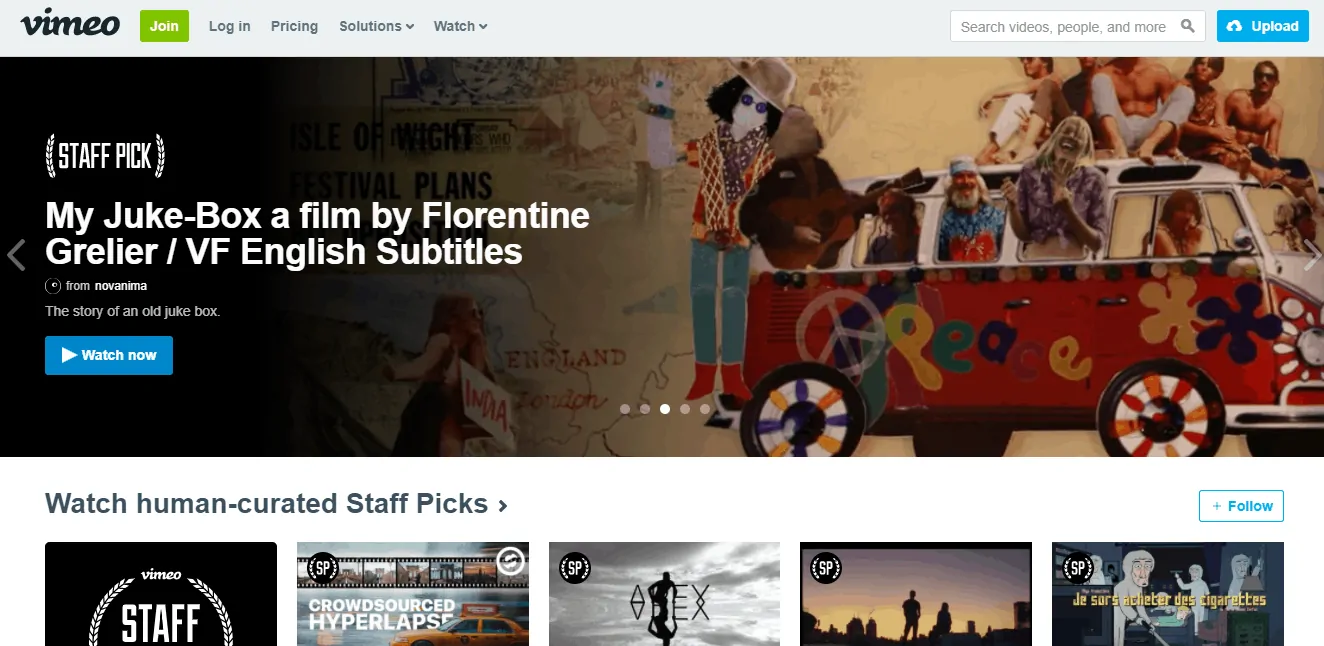
    Vimeo has a clean and simple to use interface that gives more emphasis to the content being played rather than providing other content available to watch. Vimeo also provides neatly organized categories of various different topics and genres for one to watch right on the home screen.

    Vimeo interface

    Vimeo’s video player interface is much simpler and leaner in terms of features when compared to YouTube and helps provide lesser distractions while watching content. It allows for changing the resolution, share, like, follow and add to playlists within the player.

    Vimeo video player

    Cost

    YouTube

    Like most of Google’s services, YouTube is free to use and watch, for the most part. Content creators can upload videos for free and YouTube also provides unlimited storage for you to upload.

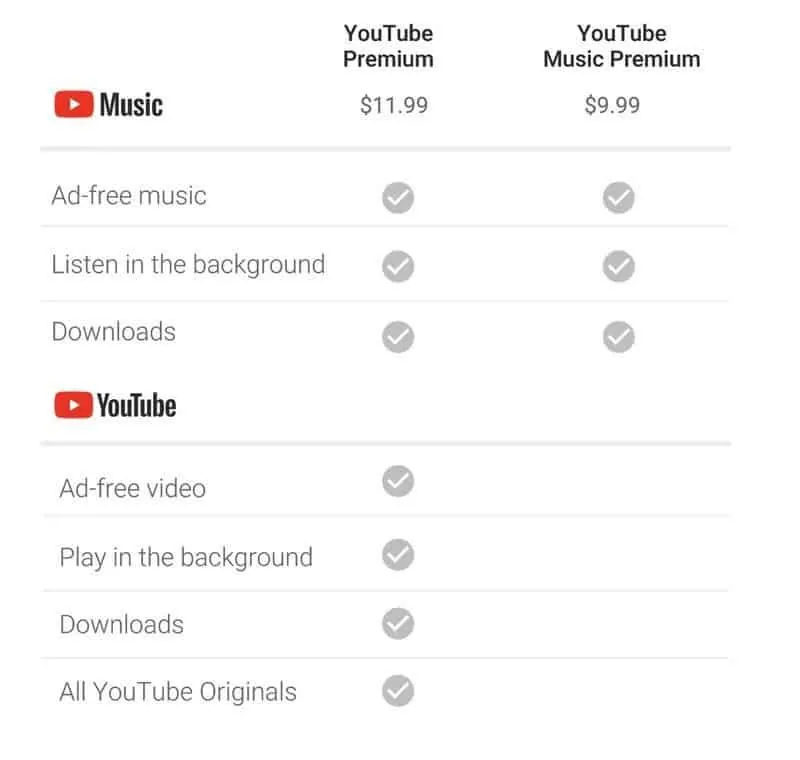
    But, YouTube also offers a $10 subscription service called YouTube Premium (formerly YouTube Red), which allows you to view videos without ads and access other premium-only content on it.

    YouTube premium price
    Source: Android Central

    Vimeo

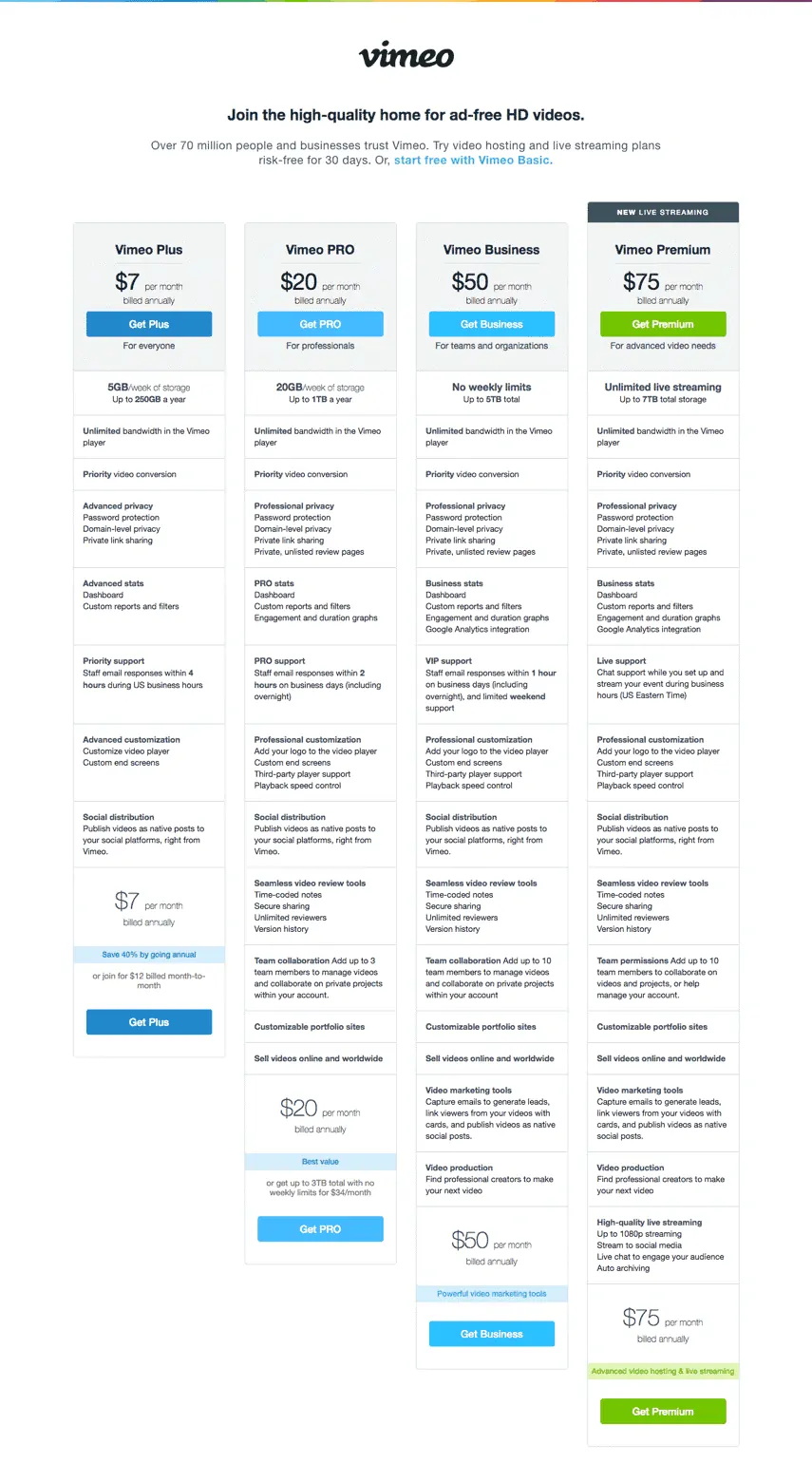
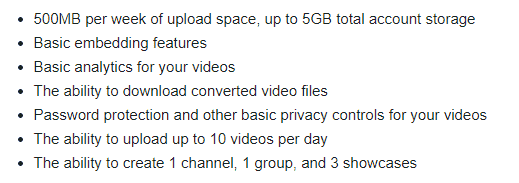
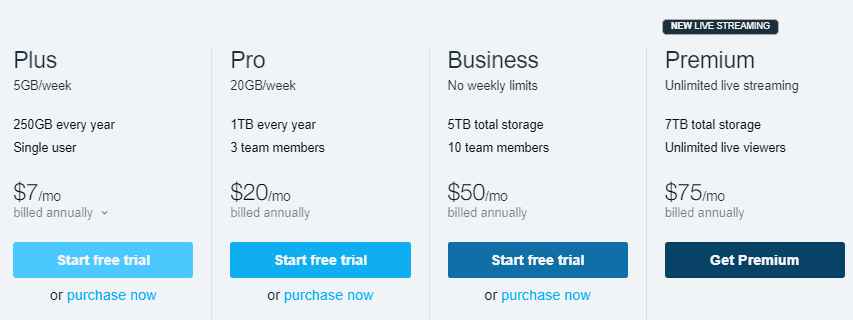
    Though the Basic account on Vimeo is free, there are a lot of restrictions in place – 500MB maximum storage per week – and one has to pay in order to get additional features and storage. Here’s the pricing of Vimeo’s various different subscription plans:

    Vimeo subscription plans

    Advertisements

    YouTube

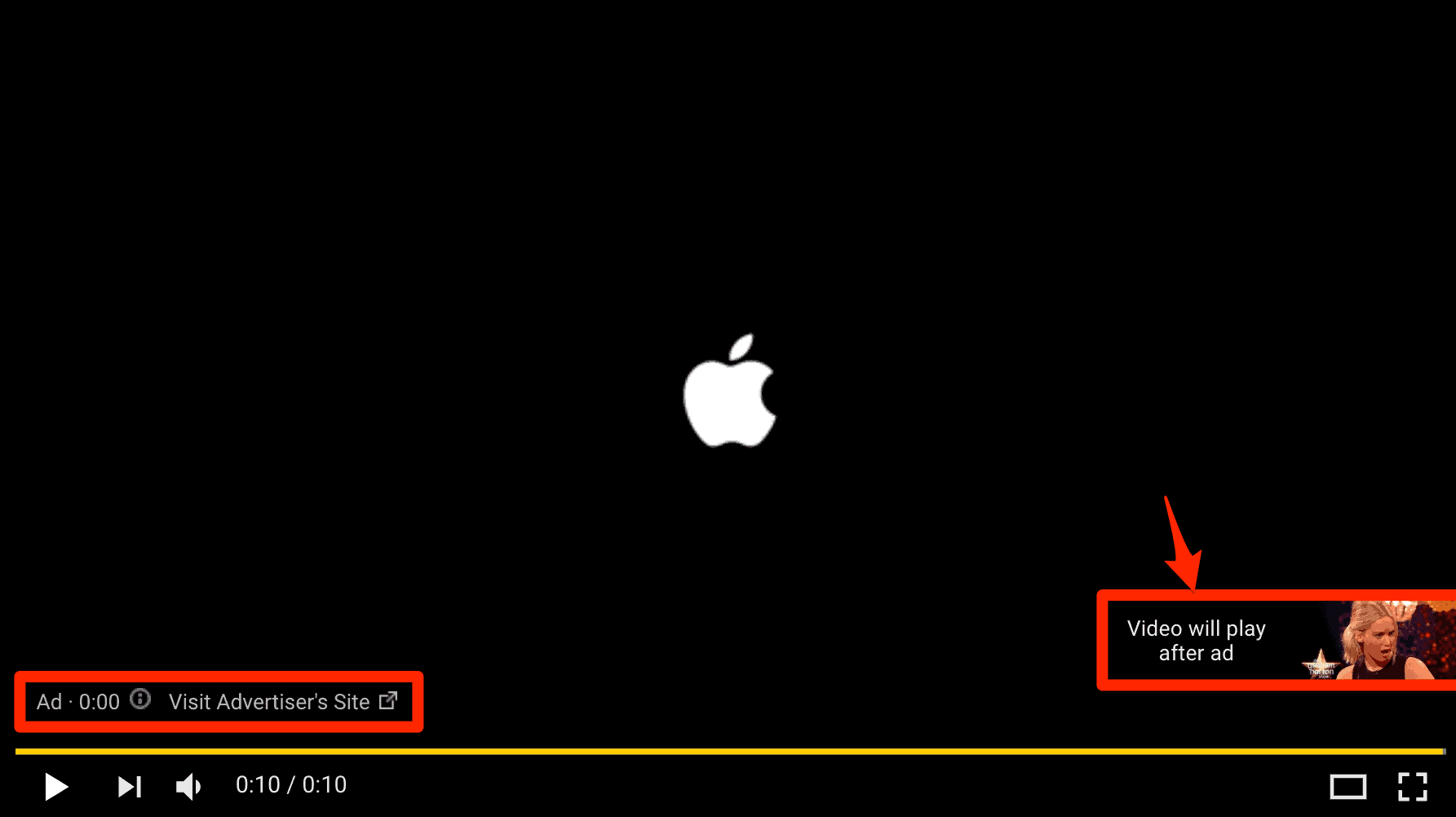
    YouTube displays ads within its player and its user interface. YouTube basically thrives on ad-revenue.

    YouTube advertisment

    YouTube also allows for content creators to be able to seamlessly provide ads that are tailored for individual users. Content creators mainly depend on advertisements in order to earn from the website.

    Vimeo

    Vimeo has a long-standing policy of not serving advertisements on its platform. It had also recently stated that it will not be changing this policy anytime soon.

    Vimeo’s anti-ad stance has proved to act as their USP and distinguishing factor. Content creators have to depend on the user’s donations, and other services such as Vimeo On Demand and Vimeo OTT in order to make money on Vimeo.

    User base & SEO

    YouTube

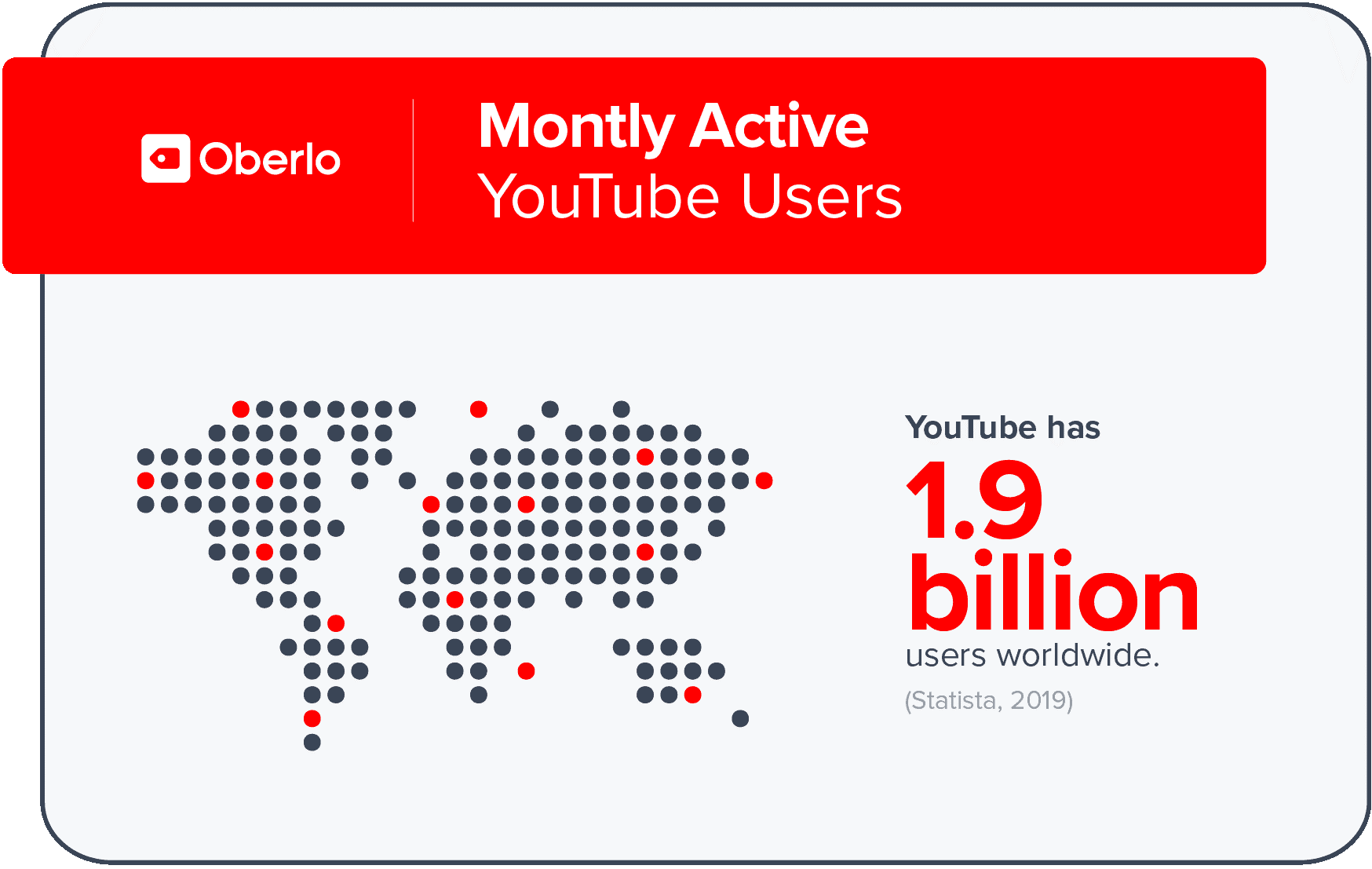
    YouTube is the most visited site in the US and is among the top three worldwide. YouTube has a massive user base and currently has over 1.9 billion monthly active users.

    YouTube user statistics
    Source: Oberlo

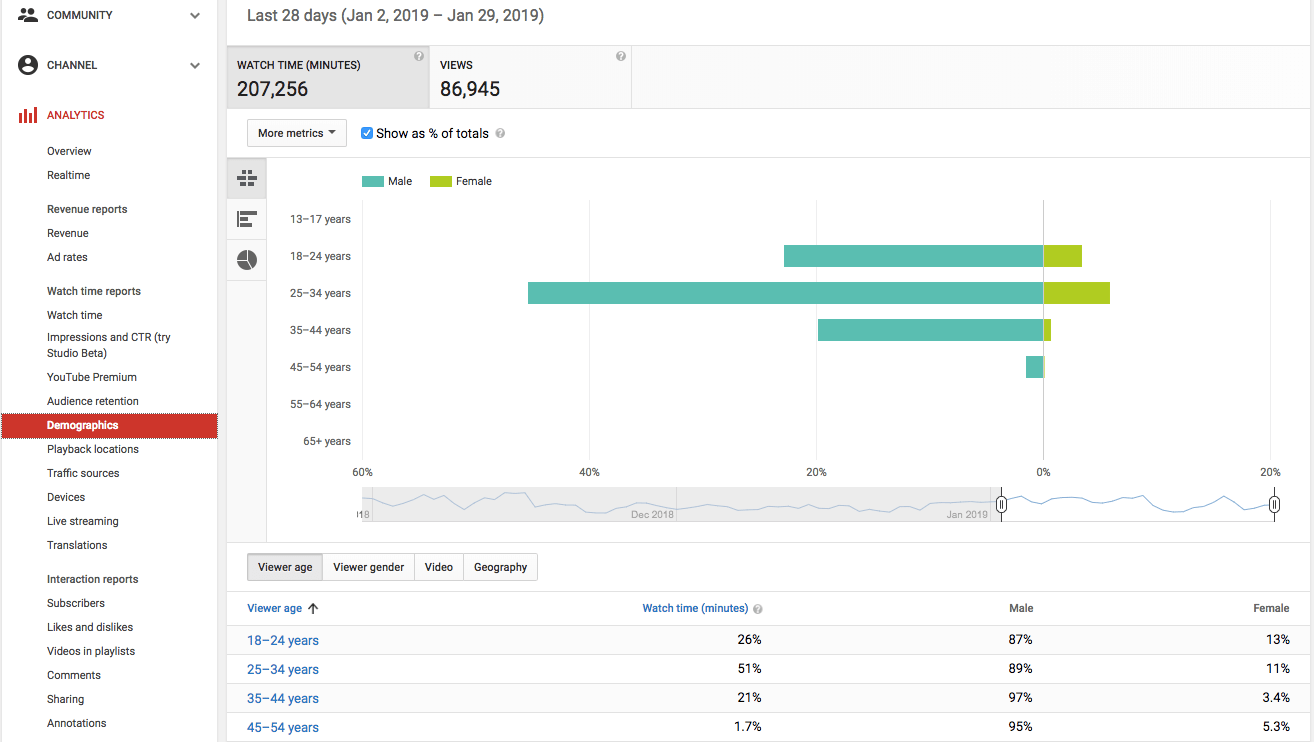
    Also, YouTube being a Google product means that the users have access to the SEO tools and analytics that Google has to offer – for free.

    YouTube analytics
    Source: Single Grain

    Vimeo

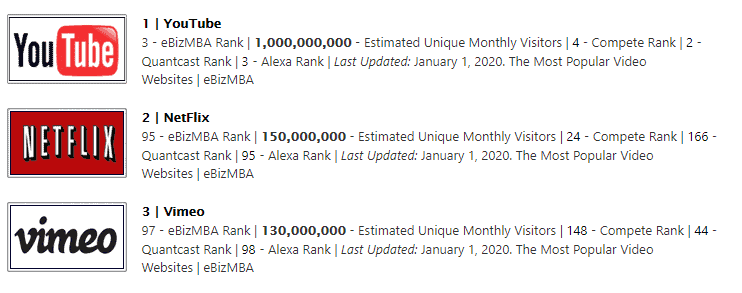
    Vimeo currently is the third most popular video site on the internet, just under YouTube and Netflix. Vimeo has only 170 million monthly active users. It is a fraction of YouTube’s monthly active users, but it has 90 million registered users under its various different subscription plans. This is not shabby considering the number of monthly users using the platform.

    Vimeo users
    Source: WPBeginner

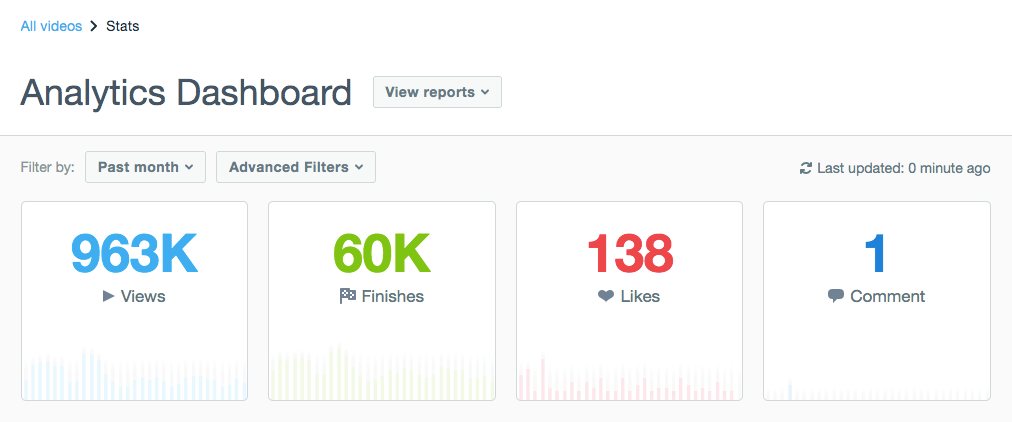
    Vimeo also provides its members with precise analytics, SEO tools and insights – stats on views, comments, likes, shares, total plays, and geographical data. But it is only the paid plans that receive to access them.

    Vimeo analytics dashboard
    Source: Vimeo

    Branding & Community

    YouTube

    YouTube is more of a place where anyone can upload their videos and be able to share it with the rest of the world. YouTube has the ability to take down your videos without your notice in case it violates their changing policies. YouTube also doesn’t focus much on what content is being uploaded – as long as it does not violate any of YouTube’s policies, it is allowed to be uploaded to YouTube.

    This is reflected in YouTube’s community and ecosystem as well. You’ll be hard-pressed to find comments that don’t verge on being either too fanboyish or too hateful. That is not to say you won’t be able to get useful or constructive feedback – a diverse group of people use YouTube and for various reasons, which makes obtaining it that much harder.

    Vimeo

    Vimeo has established itself as the place to be if you’re wanting to share your art with the rest of the like-minded community. Users tend to prefer Vimeo in case they are looking for some high-quality content. This also might be due to the fact that the fee for accounts with larger upload caps acts as a filter,  stopping just about anyone from posting on Vimeo.

    This makes Vimeo’s community quite the perfect place to obtain constructive criticism and gets noticed in the professional community. Many companies and brands also tend to prefer uploading their videos on Vimeo first and then to YouTube because of the stability the former offers.

    Video Uploads & Quality

    YouTube

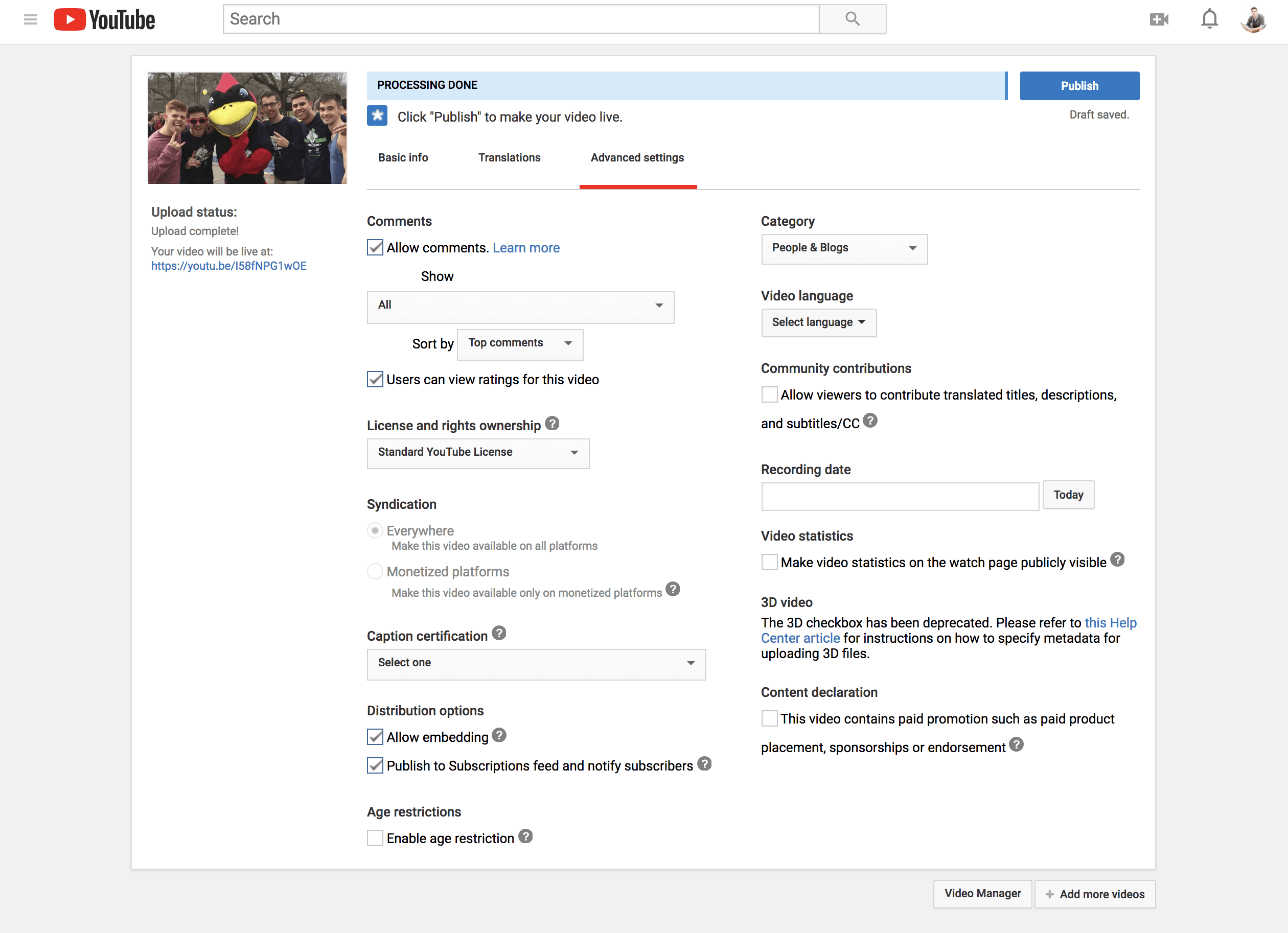
    Uploading to YouTube is simple and straightforward. Click on upload video, select your file and then all that remains is to fill in the appropriate fields to upload a video. YouTube provides additional Advanced settings for your video.

    YouTube video upload
    Source: G2 Learning Hub

    These are beneficial for adding more information and further optimization in order to rank in the search results. Once uploaded YouTube allows you to trim the video clip and add or change additional information on your video.

    YouTube tends to compress the videos you upload to the site – for easier storage and access – which tends to slightly diminish the quality of the video and deviate a bit from what the content creators had uploaded. While this is negligible to the most, it is still a factor to be considered when uploading to YouTube. YouTube’s algorithms and codecs generally do a great job of providing the best quality possible within a certain size.

    Vimeo

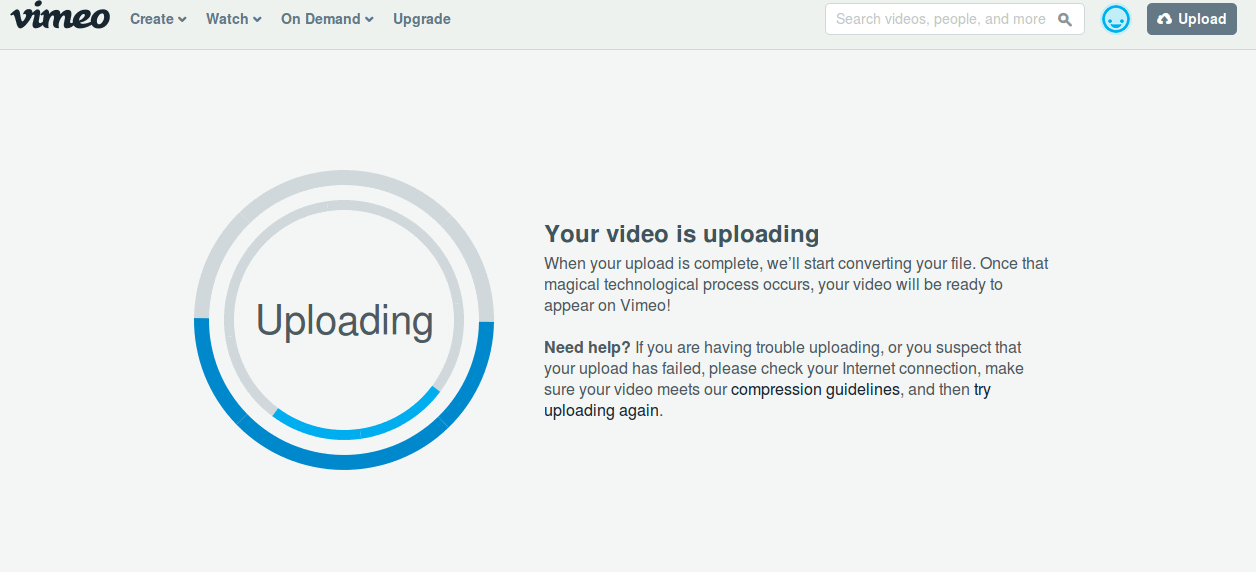
    Uploading videos to Vimeo is quite similar to YouTube in the fact that it is simple and straightforward.

    Vimeo video upload

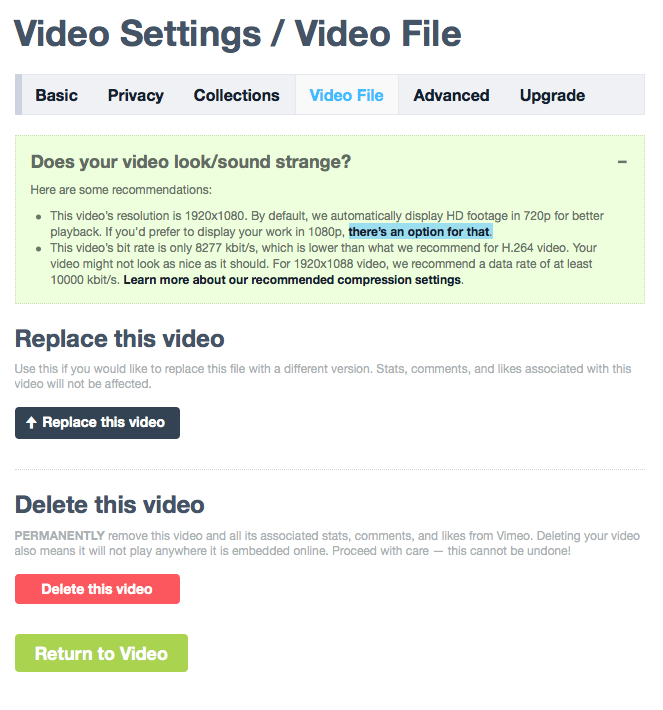
    Along with options that are similar to the ones provided by YouTube, it also offers the ability to replace a video after it has been uploaded without losing that video’s stats.

    Vimeo enforces its user to stick to specific video formats and codecs while uploading. This makes sure that Vimeo doesn’t need to transcode its videos later on and provide the video as intended to the viewers. This results in quite a significant upgrade in the video quality.

    Privacy Options

    YouTube

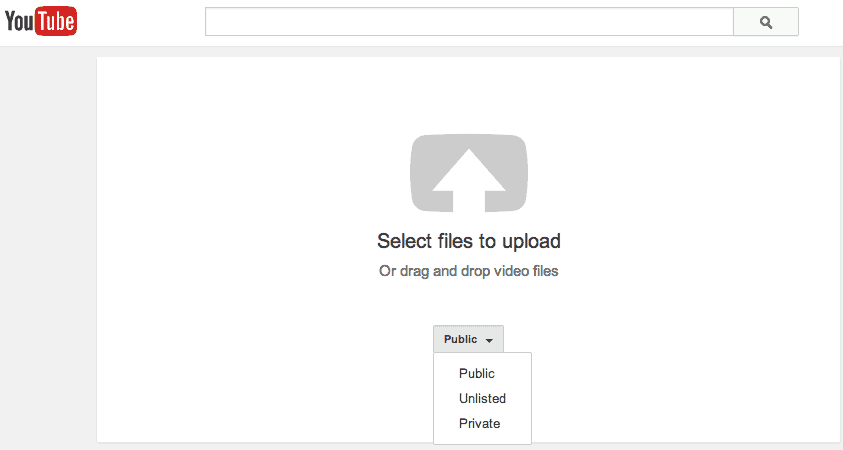
    YouTube scores low in terms of the privacy options on offer. YouTube provides its user with three video privacy options – public, unlisted and private.

    YouTube privacy settings
    Source: Studio 300 Blog

    Apart from this, YouTube also allows for scheduling the release of uploaded videos.

    Vimeo

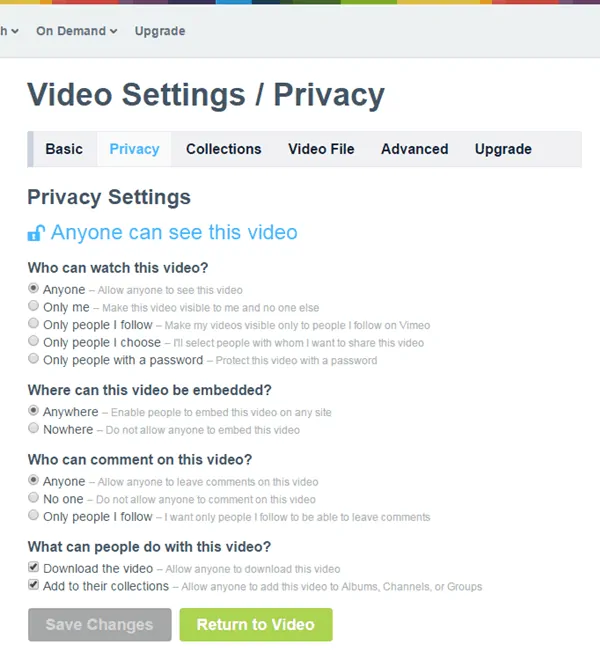
    Compared to YouTube, Vimeo allows for much finer control over who gets to view your videos.

    Vimeo privacy settings

    Vimeo even allows for the videos to be protected with a password. This helps in easily sharing the video only with people with the password. Vimeo also has the option of allowing only the people that you follow or only with people you allow to be able to view the video.

    Go On, Tell Us What You Think!

    Did we miss something? Come on! Tell us what you think about our article on YouTube vs Vimeo in the comments section.
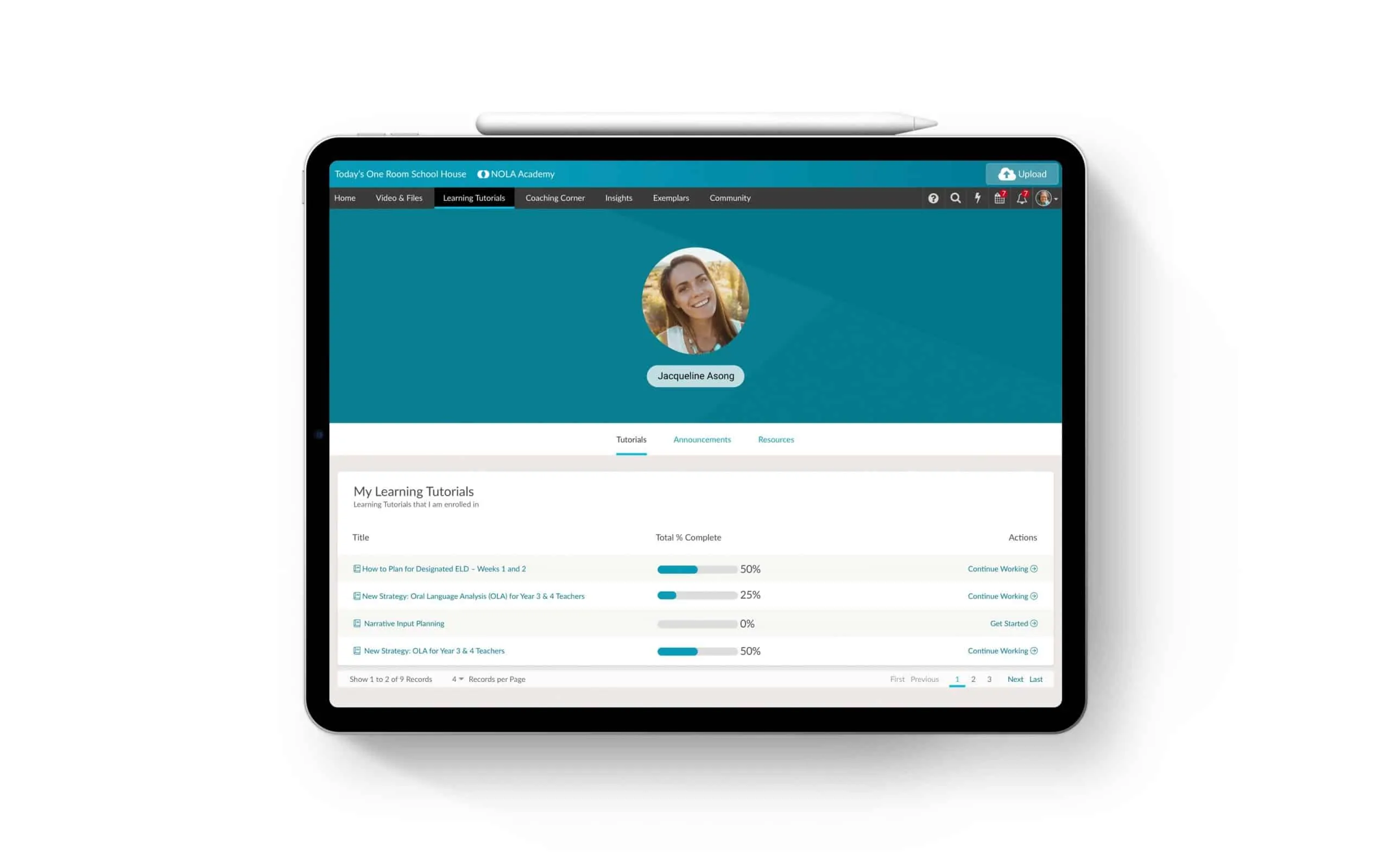
  • Vimeo Business Model | How Vimeo Works & Makes Money

    Vimeo Business Model | How Vimeo Works & Makes Money

    Vimeo was the first site to introduce High-Definition (HD) videos to the online video-sharing space. Even though Vimeo is not as popular as YouTube, it has managed to stand the test of time and dozens of competitors since it was first launched.

    Youtube vs Vimeo vs Netflix
    Vimeo ranks as the world’s 3rd most popular video sites as of January 2020, just under YouTube & Netflix | Source: ebizmba

    With the market saturated by many video-sharing services, Vimeo stands out by offering a high-quality ad-free watching experience to the masses.

    What Is Vimeo?

    Vimeo is a video-sharing site that allows users to upload, share, promote and view videos online.

    Founded in November 2004, Vimeo was born out of necessity – the founders, Jake Lodwick and Zach Klein, weren’t able to find a way to share their videos online. This led to the creation of the video-sharing platform – Vimeo. The name Vimeo is a play on the words “video and me”.

    Even though Vimeo was months earlier to the market than YouTube, Vimeo had strict rules placed around the video upload process. This made Vimeo not as popular as YouTube since the latter allowed for longer video uploads.

    But Vimeo soon changed their strategy and started offering paid accounts with lots of features for uploaders and ad-free viewing experience.

    So –

    What is Vimeo’s business model and how does Vimeo make money when they clearly do not use advertisements, unlike their competitors?

    Vimeo Business Model

    Vimeo follows the Business-to-Business (B2B) model – content creators, which consist of professionals, media houses and businesses, pay to upload to the platform. Vimeo also offers different services that cater to businesses and companies rather than individuals.

    Vimeo didn’t go with the advertisement-based model since it was supplemented by the paying content creators and businesses. This is the exact opposite of YouTube where content creators upload for free, but audiences have to view advertisements which in-turn provide revenue to YouTube.

    This allowed Vimeo to stand out in the market while most of the video-sharing sites employed an ad-based revenue model. Vimeo is also using this as their USP to bring in viewers from other sites. It went from competing against YouTube to focus on becoming a platform for professionals and companies to share and showcase their content.

    This has led to Vimeo becoming a destination for high-quality video content. The premium nature of Vimeo indirectly acts as a filter and prevents just about anyone from uploading to the site. Instead, Vimeo is a perfect place for those who are on the lookout for a platform to showcase their skills or experience. It also means that businesses and companies get a reputed and stable platform to showcase their products and services.

    This also means that audiences don’t accidentally end up on the platform. But instead, they turn to Vimeo for specific and quality content.

    Which brings us to –

    The key partners that help make Vimeo work.

    Vimeo’s Key Partners

    Content Creators & Vimeo Services Users

    Content creators are the users (individuals, businesses and companies) of Vimeo who create, upload and share their video content on the platform for others to view. They are also the main users of the various different services that Vimeo offers. Vimeo earns most of its revenue from these content creators.

    Viewers/Audience

    Viewers are the users of the Vimeo platform who view the uploaded content, usually for free. Though there are paid content and services on Vimeo, they don’t account for much in Vimeo’s revenue stream.

    How Vimeo Works?

    Similar to any other video-sharing service, Vimeo acts as a platform for users to upload and view videos. It provides viewers with the high-quality content made by budding artists, media houses, companies and businesses for free and without advertisements.

    Vimeo also provides a suite of necessary tools that helps with the collaboration and distribution of videos.

    Vimeo Operating Model

    1. Content creators can upload to the platform.how vimeo works
    2. Vimeo provides stats that help its members to get more insight into their content.how vimeo works
    3. Everyone can view the uploaded content via Vimeo for free and without any advertisements.how vimeo works
    4. Vimeo also provides a platform to post and find jobs (commission-free) in the video industry under their service named “For Hire”.how vimeo works

    Now that we know how Vimeo works, let’s look at how it makes money.

    How Does Vimeo Make Money | Vimeo Revenue Model

    Vimeo makes most of its revenue from its user base of content creators, businesses and media houses paying for premium account memberships. Vimeo also makes money from the various video-related services that it offers to its members.

    Premium Accounts

    Vimeo offers a free Basic account along with four subscription plansPlus, Pro, Business, and Premium.

    The Basic accounts are free to create and use, but have a lot of restrictions –

    Vimeo Premium Account

    This makes the Basic account the best bet for those looking to get a taste of how Vimeo works and operates.

    Here is the pricing of the four subscription tiers:

    Vimeo Premium Account

    As of January 2020 –

    • Vimeo Plus costs $84 per year, allows up to 5 GB per week and 250 GB per year to be uploaded with the provision for just one user.
    • Vimeo Pro costs $240 per year and is more suited to professionals. It allows 20 GB per week and 1 terabyte (TB) per year of content to be uploaded. It also allows 3 users to be able to share, upload, maintain and collaborate on the platform.

    (While the above two are more suited towards individuals or smaller teams, businesses and companies can benefit from the following plans.)

    • Vimeo Business costs $600 per year and has no weekly upload limits and 5 terabytes (TB) of content to be uploaded. It also allows 10 users to access the platform.
    • Vimeo Premium costs $900 per year and has no weekly upload limits and 7 terabytes (TB) of content to be uploaded. Similar to Vimeo Business, Premium also allows 10 users to access the platform.

    Each of these tiers offers escalating levels of customer service and personalization.

    Vimeo Enterprise

    Apart from the premium account subscriptions, Vimeo also offers Vimeo Enterprise – a one-stop solution in case the other plans don’t suit your need and you have a large team working on a project.

    It provides enterprise-grade services that allow for easier management of your employees and customers.

    The prices aren’t fixed since the requirements can vary from company to company. Those interested can contact Vimeo directly to proceed further.

    Vimeo On Demand

    Vimeo On Demand is a service offered by Vimeo that allows for Vimeo Pro members to be able to sell or rent their video directly to their audience.

    vimeo video on demand

    It was launched in early 2013 also allows members to design their own video player, including artwork and logos. Vimeo On Demand also offers users to subscribe to the creator, giving the subscribers unlimited access to their work. Vimeo keeps 10% of the revenue plus the processing costs.

    Vimeo Stock

    Vimeo Stock is a stock video marketplace that helps provide royalty-free video footage for a fee. This complements well with its users since this allows them to quickly build projects using stock footage and templates.

    vimeo stock

    Vimeo gets around 30-40% while the contributors take 60-70% of the revenue generated by these clips.

    Vimeo Over-The-Top

    Vimeo Over-The-Top (Vimeo OTT) allows its users to launch subscription-based service. Vimeo helps provide all the tools that one might need in order to run a subscription-based service – such as your very own video streaming platform similar to Netflix, where users can subscribe to it.

    vimeo over the top

    There are three plans available under Vimeo OTT, each with varying pricing and features –

    • Standard
    • Standard + Apps
    • Enterprise

    Vimeo OTT

    Final Thoughts

    In this day and age of advertisement-based services and products, Vimeo still stands true to its initial attitude of not employing ad-based services and has managed to stay profitable without using the ad-based revenue model.

    Instead, Vimeo has used its “ad-free” stance to stand out amongst its competitors such as YouTube as a provider of the ad-free video viewing experience, helping bring in more viewers and content creators to the platform.

    Go On, Tell Us What You Think!

    Did we miss something? Come on! Tell us what you think about our article on Vimeo Business Model | How Vimeo Works & Makes Money in the comments section.
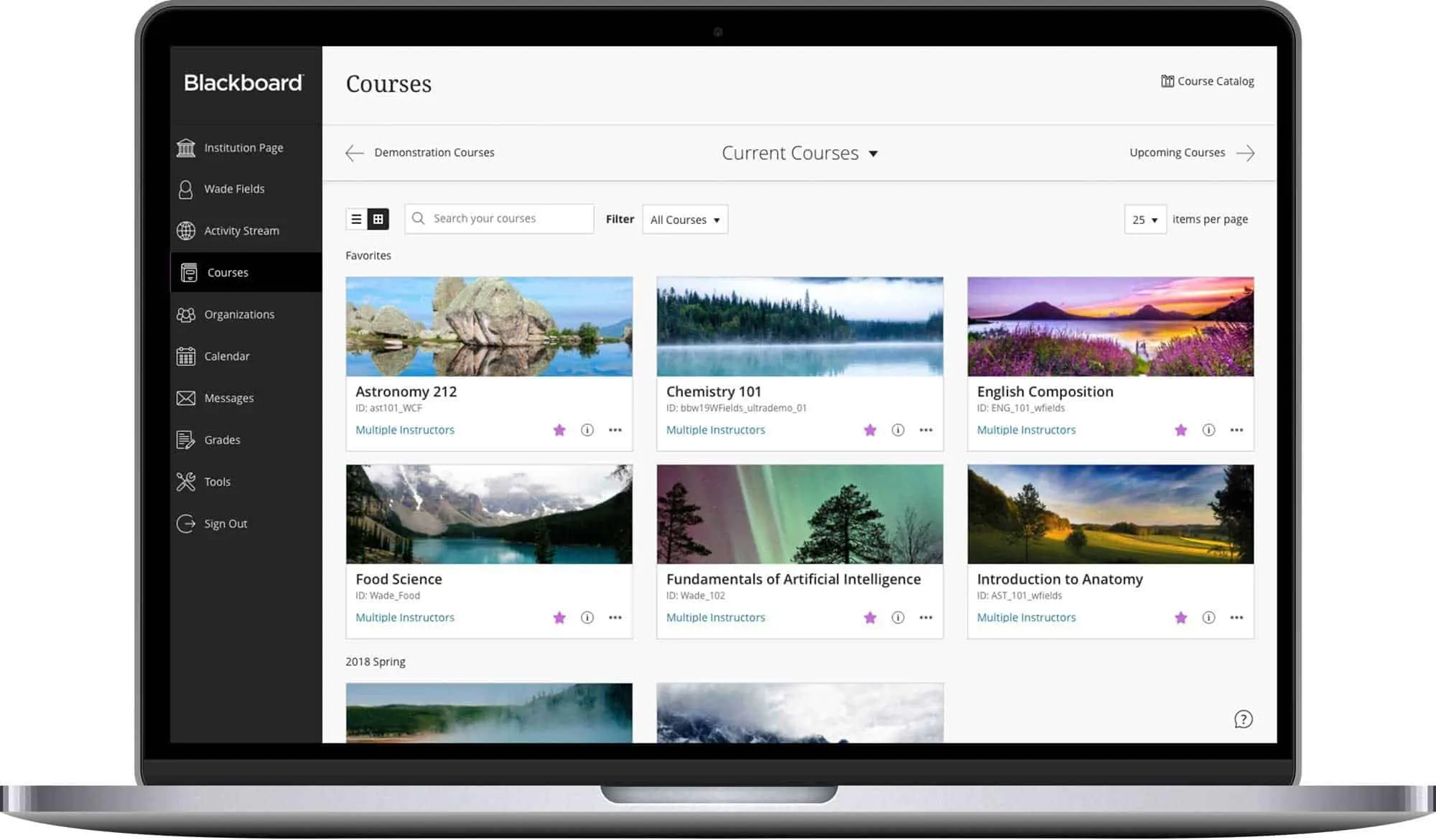
  • Google Maps vs. Waze: A Detailed Comparison

    Google Maps vs. Waze: A Detailed Comparison

    When it comes to smartphone navigation apps, Google Maps and Waze are the big-name players in the field. Both are available for free on iOS and Android, and both also happen to be owned by Google – but the apps operate independently.

    This raises the question –

    How is Waze different from Google Maps?

    Google Maps vs. Waze

    Both Google Maps and Waze are quite straightforward to use and provide quite accurate directions. It is in the finer details that the apps differ from each other.

    Google Maps
    Waze

    Pros

    • Feature-rich
    • Integrates well with other apps
    • Provides information on Public Transportation methods
    • More details on the location
    • Offline maps
    • Crowd-sourced
    • Helps users flag traffic hazard and police alerts
    • Provides aggressive re-routing based on user-submitted data
    • Maps tuned by local experts

    Cons

    • No community-based or user-reported alerts
    • Displays Advertisements
    • Less insight available for locations
    • More suited for drivers

    What Google Maps Does Best?

    Google Maps has been around for a while and has grown rapidly ever since it was offered as a smartphone app apart from just being a desktop site. It bought mapping and navigation services into the palm of your hands and has proved to be the most preferred mapping service by many.

    This has allowed Google Maps to gain more data and insight, which has helped build a robust feature set. Google Maps supports most common modes of travel – whether that’s driving, public transportation, walking, bicycling. Existing for longer and being quite popular has its perks. Google Maps integrates well with other applications – say, ride-sharing apps like Uber and Lyft, music applications, and car-services like Android Auto and Apple CarPlay.

    Google Maps provides more details and information on locations on its maps. Users tend to add missing information and Google Maps is their first-go-to when listing their business locations and such. Google Maps also offers users the ability to download maps to their storage for offline usage. This is quite useful when travelling or exploring newer places as you can download the necessary maps in advance.

    This makes Google Maps great for getting from point A to B and exploring newer places in general.

    What Waze Does Best?

    Waze has been similar to Google Maps even before Google bought it in June 2013 for around $1.3 billion. But both are quite different from each other when it comes to the user base that they cater to.

    Waze works just like Google Maps – provides navigational and routing data to its user but with an added cherry on the top: crowd-sourced traffic, cop location, and hazard data. Waze differentiates itself from the rest by allowing users to share any incident or things they encounter on their commute. This shows up on other users of Waze and Waze also takes this user-generated data to calculate the best route on the fly in real-time.

    The same crowd-sourcing approach is applied to the maintenance and updating of Waze’s maps. Waze offers the Waze Map Editor to allow trusted local experts to edit the map data. This makes sure that maps on a local level are just a tiny bit better than Google Maps.

    Comparing Google Maps & Waze

    User Interface

    Google Maps has an industrial look to its interface and focuses on function than form. Waze, on the other hand, has a slightly cartoonish and friendlier user interface.

    User Interface
    Source: maketecheasier

    Customisation

    Google Maps has more customisation options in terms of different map views, voice prompts and commands. Waze does a better job of displaying labels on the entities as you move while Google Maps does an excellent job of consistently displaying the information.
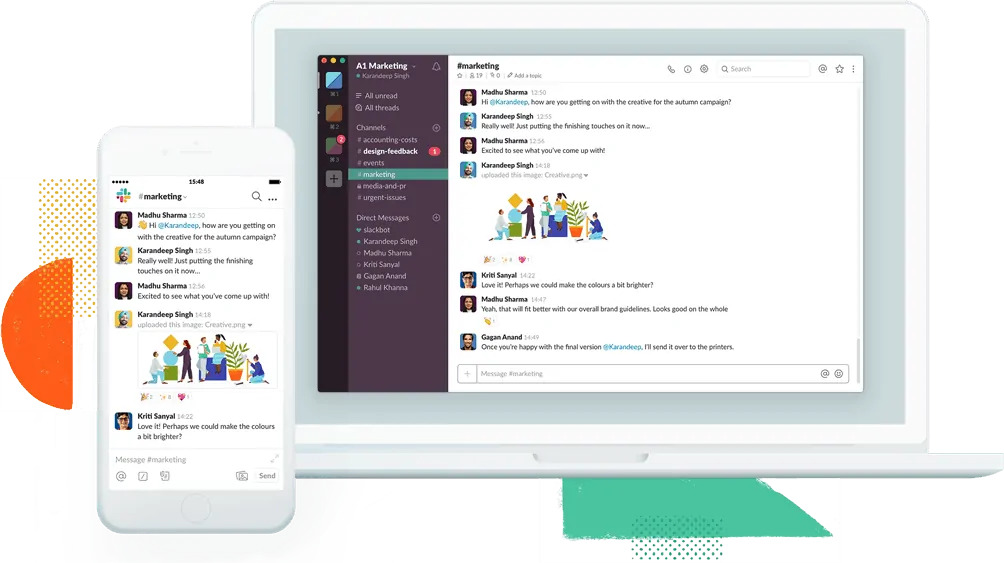
    Google Map Customisation

    Waze Customisation

    Location Search

    Google wins hands down when it comes to searching for locations. Google employs a much better search index that is optimised to factor in your location to provide you with relevant locations from the area you are searching in.

    That is not to say Waze is totally unusable. It is just that Waze’s searches are not as refined as Google’s and usually provides an accurate match to your search input, but might not be anywhere near your current location.
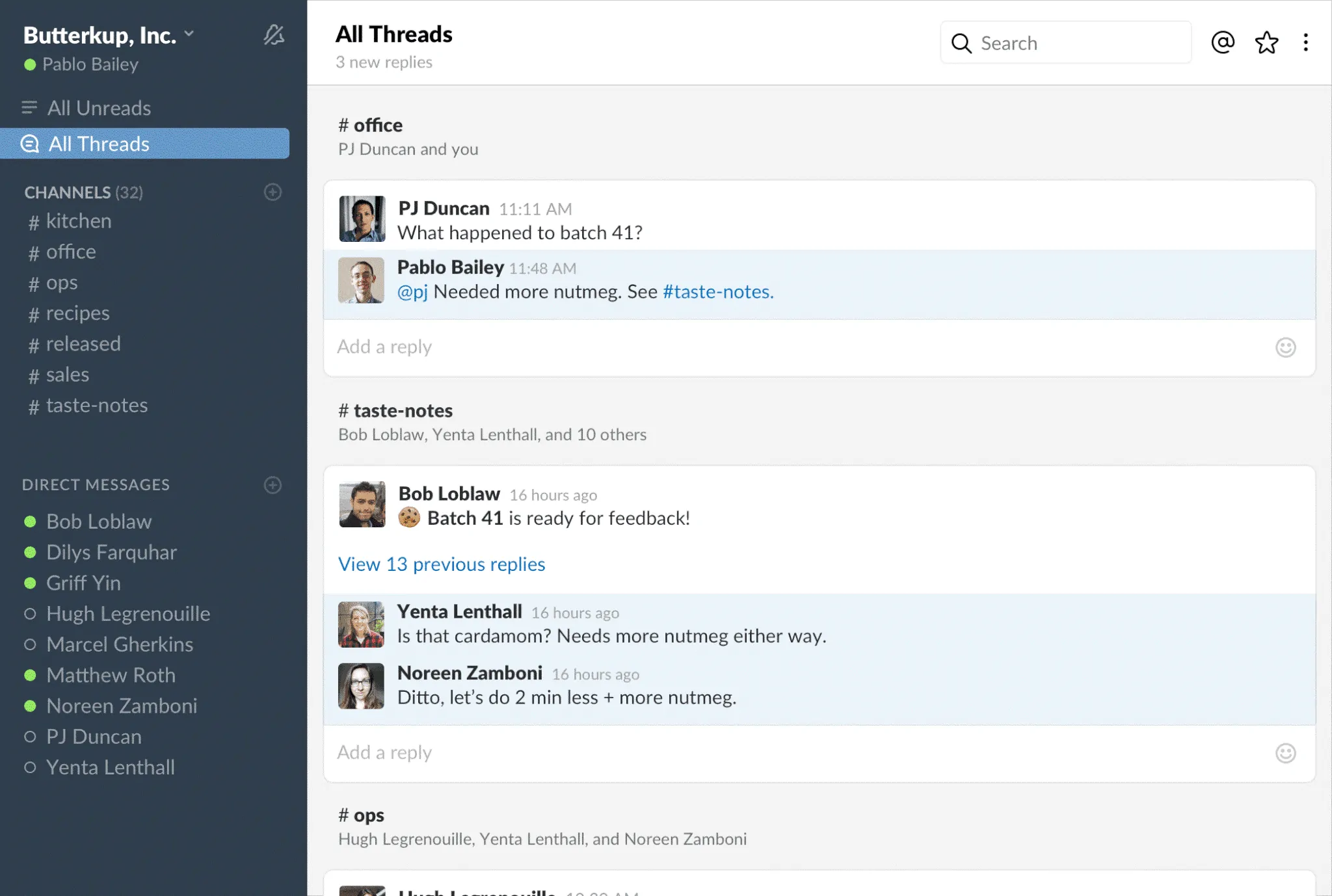
    Waze and Google Maps Location Search
    Source: maketecheasier

    Integration

    Both Google Maps and Waze integrate well with popular apps and services such as Spotify, Google Auto, Apple CarPlay and such.

    Integration

    Miscellaneous

    Data Usage

    Both Google Maps and Waze do not require a lot of data to function – a few megabytes for an hour of commute within the city. Google allows pre-emptively downloading the maps for a required area in advance. Waze too offers offline maps, but one has to remain connected to receive the updates and reports made by the community.

    Privacy

    With both Waze and Google Maps being owned by Google, there is data collection to be considered in terms of user behaviour and their location data to improve upon their services and provide accurate information. We’d side with Waze here since Google tends not to notify its users that it actively collects user’s location timelines even while the GPS-service is off.
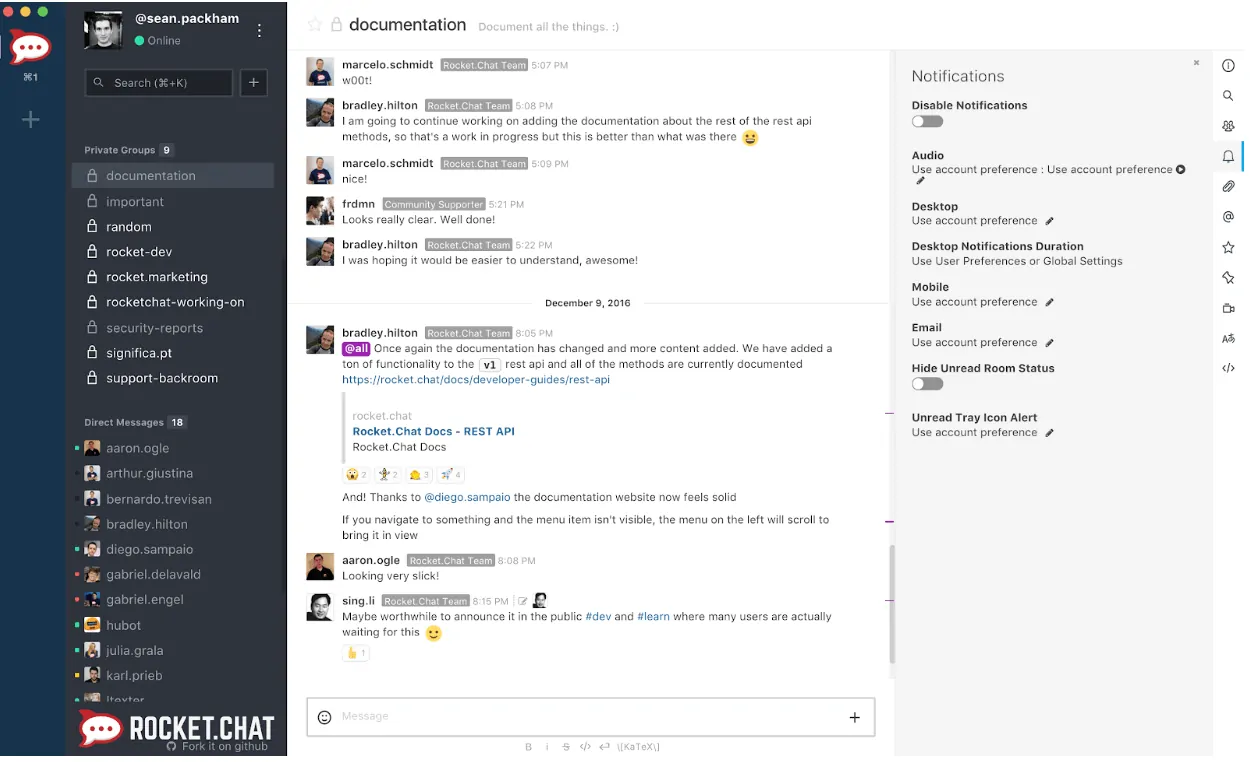
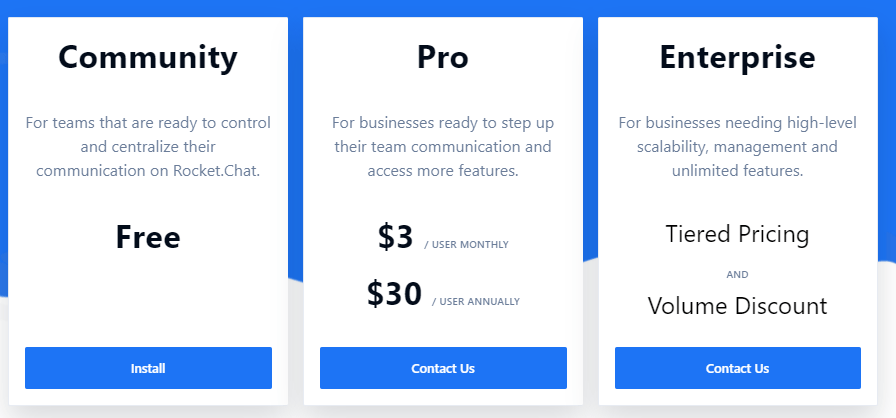
    So –

    Which is better – Google Maps or Waze?

    Conclusion

    Verdict: It depends on your use case.
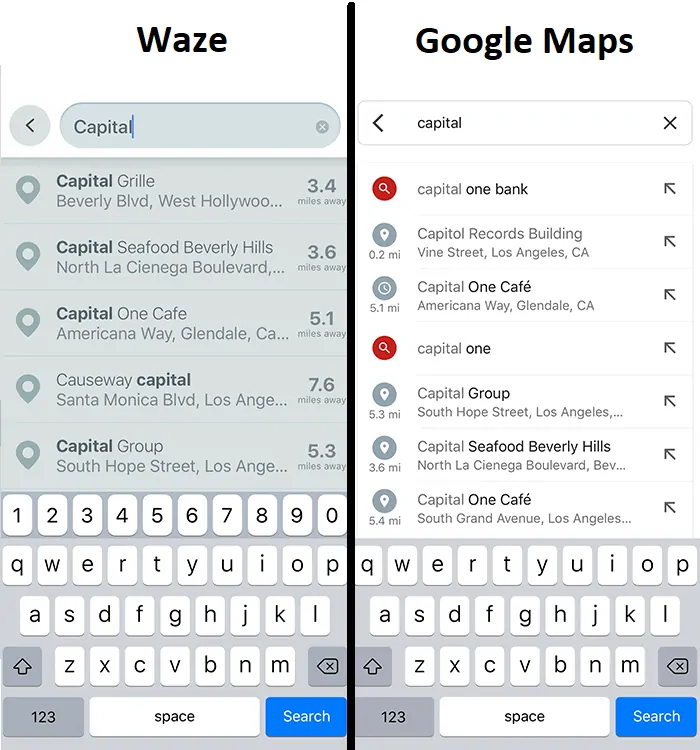
    For general navigation – Google Maps is the best for getting from point A to B. Google Maps might suggest a better time to embark on your journey in case of traffic and such.

    For commute within the city – Waze, on the other hand, provides you with an alternative route on a not-so-travelled (usually adventurous) road to your destination along with a plethora of useful information – cops, speed traps, accidents, roadworks, gridlocks – which might help you save time on your commute.

    Google Maps gets ahead of Waze when it comes to finer details – Google offers lane assist recommendations and other small quality-of-life improvements. This is due to the massive amounts of data that they collect that help improve their services. Google Maps fits the bill when it comes to regular navigation and new locations.

    Waze collects data from a bunch of different users and leverages that data to tailor your trip experience, giving you the most efficient route that’s free of obstacles and other nuisances. Waze is perfect in case you drive a lot within the city.

    Go On, Tell Us What You Think!

    Did we miss something? Come on! Tell us what you think about our article on Google Maps vs. Waze in the comments section.